Enhancing User Experience with Seamless Website Navigation

In the digital world, website navigation plays a pivotal role in shaping user experiences and business outcomes. A well-designed navigation structure acts as a roadmap, guiding visitors through a site’s content and features. From simple horizontal navigation bars to complex dropdown menus, various navigation types cater to different site structures and content needs. Prioritizing user experience in navigation design not only enhances usability but also supports business objectives by facilitating conversions and improving SEO rankings.
Key Takeaways
- Streamlined navigation aligns with user behavior and preferences, fostering an intuitive and accessible user journey.
- Mobile optimization, including responsive design and touch-friendly interfaces, is crucial for on-the-go access and user retention.
- Intuitive menus and links, underpinned by visual hierarchy, improve user engagement and satisfaction.
- Effective navigation directly influences user experience, SEO, site discoverability, and conversion rates.
- Advanced navigation techniques, such as AI and predictive analytics, can offer personalized and efficient navigation paths.
Streamlined Navigation: Guiding User Journeys

Understanding User Behavior and Preferences
To create a seamless navigation experience, it’s crucial to decode user behavior and preferences. Analytics and user testing are indispensable tools in this quest, providing actionable insights that inform design decisions. By analyzing data, we can tailor navigation to match user expectations, leading to a more intuitive and satisfying experience.
Personalization is key in modern web design. Customizing the user journey based on individual behaviors and preferences not only enhances engagement but also fosters a sense of relevance for the user.
Understanding the nuances of user interactions with your website allows for the implementation of a navigation structure that feels familiar and easy to use. This involves a meticulous approach to design, ensuring that every element serves a purpose and contributes to a streamlined user journey.
Here are some steps to consider when analyzing user behavior:
- Collect and analyze feedback to identify urgent needs.
- Implement tracking tools to monitor user interactions and conversions.
- Use data-driven decisions to continuously refine the user experience.
- Engage users in the design process through testing and feedback.
Designing for Intuitive Flow and Accessibility
Creating a website that guides users effortlessly through content is essential for a positive user experience. Intuitive navigation reduces the cognitive load, making it easier for users to find what they need without confusion. To ensure an effortless user flow, familiar icons and clear instructions are key. These elements should be easily recognizable and convey their function unambiguously.
Designing with accessibility in mind is not optional but a necessity. It ensures that all users, regardless of their abilities, can navigate your website with ease.
A logical and user-friendly organization of content is paramount. This includes using clear and consistent labels for navigation items and organizing content in a manner that feels natural to the user. Here are some best practices to consider:
- Utilize visual elements to guide users
- Anticipate and address potential errors with informative messages
- Test navigation with real users to gather feedback
Remember, prioritizing intuitive navigation throughout the design process significantly enhances the overall user experience and contributes to the success of your website.
Implementing Consistent and Logical Structure
Achieving a consistent and logical structure in website navigation is not just about aesthetics; it’s about providing a stable and predictable experience for users. Consistency in navigation design allows users to build a mental model of the website, making it easier to find information and complete tasks efficiently.
To ensure consistency, start by prioritizing the most important pages or sections and placing them at the beginning of the navigation bar. This aligns with user expectations and helps in maintaining a logical flow. Additionally, use clear and consistent labels for navigation items to reduce confusion and enhance usability.
By organizing content in a logical and user-friendly manner, we cater to the intuitive flow that users seek when browsing a website.
It’s also crucial to maintain a consistent design language across all pages. This includes the placement and design of navigational elements, which should remain uniform to prevent disorientation. Incorporating tools like breadcrumbs and location indicators can further support users in understanding their current position within the site’s structure.
Testing the navigation system with real users is an essential step in refining the structure. Gather feedback and make necessary improvements to ensure that the navigation remains intuitive and effective for your target audience.
Optimizing for Mobile: Navigational Best Practices
Responsive Design for Varied Screen Sizes
In the realm of web design, responsive design is a fundamental principle that cannot be overlooked. It ensures that a website’s layout, images, and content are fluid, automatically adjusting to the screen size and resolution of the device being used. This adaptability is crucial for providing an optimal viewing experience across a diverse range of devices, from desktops to smartphones.
Responsive design is not just about visual appeal; it’s about functionality. A site that is responsive is more likely to keep users engaged, reducing bounce rates and potentially increasing conversion rates. It’s a testament to a brand’s commitment to user experience, showing that they value each visitor’s interaction with their site, regardless of the device.
By embracing responsive design, businesses can cater to the ever-growing mobile audience, ensuring seamless navigation and interaction. This approach is essential for maintaining relevance in a digital landscape where mobile usage continues to rise.
Testing and iterating are key components of responsive design. Regularly evaluating how a site performs on various devices allows for continuous improvement, ensuring that the user experience remains smooth and intuitive. This ongoing process is a critical part of delivering a website that not only looks great but also performs exceptionally well on any device.
Touch-Friendly Interfaces and Gestures
In the age of smartphones and tablets, touch-friendly interfaces and gestures are crucial for a seamless mobile experience. Users expect to navigate with ease, using their fingers to tap, swipe, and pinch-to-zoom. To cater to these expectations, designers must ensure that interactive elements are of adequate size and spacing to prevent accidental presses and enhance usability.
By considering thumb-friendly design, we can significantly improve the mobile user experience. This approach involves designing menus and navigation elements with touch-friendly sizes and spacing to accommodate finger taps, which is essential for on-the-go access.
Here are some best practices for touch-friendly design:
- Ensure buttons and links are easy to tap with a minimum size of 44 pixels.
- Provide ample space between interactive elements to prevent mis-taps.
- Utilize common gestures such as swipe to go back or forward in a browser.
- Implement feedback mechanisms like visual cues or haptic feedback to confirm user actions.
Remember, intuitive navigation is not just a nicety but a fundamental aspect of user experience design. Prioritizing it in your design process will go a long way in ensuring the success of your website or app.
Speed Optimization for On-the-Go Access
In today’s fast-paced world, mobile users expect quick and responsive web experiences. Optimizing website speed is crucial for keeping users engaged, especially when they are on the go. To achieve this, several strategies can be implemented:
-
- Compress images without sacrificing quality.
- Leverage browser caching for faster repeat visits.
- Utilize content delivery networks (CDNs) to speed up content distribution.
-
Optimize Database Queries:
- Index databases and optimize queries for swift data retrieval.
- Implement Gzip compression to reduce file sizes for quicker downloads.
-
Mobile Optimization:
- Ensure your website is responsive and adapts to various screen sizes.
- Monitor performance with tools like Google PageSpeed Insights to identify and fix slow-loading elements.
By focusing on these optimization techniques, you can significantly improve the mobile user experience, leading to increased satisfaction and potentially higher conversion rates.
Remember, a delay of even a few seconds can lead to increased bounce rates and lost revenue. Therefore, regular monitoring and continuous optimization of your website’s speed are essential for maintaining a competitive edge.
Enhancing User Engagement Through Intuitive Menus and Links

Visual Hierarchy and Clear Categorization
Creating a visual hierarchy within your website’s navigation is not just about aesthetics; it’s about organizing content in a way that naturally guides the user through your site’s information architecture. Clear labeling and streamlined menu hierarchies are key for user-centric design, enhancing navigation and user experience on websites. Regular feedback and refinement are essential for intuitive navigation.
- Clear and Predictable Navigation: Ensure the navigation menu is visible and consistently placed across different sections.
- Logical Information Hierarchy: Group related information together under clear headings and subheadings.
- Consistent Design Patterns: Use a consistent design language to reduce cognitive load and improve familiarity.
By focusing on these elements, you can significantly improve the ease with which users find information, leading to a more satisfying interaction with your website. This approach not only benefits the user but also contributes to better SEO outcomes as well-structured sites are easier for search engines to crawl and index.
Interactive Elements for Improved Usability
Interactivity is the heartbeat of a dynamic website. By incorporating interactive elements, users are encouraged to engage more deeply with the content. Elements such as forms, search bars, and feedback loops are not just functional; they transform a static page into a conversation with your audience.
Interactive design should minimize the cognitive load for users, making the experience not just engaging but also effortless.
For instance, gamification techniques like rewards, badges, and leaderboards can significantly increase user engagement. These elements should be intuitive, with familiar icons and clear instructions to ensure users can navigate with ease. Below is a list of interactive elements that can enhance usability:
- Intuitive Interaction Elements: Familiar icons and buttons
- Effortless User Flow: Navigation that allows users to accomplish goals with minimal effort
- Error Prevention and Handling: Informative error messages and feedback
By analyzing user behavior, we can tailor these elements to create a more personalized experience, leading to increased satisfaction and conversion rates.
Personalized Navigation Paths
Personalized navigation paths are a cornerstone of a user-centric web design, ensuring that each visitor’s experience is tailored to their individual needs and preferences. By analyzing user behavior, websites can dynamically adjust menus and links to present the most relevant options, streamlining the journey towards desired content or actions.
- Understanding user behavior and preferences
- Designing for intuitive flow and accessibility
- Implementing consistent and logical structure
Personalization in navigation not only enhances user satisfaction but also contributes to higher engagement and conversion rates.
Incorporating personalized navigation paths requires a strategic approach, where data-driven insights inform the creation of a navigation structure that resonates with the user base. It’s about moving beyond a one-size-fits-all solution to a more adaptive and responsive design that reflects the unique ways users interact with a website.
The Role of Navigation in User Experience and Conversion
Impact on SEO and Site Discoverability
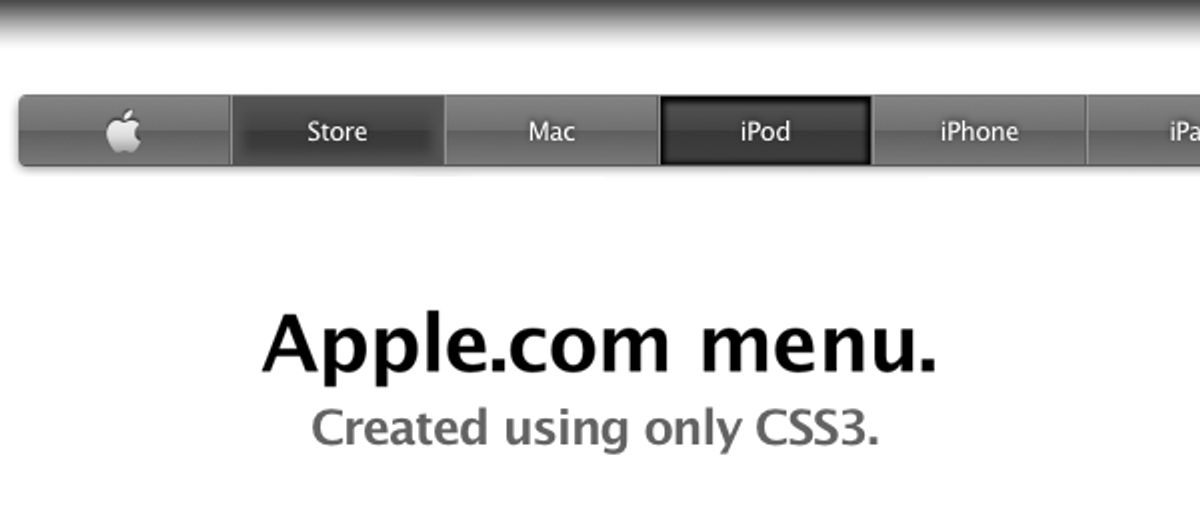
The architecture of a website’s navigation can significantly influence its search engine rankings and overall discoverability. Descriptive navigation labels not only aid users in finding content but also enhance SEO by aligning with search engine algorithms that prioritize clarity and relevance. Consistency across pages ensures that users have a coherent experience, which search engines interpret as a quality signal.
Responsive design is another critical factor; it consolidates content across devices, thereby improving SEO. This is because search engines, like Google, favor websites that provide a seamless experience regardless of the device used to access them.
Effective website navigation streamlines the path to conversion, guiding users to the information or products they seek with ease. This directness is not only user-friendly but also SEO-friendly, as it reduces bounce rates and increases the likelihood of engagement.
By implementing search functionality, such as a search bar, websites can offer a more personalized and efficient navigation experience. This feature acts as a personal assistant, leading to faster access to desired content, which is beneficial for both user experience and SEO.
Building Trust and Credibility with Clear Navigation
Clear navigation is not just about helping users find what they need; it’s about building trust and credibility. When visitors can navigate a website intuitively, they are more likely to view the brand as reliable and professional. This perception is crucial for businesses, as it can directly influence user engagement and conversion rates.
Effective navigation structures are a cornerstone of a positive user experience. They reflect an understanding of user behavior and a commitment to meeting user needs.
To foster this trust, consider the following points:
- Employ descriptive labels for menu items to ensure users know what to expect.
- Maintain consistent placement of navigational elements to reduce confusion.
- Incorporate breadcrumb trails or site maps for better orientation and ease of use.
By adhering to these practices, you can create a navigation experience that not only guides but also reassures users, enhancing their overall experience and your brand’s reputation.
Analyzing Navigation Patterns for Continuous Improvement
The pursuit of excellence in website navigation is an ongoing process that hinges on the analysis of user navigation patterns. By leveraging data from user interactions, website owners can pinpoint areas for enhancement, leading to a more intuitive and efficient navigation experience.
To achieve this, consider the following steps:
- Review analytics to understand how users move through your site
- Identify common drop-off points and navigation bottlenecks
- Conduct A/B testing to compare different navigation structures
- Implement changes based on data-driven insights
Embracing a culture of continuous improvement ensures that your website remains aligned with user expectations and business objectives. It’s not just about fixing what’s broken, but about optimizing what works to deliver a seamless user experience.
Furthermore, the integration of advanced navigation techniques, such as predictive navigation and personalized menus, can significantly elevate the user journey. These methods anticipate user needs and streamline the path to conversion, thereby aligning with strategic business goals.
Advanced Navigation Techniques and Tools
Leveraging AI and Machine Learning for Predictive Navigation
The integration of AI and machine learning into website navigation is transforming the user experience. By analyzing user behavior and leveraging technology, websites can now predict user needs and facilitate a more personalized journey. This predictive navigation approach tailors the browsing experience, ensuring that users find the information they seek swiftly and effortlessly.
Predictive navigation harnesses the power of data to anticipate user actions, thereby enhancing the intuitiveness of website interfaces.
To effectively implement predictive navigation, consider the following steps:
- Collect and analyze user data to understand navigation patterns.
- Utilize machine learning algorithms to identify trends and predict future actions.
- Integrate advanced search features that adapt to user preferences over time.
- Continuously refine the predictive model based on user feedback and interaction data.
By adopting these strategies, websites can create a dynamic and responsive navigation system that evolves with user behavior, leading to a more engaging and satisfying online experience.
Incorporating Voice and Gesture Commands
The integration of voice and gesture commands into website navigation is a leap towards futuristic interactivity. This technology caters to the growing demand for hands-free and accessible web experiences.
- Voice Commands: Enable users to navigate, search, and interact with your site using spoken instructions. This is particularly beneficial for users with visual impairments or those who multitask.
- Gesture Controls: Allow for touchless interaction, where users can scroll, select, or zoom with hand movements. This can be especially useful for public kiosks or in environments where touch is less ideal.
By reducing the cognitive load, these advanced commands provide an effortless user flow, enhancing the overall user experience.
Consistency in the implementation of these commands is key. Users should encounter a familiar set of interactions across various sections of the website. It’s also crucial to provide clear instructions and feedback to prevent and handle potential errors effectively.
Utilizing Analytics for Data-Driven Navigation Decisions
In the quest to perfect website navigation, analytics play a pivotal role. By tracking user interactions, site owners can identify patterns and areas that require enhancement. This data-driven approach ensures that changes to the navigation structure are not based on guesswork but on actual user behavior and preferences.
For instance, analytics can reveal which menu items are most frequently clicked, guiding the prioritization of content. Similarly, it can highlight underperforming links, prompting a redesign or repositioning to improve visibility and click-through rates.
The ultimate goal is to create a navigation experience that feels intuitive and effortless for the user, thereby increasing engagement and satisfaction.
Moreover, analytics can inform A/B testing strategies, allowing for empirical comparisons between different navigation setups. This iterative process of testing, measuring, and refining is essential for achieving an optimal user experience.
Here are some key steps to leverage analytics for navigation decisions:
- Analyze click paths and conversion funnels to understand user flow.
- Identify drop-off points to optimize the navigation path.
- Implement changes based on data and observe the impact on user behavior.
- Continuously refine navigation elements to enhance user experience and engagement.
Embark on a journey to digital excellence with our advanced navigation techniques and tools. Our team at AM2 specializes in custom web design and development, ensuring your online presence is not only visually stunning but also highly functional. From WordPress development to eCommerce solutions, we have the expertise to elevate your website’s performance. Ready to transform your digital strategy? Visit our website and discover how we can help your business grow. Let’s create something amazing together!
Conclusion
In conclusion, seamless website navigation is not just an element of design; it’s a crucial component that can make or break the user experience. By implementing strategies such as consistent navigation across pages, intuitive menus, and streamlined pathways, businesses can ensure that users find the information they need without frustration. This leads to increased engagement, higher conversion rates, and a positive brand perception. Remember, the goal is to guide your users on a journey that is not only satisfying but also reflective of your business’s commitment to excellence. As we’ve explored various aspects of website navigation, it’s evident that a thoughtful approach to this facet of design is indispensable for any website aiming to provide a top-quality user experience.
Frequently Asked Questions
How does streamlined navigation enhance user experience?
Streamlined navigation guides users through a website’s content with ease, reducing confusion and frustration. It involves organizing content logically, using intuitive menus, and providing clear pathways, which leads to increased user engagement and satisfaction.
What are the best practices for mobile website navigation?
Best practices for mobile navigation include responsive design that adapts to various screen sizes, touch-friendly interfaces, optimized images and code for fast loading times, and intuitive gestures to improve usability on mobile devices.
How do intuitive menus and links contribute to user engagement?
Intuitive menus and links allow users to find information quickly and effortlessly, contributing to a positive user experience. This clear categorization and interactive elements improve usability and encourage users to explore more content, enhancing engagement.
What role does navigation play in SEO and site discoverability?
Navigation plays a crucial role in SEO by helping search engines understand the structure and content of a website. A consistent and logical navigation structure can improve site discoverability and contribute to higher search engine rankings.
How can AI and machine learning improve website navigation?
AI and machine learning can predict user behavior to offer personalized navigation paths and recommendations. These advanced techniques can enhance the user experience by making navigation more intuitive and efficient.
Why is it important to analyze navigation patterns for website improvement?
Analyzing navigation patterns helps identify user preferences and pain points. This data can inform continuous improvements to the website’s structure and design, leading to a more user-friendly experience and higher conversion rates.