Enhancing User Experience with Seamless Website Navigation

In the digital age, a website’s navigation can make or break the user experience. As the gateway to a brand’s online presence, seamless navigation ensures that users find what they’re looking for with ease and efficiency. This article delves into the best practices for enhancing website navigation, focusing on intuitive design, performance optimization, user feedback incorporation, mobile responsiveness, and clear calls-to-action to guide users. These strategies are designed to create a user-friendly environment that not only retains visitors but also encourages them to engage and convert.
Key Takeaways
- Intuitive menus and categorization, along with breadcrumbs and search functionality, are foundational for guiding users smoothly through a website.
- Optimizing website performance, including loading speeds, caching, and minimizing HTTP requests, is crucial for smooth transitions and reducing bounce rates.
- Incorporating user feedback through behavior analysis, surveys, and heatmaps is vital for continuous improvement of navigation paths.
- Ensuring mobile responsiveness with adaptable navigation and design is necessary for providing a consistent user experience across all devices.
- Integrating clear and strategically placed calls-to-action aligns with user intent and is essential for driving higher conversion rates.
Streamlining Navigation: Guiding User Journeys
Designing Intuitive Menus and Categories
Creating intuitive menus and categories is pivotal for a seamless user experience. Menus act as the roadmap, guiding users through the digital landscape of your website. To ensure that users can navigate your site with ease, consider the following points:
- Use clear and descriptive labels for menu items.
- Maintain a logical structure that mirrors user expectations.
- Limit the number of menu options to prevent overwhelm.
- Ensure menus are prominently displayed and easy to access.
By focusing on simplicity and consistency, you can enhance the navigability of your website, making it more user-friendly and responsive to visitor needs.
Remember, the goal is to facilitate quick and effortless access to the information or services that users are seeking. Implementing these best practices can lead to a more enjoyable and efficient browsing experience, ultimately improving user satisfaction and engagement.
Implementing Breadcrumbs for Easy Tracking
Breadcrumbs serve as a critical navigation aid on websites, providing users with a clear understanding of their location within the site’s structure. They empower users to navigate back to higher-level pages with ease, enhancing the overall user experience.
- Breadcrumbs indicate the user’s current page in relation to the site hierarchy.
- They allow for quick navigation to previously visited pages.
- Breadcrumbs improve the discoverability of website sections.
By focusing on clarity and consistency, breadcrumbs contribute significantly to intuitive navigation. They not only aid in user orientation but also enhance site hierarchy comprehension.
Incorporating breadcrumbs is a straightforward yet powerful way to optimize website usability. Alongside responsive menus, they form an advanced navigation toolkit that boosts user engagement and satisfaction. It’s essential to ensure that these elements are responsive and function seamlessly across all devices to maintain usability and support SEO efforts.
Leveraging Search Functionality for Quick Access
In the digital age, quick access to information is not just a convenience; it’s an expectation. A well-implemented search functionality is pivotal for any website, allowing users to bypass navigation menus for direct access to the content they seek. Ensure that your search bar is easily visible and provides relevant results, enhancing the user experience significantly.
By incorporating auto-suggestions and filters, users can refine their search with ease, leading to a more efficient discovery process.
Moreover, the speed at which search results are delivered can greatly influence user satisfaction. Strategies for streamlined website navigation include intuitive menu structures with clear labels, organized content, and leveraging breadcrumbs for enhanced usability. These elements, combined with a robust search system, create a seamless navigation experience that can keep users engaged and reduce the likelihood of them leaving the site out of frustration.
Optimizing Website Performance for Smooth Transitions

Enhancing Loading Speeds to Reduce Bounce Rates
Optimizing your website’s loading speed is crucial for keeping users engaged and reducing bounce rates. Slow-loading pages are a major deterrent for visitors, prompting them to leave before fully exploring your site. To combat this, consider the following strategies:
- Reduce image sizes to decrease load times without compromising quality.
- Minify CSS and JavaScript files to eliminate unnecessary code.
- Leverage browser caching to store elements of your site locally on users’ devices.
- Choose a reliable web host to ensure consistent performance.
By prioritizing these optimizations, you can significantly enhance the user experience and encourage longer site visits.
Remember, a fast-loading website not only satisfies users but also contributes to higher search engine rankings. Regularly review your site’s performance and implement changes to maintain optimal speed.
Utilizing Caching for Improved Responsiveness
Caching is a pivotal strategy in enhancing website performance, particularly in terms of responsiveness. Browser caching saves static files like CSS, JavaScript, and images on a user’s device, leading to quicker load times on subsequent visits. For instance, a visitor who accessed your site yesterday can enjoy a faster experience today, as their browser doesn’t need to re-download the logo or CSS files.
By implementing effective caching mechanisms, you can ensure that your website not only performs better but also delivers a more seamless user experience.
To further optimize performance, consider these steps:
- Combine and minify CSS and JavaScript files to reduce HTTP requests.
- Compress assets such as images and scripts to decrease file sizes.
- Utilize Content Delivery Networks (CDNs) to serve static assets from locations closer to the user.
Remember, every millisecond counts. Amazon’s revelation that a 100ms delay could lead to a 1% drop in sales underscores the direct impact of performance on user engagement and revenue.
Minimizing HTTP Requests for Faster Navigation
To enhance user experience, it’s crucial to minimize the number of HTTP requests a website makes. Each request generates a round trip from the user’s browser to the server, which can slow down page loading times and lead to a poor user experience. Here are some effective strategies to reduce HTTP requests:
- Combine CSS/JavaScript files: Grouping multiple files into one reduces the number of requests made.
- Image optimization: Compress images without losing quality to decrease file size.
- Use CSS sprites: Combine multiple images into one large image and use CSS to display only the parts needed.
- Minify CSS and JavaScript: Remove unnecessary characters from code to reduce its size.
By implementing these techniques, you can significantly improve your website’s performance, making navigation smoother and more user-friendly.
Remember, a faster website not only keeps users engaged but also contributes to better search engine rankings. Regularly reviewing your site’s performance and optimizing elements can lead to a more seamless user experience.
Incorporating User Feedback for Navigation Improvements
Analyzing User Behavior to Refine Navigation Paths
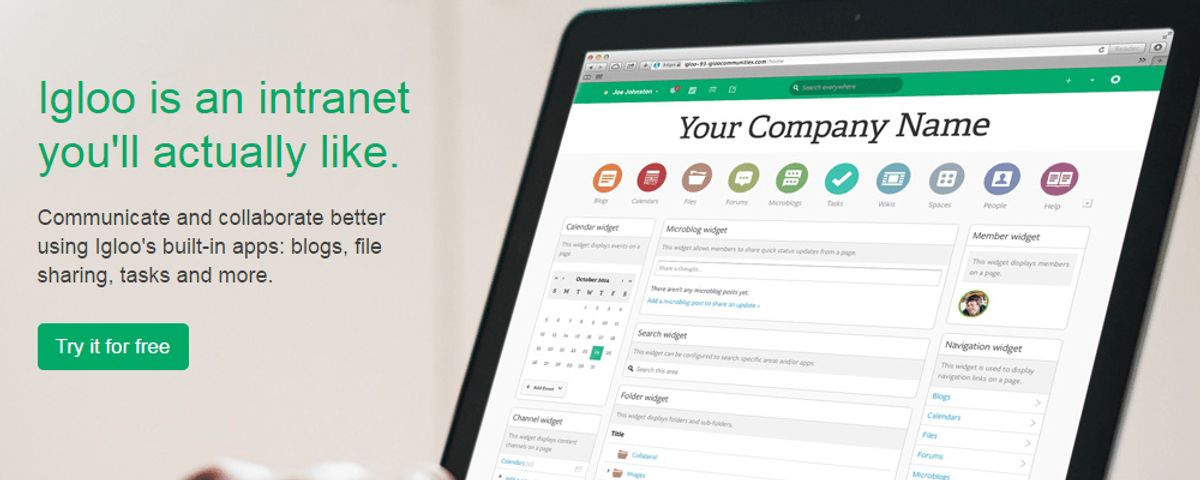
Understanding how visitors interact with your website is pivotal for creating a seamless navigation experience. By analyzing user behavior, you can identify patterns that highlight the most frequented paths and potential areas of friction. This insight allows for the optimization of conversion paths, ensuring that users find what they’re looking for with ease.
To effectively refine navigation paths, it’s essential to pinpoint the key entry points and user pathways. This involves a meticulous review of analytics data to understand where users are coming from and where they tend to drop off.
A/B testing plays a crucial role in this process. By comparing different navigation layouts and design elements, you can determine which configurations yield the best user experience. Here are some steps to consider:
- Utilize analytics tools to gather data on user behavior.
- Conduct A/B testing to experiment with navigation changes.
- Implement search functionality enhancements based on user interaction.
- Ensure consistency across navigation elements.
- Explore advanced techniques like forward and horizontal navigation.
Iterating on navigation design based on real user feedback is key to continuous improvement. Conduct user testing to identify pain points and gather feedback, which will inform further refinements to the navigation experience.
Gathering User Insights Through Surveys and Heatmaps
To truly understand how users interact with your website, surveys and heatmaps are invaluable tools. Surveys provide direct feedback from users about their experiences and expectations. Meanwhile, heatmaps offer a visual representation of where users click, move, and spend time on your site, revealing both hotspots and ignored areas.
By combining the qualitative data from surveys with the quantitative insights from heatmaps, you can make informed decisions to enhance navigation. For example, if a heatmap shows that a call-to-action button is frequently overlooked, you might consider its placement or design.
It’s essential to remember that user behavior is dynamic; what works today may not be as effective tomorrow. Regularly updating your approach based on fresh data ensures that your website remains user-centric.
Here’s a simple process to integrate these tools into your website improvement strategy:
- Conduct user surveys to gather subjective feedback.
- Utilize heatmaps to identify patterns in user behavior.
- Analyze the combined data to pinpoint areas for improvement.
- Implement changes and monitor the impact.
- Repeat the process to continually refine the user experience.
Implementing Changes Based on Real User Data
In the pursuit of a flawless user experience, real user data stands as the cornerstone for making informed decisions. By analyzing user behavior, we can uncover invaluable insights that drive strategic changes to website navigation. For instance, heatmaps and session recordings reveal which areas of a site are most engaging, while user surveys provide direct feedback on navigation pain points.
Personalization is key to a seamless user experience. Tailoring navigation to individual user preferences, based on their behavior and feedback, not only enhances satisfaction but also encourages loyalty and repeat visits.
To effectively implement changes, a structured approach is essential. Here’s a simple process:
- Collect data through analytics, feedback tools, and user testing.
- Identify patterns and areas for improvement.
- Develop hypotheses for navigation enhancements.
- Test changes with a subset of users.
- Analyze the impact and refine further.
This iterative process ensures that navigation evolves in tandem with user needs, leading to a more intuitive and efficient experience. By embracing a data-driven approach, we can create a navigation system that feels almost intuitive, guiding users effortlessly to their desired content.
Ensuring Mobile Responsiveness for On-the-Go Access
Adapting Navigation for Touchscreen Interfaces
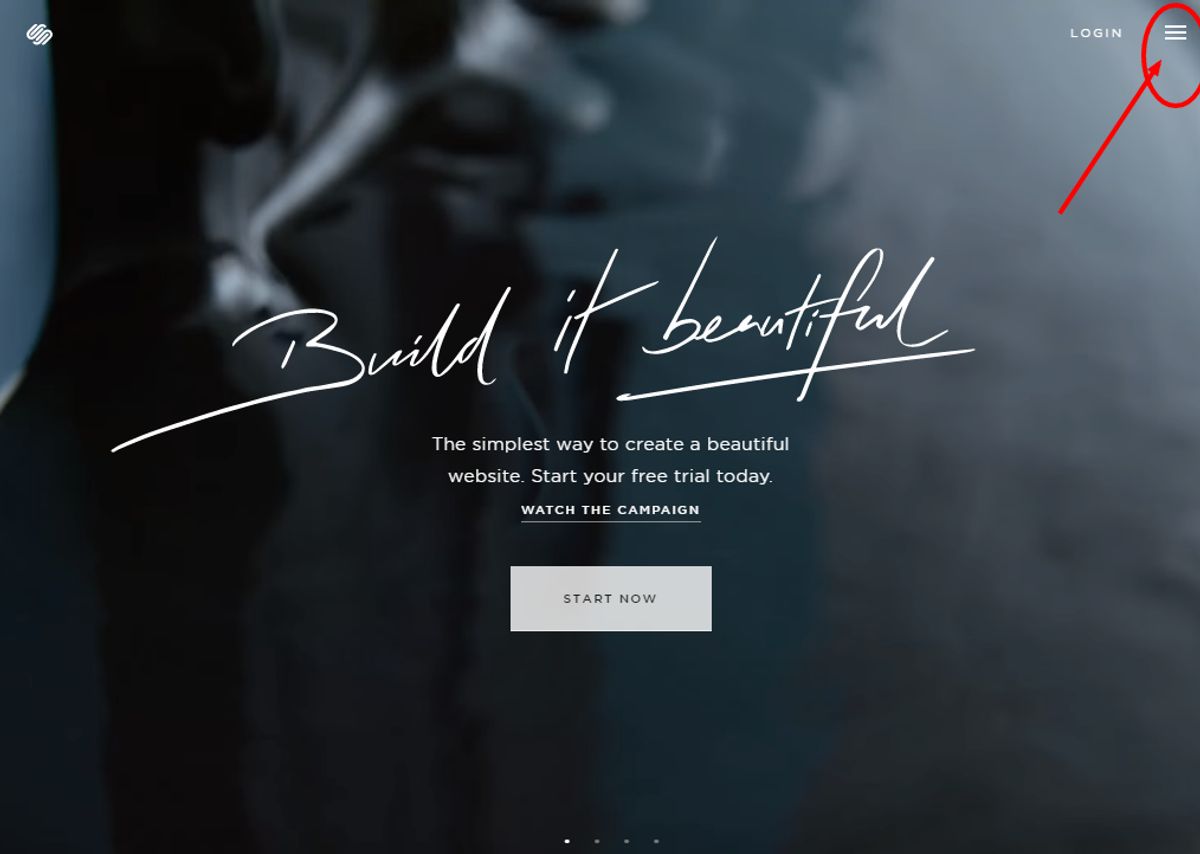
In the era of mobile-first design, adapting navigation for touchscreen interfaces is a critical step in enhancing user experience. Mobile users often have limited screen space, which necessitates intuitive navigation through clear and concise menu structures. A popular solution is the hamburger menu icon, which expands into a vertical menu, conserving valuable screen real estate while remaining accessible.
Touch-friendly interactions are paramount, as mobile devices rely on touch rather than mouse clicks. This includes designing larger buttons and interactive elements that are easy to tap, and incorporating gestures like swiping or pinch-to-zoom to enrich the user experience. It’s also important to consider the placement of these elements to minimize the risk of accidental clicks.
By focusing on the optimization of navigation elements for touchscreens, websites can deliver a seamless and user-friendly experience that meets the expectations of mobile users.
Finally, implementing micro-interactions can guide users subtly through their journey. Visual cues and feedback can reassure users that they are on the right path, making the navigation experience not only functional but also engaging.
Optimizing Dropdown Menus for Mobile Users
In the realm of mobile web browsing, dropdown menus must be meticulously optimized to ensure a frictionless user experience. Mobile users, often on the go, require quick and effortless access to the desired content without the hassle of navigating through complex menu structures.
- Prioritize intuitive navigation by simplifying dropdown menus, making them easily expandable with a tap.
- Adapt menu items to the limited screen real estate of mobile devices, ensuring that each element is large enough to be selected without error.
- Implement a hamburger menu for a clean and uncluttered interface, which expands to reveal menu options when needed.
By streamlining the design and functionality of dropdown menus, websites can cater to the mobile user’s need for speed and simplicity, ultimately enhancing the overall user experience and potentially increasing conversion rates.
It’s crucial to avoid desktop-centric interactions such as ‘hover to open’ which do not translate well to touch interfaces. Instead, opt for direct and responsive actions that align with the user expectations of mobile web interactions. Regular testing on various devices ensures that dropdown menus remain accessible and user-friendly across all platforms.
Balancing Design and Functionality on Smaller Screens
Achieving the perfect equilibrium between design and functionality on mobile devices is paramount for user retention and engagement. Mobile users demand quick, accessible information without the hassle of navigating through complex structures. To cater to this need, web designers must employ a minimalist approach, ensuring that every element serves a purpose and enhances the user experience.
The key is to create a user interface that is both visually appealing and highly functional, without overwhelming the user with too many options or dense information.
Here are some best practices for balancing design and functionality on smaller screens:
- Responsive Design: Adapt layouts using CSS media queries.
- Mobile-First Approach: Prioritize mobile design in the development process.
- Real Device Testing: Emulate real-world usage to fine-tune the user interface.
By focusing on these aspects, designers can create a seamless navigation experience that resonates with the mobile audience, ultimately leading to higher conversion rates and brand loyalty.
Integrating Clear Calls-to-Action to Guide Users

Strategically Placing CTAs for Maximum Visibility
The strategic placement of Calls to Action (CTAs) is crucial for capturing user attention and guiding them towards desired actions. CTAs should be visually prominent and compelling, using actionable language and contrasting colors to stand out. It’s essential to include them on high-traffic areas such as landing pages, blogs, or as floating banners to maximize their impact.
By analyzing user behavior, we can refine the placement of CTAs to align with natural browsing patterns, ensuring they are noticed without disrupting the user experience.
Effective CTA design is not just about visibility; it’s about placement that resonates with the user’s journey. Consider the following points for optimal CTA placement:
- Position CTAs where they are most likely to be seen, such as above the fold or within the main content area.
- Use directional cues like arrows or icons to draw attention to the CTA.
- Ensure CTAs are placed consistently across pages to create a familiar pattern for users.
Remember, the goal is to make the path to conversion as intuitive as possible. A well-placed CTA can be the difference between a user taking action or leaving the page.
Designing Actionable Buttons to Encourage Engagement
To optimize user journeys and encourage engagement, designing actionable call-to-action (CTA) buttons is crucial. These buttons should not only be visually appealing but also convey a sense of urgency and clear value proposition. For instance, using phrases like ‘Get Started Now’ or ‘Join Free for a Month’ can be more effective than a simple ‘Click Here’.
Effective CTAs are a blend of compelling language and strategic placement. Consider the following points when designing your CTAs:
- Use action-oriented language that prompts immediate response.
- Position CTAs in high-visibility areas to draw user attention.
- Employ contrasting colors to make the buttons stand out.
- Ensure that the size and shape of the buttons are suitable for both desktop and mobile users.
By continuously analyzing user behavior and A/B testing different CTA designs, you can refine your approach to meet the evolving expectations of your audience. This iterative process is key to improving engagement and conversion rates over time.
Remember, the goal is to guide users through a logical flow that culminates in a desired action. Accessibility should also be a priority to create an inclusive digital space for all users. By leveraging customer analytics and insights, you can make data-driven decisions that enhance the overall user experience.
Aligning CTAs with User Intent for Higher Conversion Rates
To achieve higher conversion rates, it is crucial to align calls-to-action (CTAs) with the user’s intent. This strategic alignment guides users through the conversion funnel, making the process feel natural and intuitive. CTAs should be clear, compelling, and placed where users are most likely to take action.
By understanding the user’s journey and the actions they are inclined to take, we can design CTAs that resonate and encourage engagement.
For instance, a user browsing a product page may respond well to a CTA like ‘Add to Cart’, while a visitor on the informational blog might be more inclined to ‘Learn More’ or ‘Subscribe’. Here’s a simple list to ensure your CTAs are effectively aligned:
- Identify the user’s stage in the conversion funnel
- Match the CTA with the user’s current intent
- Use actionable language that prompts immediate response
- Test different CTA placements to find the most effective spots
Remember, an optimized call-to-action is not just about the design; it’s about creating a seamless experience that leads to a desired outcome.
To ensure your online presence is as dynamic and engaging as possible, integrating clear calls-to-action (CTAs) is essential. Our team at AM2 specializes in creating custom WordPress solutions that not only look great but also drive results. Ready to elevate your website’s performance? Visit our [Services page](#) to see how we can help your business grow. Let’s make the digital world better, together.
Conclusion
In conclusion, seamless website navigation is not just a feature but a fundamental aspect of user experience that can significantly impact user engagement and conversion rates. By implementing intuitive menus, logical page layouts, and clear calls to action, businesses can guide users through their digital journey with ease. The insights and strategies discussed in this article, from simplifying navigation to optimizing performance, are essential for creating a user-friendly interface that resonates with visitors. Remember, a well-navigated website not only retains users but also fosters trust and loyalty, paving the way for sustained online success. As we continue to embrace the digital era, prioritizing seamless navigation will remain a key driver for enhancing user experience and achieving business objectives.
Frequently Asked Questions
How does intuitive menu design improve user experience?
Intuitive menu design allows users to find information quickly and navigate a website with ease, reducing frustration and improving overall satisfaction.
Why are breadcrumbs important in website navigation?
Breadcrumbs provide a clear path of the pages a user has visited, making it easy to backtrack and understand their location within the website.
What role does search functionality play in website navigation?
Search functionality offers users immediate access to specific content, enhancing the user experience by saving time and simplifying navigation.
How can website performance affect user navigation?
Website performance, including loading speeds, directly impacts user engagement and retention, as slow websites can lead to increased bounce rates.
In what ways can user feedback improve website navigation?
User feedback helps identify navigation issues and preferences, allowing for targeted improvements that enhance the usability and effectiveness of the website.
Why is mobile responsiveness critical for website navigation?
Mobile responsiveness ensures that the website is easily accessible and navigable on mobile devices, catering to the growing number of users who browse on-the-go.