Enhancing User Experience with Seamless Website Navigation
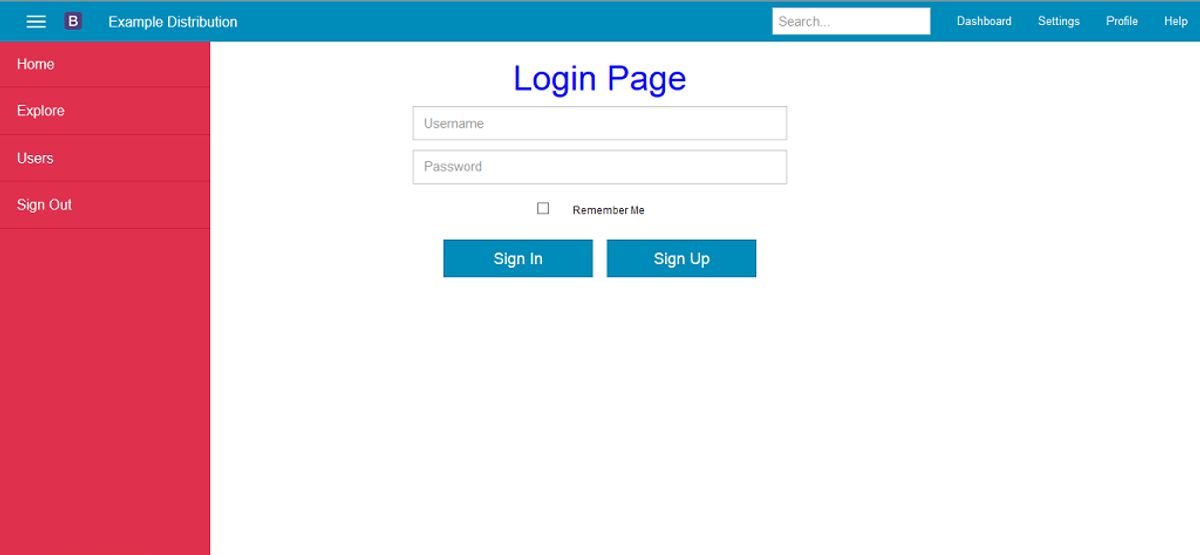
In the fast-paced world of digital design, creating a visually appealing interface is only half the battle. The true measure of success lies in the user experience (UX), and at the heart of that experience is navigation. Designing user-centric navigation is not just about creating pretty buttons; it’s about crafting a seamless journey that guides users effortlessly through your interface. In this article, ‘Enhancing User Experience with Seamless Website Navigation’, we’ll delve into the strategies for streamlining navigation across multiple devices, enhancing usability through intuitive design, and leveraging user feedback to refine the navigation experience.
Key Takeaways
- Effective website navigation should prioritize ease of use across various devices, adapting to different screen sizes and input methods to ensure a consistent user experience.
- Intuitive design elements such as clear navigation paths, consistent visual language, and fast load times are essential for fostering a positive user experience and reducing user frustration.
- Incorporating usability best practices, accessibility considerations, and navigability enhancements can significantly improve the interaction quality for all users, including those with disabilities.
- User feedback is invaluable for refining website navigation. Regular usability testing and behavior analysis can reveal insights for iterative design improvements.
- A seamless navigation experience not only satisfies users but also contributes to better SEO performance, increased mobile traffic, and higher conversion rates.
Streamlining Navigation for Multi-Device Use

Optimizing Navigation Menus
Optimizing navigation menus is a critical step in enhancing user experience and ensuring seamless navigation across various devices. A well-designed menu should be intuitive, allowing users to find information quickly and efficiently. To achieve this, consider the following points:
- Implement a sticky or fixed navigation menu that remains visible as users scroll, providing constant access to key sections of your site.
- Ensure that menu labels are clear and concise, avoiding technical jargon that may confuse users.
- Prioritize content hierarchy in the menu, placing the most important items in prominent positions.
- Reduce the number of menu items to avoid overwhelming users, following the principle of simplicity.
By focusing on these aspects, you can significantly improve the navigation experience, leading to better engagement and conversion rates.
Remember, the goal is to guide users through your website with minimal effort on their part. Utilizing mobile-friendly features and responsive layouts are also essential in today’s multi-device world. Regularly analyze user behavior and feedback to refine your navigation strategy, ensuring it aligns with user expectations and behaviors.
The Importance of Responsive Design
In the digital age, responsive design is a cornerstone of seamless website navigation. It ensures that a site is accessible and functional across various devices, from desktops to smartphones. This adaptability is vital as mobile traffic now surpasses over 50% of global website traffic.
Responsive design not only caters to screen size and orientation but also contributes to improved user experience and higher conversion rates. Here are some key benefits:
- Enhanced user satisfaction
- Better search engine rankings
- Increased user retention
By creating a website that is easy to use and navigate, businesses can enhance the user experience, increase user retention, and ultimately achieve their goals.
To maximize the impact of responsive design, it’s essential to consider the user’s journey from the outset. Simplifying navigation and ensuring quick load times are part of this strategy. Remember, a responsive website is no longer a luxury—it’s a necessity for staying competitive in today’s market.
Simplifying the User Journey
To create a seamless experience for the user, it’s crucial to simplify the user journey. This means reducing the number of steps required for users to achieve their goals, whether it’s making a purchase, finding information, or accessing a service. By streamlining the process, we minimize the risk of user frustration and abandonment.
A user-centric approach to navigation not only enhances usability but also fosters a sense of empowerment among users as they navigate through your website with ease.
Here are some key strategies to simplify the user journey:
- Map Your Customers’ Purchase Journey: Understand the different stages your customers go through and tailor the navigation to suit their needs.
- Segment Your Customers: Provide personalized pathways based on user data to create a more relevant experience.
- Clarify Content Display: Ensure that the types of content are displayed consistently, making it easier for users to find what they’re looking for.
- Optimize Navigation Menus: Place menus, buttons, and links strategically to align with the user’s expectations and mental model.
By adhering to these principles, we can significantly enhance the user experience, leading to increased engagement and conversion rates.
Enhancing User Experience Through Intuitive Design

Clear Navigation
Clear navigation is the cornerstone of a user-friendly website. It ensures that visitors can find what they’re looking for with minimal effort, leading to a more enjoyable and efficient browsing experience. To achieve this, consider the following points:
- Use descriptive and concise menu labels that accurately reflect the content they link to.
- Implement a logical structure for your site’s hierarchy, making it easy for users to navigate from general to specific content.
- Avoid hidden navigation elements that can frustrate users and lead to higher bounce rates.
By simplifying the user journey, you reduce the cognitive load on visitors, making it easier for them to engage with your site and complete their desired actions.
Remember, intuitive website layouts and strategic design elements are not just about aesthetics; they directly impact performance metrics such as bounce rate, time on site, and ultimately, conversions. Employing best practices like simplicity and consistency, along with advanced techniques like mega menus and AI integration, can significantly enhance the user experience.
Consistent Design
Consistency in design is not just about aesthetics; it’s about creating a predictable and familiar environment for users. When users interact with a website, they rely on their past experiences to navigate. By maintaining a consistent design language across your website, you reduce the cognitive load on users, making it easier for them to find what they need.
A consistent design approach ensures that users don’t have to relearn different parts of your website, which can be frustrating and time-consuming.
For instance, consistent use of colors, typography, and button styles helps users quickly understand what each element does. This familiarity leads to a smoother user journey and a better overall experience. Here are some key areas where consistency should be applied:
- Navigation menus and placement
- Call-to-action buttons and their behavior
- Visual elements like icons and images
- Interactive elements like forms and modal dialogs
By focusing on these areas, you can create a cohesive experience that users will appreciate and remember.
Fast Load Times
Ensuring that your website loads swiftly is crucial for maintaining user engagement and satisfaction. Fast load times are not just a convenience; they are an expectation. Users are likely to abandon a site that doesn’t load within a few seconds, which can also negatively impact your search engine rankings. To address this, consider the following strategies:
- Optimize Images: Compress images without sacrificing quality to reduce load times.
- Implement Caching: Store frequently accessed data to speed up load times for returning visitors.
- Minify Scripts: Reduce the size of CSS and JavaScript files to decrease loading times.
- Optimize for Low Bandwidth Users: Ensure your site is accessible to users with slower internet connections by avoiding heavy graphics and custom fonts.
By prioritizing performance, you not only enhance user experience but also contribute to better SEO outcomes. Remember, a fast-loading website is more likely to retain visitors and improve overall engagement.
It’s also important to conduct regular performance audits to identify any bottlenecks that may be slowing down your site. Tools like Google PageSpeed Insights can provide valuable recommendations for improving your website’s speed. Ultimately, a commitment to fast load times is a commitment to your users and the success of your website.
Improving Website Usability, Accessibility, and Navigability

Usability Best Practices
Adhering to usability best practices is fundamental for creating a website that is not only aesthetically pleasing but also functionally effective. A balanced navigation design is crucial for user experience and business success. Key elements include simplicity, where less is more, and consistency, which creates familiarity for users. Designing with intentionality and meeting user expectations are also pivotal for a seamless user journey.
By focusing on adaptability and expecting the unexpected, designers can ensure that their websites remain relevant and user-friendly, even as technology and user habits evolve.
Accessibility should never be an afterthought; designing for all users is a moral and legal imperative. Moreover, a mobile-friendly, responsive design is no longer optional but a necessity in our multi-device world. Future-proofing your website by staying abreast of emerging trends and technologies will help maintain its longevity and relevance.
Remember, streamlining navigation, user-centric design, and usability testing are key for creating a seamless and engaging website. Continuous improvement through regular updates and performance optimization is essential for staying competitive in the digital landscape.
Accessibility Considerations
Ensuring that a website is accessible to all users, including those with disabilities, is not just a legal requirement but also a moral imperative. Accessibility broadens your audience and enhances the overall user experience. To achieve this, one must adhere to standards such as the Web Content Accessibility Guidelines (WCAG 2.0).
By incorporating features like alternative text for images, keyboard navigation, and adjustable contrast ratios and font sizes, we cater to users with visual impairments and create a more inclusive digital environment.
Here are some practical steps to improve website accessibility:
- Use legible font sizes and line spacing to accommodate various screen sizes and resolutions.
- Optimize site performance for users on slower networks or with limited resources.
- Ensure clear navigation for non-tech-savvy users by labeling tabs and buttons explicitly.
- Minimize the use of external scripts to reduce load times and improve user experience.
Remember, by anticipating and accommodating diverse user needs, we foster an inclusive and user-friendly design for everyone.
Navigability Enhancements
To truly enhance navigability, it’s essential to focus on both the structure and the interactive elements of a website. Clear categorization of content and services allows users to find what they need with minimal effort. For instance, a well-organized menu with distinct categories can significantly reduce the time it takes for a user to navigate to their desired page.
By simplifying the navigation process, we can create a more enjoyable and efficient user experience.
Additionally, implementing features such as breadcrumb trails and predictive search can guide users through your site with ease. Here’s a list of navigability enhancements that can make a substantial difference:
- Breadcrumb navigation for easy backtracking
- Predictive search to quickly locate content
- Keyboard shortcuts for power users
- Clear and consistent labeling of links and buttons
Each of these elements plays a crucial role in making a website more user-friendly and accessible. It’s not just about aesthetics; it’s about creating a seamless flow that users can move through without confusion or frustration.
Leveraging User Feedback for Navigation Refinement

Conducting Usability Testing
Conducting usability testing is a critical step in refining website navigation and enhancing the overall user experience. Usability testing allows us to gather valuable insights directly from the target audience, providing a clear picture of how users interact with the website. This process helps identify any obstacles or frustrations that users may encounter, enabling designers and developers to make informed improvements.
To effectively conduct usability testing, consider the following steps:
- Define clear objectives for what you want to test.
- Recruit participants that represent your target audience.
- Prepare tasks that users will perform during the test.
- Collect and analyze data to uncover usability issues.
- Iterate on the design based on feedback and findings.
By prioritizing user feedback, we can ensure that the website not only looks good but also functions seamlessly, leading to a more intuitive and satisfying user experience.
Remember, usability testing is not a one-time event but an ongoing process. Regular testing and refinement are recommended to build a great, user-centered website. As highlighted by Hostinger, it’s essential to conduct usability testing to understand and enhance the user journey.
Analyzing User Behavior
Understanding user behavior is pivotal in refining website navigation to enhance user experience. Analytics tools such as Google Analytics provide valuable insights into how users interact with your site. By examining metrics like browsing patterns, popular pages, and exit points, you can pinpoint areas that may be causing friction for users.
By leveraging data on user behavior, you can make informed decisions that lead to a more intuitive and satisfying user journey.
Heatmaps are another powerful tool in the analysis arsenal. They visually represent where users click, scroll, and spend time on your site, revealing both high-engagement areas and elements that may be overlooked. This information is crucial for aligning your website with the user’s mental model.
To continuously improve, it’s essential to track conversions, performance, and user interaction. This ongoing analysis helps identify opportunities for enhancement, ensuring that every visit to your website maximizes user satisfaction and contributes to your business goals.
Iterative Design Improvements
Iterative design is a fundamental aspect of creating a user-friendly website. It involves regularly collecting user feedback, analyzing it, and making necessary adjustments. This process ensures that the website evolves alongside user needs and preferences, leading to a more satisfying user experience.
By embracing an iterative approach, designers and developers can pinpoint areas that require enhancement and address them promptly, thus maintaining a high standard of user experience.
The following steps outline the iterative design cycle:
- Implement new features or changes based on user feedback and data analysis.
- Monitor the impact of these changes on user behavior and satisfaction.
- Gather further feedback and refine the design accordingly.
- Repeat the cycle to continuously improve the website’s usability and navigability.
This cycle is not just about fixing what doesn’t work; it’s about enhancing what already works well to make it even better. The goal is to create a website that meets user expectations and delivers a seamless experience.
At the heart of every successful website lies a navigation system that is intuitive, user-friendly, and refined through continuous improvement. Your feedback is invaluable to us as we strive to enhance your online experience. Visit our website to explore our range of services, from custom WordPress development to eCommerce solutions, and let us know how we can make your journey even smoother. Together, we can create a digital space that is not only functional but also enjoyable to navigate. Click on ‘Our Services‘ to see how we can help you today!
Conclusion
In conclusion, seamless website navigation is a cornerstone of exceptional user experience. By implementing clear, consistent, and intuitive navigation structures, websites can cater to the diverse needs of users across various devices. The strategies discussed in this article, from simplifying user journeys to optimizing for mobile use, are essential for any business aiming to enhance user engagement and satisfaction. Remember, navigation is not just about guiding users; it’s about creating a journey that is enjoyable and effortless. As we continue to embrace a multi-device world, the importance of responsive and user-centric navigation design becomes ever more critical. Regularly evaluating and refining your website’s navigation will ensure that it remains effective, accessible, and user-friendly, ultimately contributing to the success of your online presence.
Frequently Asked Questions
How does responsive design enhance user experience on multiple devices?
Responsive design ensures that a website’s layout and content adjust seamlessly to the screen size of various devices, providing users with a consistent and accessible experience whether they are on a desktop, tablet, or smartphone.
What are the benefits of simplified user journeys on websites?
Simplified user journeys make it easier for users to find information and complete tasks, reducing frustration and increasing the likelihood of a positive experience, which can lead to higher user satisfaction and improved conversion rates.
Why is fast load time important for website navigation?
Fast load times minimize user frustration and abandonment by providing a swift and responsive experience. This is crucial for keeping users engaged and can also contribute to better search engine rankings.
How can usability testing improve website navigation?
Usability testing allows designers to gather real user feedback on the navigation experience, identify pain points, and make iterative improvements to ensure the website is intuitive and easy to use.
What role does accessibility play in website navigation?
Accessibility ensures that a website is usable by people with disabilities, which not only expands the audience but also complies with legal standards and improves the overall user experience for all visitors.
How can analyzing user behavior enhance website navigability?
Analyzing user behavior provides insights into how visitors interact with the website, which can inform design decisions to optimize navigation paths and improve the overall user experience.