Enhancing User Experience with Seamless Website Navigation

In the fast-paced digital world, a seamless user experience (UX) is paramount for any website’s success. Effective website navigation is not just about aesthetics; it’s a critical component that guides users through a website, impacting satisfaction, engagement, and conversion rates. This article, ‘Enhancing User Experience with Seamless Website Navigation,’ delves into the strategies for creating intuitive and user-friendly site navigation that aligns with modern UX design principles and the technical optimization for performance, ensuring that visitors can effortlessly find what they are looking for.
Key Takeaways
- Intuitive site navigation significantly enhances user experience, increases time spent on site, and improves SEO rankings.
- A user-friendly interface with high-quality visuals aids in creating a positive first impression and encourages further exploration.
- Mobile responsiveness is essential for modern websites, as a significant portion of users access sites via mobile devices.
- Website performance optimization, including speed and script management, is crucial for smooth navigation and user retention.
- Regular monitoring and analytics are vital post-launch to ensure continuous improvement and address any user feedback or technical issues.
The Importance of Intuitive Site Navigation

Streamlining Navigation for Easy Browsing
Streamlining website navigation is essential for providing a positive user experience. Clear and concise menus, along with intuitive site structure, ensure that users can navigate your site with ease. This approach not only satisfies users but also contributes to increased engagement and sales.
- Create a user-friendly navigation menu: Ensure that each menu item is clearly labeled and easy to understand.
- Organize content logically: Group related pages together and use a hierarchy that reflects your users’ thought process.
- Minimize clicks to destination: Aim for users to reach their desired page within three clicks.
- Provide a search function: Allow users to quickly find specific content with a search bar.
By focusing on user-centric navigation design, you can significantly reduce bounce rates and improve the overall effectiveness of your website.
Remember, the goal is to make your website effortlessly navigable for users, which in turn can lead to better search engine rankings and a stronger online presence.
Site Navigation and Search Engine Crawlers
Intuitive site navigation is not only crucial for user engagement but also plays a pivotal role in how search engine crawlers index a website. A well-structured navigation system enhances a site’s visibility on search engine results pages (SERPs), leading to increased organic traffic. This is because search engine algorithms favor websites that offer a clear path to information, which in turn helps them understand and rank the site’s content more effectively.
Effective site navigation aligns with the expectations of both users and search engine bots, creating a symbiotic relationship that benefits the overall health of the website.
To ensure that your website is easily navigable by search engine crawlers, consider the following steps:
- Create a logical hierarchy in your menu structure.
- Use descriptive, keyword-rich titles for navigation links.
- Implement a sitemap to assist crawlers in understanding the layout of your site.
- Regularly check for and fix any broken links that could hinder crawlers.
By optimizing site navigation for search engines, you not only improve your SERP rankings but also provide a better experience for your visitors.
Understanding User Experience in Web Design
In the realm of web design, user experience (UX) is paramount. It’s not just about aesthetics; it’s about creating a journey that feels intuitive and satisfying for the visitor. A well-designed UX leads to a deeper engagement with the website’s content and functionalities.
To achieve this, designers must empathize with users, understanding their needs and behaviors. This empathy is the foundation for designing clear structures that guide users effortlessly through the site. Regular audits are essential to maintain and improve the UX, ensuring that the navigation remains user-friendly and effective over time.
A positive user experience is the linchpin of a website’s success. It’s the subtle art of making complex information accessible and navigable, which in turn fosters user trust and loyalty.
By prioritizing UX in web design, we not only enhance content discoverability but also contribute to a more delightful web environment. This commitment to UX excellence is what sets apart successful websites from the rest.
Enhancing User Experience (UX) Through Design
Utilizing High-Quality Images and Visuals
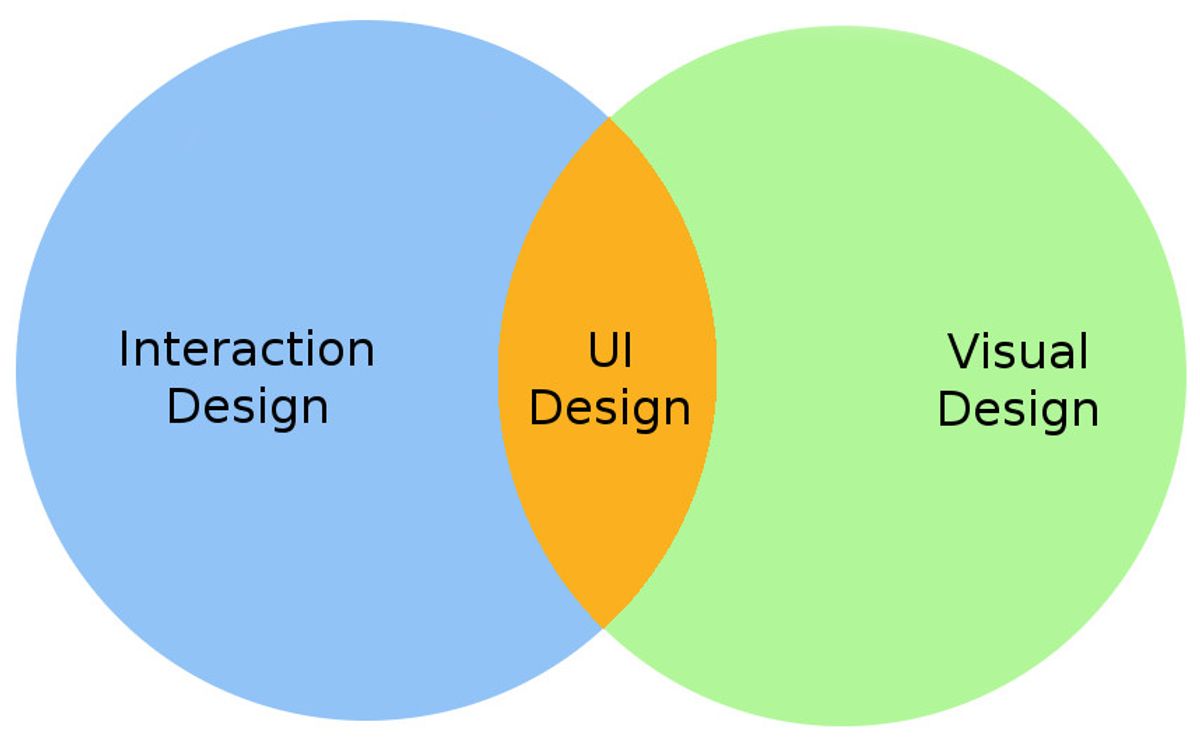
High-quality images and visuals are not just embellishments; they are fundamental components that contribute to the overall user experience on a website. Visuals and typography are key in enhancing user interaction and website navigation. Consistent design, optimization, and intuitive elements are crucial for a seamless user experience.
When it comes to e-commerce, the visual representation of products can make or break a customer’s decision to purchase. Clear, detailed images instill trust and can significantly increase conversion rates. For instance, showcasing products with professional-quality images can set you apart from competitors and evoke the emotions that drive purchasing decisions.
The strategic use of imagery, from photography to animations, not only beautifies your site but also improves its usability. It’s about creating a connection with your audience that resonates and compels action.
Optimizing images is also a key factor in website performance. Proper image compression without sacrificing quality ensures faster loading times, which is essential for keeping users engaged. Below is a list of considerations for optimizing your website’s visual content:
- Use image compression tools to reduce file sizes.
- Implement responsive images that adapt to different screen sizes.
- Employ lazy loading to defer offscreen images until needed.
- Ensure alt text is used for all images, enhancing SEO and accessibility.
Creating a User-Friendly Interface
A user-friendly interface is not just about aesthetics; it’s about creating an environment where users can achieve their goals with efficiency and pleasure. Anticipating user needs is crucial, and this involves organizing content in a logical and predictable manner.
- Simplicity is key. Users should not feel overwhelmed by too many options or complex layouts.
- Clarity ensures that users understand their options and what actions they can take.
- Intuitive navigation structures guide users effortlessly through the website.
- Responsive design caters to various devices, ensuring inclusivity and engagement.
By presenting content in a straightforward manner, you enhance usability and accessibility, making it easy for users of all backgrounds and abilities to engage with your website effectively.
User-centric design emphasizes these principles, incorporating elements like microinteractions and animations to foster a sense of engagement. It’s about building interfaces that are perceivable, operable, and understandable by all users, reflecting a commitment to accessibility and inclusivity.
Improving Mobile Responsiveness
In the era of smartphones and tablets, improving mobile responsiveness is crucial for a website’s success. A mobile-friendly website not only caters to the growing number of users who browse on their devices but also contributes to higher search engine rankings. Here are some key considerations for enhancing mobile responsiveness:
- Implement responsive design to ensure your website adapts to different devices and screen sizes, providing a consistent user experience.
- Simplify navigation to help users find what they need with minimal effort.
- Optimize touch targets to be large enough for easy interaction without accidental clicks.
- Ensure that your website loads quickly on mobile networks by optimizing images and minimizing code.
By focusing on these aspects, you can create a seamless browsing experience that meets the expectations of today’s mobile users.
Remember, a website that performs well on mobile devices is more likely to engage visitors and convert them into customers. Regular testing on various devices and browsers is essential to maintain an optimal mobile user experience.
Optimizing Website Performance for Seamless Navigation

Optimize Website Speed
In the digital age, website speed is a critical factor in user satisfaction and retention. Performance optimization not only enhances the user experience but also contributes to better search engine rankings. Front-end developers employ a variety of techniques to ensure that content is delivered to users as swiftly as possible. This includes minimizing render-blocking resources, optimizing critical rendering paths, and implementing progressive rendering techniques.
By prioritizing performance optimization, websites become more responsive and enjoyable, leading to increased user engagement.
To effectively optimize website speed, consider the following steps:
- Optimize images to reduce file sizes while maintaining quality, which helps in faster page loading.
- Implement caching to save server resources and improve customer experience by reducing load times.
- Minify scripts to decrease the number of HTTP requests and optimize file sizes, resulting in quicker interactions.
- Optimize the use of external scripts to minimize unnecessary requests to third-party tools, enhancing overall performance.
These actions, when applied diligently, can lead to a significant improvement in website performance, ensuring that users have a seamless browsing experience.
Implement Caching
Caching is a cornerstone of website performance optimization, offering substantial benefits in speed and efficiency. By storing frequently accessed data in a temporary storage space, websites can serve content to users more rapidly, reducing the load on servers and enhancing the overall user experience. This technique is particularly effective for repeat visitors, as it allows for instant page rendering with minimal server interaction.
The benefits of caching are exponential, not only saving local resources but also significantly improving customer experience.
Implementing an effective caching strategy involves several key steps:
- Setting up caching rules to determine what data gets cached and for how long.
- Utilizing cache headers to instruct browsers on how to handle cached content.
- Employing browser and server-side caching to optimize content delivery.
- Regularly clearing and updating the cache to ensure content remains fresh and relevant.
By adhering to these practices, websites can achieve a noticeable improvement in performance, which in turn can lead to better search engine rankings and higher user satisfaction.
Minify Scripts and Optimize External Scripts
To achieve a fluid user experience, it’s essential to optimize website performance by minifying scripts, combining files, and managing external scripts strategically. Minification is a process that involves removing unnecessary characters from code without changing its functionality, which can significantly reduce file sizes and improve loading times. This, in turn, enhances the user experience and can positively impact search engine rankings.
Here are some steps to effectively minify scripts and optimize external scripts:
- Identify and remove any unnecessary code or comments.
- Combine multiple scripts into a single file to reduce HTTP requests.
- Use asynchronous loading for non-critical external scripts to prevent render-blocking.
- Regularly update and review all scripts to ensure they are efficient and necessary.
By prioritizing user experience and loading speed, we not only cater to our visitors’ expectations but also align with search engines’ preference for fast-loading websites.
It’s not just about the initial setup; ongoing monitoring and optimization are crucial for maintaining performance levels. Regularly auditing your scripts and external resources will help you identify areas for improvement and keep your site running smoothly.
Strategies for Effective Post-Launch Monitoring

Quality Assurance Before Launch
Ensuring that a website is fully operational and free from defects before going live is crucial. Quality assurance (QA) is the final step in the development process and involves a meticulous review of the website. This includes checking for functionality, compatibility, usability, and performance issues. A comprehensive QA process helps in identifying any potential problems that could affect the user experience or the website’s performance.
A robust QA strategy not only helps in delivering a flawless product but also sets the stage for a smooth post-launch phase with minimal disruptions.
QA specialists employ various tools and techniques to simulate user interactions and measure website performance under different conditions. The goal is to preemptively address any issues that could lead to user frustration or website downtime. Below is a list of key QA activities typically conducted before a website launch:
- Functional testing to ensure all features work as intended
- Cross-browser and cross-device compatibility checks
- Performance testing to verify load times and responsiveness
- Security assessments to protect against vulnerabilities
- Accessibility evaluations to ensure inclusivity for all users
By rigorously testing the website across these dimensions, developers can confidently deploy a product that meets the high standards expected by users and stakeholders alike.
Post-Launch Bug Tracking and Fixes
After a website goes live, the journey towards maintaining its integrity begins. Post-launch bug tracking and proactive monitoring are crucial to ensure the site remains functional and efficient. This phase involves a meticulous process of identifying and resolving any issues that may have slipped through the cracks during development and pre-launch testing.
The focus is not only on fixing bugs but also on optimizing the website’s performance to enhance user experience and search engine visibility.
A structured approach to post-launch support includes:
- Regularly scheduled audits to detect any new bugs or vulnerabilities.
- Session recordings and user interaction analysis to pinpoint problem areas.
- Automated security checks and performance evaluations to maintain high standards.
- SEO monitoring to ensure the site’s discoverability remains uncompromised.
- Responsive support and maintenance to address issues promptly.
By committing to these strategies, businesses can safeguard their online presence and continue to deliver a seamless user experience.
Continuous Performance and Security Scans
In the dynamic world of web development, continuous performance and security scans are crucial for maintaining a seamless user experience. Regularly scheduled scans help identify and mitigate potential vulnerabilities, ensuring that both users and data remain protected. These scans are not just about finding flaws; they also provide insights into performance bottlenecks that can be addressed to improve overall site speed and reliability.
By integrating continuous performance and security scans into the maintenance routine, websites can achieve higher levels of efficiency and user trust.
To effectively manage these scans, many organizations rely on a set of tools and practices:
- Uptime monitoring with automated alerts
- Daily security checks for malware
- Frequent updates to core and plugins
- Performance checks for optimal loading times
- SEO monitoring to track ranking and identify issues
Each of these components plays a vital role in the health of a website. For instance, uptime monitoring ensures that any accessibility issues are quickly detected and resolved, minimizing downtime. Security checks keep the website free from malicious threats, while updates to core and plugins help prevent vulnerabilities due to outdated software. Performance checks are essential for a fast-loading site, which not only enhances user experience but also contributes to better search engine rankings. Lastly, SEO monitoring assists in maintaining visibility in search results, which is integral to driving traffic to the site.
Leveraging Analytics to Refine Navigation and UX
Conducting Website Health Audits
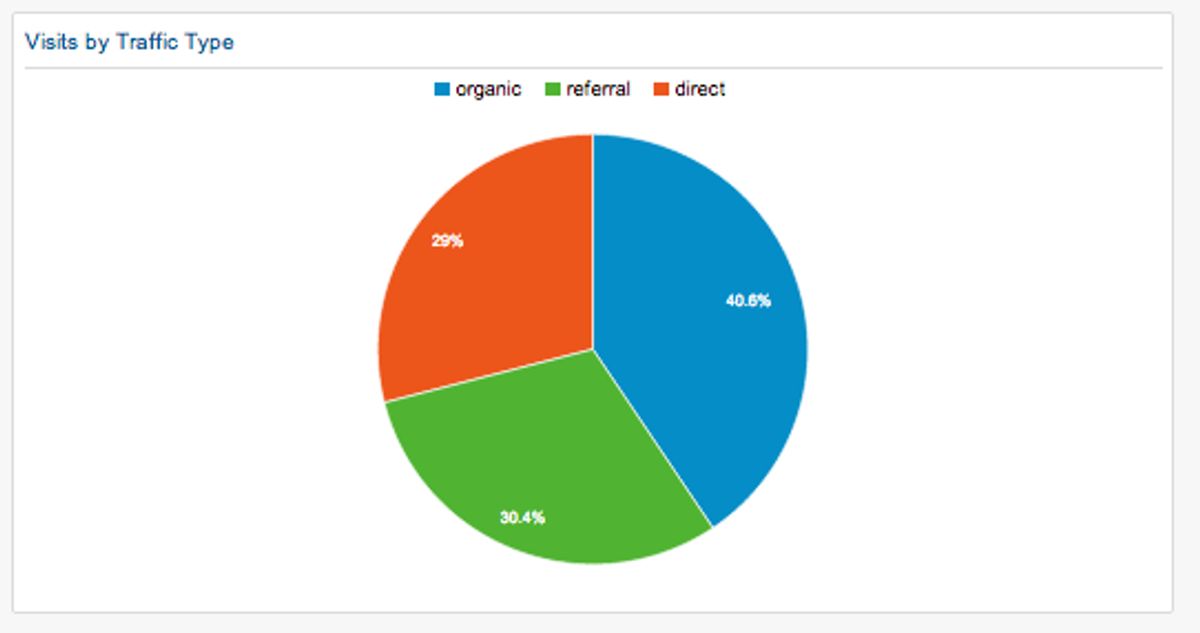
A comprehensive website health audit is a critical step in maintaining and enhancing the user experience. It involves a thorough examination of various aspects of your site, including performance, security, and usability. The goal is to identify any issues that could be hindering user engagement or site functionality.
- Performance: Measure site speed and identify bottlenecks.
- Security: Check for vulnerabilities and ensure data protection.
- SEO: Ensure on-site optimization for better search visibility.
- Usability: Analyze the user interface for intuitive use.
By proactively addressing these areas, you can ensure that your website remains efficient, secure, and user-friendly, ultimately leading to a better user experience and improved conversion rates.
Regular audits allow you to keep pace with the evolving digital landscape and user expectations. They provide actionable insights that can drive strategic improvements and help maintain your site’s health over time.
Analyzing User Behavior and Feedback
Understanding how users interact with your website is pivotal for optimizing the user experience. By analyzing user behavior, such as click patterns and navigation paths, we can gain valuable insights into what works and what doesn’t. This data-driven approach allows for targeted improvements, enhancing the overall user journey.
Continuous optimization is essential as user preferences and behaviors evolve. Employing analytics tools like heat mapping and A/B testing helps identify areas for refinement, ensuring that the website remains aligned with user expectations.
Incorporating user feedback is equally important. It provides a qualitative measure of user satisfaction and highlights specific areas needing attention. Below is a list of steps to effectively analyze user behavior and feedback:
- Conduct usability testing and gather direct user feedback.
- Implement tracking tools to monitor user interactions and conversions.
- Analyze the data to identify trends and patterns.
- Use A/B testing to compare different design elements.
- Iteratively refine the interface based on observations and user input.
A/B Testing for Navigation Improvements
A/B testing is a powerful technique to enhance the navigation and overall user experience of a website. By comparing two versions of a page, businesses can determine which elements resonate best with their audience. This methodical approach can lead to significant improvements in user engagement and conversion rates.
When conducting A/B tests, it’s crucial to focus on key performance indicators (KPIs) that align with your business goals. This ensures that the changes you implement are not only user-approved but also drive your desired outcomes.
Here are some steps to guide you through the A/B testing process:
- Identify the elements you want to test, such as CTA wording or navigation layout.
- Create two versions: the original (control) and the modified (variant).
- Run the test, ensuring that traffic is evenly split between both versions.
- Collect and analyze the data to see which version performed better.
- Implement the winning elements on your site for improved user experience.
Remember, A/B testing is not a one-time task but a continuous process of refinement. Regular testing and optimization are key to staying ahead in the digital landscape.
In today’s digital landscape, the power of analytics cannot be overstated. By leveraging data-driven insights, businesses can refine their website navigation and user experience (UX) to meet the evolving needs of their customers. At [Our Company], we specialize in custom web design and development solutions that help your business grow. Our expertise in WordPress Development, eCommerce development, and performance optimization ensures that your website not only looks great but also performs at its best. Ready to transform your digital presence? Visit our website to explore our services and see how we can elevate your online strategy.
Conclusion
In conclusion, seamless website navigation is not just a component of web design; it is a crucial factor that influences user experience, engagement, and SEO rankings. By implementing user-friendly navigation, businesses can ensure that visitors find what they are looking for with ease, thereby increasing satisfaction and the likelihood of conversion. From intuitive menus to clear labels and logical site structures, every element of navigation plays a part in guiding users through a website effortlessly. Moreover, seamless navigation supports the backend by aiding search engine crawlers in indexing content, which can lead to better visibility and higher search rankings. Ultimately, prioritizing seamless navigation is an investment in a website’s overall success, fostering a positive user experience that can translate into tangible business results.
Frequently Asked Questions
Why is intuitive site navigation crucial for a positive user experience?
Intuitive site navigation is essential for creating a user-friendly environment that allows visitors to find information quickly and easily. It improves user satisfaction, reduces bounce rates, and encourages longer site visits, which can positively impact SEO rankings.
How does site navigation affect search engine crawlers?
Search engine crawlers use site navigation to understand and index the structure and content of a website. Clear and logical navigation helps crawlers efficiently discover and rank pages, contributing to better SEO performance.
What role do high-quality images and visuals play in enhancing UX?
High-quality images and visuals are vital for engaging users, conveying information quickly, and creating an aesthetically pleasing experience that can lead to increased user engagement and conversion rates.
What strategies can be used to optimize website performance for seamless navigation?
To optimize website performance, strategies such as optimizing website speed, implementing caching, minifying scripts, and optimizing external scripts can be used to ensure fast loading times and a smooth browsing experience.
How can analytics help refine website navigation and UX?
Analytics provide insights into user behavior, feedback, and website performance. By analyzing this data, businesses can identify areas for improvement, conduct A/B testing, and make data-driven decisions to refine navigation and enhance UX.
What should be included in post-launch monitoring to ensure effective website performance?
Post-launch monitoring should include quality assurance checks, bug tracking and fixes, as well as continuous performance and security scans to address any issues promptly and maintain optimal website performance.