Ensuring Website Scalability for Growing Businesses

In the digital age, where a website serves as the core of many businesses, scalability is a critical factor that can determine long-term success. Ensuring that a website can handle increased traffic, adapt to evolving technologies, and meet changing user expectations is paramount. This article provides valuable insights into the principles of scalable web design, performance optimization, and the selection of appropriate hosting and architecture. Additionally, it dives into the nuances of enhancing user experience and maintaining security and reliability to support business growth.
Key Takeaways
- Scalable web design is essential for accommodating business growth without compromising performance or user experience.
- Performance optimization techniques, such as image compression and script minification, are crucial for improving site speed and user satisfaction.
- Choosing a scalable hosting provider and considering cloud solutions can ensure that the website supports increased traffic and data.
- Enhancing user experience through responsive design and streamlined navigation can lead to better retention and growth.
- Regular security audits, data backups, and proactive monitoring are vital for maintaining the reliability and trustworthiness of a website.
Understanding Scalability in Web Design
Defining Website Scalability
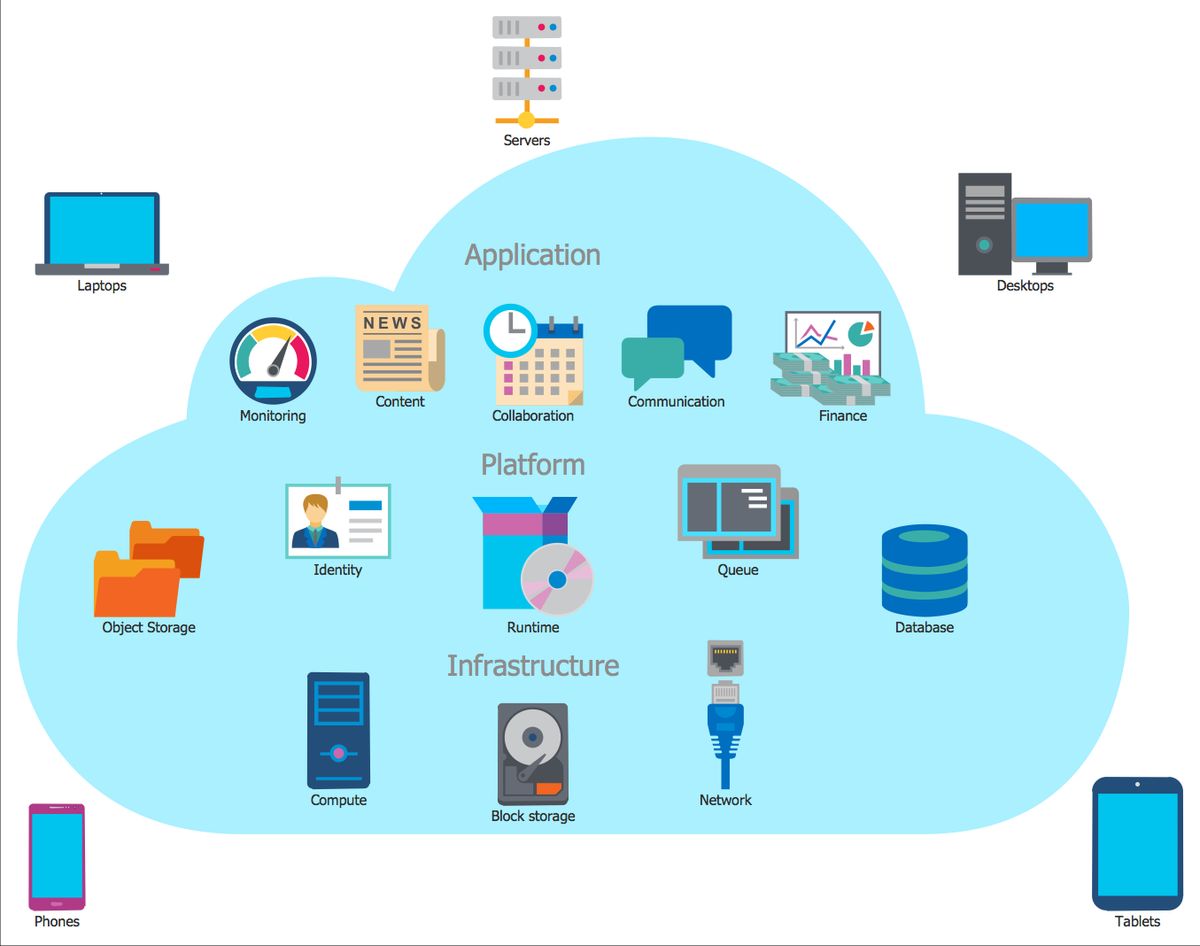
Website scalability is a critical concept in the realm of web development, referring to the capacity of a site to handle increasing amounts of traffic and maintain performance levels. Scalability ensures that as a business grows, its online presence can expand seamlessly to accommodate more users, more data, and more interactions without degradation of service.
- Scalability is not static; it requires ongoing assessment and adjustment.
- It involves both hardware resources, like servers, and software capabilities, such as databases and application code.
- A scalable website can adapt to spikes in demand without requiring a complete overhaul.
Scalability is about preparing for success. It’s about ensuring that your website’s infrastructure can support your business as it reaches new heights.
Choosing the right technologies and strategies from the start can prevent costly and complex changes in the future. It’s essential to anticipate not just the needs of today, but the potential demands of tomorrow.
The Importance of Scalable Design
Scalable design is the cornerstone of a website that can grow and adapt to the ever-changing digital landscape. Future-proofing your online presence is not just about meeting current demands but also about preparing for future challenges. A scalable website design ensures that your digital platform can evolve with your business, accommodating new services, increased traffic, and evolving technologies without compromising performance or user experience.
Scalability in web design is about creating a flexible foundation that can support expansion and change, without the need for complete redesigns or costly overhauls.
By investing in scalable design from the outset, businesses can save time and resources in the long run. It’s about scaling smart—ensuring that each step taken contributes positively to the stability and sustainability of the business. Here are some key considerations for scalable design:
- Customizable content management systems and site-building platforms
- Themes and plugins that allow for easy updates and changes
- Regular performance assessments to ensure optimal operation
In conclusion, scalable design is essential for businesses that aim to thrive in a fast-paced and competitive online environment. It’s not just a technical requirement; it’s a strategic approach to web development that can significantly impact long-term success.
Anticipating Future Growth
Anticipating future growth is a strategic imperative for businesses aiming to ensure their website remains efficient and capable of handling increased traffic and data. Planning for scalability from the outset can save time and resources, allowing for seamless expansion as demand grows. A robust growth plan should include provisions for hosting upgrades and performance optimization, ensuring that the website can scale without the need for significant redesign.
Flexibility is key when it comes to scalability. Leveraging platforms like WordPress can provide the adaptability needed to accommodate future growth while maintaining a high level of user satisfaction.
To effectively anticipate future growth, consider the following steps:
- Emphasize the importance of a scalable architecture, such as microservices or serverless computing.
- Implement caching strategies to improve website performance.
- Regularly analyze and optimize website speed to enhance user experience.
- Ensure that the design is modular, facilitating easy updates and expansions.
By incorporating these strategies into the development process, businesses can create a website that not only meets current needs but is also prepared for the challenges of tomorrow.
Optimizing Website Performance

Image Optimization and Compression
In the realm of web performance, image optimization and compression are critical for ensuring that your website remains swift and efficient. By reducing the file size of images without compromising quality, you can significantly decrease page load times, which is essential for both user experience and SEO.
Optimizing images involves a few key steps:
- Employing compression tools to minimize image file sizes while maintaining visual quality.
- Utilizing appropriate image formats, such as JPEG for photographs and PNG for graphics with transparency.
- Implementing responsive images that adjust to different screen sizes and resolutions.
By embracing these practices, businesses can cater to a growing audience with varying devices and internet speeds, making their website more accessible and user-friendly.
Additionally, AM2 Studio’s approach to web development includes a focus on performance optimization, which encompasses image optimization as part of a broader strategy to enhance digital experiences.
Minifying CSS and JavaScript
Minifying CSS and JavaScript is a crucial step in optimizing website performance. This process involves removing unnecessary characters from code, such as whitespace, comments, and block delimiters, to reduce its size and improve load times. Tools like UglifyJS for JavaScript and CSSNano for CSS automate this process, streamlining the optimization workflow.
By reducing the number of CSS and JavaScript HTTP requests and optimizing file sizes, we can significantly enhance the user’s experience.
In addition to minification, developers should also consider concatenating files where appropriate. Combining multiple scripts into a single file can further reduce HTTP requests, which is vital for maintaining a swift and responsive site. Here’s a simple list of steps to follow for effective minification and concatenation:
- Use tools like Gzip for compression.
- Employ browser caching to save resources.
- Concatenate files to minimize HTTP requests.
- Regularly update and audit your code to ensure efficiency.
Remember, optimizing caching, minifying CSS/JS, and managing external scripts are key for website performance. Regular security audits are essential for health and security.
Implementing Caching Strategies
Caching is a critical component in optimizing website performance, particularly for growing businesses that experience variable traffic loads. By storing frequently accessed content such as images, CSS, and JavaScript files, caching reduces the load on servers and speeds up page delivery to the user. This not only enhances the user experience but also conserves bandwidth and server resources.
Effective caching strategies involve a variety of techniques, each tailored to different types of content and user behavior. For instance, browser caching allows assets to be stored locally on a user’s device after the first visit, leading to faster subsequent page loads. Server-side caching can include techniques like object caching and full-page caching, which store data and complete web pages in memory for quick retrieval.
To implement caching effectively, consider the following steps:
- Identify the most frequently requested resources on your website.
- Configure browser caching by setting appropriate cache headers.
- Utilize server-side caching solutions like Varnish or Memcached.
- Employ a content delivery network (CDN) to distribute and cache content geographically closer to users.
Caching not only improves website performance but also plays a significant role in scalability. As traffic grows, a well-implemented caching strategy can prevent server overload and maintain smooth user experiences.
Remember, while caching can significantly improve site speed, it’s important to balance it with content freshness. Regularly update your caching rules to ensure users receive the most up-to-date content without sacrificing performance.
Reducing External Script Dependencies
External scripts can significantly impact the performance and load times of a website. By minimizing reliance on third-party scripts, you can gain more control over the content delivery and reduce potential bottlenecks. Here are some best practices for optimizing third-party scripts and dependencies:
- Evaluate Necessity and Impact: Scrutinize each external script to determine if it’s essential and assess its impact on performance.
- Minimize and Concatenate Scripts: Combine multiple scripts into a single file to reduce HTTP requests.
- Load Scripts Asynchronously: Load third-party scripts without blocking the rendering of the page.
- Optimize Delivery and Caching: Ensure efficient delivery and caching of scripts to minimize repeat downloads.
- Monitor Performance: Regularly check the performance impact of scripts and make adjustments as needed.
By strategically managing external scripts, businesses can improve site speed, user experience, and ultimately, their search engine rankings.
Remember, minifying files, reducing external script dependencies, and optimizing site speed are key for better performance, user experience, and search engine rankings. It’s not just about the number of scripts, but how they are managed and delivered that counts.
Selecting the Right Hosting and Architecture

Choosing a Scalable Hosting Provider
Selecting a hosting provider that can scale with your business’s growth is a pivotal decision for ensuring long-term success. As your business flourishes, increased website traffic should be met with unwavering performance, and a scalable hosting solution is key to achieving this.
By opting for a hosting provider that offers flexible plans, you gain the ability to easily adjust your resources in response to your website’s demands. This adaptability is not only crucial for maintaining site performance during traffic surges but also for managing hosting costs effectively.
When evaluating potential hosting providers, consider the following aspects:
- Customer support quality: Reliable and responsive support is essential for addressing any issues swiftly.
- Plan flexibility: Look for providers that allow easy resource adjustments, including pay-as-you-go options.
- Feature set: Ensure the provider offers features that align with your website’s specific needs, such as e-commerce capabilities.
- Resource allocation: Assess the amount of disk space and bandwidth necessary for your current and anticipated traffic levels.
Remember, optimizing user flows, choosing scalable hosting, and efficient database management are key for business growth. Selecting the right services and systems ensure performance and scalability.
Benefits of Cloud Hosting Solutions
Cloud hosting solutions offer a myriad of benefits that are particularly advantageous for growing businesses. Scalability is one of the most significant advantages, as it allows for resources to be adjusted based on the website’s demand, ensuring that the site remains responsive and available during traffic surges. Cost efficiency is another key benefit, with many cloud hosting providers offering pay-as-you-go models, meaning businesses only pay for the resources they actually use.
Flexibility in cloud hosting is paramount. Businesses can easily upgrade or downgrade their resources without the need for significant infrastructure changes, providing a nimble approach to market fluctuations.
Moreover, cloud hosting enhances security features, offering robust protection against potential cyber threats. This ensures that business operations remain uninterrupted, safeguarding both company and customer data. The table below summarizes the core benefits of cloud hosting solutions:
| Benefit | Description |
|---|---|
| Scalability | Adjust resources to meet traffic demands |
| Cost Efficiency | Pay only for resources used |
| Flexibility | Easy resource adjustment with minimal infrastructure change |
| Security | Enhanced protection against cyber threats |
By leveraging cloud hosting, businesses can focus on growth and innovation, rather than worrying about the technical limitations of their website infrastructure.
Considering Serverless and Microservices Architectures
When selecting the right hosting and architecture for a scalable website, serverless computing and microservices architectures stand out as modern solutions that cater to the need for flexibility and scalability. Serverless architectures allow developers to build and run applications without managing servers, with the cloud provider dynamically managing the allocation of machine resources. This approach can lead to cost savings, as you pay only for the resources you use.
Microservices, on the other hand, involve developing a single application as a suite of small, independent services, each running in its own process and communicating with lightweight mechanisms, often an HTTP-based API. This modular structure enables individual components to be scaled independently based on demand, which is crucial for handling varying loads efficiently.
The decision between serverless and microservices should be guided by the specific needs of the business and the application. While serverless is ideal for event-driven scenarios, microservices offer more control over the environment and can be more suitable for complex applications.
Both architectures support the principle of scaling components independently, which is essential for growing businesses that anticipate variable traffic and workloads. It’s important to consider factors such as the ease of deployment, management overhead, and the potential need for rapid scaling when making this decision.
Enhancing User Experience for Retention and Growth
Improving Site Speed and Responsiveness
In the realm of web development, speed optimization techniques are paramount for enhancing user experience and ensuring customer retention. A responsive design is not just about visual appeal; it’s about creating a seamless experience across all devices. Users expect quick interactions, and a website that responds rapidly is key to keeping them engaged.
Performance optimization is crucial for better conversion rates. Key steps include analyzing performance, optimizing content, and maintaining security. Scalable website platforms are essential for business growth.
To achieve this, developers can employ a variety of strategies:
- Optimize images to reduce load times while maintaining quality.
- Implement caching to save server resources and speed up content delivery.
- Minify scripts to decrease file sizes and reduce the number of HTTP requests.
- Limit the use of external scripts to minimize third-party dependencies and optimize performance.
Building with scalable technologies is crucial for website longevity. Choose scalable technologies, modular architecture, and optimize performance for growth and user experience. These efforts not only improve the user experience but also enhance search engine rankings and visibility, contributing to a website’s success.
Streamlining Navigation and Content Delivery
Effective website navigation is crucial for a seamless user experience. Clear and descriptive labels guide users effortlessly, enhancing engagement and satisfaction. Dropdown menus can be used for subcategories to avoid overcrowding and improve the customer journey.
Prioritize mobile responsiveness to ensure accessibility across all devices. Responsive design principles adapt the content layout to various screen sizes, fostering better user interaction. Streamlining the navigation and content delivery not only simplifies the user’s path but also bolsters the website’s usability.
By focusing on a minimalist design and using whitespace strategically, websites can offer a more comfortable browsing experience. This approach reduces distractions and allows users to focus on the content that matters most to them.
Remember, a well-structured website acts as a roadmap, leading visitors through your digital landscape with ease. An organized layout with a visual hierarchy establishes a clear path for users, making information readily accessible and improving overall site performance.
Utilizing Analytics for User Behavior Insights
Leveraging analytics is crucial for understanding and enhancing the user experience on your website. Analytics tools provide valuable insights into user behavior, allowing you to tailor your website to meet the needs and preferences of your audience. By examining metrics such as page views, bounce rates, and conversion rates, you can pinpoint which areas of your site engage users and which may require optimization.
Analytics not only guide design choices but also inform content strategy and functionality improvements. A/B testing, for instance, becomes a powerful tool when combined with analytics, enabling you to refine the user experience based on actual data.
To effectively utilize analytics, consider the following steps:
- Monitor key performance indicators (KPIs) regularly to understand user engagement.
- Use analytics to inform A/B testing and make data-driven decisions.
- Analyze user feedback alongside quantitative data to gain a comprehensive view of user needs.
- Implement changes based on analytics insights to continuously improve the user journey.
By adopting a data-informed approach, you ensure that your website evolves in alignment with user expectations, ultimately fostering better engagement and retention.
Maintaining Security and Reliability

Regular Security Audits and Updates
To maintain website security, regular audits are essential. They provide a snapshot of your site’s security posture, identifying vulnerabilities and ensuring that defenses are current. These audits should be complemented by consistent updates, which not only enhance user experience but also patch security gaps, keeping your site safe from new threats.
Regular updates and security audits are crucial for detecting and addressing vulnerabilities, thereby safeguarding your website against potential breaches.
Here’s a brief overview of the steps involved in maintaining security through audits and updates:
- Conduct thorough security assessments to identify potential risks.
- Implement necessary updates to software and plugins.
- Run security tests to ensure the integrity of defenses.
- Monitor for real-time detection of security threats.
- Provide security awareness training to staff.
By following these steps, businesses can ensure that their website remains secure, reliable, and trustworthy for their customers.
Data Backup and Disaster Recovery Plans
For growing businesses, the implementation of effective backup and disaster recovery plans is crucial to ensure operational continuity in the face of unexpected events. These plans should be comprehensive, regularly updated, and tested to confirm their effectiveness.
A robust disaster recovery strategy minimizes downtime and data loss, which is vital for maintaining customer trust and business reputation.
Key elements of a disaster recovery plan include:
- Automated backups that occur at regular intervals, ensuring that data is consistently safeguarded.
- A clear defined response plan to swiftly address data breaches or system failures.
- Regular audits and assessments to identify potential vulnerabilities and improve the resilience of the system.
By prioritizing data security and having a solid contingency plan in place, businesses can navigate through crises with minimal disruption to their operations.
Monitoring and Responding to Security Threats
In the dynamic landscape of web security, monitoring and responding to security threats is a critical component of maintaining a trustworthy and scalable website. Proactive surveillance of your digital environment can detect anomalies and potential breaches, allowing for immediate action to safeguard sensitive data.
A robust security strategy includes regular security checks and updates, ensuring that your defenses evolve alongside emerging threats. This vigilance is not only about protecting your assets but also about preserving user confidence and business continuity.
To effectively monitor and respond to threats, a structured approach is essential. Below is a list of key practices:
- Conducting regular security audits to identify vulnerabilities
- Implementing real-time monitoring systems for early threat detection
- Establishing a defined response plan for swift incident management
- Ensuring consistent updates to software and plugins to close security gaps
By integrating these practices into your website maintenance and security routines, you create a resilient framework that supports reliability and scalability. Remember, the goal is not just to react to incidents but to prevent them from occurring in the first place.
In today’s digital landscape, ensuring the security and reliability of your online presence is paramount. Our team at AM2 specializes in WordPress Development, eCommerce solutions, and custom web design that not only look great but also adhere to the highest standards of security and performance. Don’t compromise on quality; visit our website to learn more about our comprehensive services and how we can help secure and optimize your digital assets. Let’s build a safer and more reliable digital world together.
Conclusion
In summary, ensuring website scalability is a critical aspect of supporting the growth trajectory of any business. By optimizing images, implementing caching, minifying scripts, and judiciously using external scripts, businesses can significantly enhance their website’s performance. Regular reviews using a comprehensive checklist, such as the one provided by our team, can lead to continuous improvement and maintenance of optimal website function. Additionally, prioritizing website security, user experience, and performance optimization can lead to increased customer satisfaction, trust, and potentially lower operational costs. As businesses evolve, their digital presence must also adapt, and these strategies provide a robust foundation for scalable web solutions that can accommodate future expansion and technological advancements.
Frequently Asked Questions
What is website scalability and why is it important?
Website scalability refers to the ability of a website to handle increased traffic and workload without compromising performance. It is important because it ensures that as a business grows, the website can accommodate the additional demand, maintain a good user experience, and prevent downtime.
How can image optimization and compression improve website performance?
Image optimization and compression reduce the file size of images without significantly affecting their quality. This leads to faster loading times, reduced bandwidth usage, and an improved user experience, which is essential for retaining visitors and improving SEO rankings.
What are the benefits of caching on a website?
Caching stores frequently accessed data in a temporary storage area, leading to quicker load times for repeat visitors. It reduces server load, improves website speed, and enhances the overall customer experience, which can contribute to increased conversion rates.
Why should businesses choose a scalable hosting provider?
A scalable hosting provider allows for easy adjustment of resources such as bandwidth and storage to accommodate a website’s growing traffic and data needs. This flexibility ensures that the website remains reliable and performs well during traffic spikes and as the business expands.
How does a regular security audit contribute to website reliability?
Regular security audits help identify and fix vulnerabilities, protect against malware and hacking attempts, and ensure that the website complies with the latest security standards. This maintains the trust of users and prevents potential downtime due to security breaches.
What role does user experience play in website scalability?
User experience plays a crucial role in website scalability because a scalable website must not only handle increased traffic but also provide a seamless and responsive experience. A positive user experience leads to higher retention rates, better conversion rates, and encourages organic growth.