Ensuring Website Scalability for Growing Businesses

In the dynamic realm of the internet, website scalability is not a luxury but a necessity for businesses aiming to thrive online. Choosing the right hosting plan and implementing growth strategies empower your website to handle increased traffic and resource demands seamlessly. Embrace scalability as a strategic imperative, and watch your website not only grow but thrive in the digital ecosystem.
Key Takeaways
- Website scalability is crucial for handling increased traffic and maintaining performance during business growth.
- Optimizing website performance through image compression, script minification, and caching can significantly improve user experience.
- Selecting an appropriate hosting plan and implementing auto-scaling mechanisms are fundamental for accommodating fluctuating traffic levels.
- Regular security audits, updates, and automated backups are vital to safeguard and maintain a scalable website.
- Leveraging analytics and monitoring tools informs better scalability decisions, enhancing overall website health and user engagement.
Optimizing Website Performance

Image Compression and Optimization
Optimizing images is a critical step in enhancing website performance. The easiest and most popular method for optimizing images is compression, which can significantly reduce file sizes without compromising quality. There are two main approaches to image compression: lossy and lossless. Lossy compression reduces file size by eliminating some data, which can slightly affect image quality. Lossless compression, on the other hand, maintains the original quality by only removing unnecessary metadata.
Effective image optimization can lead to faster page load times, improved SEO rankings, and a better user experience. Below is a list of best practices for image optimization:
- Use the appropriate image format (e.g., JPEG for photographs, PNG for graphics with transparency).
- Resize images to the dimensions they will be displayed on the website.
- Implement responsive images that adjust to different screen sizes.
- Utilize tools and plugins designed for image optimization.
By prioritizing image optimization, businesses can ensure their websites remain fast and efficient as they scale. This practice not only enhances the visual appeal but also contributes to the overall performance of the site.
Minifying CSS and JavaScript Files
Minifying CSS and JavaScript files is a crucial step in optimizing your website’s performance. By removing unnecessary characters such as whitespace, comments, and block delimiters, you can reduce the size of these files, resulting in faster load times and improved user experience. This process not only decreases bandwidth consumption but also minimizes the number of HTTP requests needed to render a page.
When implementing minification, it’s important to maintain a development version of your code for ease of debugging and future updates. The production version should be the minified one, served to visitors.
Here are some best practices for minifying your files:
- Use tools like UglifyJS for JavaScript and CSSNano for CSS.
- Integrate minification into your build process using task runners like Gulp or Webpack.
- Ensure version control for your files to avoid losing important code changes.
- Test the minified files thoroughly to prevent any functionality issues.
By adhering to these practices, you can ensure that your website remains lean and efficient as your business grows.
Implementing Effective Caching Strategies
Caching is a powerful tool in the arsenal of website optimization, serving as a critical component for ensuring website scalability and performance. By storing copies of files or data in temporary storage, caching reduces the need to fetch the same information repeatedly, leading to faster load times and a smoother user experience.
Effective caching strategies involve a variety of techniques, each tailored to different types of content and traffic patterns. For instance, browser caching stores static assets like stylesheets and images on the user’s device, while server-side caching might utilize tools like Redis or Memcached to keep dynamic content readily available.
Caching not only enhances the responsiveness of a website but also significantly decreases the load on the server, which is particularly beneficial during traffic spikes.
To implement a robust caching system, consider the following steps:
- Use in-memory caching for frequently accessed data.
- Leverage browser and server-side caching to reduce network latency.
- Establish expiration policies and cache invalidation techniques to ensure fresh content delivery.
- Monitor and analyze the effectiveness of your caching strategy to make necessary adjustments.
Remember, while caching can greatly improve site performance, it should be part of a comprehensive approach that includes regular security audits to maintain the health and security of your website.
Reducing External Script Dependencies
External scripts, such as analytics, fonts, and social media widgets, can significantly slow down your website. Minimizing the use of these scripts is crucial for performance and scalability. Start by auditing your site to identify all third-party scripts and assess their impact on loading times. Tools like web.dev can assist in this process, providing insights into script performance.
- Evaluate the necessity of each script.
- Replace heavy scripts with lighter alternatives or custom code.
- Host scripts locally when possible to reduce external requests.
- Defer or asynchronously load non-critical scripts to improve load times.
By strategically managing external scripts, you can enhance site speed and user experience, which are vital for retaining visitors and improving conversion rates.
Remember, every millisecond counts when it comes to website performance. Reducing dependencies not only streamlines your site but also prepares it for scaling as your business grows. For comprehensive guidance on Node.js applications, consider resources like the ‘Ultimate Guide to Node.js App Deployment, Scaling, and Security‘ which covers best practices for performance optimization.
Strategies for Scalable Web Architecture
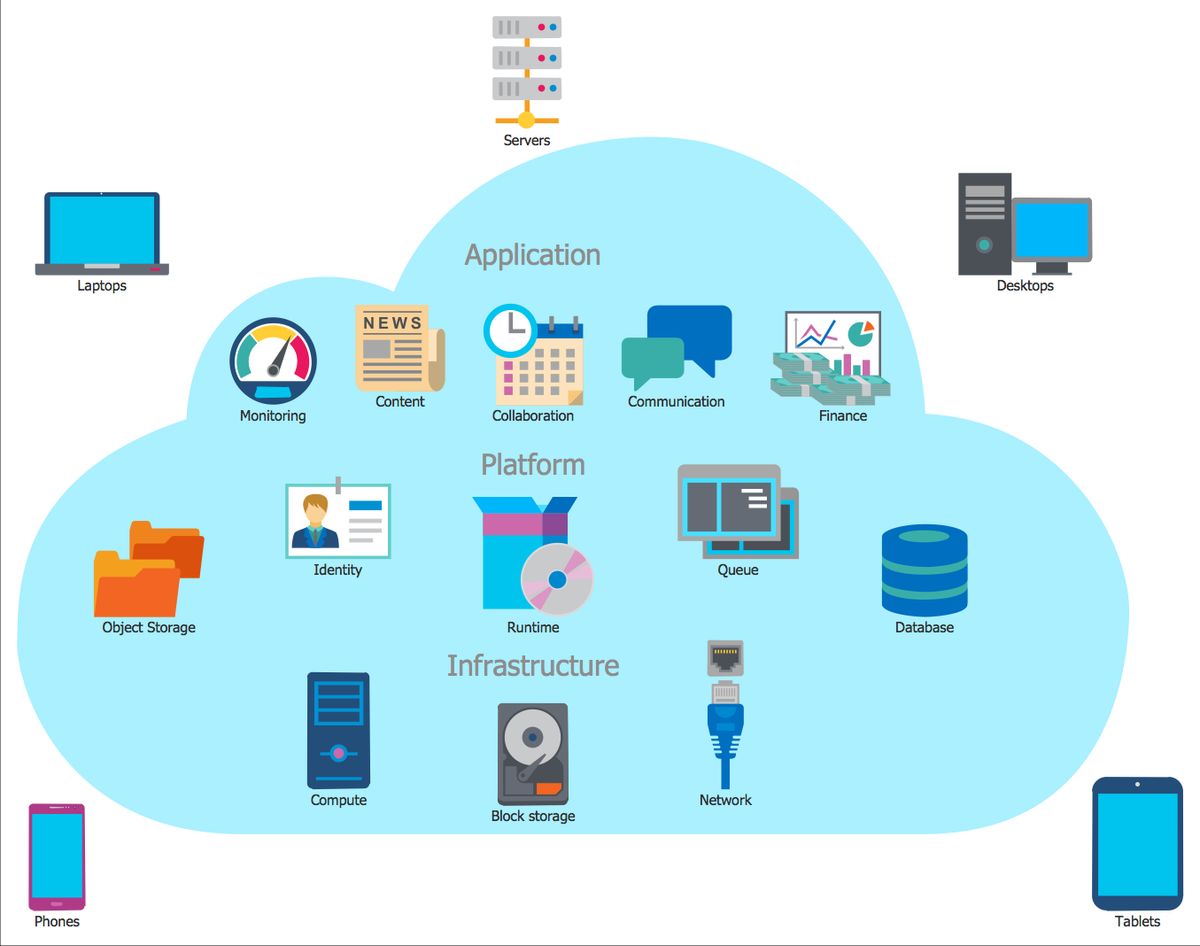
Understanding the Importance of Scalability
Scalability is the foundation of a growing business’s web presence, ensuring that as demand increases, the website can handle the load with grace. The ability to scale is critical in maintaining performance during traffic surges or as the user base expands. Without scalability, businesses risk losing customers to slow load times and potential downtime.
Scalability is not just about handling growth; it’s about being prepared for success. It’s a proactive approach to web design that anticipates future needs and trends, ensuring flexibility and competitiveness in an ever-evolving digital landscape.
Cost-effectiveness is another compelling reason to prioritize scalability. By allowing for incremental improvements, businesses can optimize operational costs instead of investing in massive infrastructure upfront. This strategic planning includes anticipating hosting upgrades, performance optimization, and implementing effective caching strategies.
Here are some key points to consider when understanding the importance of scalability:
- Future-proofing your business against unpredictable growth.
- Enhancing user experience by maintaining high performance under increased load.
- Cost savings through incremental scaling rather than large upfront investments.
- Flexibility to adapt to new trends and technologies as they emerge.
Choosing the Right Hosting Plan
Selecting the right hosting plan is crucial for a website’s ability to scale and accommodate growing traffic. Shared hosting may be economical for startups, but as your website gains traction, you might need to consider an upgrade to handle the increased load. On the other end of the spectrum, a dedicated server offers exclusive resources and optimal performance for large enterprises with high traffic volumes.
Embracing scalability as a strategic imperative allows your website to not only grow but thrive in the digital ecosystem.
It’s essential to understand the different hosting options and their scalability features to make an informed decision. Here’s a brief overview of popular hosting plans:
- Shared Hosting: Ideal for small businesses, with cost-effectiveness as a key advantage.
- Virtual Private Server (VPS): Offers more control and resources than shared hosting, suitable for medium-sized businesses.
- Dedicated Server: Provides unparalleled scalability and performance for large businesses.
Beyond the type of hosting, consider strategies for dynamic resource scaling such as load balancing, which ensures efficient distribution of traffic across multiple servers.
Database Optimization Techniques
Efficient database management is a cornerstone of website scalability. Optimizing your database structure and queries can significantly enhance performance, especially as your website grows and traffic increases. Here are some key strategies to consider:
- Use indexing to speed up database queries by allowing quicker data retrieval.
- Implement database caching to reduce the load on the database and improve response times.
- Avoid nested queries and complex joins that can slow down database performance.
- Regularly monitor and analyze database performance to identify and optimize slow queries.
By implementing these optimization techniques, you can ensure that your database can handle increased loads without compromising on speed or user experience.
Building with scalable technologies and optimizing for growth are essential for maintaining a high-performing website. As traffic fluctuates, these techniques provide the resilience needed to support your business’s expanding needs.
Auto-Scaling Mechanisms
Auto-scaling is a pivotal feature for scalable web architecture, adjusting resources automatically to match the fluctuating traffic demands. This dynamic allocation of resources ensures that your website maintains optimal performance during peak times without incurring unnecessary costs during quieter periods.
Key components of auto-scaling include:
- Vertical Scaling (Scaling Up): Adding more power to your existing server, such as CPUs, RAM, and storage.
- Horizontal Scaling (Scaling Out): Increasing the number of servers and distributing the workload across them.
Auto-scaling not only enhances website performance but also contributes to a robust and resilient infrastructure, capable of adapting to traffic changes seamlessly.
By implementing auto-scaling, businesses can enjoy a cost-effective and efficient approach to managing web resources. Regular performance assessments and the integration of advanced features are essential to ensure the ongoing health of your website and the satisfaction of your users.
Security and Maintenance for Sustainable Growth

Regular Security Audits and Updates
To maintain website security, regular audits are essential. They help identify vulnerabilities before they can be exploited. Alongside audits, it’s crucial to keep software up to date with the latest security patches. This includes updating the core platform, plugins, and themes.
By staying proactive with security measures, businesses can prevent many potential threats and ensure a secure foundation for growth.
Implementing a routine for security checks can be broken down into a few key steps:
- Conduct vulnerability scans and penetration testing to assess risk.
- Apply updates and patches to software components promptly.
- Utilize automated tools for continuous monitoring and threat detection.
- Perform regular backups to safeguard data against loss or corruption.
These practices, when consistently applied, form a robust defense against cyber threats, contributing to the sustainable scaling of your online presence.
Automated Backups and Data Protection
For growing businesses, automated backups are a cornerstone of data protection strategy. They ensure that your website’s data is regularly copied and stored securely, without the need for manual intervention. This not only saves time but also reduces the risk of data loss due to human error or unforeseen disasters.
Automated backups should be frequent and incremental, capturing changes as they happen to minimize data recovery times.
Choosing the right backup solution is crucial. It should align with your business needs and the sensitivity of your data. Below is a list of considerations when selecting a backup service:
- Reliability and reputation of the service provider
- Backup frequency options (daily, weekly, monthly)
- Data encryption and security measures
- Ease of data restoration
- Compliance with industry regulations
Remember, a robust backup strategy often includes a mix of full, incremental, and differential backups. This multi-layered approach provides comprehensive protection and quick recovery options.
Performance Monitoring and Troubleshooting
Effective performance monitoring and troubleshooting are critical to maintaining a scalable website. By regularly assessing your website’s performance, you can ensure that it remains fast, reliable, and capable of handling increased traffic. Utilize tools like Application Performance Monitoring (APM) to gain insights into your website’s operations and identify areas for improvement.
Proactive performance monitoring allows for the early detection of issues, which can be addressed before they escalate into larger problems affecting user experience.
Here are some best practices for performance monitoring:
- Define your performance objectives to understand what to monitor.
- Set up alerts for key metrics such as CPU usage, memory usage, and response times.
- Conduct regular load testing to simulate high traffic and identify bottlenecks.
- Monitor and analyze server performance to preemptively tackle potential issues.
Remember, a well-monitored website is the foundation of a scalable online presence. By staying vigilant and responsive to performance data, you can make informed decisions that support sustainable growth.
Continuous WordPress Support and Maintenance
In the dynamic world of online business, keeping your WordPress site meticulously maintained is not just a recommendation; it’s a necessity. Regular maintenance ensures that your site remains secure, fast, and reliable for your users. Our comprehensive support packages are designed to provide peace of mind, allowing you to focus on your core business activities.
With our WordPress support and maintenance services, you can expect consistent monitoring and timely updates. This proactive approach minimizes the risk of security breaches and downtime, which are critical to maintaining your online reputation.
Our services include, but are not limited to:
- Weekly updates of WordPress core and plugins
- Daily security scans to keep your site malware-free
- Performance checks to ensure optimal loading times
- Automated backups for quick recovery in case of data loss
By entrusting your website’s upkeep to our experienced team, you’re investing in its longevity and the satisfaction of your customers. Let us handle the technicalities while you capitalize on growth opportunities.
Enhancing User Experience to Boost Conversion

Impact of Performance on Customer Satisfaction
The speed and responsiveness of a website are pivotal in shaping customer satisfaction and loyalty. A seamless online experience can significantly influence a customer’s perception of a brand and their likelihood to convert. Performance testing, such as load testing and speed analysis, is crucial for identifying and addressing potential bottlenecks, ensuring that the website delivers swift and responsive user experiences even during peak traffic periods.
By implementing strategies that prioritize website performance, businesses can see a direct impact on sales, conversions, and customer satisfaction.
Tracking key performance indicators (KPIs) like conversion rates and bounce rates provides valuable insights into the website’s performance and customer behavior. Analyzing user behavior, including session durations and navigation patterns, helps identify areas for improvement within the website’s layout and content. A study concludes that website information quality is the most important factor in enhancing relationship length, indicating the critical role of content in customer retention.
Performance optimization leads to increased sales, improved user experience, and enhanced search engine rankings. It is essential for businesses to stay vigilant in monitoring and adjusting their online efforts based on performance data to ensure sustainable growth and a competitive edge in the digital landscape.
Optimizing Load Times for Improved Engagement
The speed at which your website loads is pivotal to securing user engagement and driving conversions. Every second counts, as statistics show that a delay in page response can result in a significant drop in customer satisfaction. To combat this, consider the following steps:
- Use a Content Delivery Network (CDN) to distribute the load and speed up content delivery.
- Optimize the size of images on your website without compromising quality.
- Minify CSS and JavaScript files to reduce the amount of code that needs to be loaded.
- Implement efficient database queries to prevent bottlenecks in data retrieval.
By focusing on these areas, you can ensure that your website not only attracts visitors but also retains them, turning potential leads into loyal customers.
Remember, improving page load times is not just about enhancing the user experience—it’s also about maintaining a competitive edge. A swift and responsive site is more likely to rank higher in search engine results, further increasing its visibility and reach.
Mobile Responsiveness and Cross-Platform Compatibility
In today’s digital landscape, mobile responsiveness is not just a feature—it’s a necessity. With a significant portion of online traffic originating from mobile devices, ensuring seamless responsiveness across various screen sizes is essential for maximizing accessibility and engagement.
Responsive design principles allow websites to adapt fluidly to different devices, providing an optimal experience for users. This approach ensures that content, images, and functionalities are displayed properly, no matter the device or screen dimensions.
By focusing on mobile optimization, businesses can minimize bounce rates and enhance user satisfaction, which supports higher conversion rates.
It’s also crucial to verify cross-browser and device compatibility through comprehensive testing. This ensures consistent rendering across platforms and browsers, catering to a diverse audience. The table below highlights the importance of mobile page speed optimization:
| Aspect | Impact on User Experience |
|---|---|
| Fast-loading mobile pages | Reduces bounce rates |
| Streamlined navigation | Improves findability |
| Intuitive menus and search | Enhances usability |
As businesses grow, the need for a mobile-responsive website becomes more pronounced. It’s not just about looking good on a smartphone or tablet; it’s about providing a positive user experience that leads to engagement and conversion.
User-Centric Design and Navigation
Creating a user-centric design is pivotal for any growing business as it directly influences customer satisfaction and conversion rates. By focusing on intuitive navigation and simplifying the user interface, businesses can ensure that visitors find what they’re looking for with minimal effort.
A cluttered or confusing layout can be detrimental to user experience, driving potential customers away. Therefore, it’s essential to streamline navigation with clear categories and search functionalities.
Mobile responsiveness is no longer optional but a necessity. With a significant portion of traffic coming from mobile devices, a seamless experience across all platforms is crucial for maximizing engagement. Below is a list of key considerations for enhancing user-centric design:
- Streamlined navigation with intuitive menus
- Clear and concise content that communicates the brand message
- High-quality images and graphics for visual appeal
- Simplification of products based on user feedback
- Regular updates and optimizations based on performance analytics
By optimizing resource allocation and ensuring statelessness, businesses can provide responsive, mobile-friendly interfaces that leverage customer feedback to enhance the user experience.
Leveraging Analytics for Informed Scalability Decisions
Utilizing Performance Metrics to Guide Enhancements
In the realm of website scalability, utilizing performance metrics is pivotal for steering enhancements that align with user expectations and business goals. These metrics serve as indicators of user satisfaction and can directly influence conversion rates. By analyzing key performance indicators (KPIs), businesses can identify bottlenecks and optimize their websites accordingly.
Performance optimization is crucial for better conversion rates. Scalable website platforms are essential for business growth.
For instance, monitoring metrics such as page load times, server response times, and the number of concurrent users can reveal insights into the user experience. Here’s a brief overview of essential metrics to track:
| Metric | Description |
|---|---|
| Page Load Time | The time it takes for a page to fully display content to a user. |
| Server Response Time | The time a server takes to respond to a user request. |
| Concurrent Users | The number of users accessing the website at the same time. |
| Bounce Rate | The percentage of visitors who navigate away after viewing only one page. |
| Conversion Rate | The percentage of visitors who take a desired action on the site. |
By focusing on the metrics most impactful to user experience first, businesses can prioritize improvements that will have the greatest effect on performance and user satisfaction. Regularly reviewing and adjusting strategies based on these insights ensures that the website remains agile and capable of handling increased traffic and user demands.
SEO Monitoring and Optimization
To maintain a competitive edge in the digital marketplace, regular SEO monitoring and optimization are crucial. This involves tracking keyword rankings, analyzing search engine results pages (SERPs), and adjusting strategies to improve visibility and organic traffic. A well-structured SEO plan should include the following steps:
- Conducting comprehensive keyword research to identify terms that align with user intent and business objectives.
- Analyzing competitors’ SEO strategies to uncover gaps and opportunities.
- Regularly updating website content to ensure relevance and freshness.
- Monitoring backlink profiles to maintain a healthy and authoritative link structure.
- Utilizing SEO tools and platforms for ongoing performance analysis.
By consistently applying these practices, businesses can adapt to algorithm changes, capitalize on emerging trends, and ultimately drive sustained growth.
In addition to these steps, it’s important to integrate SEO efforts with other digital marketing activities. This holistic approach ensures that all aspects of online presence work in harmony, from social media engagement to email marketing campaigns. Remember, SEO is not a one-time task but an ongoing process that requires attention and refinement.
Understanding User Behavior Through Analytics
By closely monitoring analytics, businesses can identify opportunities for website enhancement and user experience refinement. Analytics provide a wealth of data that, when analyzed, reveal patterns and behaviors of visitors. This information is crucial for making strategic decisions that align with user needs and preferences.
Analytics are not just about numbers; they tell a story of how users interact with your site, which pages they frequent, and where they may encounter issues.
To effectively improve navigation and user engagement, consider the following steps:
- Review the user flow to understand the paths taken within your site.
- Analyze bounce rates to identify pages that may not be meeting user expectations.
- Examine conversion funnels to pinpoint where potential customers drop off.
- Utilize heatmaps to see where users click and how far they scroll.
These insights can lead to actionable changes that enhance the user journey, such as clearer labels, grouping related information, and featuring prominent calls to action. By adapting your strategies based on data and insights, you can ensure your website evolves in tandem with user behavior, fostering growth and improving customer satisfaction.
Conversion Rate Optimization Strategies
To maximize conversion rates, it’s essential to understand and act on the insights gained from analytics. By analyzing key performance indicators (KPIs), businesses can pinpoint which elements of their website are converting and which are not. This data-driven approach allows for targeted optimizations, such as refining ad placements, messaging, and user experience.
- Utilize A/B testing to compare different versions of web pages and determine the most effective elements.
- Monitor metrics like click-through rate, conversion rate, and cost per acquisition to assess campaign success.
- Adjust strategies based on data to continually improve ROI.
By focusing on incremental improvements and data-informed decisions, businesses can create a cycle of continuous enhancement, leading to sustained growth and improved user satisfaction.
Regularly revisiting and refining conversion strategies is not just about immediate gains; it’s about setting the foundation for long-term scalability and success. As the website page emphasizes, maintaining performance and user experience in the face of increased traffic and interactions is crucial.
In today’s fast-paced digital landscape, making informed scalability decisions is crucial for the growth of your business. By leveraging advanced analytics, you can gain valuable insights that drive strategic expansion and optimize performance. Don’t let uncertainty dictate your next move. Visit our website to explore our comprehensive range of services, including WordPress Development, eCommerce solutions, and custom web design, all tailored to empower your business’s digital presence. Take the first step towards informed scalability—partner with us today for a brighter digital tomorrow.
Conclusion
In conclusion, ensuring website scalability is a critical component for the growth and success of any online business. By optimizing images, implementing caching, minifying scripts, and carefully managing external scripts, businesses can significantly enhance their website’s performance and user experience. Regularly reviewing and updating your website with a comprehensive maintenance strategy, including security measures and performance checks, will help maintain its scalability. Embracing these practices not only prepares your website for increased traffic but also contributes to higher conversion rates, improved customer satisfaction, and better search engine rankings. As businesses continue to evolve in the digital landscape, scalability must be an integral part of their strategic planning to ensure a robust and responsive online presence that can adapt to the ever-changing demands of the internet.
Frequently Asked Questions
What is website scalability and why is it important?
Website scalability is the ability of a website to handle increased traffic and workload without compromising performance. It’s important because it ensures that as a business grows, its website can accommodate more users, transactions, and data seamlessly, providing uninterrupted service and a good user experience.
How does image compression and optimization affect website performance?
Image compression and optimization reduce the file size of images without significantly impacting quality, leading to faster page load times and improved website performance. This enhances user experience and can contribute to better search engine rankings.
Why is it important to minimize the use of external scripts on a website?
Minimizing the use of external scripts reduces the number of requests a browser makes to third-party servers, which can decrease page load times and improve site performance. It also lowers the risk of introducing security vulnerabilities.
What are the benefits of implementing effective caching on a website?
Effective caching saves server resources and reduces loading times by storing copies of files and data. This leads to a faster, more efficient user experience and can also reduce hosting costs.
How do regular security audits and updates contribute to website scalability?
Regular security audits and updates protect a website from vulnerabilities and potential attacks that can compromise site performance and user trust. A secure website is more likely to handle increased traffic without issues, contributing to better scalability.
What role does a hosting plan play in website scalability?
Choosing the right hosting plan is crucial for scalability as it determines the amount of server resources available to your website. A good hosting plan should offer flexibility to scale up resources as your traffic grows, ensuring consistent performance during peak times.