Ensuring Website Scalability for Growing Businesses

In the dynamic realm of the internet, website scalability is not a luxury but a necessity for businesses aiming to thrive online. Embracing scalability as a strategic imperative, businesses can ensure their website is equipped to handle increased traffic and resource demands seamlessly. This article will guide growing businesses through the essential strategies for optimizing website performance, selecting strategic hosting solutions, implementing robust security measures, maintaining high availability and uptime, and leveraging analytics for informed scalability decisions.
Key Takeaways
- Optimizing website performance through image compression, effective caching, script minification, and reduced external script dependencies can significantly enhance scalability.
- Choosing the right hosting plan that offers vertical and horizontal scaling, along with auto-scaling capabilities, is crucial for managing growing traffic and maintaining performance.
- Regular security audits, robust firewalls, SSL implementation, and addressing vulnerabilities are vital to safeguard a scalable website environment, particularly for platforms like WordPress.
- Ensuring high availability and uptime involves using monitoring tools, implementing load balancing, and having solid backup and disaster recovery plans in place to handle high traffic volumes.
- Analytics play a pivotal role in scalability by helping businesses understand user behavior, monitor performance metrics, conduct A/B testing, and improve SEO for better visibility and growth.
Optimizing Website Performance for Scalability
Image Optimization Techniques
To optimize website performance for scalability, image optimization plays a crucial role. High-resolution images can significantly slow down your site, but with tools like TinyPNG, you can reduce file sizes without compromising quality. Additionally, using a Content Delivery Network (CDN) can minimize the distance data travels to reach your visitors, enhancing speed and user experience.
Streamlining web fonts is also essential. Custom fonts add personality to your site, but too many styles and weights can hinder performance. Focus on the essentials to maintain a balance between branding and speed.
Here are key steps to optimize your images:
- Compress images without losing quality
- Leverage browser caching
- Minimize code by combining files and using CSS instead of images where possible
- Enable browser caching to speed up load times for repeat visitors
Remember, optimizing images is not a one-time task but part of regular website maintenance to ensure seamless user experience and maintain high performance as your business grows.
Effective Caching Strategies
Effective caching is a cornerstone of website scalability, ensuring that content is served quickly to users without overburdening the server. Implementing caching mechanisms can greatly improve the performance of your web application, especially during high traffic periods. By storing frequently accessed data, such as HTML pages, images, and files, in a cache, response times can be significantly reduced, enhancing the overall user experience.
Caching static content and frequently accessed data not only speeds up page load times but also conserves server resources, leading to a more robust and scalable website.
Here are some key caching strategies to consider:
- Utilize browser and server-side caching to reduce network latency.
- Implement in-memory caching for data that is frequently accessed.
- Apply expiration policies and cache invalidation to ensure data freshness.
- Leverage content delivery networks (CDNs) to distribute load and improve global access speeds.
- Optimize database performance with query caching and indexing frequently accessed columns.
Regular monitoring and testing of your application are essential to ensure that caching strategies are effective and that the system is performing optimally.
Minification of CSS and JavaScript
The process of minifying CSS and JavaScript files is a critical step in optimizing a website’s performance. By stripping out all unnecessary characters from code, such as whitespace, comments, and block delimiters, we can reduce file sizes and thus improve loading times. This practice not only accelerates the user experience but also conserves bandwidth.
Minification should be part of your build process, ensuring that the production environment serves only the optimized code.
Here are some best practices for minification:
- Utilize tools like UglifyJS for JavaScript and CSSNano for CSS.
- Integrate minification into your deployment pipeline.
- Regularly update the minified files as part of your version control.
- Test the minified code thoroughly to prevent any functionality issues.
Remember, optimizing caching, minifying CSS/JS, and managing external scripts are key for website performance and scalability. Regular audits and updates are essential for security and efficiency.
Reducing External Script Dependencies
External scripts, such as analytics, fonts, and social media platforms, can significantly impact your website’s load time. Minimizing the use of these scripts is crucial for scalability and maintaining a swift user experience. To achieve this, consider the following steps:
- Combine multiple scripts into a single file where possible.
- Use asynchronous loading for non-critical scripts to prevent them from blocking page rendering.
- Host scripts locally to reduce reliance on third-party servers.
- Regularly audit your website to identify and remove unnecessary scripts.
By streamlining the number and size of external scripts, you can reduce HTTP requests and improve overall site performance. This proactive approach not only enhances user satisfaction but also contributes to a more scalable website infrastructure.
Remember, every millisecond counts when it comes to website performance. A methodical yet flexible approach to web development, as offered by AM2 Studio, ensures that unique project needs are met, including the strategic reduction of external script dependencies.
Strategic Hosting Solutions for Growing Traffic

Choosing the Right Hosting Plan
Selecting the right hosting plan is crucial for a website’s growth and scalability. Shared hosting may be cost-effective for startups, but as traffic increases, it can quickly become inadequate. It’s essential to consider not just the initial cost but also the scalability features and security measures offered by the hosting provider.
When evaluating hosting plans, pay close attention to the provider’s approach to elasticity and their ability to handle traffic spikes with minimal downtime.
Here are some key factors to consider:
- Type of hosting: Determine if shared, VPS, dedicated, or cloud hosting suits your needs.
- Resource limits: Check for any restrictions on bandwidth, storage, and processing power.
- Performance: Look for hosting that offers fast load times and optimized server performance.
- Support: Ensure that the provider offers robust customer support.
- Security: Assess the security features, such as firewalls and SSL certificates.
- Pricing and renewal: Understand the terms to avoid unexpected costs.
Remember, as your business grows, your hosting plan should be able to scale with you. Managed hosting services can be a valuable asset, offering features like auto-scaling to handle increased demand seamlessly.
Understanding Vertical and Horizontal Scaling
When it comes to scaling a website to accommodate growing traffic, two fundamental approaches are vertical scaling and horizontal scaling. Vertical scaling, often referred to as scaling up, involves enhancing the power of an existing server by adding more resources such as CPU, RAM, or storage. It’s a straightforward method that can be suitable for small to medium businesses but comes with limitations in scalability.
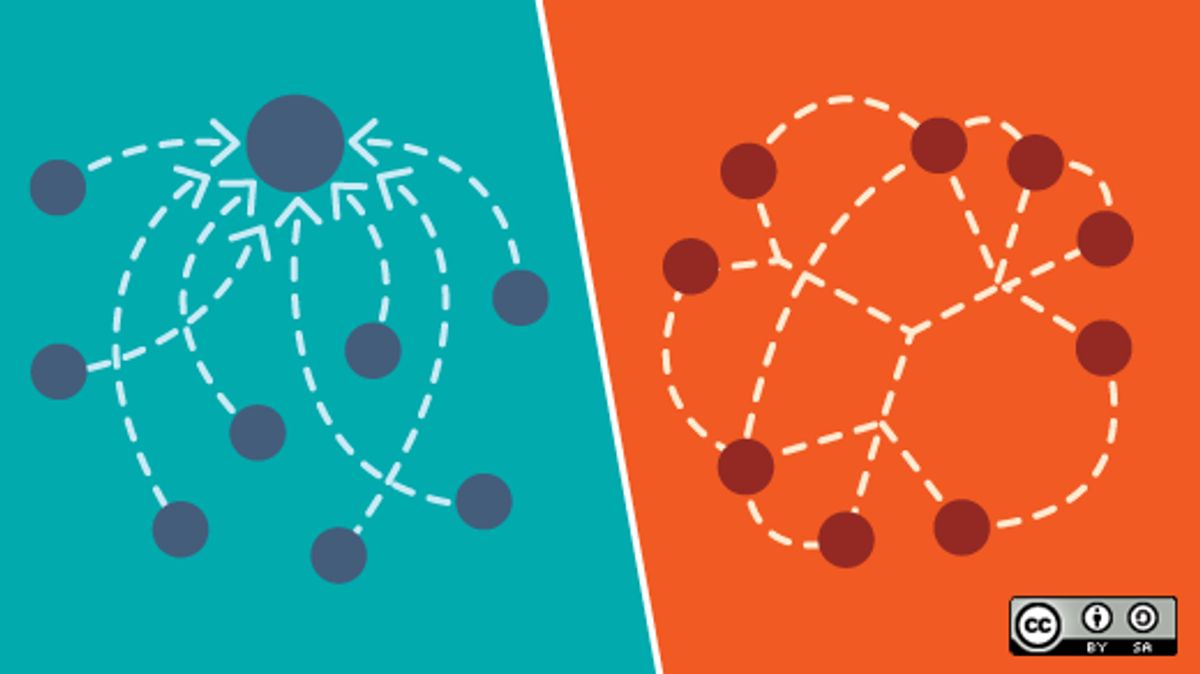
Horizontal scaling, on the other hand, means scaling out. This approach involves adding more servers to the existing pool, effectively distributing the workload across multiple machines. It’s ideal for large websites with high traffic volumes and is crucial for maintaining a robust and reliable connection. Notably, horizontal scaling provides built-in redundancy and can offer optimal performance without a single point of failure.
Auto-scaling is a dynamic solution that automatically adjusts resources based on the current load. It can be applied to both vertical and horizontal strategies, ensuring consistent performance even during unexpected traffic spikes.
Choosing between vertical and horizontal scaling depends on various factors, including the website’s size, traffic patterns, and growth projections. It’s essential to evaluate the pros and cons of each option to determine the most effective strategy for your business needs.
The Role of Auto-Scaling in Web Hosting
Auto-scaling is a pivotal feature in web hosting that dynamically adjusts the amount of computational resources allocated to a website based on current traffic demands. This ensures optimal performance during peak times while saving costs during periods of lower demand. It’s a smart resource management strategy that can be the difference between a sluggish site and a smooth user experience during traffic spikes.
Auto-scaling and infrastructure management are crucial for web architecture, ensuring performance during traffic spikes. Automation, load balancing, and scalability strategies optimize resources and customer satisfaction.
When evaluating hosting providers, it’s essential to understand their auto-scaling capabilities. Here’s what to look for:
- Automated resource adjustment: The system should automatically scale up or down without manual intervention.
- Predictive scaling: Some systems can predict traffic trends and prepare resources in advance.
- Cost-efficiency: Scaling should be cost-effective, avoiding unnecessary expenses during low traffic.
- Seamless integration: Auto-scaling should work smoothly with your existing setup and technologies.
Evaluating Hosting Providers for Scalability
When selecting a hosting provider for a growing business, it’s crucial to assess their ability to scale with your needs. Review Hosting Plans to ensure they offer a spectrum from shared hosting to more robust options like VPS, dedicated servers, and cloud solutions. Understand their scalability claims and how they manage elasticity—the capacity to adjust resources in real-time to traffic demands.
Managed hosting services can simplify this process, providing auto-scaling features that handle traffic spikes with minimal downtime. It’s essential to consider the provider’s performance during peak traffic, their flexibility in pricing, and compatibility with popular CMS like WordPress.
Scalability not only prevents downtime but also enhances customer satisfaction and aligns with business growth, ensuring consistent performance even under heavy load.
Finally, evaluate the provider’s support for optimizing user flows, scalable hosting, and effective database management, as these are key for business growth and performance.
Security Measures for Scalable Websites
Regular Security Audits and Updates
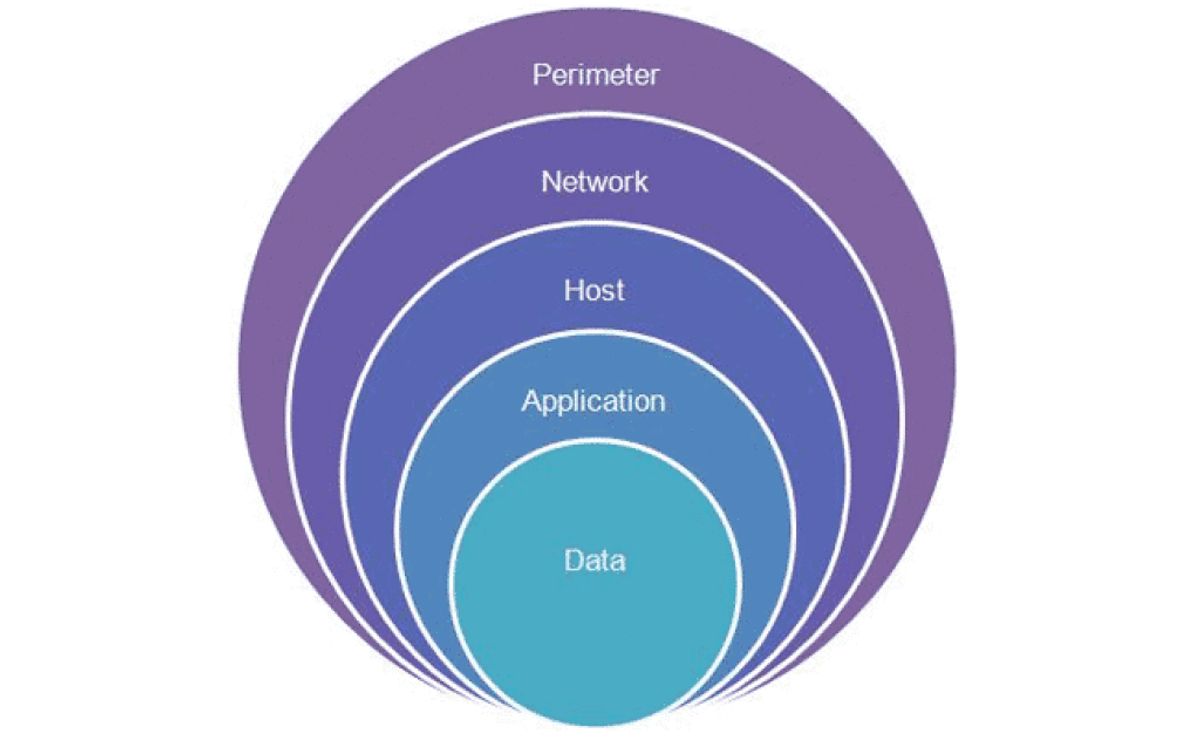
To maintain a secure online presence, regular security audits and updates are crucial for any growing business. These audits help identify and rectify potential vulnerabilities, ensuring that your website remains protected against emerging threats. It’s essential to keep all components of your website, including third-party services, up to date to prevent security breaches from outdated integrations.
A proactive approach to security not only safeguards your website but also reinforces customer trust.
Adopting a structured security checklist can streamline the process. Here’s an example of what such a checklist might include:
- Patch Management and Updates: Regularly update and patch all software components.
- Access Control: Implement strict measures to limit administrative privileges.
- Multi-factor Authentication (MFA): Add an extra layer of security for user accounts.
- Regular Content Updates: Keep your site content fresh and secure.
- Security Practices: Embed best practices for security from the start.
By integrating these practices into your website maintenance routine, you can significantly reduce the risk of security incidents and ensure a robust defense mechanism for your digital assets.
Implementing Robust Firewalls and SSL
To anticipate growth and maintain a secure environment, implementing robust firewalls and SSL (Secure Sockets Layer) is crucial. Firewalls act as a barrier between your website and potential threats, scrutinizing incoming and outgoing traffic based on predetermined security rules. SSL certificates encrypt data transmitted between the user and the website, ensuring that sensitive information like login credentials and payment details remain confidential.
By prioritizing security through these measures, businesses can safeguard their online presence and build trust with their customers.
Regular updates to security protocols are necessary to address newly discovered vulnerabilities. It’s also important to conduct frequent security checks to ensure your site remains malware-free. Here’s a list of steps to enhance your website’s security:
- Implement strict access control measures.
- Use strong, unique passwords and consider multi-factor authentication (MFA).
- Ensure all pages of your website use SSL encryption.
- Keep your website’s core and plugins up to date to avoid vulnerabilities.
- Conduct regular security audits and updates.
These actions, combined with a robust firewall, form a strong defense against cyber threats, contributing to the overall scalability and reliability of your website.
Dealing with Vulnerabilities in Scalable Environments
As businesses grow and their websites scale, the complexity of managing security vulnerabilities increases. Proactive measures are essential to maintain a robust security posture. Regularly updating software, including plugins and themes, is a fundamental step in protecting against known vulnerabilities.
It’s not just about fixing what’s broken; it’s about anticipating potential security issues and mitigating risks before they can be exploited.
Implementing strict access control measures and multi-factor authentication (MFA) can significantly reduce the risk of unauthorized access. Here’s a list of strategies to consider:
- Use scalable cloud hosting solutions and content delivery networks (CDNs) to manage traffic spikes.
- Conduct performance testing and optimization regularly to ensure responsiveness.
- Keep WP core and plugins up to date to protect against hackers.
- Perform daily automated security checks to ensure your site is malware-free.
By addressing these areas, businesses can ensure that their website remains secure, even as it continues to grow and attract more traffic.
Best Practices for Secure WordPress Websites
Securing a WordPress website is crucial for maintaining the trust of your visitors and protecting your online presence. Regular updates and maintenance are the foundation of a secure WordPress site. Ensure that your WordPress core, themes, and plugins are always up to date to defend against known vulnerabilities.
Here are some best practices to enhance the security of your WordPress website:
- Implement strong passwords and change them periodically.
- Use two-factor authentication for an added layer of security.
- Limit login attempts to prevent brute force attacks.
- Regularly scan your website for malware and security breaches.
- Remove any unused themes or plugins to minimize potential entry points for attackers.
It’s essential to choose plugins and themes from reputable sources and to keep them updated to mitigate security risks.
Additionally, consider a WordPress security plugin that offers comprehensive features such as firewall protection, security scanning, and intrusion detection. Remember, a secure website is a cornerstone of website scalability for business growth, as it ensures a safe environment for your users and protects your brand’s reputation.
Maintaining High Availability and Uptime

Monitoring Tools and Techniques
Effective monitoring is a cornerstone of maintaining high availability and uptime for any growing business’s website. Setting up alerts for key server performance metrics, such as CPU usage and memory usage, is crucial for early detection of potential issues. Regular load testing can simulate high traffic scenarios, ensuring that the website can handle spikes in user activity without degradation of service.
By monitoring response times and error rates, businesses can identify and address performance bottlenecks before they escalate into more significant problems.
In addition to technical monitoring, it’s also important to conduct security checks and performance reviews. Daily automated security checks can keep the site malware-free, while performance checks ensure the website is loading quickly, which is essential for both user experience and search engine rankings. Automated backups are another key aspect, providing a safety net in case of emergencies.
Here are some recommended practices for website monitoring:
- Uptime monitoring with automated email alerts
- Daily security and performance scans
- Frequent core and plugin updates
- SEO monitoring and regular reporting
Selecting the right tools is vital for effective monitoring. Titles like ‘17 Best Website Monitoring Tools of 2024 – Uptimia‘ suggest a range of options tailored to various needs and budgets. It’s important to explore and choose tools that align with your website’s specific requirements and growth trajectory.
Load Balancing for Even Traffic Distribution
Load balancing is a critical component in maintaining high availability and uptime for websites experiencing growth. Implementing load balancing improves response times, fault tolerance, and scalability. By distributing incoming traffic across multiple servers, no single server bears too much load, which prevents bottlenecks and potential crashes.
Load balancers can dynamically adjust to the health of servers, ensuring that only the servers capable of handling requests receive them. This dynamic adjustment is essential for maintaining a smooth user experience and high performance during traffic spikes.
Here are some steps to effectively utilize load balancing:
- Use a load balancer to distribute incoming requests across multiple servers.
- Monitor server health and adjust load balancing algorithms dynamically.
- Scale your application horizontally by adding more server instances behind the load balancer.
Horizontal scaling, in particular, distributes the workload across many resources, making it a preferred method for handling high traffic volumes. Alongside load balancing, it’s crucial to implement robust monitoring and security measures to maintain optimal website performance.
Backup Solutions and Disaster Recovery Plans
For growing businesses, having a solid backup and disaster recovery plan is crucial to maintain operations during unexpected events. Automated backups form the backbone of any robust disaster recovery strategy, ensuring that website files and databases are securely stored and can be restored quickly in case of an emergency.
It’s essential to choose a backup solution that aligns with your business needs, considering factors such as frequency, storage location, and ease of restoration.
Providers should offer comprehensive services, including frequent core and plugin updates, to minimize vulnerabilities. A well-structured plan should also encompass performance checks and security scans to maintain website integrity. By proactively addressing these elements, businesses can navigate the complexities of scaling and maintain quality customer service.
Below is a summary of key components to consider in a backup and disaster recovery plan:
- Robust data backup and recovery processes
- Regular software updates for security
- Technical solutions for application and database optimization
- Security measures including firewalls and routine audits
- Performance and SEO monitoring
- Strategies for maintaining customer satisfaction during recovery
Ensuring Seamless User Experience During High Traffic
To maintain a seamless user experience during periods of high traffic, it’s crucial to implement strategies that can handle the surge without compromising performance. Optimizing your code is a fundamental step, ensuring that your application runs smoothly under heavy load. This includes minimizing loops, using caching to reduce database queries, and optimizing media files.
Scalability is not just about handling the current traffic but also about anticipating future growth and being prepared for it.
Another key aspect is to strategically scale your infrastructure. Utilize scalable cloud hosting solutions and content delivery networks (CDNs) to manage traffic spikes efficiently. Regular performance testing and optimization are essential to maintain high responsiveness. Moreover, monitoring tools are vital in identifying bottlenecks and areas for improvement before they impact user experience.
Here are some additional measures to consider:
- Utilize caching to reduce load times and improve performance.
- Implement horizontal scaling by adding more servers as traffic increases.
- Ensure regular performance checks to maintain optimal website speed.
Remember, more website traffic means more customers, and preparing your website to handle this traffic is key to growth.
Leveraging Analytics for Informed Scalability Decisions
Understanding User Behavior and Traffic Patterns
To effectively scale a website, it’s crucial to understand user behavior and traffic patterns. This insight allows businesses to make informed decisions about where to allocate resources and how to tailor the user experience for better engagement and conversion rates.
Analyzing website analytics can reveal patterns that highlight usability issues, such as high bounce rates on specific pages. It’s important to address these issues by refining navigation, clarifying calls to action, and ensuring content aligns with user expectations. Implementing changes should be an iterative process, with each modification tested for its impact on user experience and site performance.
Continuous improvement of your website requires a structured approach to gathering and acting on user feedback.
Utilizing data to segment your audience and deliver dynamic content can significantly enhance personalization strategies. Additionally, establishing feedback loops through usability testing, online surveys, and direct user feedback mechanisms is essential for a responsive and user-centric website design.
Here are some steps to consider in your user behavior analysis:
- Map out the user’s journey from landing to final action.
- Use clear, concise language and avoid confusing jargon.
- Balance text and images to guide users without overwhelming them.
- Monitor for cluttered layouts and unnecessary features that could distract users.
By prioritizing user experience and adapting to user feedback, businesses can ensure their website remains scalable and relevant as they grow.
Performance Metrics to Watch for Scalability
Monitoring the right performance metrics is crucial for understanding how well your website is scaling. Key performance indicators (KPIs) should align with your website growth strategies, ensuring that infrastructure adjustments and platform choices support increased traffic and user interactions without compromising performance or user experience.
When evaluating your website’s scalability, consider the following metrics:
- Response Time: The time it takes for your website to respond to a user request.
- Throughput: The number of requests your website can handle within a given time frame.
- Error Rate: The frequency of failed requests or errors encountered by users.
- Concurrent Users: The maximum number of users that can simultaneously interact with your website without performance degradation.
Scalability is not just about handling more traffic; it’s about maintaining performance levels that meet user expectations. Regularly tracking these metrics can help you identify potential bottlenecks and areas for improvement.
It’s also important to analyze the impact of scalability on your business outcomes. Metrics such as conversion rates, bounce rates, and user engagement levels provide insight into the user experience and can indicate whether your scalability efforts are translating into business success.
Using A/B Testing to Optimize for Growth
A/B testing is a powerful tool for optimizing website growth, allowing businesses to make data-driven decisions that enhance user experience and conversion rates. By comparing two versions of a web page, companies can determine which elements resonate best with their audience. This method involves presenting the ‘A’ version to one group of users and the ‘B’ version to another, then analyzing the results to see which performs better in terms of user engagement and conversion goals.
Effective A/B testing requires a structured approach, including the identification of key performance indicators (KPIs), the creation of variant pages, and the collection and analysis of data. Here’s a simplified process:
- Define the objective of the test.
- Select the page elements to test.
- Create ‘A’ and ‘B’ versions of the page.
- Split your audience randomly to serve each version.
- Collect data on user interactions.
- Analyze the results to identify the more successful version.
- Implement the winning elements site-wide.
It’s essential to ensure that your sample size is large enough to yield accurate results. Tools like a sample size calculator can assist in determining the correct number of users for a statistically significant test.
Remember, A/B testing is not a one-time task but an ongoing process. As your business scales, continuous testing and optimization become crucial for maintaining and improving performance. Strategies for scalable web design and development focus on handling increased traffic and optimizing performance, which is where A/B testing can provide valuable insights for growth.
The Impact of SEO on Scalability and Visibility
Search Engine Optimization (SEO) is a critical component for scalable websites, as it directly influences visibility and user trust. Being visible among the top results signals to users that the website is authoritative and reliable. A well-optimized site not only attracts more traffic but also ensures that the infrastructure can handle the growth without degradation in performance.
Effective SEO strategies can lead to a virtuous cycle of growth. As visibility increases, so does traffic, which in turn can be leveraged for more data on user behavior. This data is invaluable for further optimization and scalability efforts. Here are some key points to consider:
- Content Quality: High-quality, relevant content is favored by search engines and users alike.
- Keyword Optimization: Careful research and implementation of keywords can improve search rankings.
- Mobile Optimization: With the majority of searches now on mobile devices, a mobile-friendly site is essential.
- Site Speed: Fast loading times contribute to better user experiences and higher search rankings.
Scalability and SEO go hand in hand; a scalable website is primed for growth, and strong SEO ensures that growth is possible. It’s not just about handling more traffic; it’s about attracting the right traffic that will engage and convert.
In conclusion, SEO is not just a marketing tactic; it’s a foundational element for scalable websites. It ensures that as your business grows, your website can continue to serve users effectively and maintain high performance levels.
In today’s fast-paced digital landscape, making informed scalability decisions is crucial for the growth and sustainability of your business. By leveraging advanced analytics, you can gain valuable insights that drive strategic expansion and optimize your operations. Don’t miss out on the opportunity to transform your business with our expert WordPress Development and eCommerce solutions. Visit our website to explore our services and take the first step towards a scalable future.
Conclusion
In conclusion, ensuring website scalability is a critical factor for growing businesses in today’s fast-paced digital landscape. By optimizing images, implementing caching, minifying scripts, and judiciously using external scripts, businesses can significantly improve website performance and user experience. Regular reviews using a comprehensive checklist, performance optimization, and staying abreast of security best practices are essential to maintain a robust online presence. As businesses continue to evolve, adopting scalable web hosting and growth strategies will be key to handling increased traffic and maintaining seamless service. Embrace scalability as a strategic imperative to ensure that your website not only keeps pace with your business growth but also enhances customer satisfaction and drives revenue.
Frequently Asked Questions
What are the best practices for optimizing images on my website?
Best practices for image optimization include compressing images while maintaining quality, using appropriate file formats, and utilizing responsive images to ensure they load efficiently across different devices.
How does effective caching improve website performance?
Effective caching reduces server load and improves page load times by storing copies of files or web pages so that returning visitors can access them more quickly.
Why is it important to minify CSS and JavaScript files?
Minifying CSS and JavaScript files reduces their size, leading to faster download times and improved website performance by decreasing the number of HTTP requests needed to render a page.
What is the impact of reducing external script dependencies on website scalability?
Reducing external script dependencies minimizes the number of requests to third-party services, which can improve page load times and reduce potential bottlenecks, enhancing overall website scalability.
How can I ensure my WordPress website remains secure as it scales?
To secure a scaling WordPress website, regularly update the core, themes, and plugins, implement strong passwords, use security plugins, and conduct frequent security audits to identify and fix vulnerabilities.
Why is monitoring website performance crucial for scalability?
Monitoring website performance is essential for scalability because it helps identify bottlenecks and performance issues that can be addressed to ensure the website can handle increased traffic without compromising user experience.