Implementing Robust Development Practices for Future-Proof Websites

In the digital age, a website is often the first point of contact between a business and its customers. Ensuring that a website remains functional, secure, and up-to-date is crucial for maintaining customer trust and satisfaction. Implementing robust development practices is not just about building a website, but about creating a future-proof online presence that can adapt to new challenges and technologies. This article explores key strategies for developing websites that stand the test of time, focusing on continuous improvement, performance optimization, security, scalability, and post-launch success.
Key Takeaways
- Adopt a proactive support and maintenance strategy to keep your website performing optimally, with regular updates and security scans.
- Conduct thorough website health audits to ensure on-site SEO, performance, security, and usability are up to industry standards.
- Optimize website performance through advanced caching, script minimization, and external script optimization to enhance user experience.
- Design with scalability and flexibility in mind using modern tools to create adaptable user interfaces and scalable architectures.
- Implement post-launch strategies such as quality assurance, monitoring, and continuous performance optimization for long-term success.
Establishing a Foundation for Continuous Improvement

Adopting a Proactive Support and Maintenance Strategy
To ensure the longevity and reliability of a website, adopting a proactive support and maintenance strategy is crucial. Regular updates and maintenance not only keep a website secure but also enhance its performance, providing a better user experience. A comprehensive maintenance plan should include the following key elements:
- Weekly updates of WordPress core and plugins to mitigate security risks.
- Daily security and performance scans to detect and address issues promptly.
- Automated backups to safeguard against data loss and facilitate quick recovery.
By implementing a proactive approach, you can prevent potential problems before they occur, rather than reacting to them after the fact.
Additionally, it’s important to stay informed about the latest industry trends and best practices. This knowledge enables website owners to make informed decisions and continuously refine their online strategies, ensuring their website remains competitive and effective. AM2 Studio’s commitment to excellence, focusing on quality, performance, and client satisfaction, exemplifies the importance of a proactive strategy in web development services.
Conducting Regular Website Health Audits
Regular website health audits are essential to ensure continuous improvement of your online presence. These audits encompass a variety of checks, from SEO optimization to security assessments, and are crucial for identifying areas that need enhancement.
A thorough website health audit will not only pinpoint issues but also provide actionable recommendations for improvement.
Here’s a simplified checklist to guide you through a basic website health audit process:
- Define your website audit goals
- Gather necessary tools and resources
- Collaborate with your team for a comprehensive review
- Perform a content audit to assess quality and relevance
By conducting these audits, you can uncover hidden opportunities to boost your digital presence and enhance user experience. Remember, a healthy website is a performant one, and regular audits are the key to maintaining its vitality.
Ensuring a Seamless and Enjoyable Development Process
To ensure a seamless and enjoyable development process, it’s essential to integrate modern tools that facilitate collaboration and efficiency. Traditional methods, while foundational, can be enhanced with agile methodologies that focus on iterative development and continuous feedback. This approach not only streamlines the workflow but also allows for a user-centric design that adapts to changing requirements.
By adopting a proactive approach to development, teams can anticipate challenges and adapt quickly, maintaining quality and meeting deadlines.
Key steps in this process include:
- Establishing clear documentation and regular meetings to keep all team members aligned.
- Utilizing task tracking systems to monitor progress and ensure accountability.
- Implementing feedback channels to gather insights from both team members and users.
- Emphasizing the importance of post-launch support and maintenance to uphold website quality standards.
Ultimately, the goal is to deliver top-quality products within agreed-upon timelines, fostering a stressless environment that encourages creativity and innovation.
Optimizing Website Performance for Enhanced User Experience

Implementing Advanced Caching Techniques
To ensure lightning-fast website load times, advanced caching techniques are essential. Caching reduces server load and speeds up access to content by storing copies of files or data results in a temporary storage area. Here are some key strategies:
- Browser caching: Stores resources directly on the visitor’s device, reducing future load times.
- Server-side caching: Includes page caching, object caching, and database query caching to minimize server processing.
- Content Delivery Network (CDN): Distributes and caches content across multiple geographical locations to bring it closer to users.
- Opcode caching: Compiles PHP code and stores the precompiled script bytecode, improving PHP execution times.
By implementing these caching strategies, you can significantly enhance user experience and website performance.
Remember, the goal is not just to implement caching, but to do so strategically. Regularly review and update your caching policies to align with your website’s changing content and usage patterns.
Minimizing and Optimizing Scripts
To enhance user experience and increase website speed, it’s crucial to minimize and optimize scripts. This involves reducing the file sizes of JavaScript and CSS, which can significantly improve loading times. Here are some best practices:
- Use script minification to remove unnecessary characters from code without changing its functionality.
- Combine multiple scripts into a single file to reduce HTTP requests.
- Employ asynchronous or deferred loading for non-critical JavaScript files to prevent them from blocking the page rendering.
- Regularly review and remove any unused or redundant scripts.
By adopting these strategies, developers can create a more streamlined and efficient website, leading to better performance and user satisfaction.
Additionally, consider the impact of external scripts on your site’s performance. Limiting the use of third-party tools and minimizing external requests can further optimize your website’s speed. Remember, optimizing website performance is not a one-time task but an ongoing process that requires regular attention and updates.
Leveraging External Script Optimization
To maintain a competitive edge, it’s crucial to optimize the use of external scripts on your website. Minimizing reliance on third-party tools reduces unnecessary requests, which can significantly boost performance. A streamlined approach to script management not only enhances page load times but also contributes to a smoother user experience.
By conducting regular performance reviews, we can pinpoint areas for improvement. Our 15-point checklist ensures that every aspect of script usage is efficient and secure, aligning with best practices for high performance and user engagement.
Prioritizing website security through updates and maintenance goes hand in hand with script optimization. Keeping your site’s infrastructure up to date is essential for safeguarding against vulnerabilities and ensuring that your website remains a reliable resource for users.
Securing Your Online Presence

Maintaining Up-to-Date WordPress Security Practices
Ensuring your WordPress website remains secure is not just about installing the latest plugins; it’s a continuous process that requires vigilance and a structured approach. Regularly updating your WordPress core, themes, and plugins is crucial to protect against vulnerabilities. However, updates should be done carefully to avoid breaking site functionality.
Automated security checks and frequent updates are the backbone of a secure WordPress site. They help in identifying and mitigating risks before they escalate into major issues.
A comprehensive security strategy includes daily malware scans, which can be automated to ensure consistency. Here’s a list of key security tasks that should be part of your routine:
- Daily automated security checks for malware
- Weekly updates of WordPress core and plugins
- Performance checks to ensure optimal loading times
- Regular backups for easy recovery in case of an incident
By adopting these practices, you can significantly reduce the risk of security breaches and maintain the trust of your users.
Performing Daily Security and Performance Scans
In the digital age, daily security and performance scans are crucial for maintaining the integrity and efficiency of your website. These scans are designed to detect vulnerabilities, malware, and performance bottlenecks that could compromise user experience or expose sensitive data.
By implementing routine scans, you can proactively address issues before they escalate into serious problems, ensuring your website remains secure and operates at peak performance.
A comprehensive security and performance plan should include the following key activities:
- Uptime monitoring with automated alerts to swiftly handle downtime incidents.
- Automated security checks to keep the site free from malware and other security threats.
- Performance checks to optimize site speed, which is essential for user satisfaction and SEO rankings.
- SEO monitoring to track keyword rankings and identify potential on-site SEO improvements.
- Incremental backups to safeguard website data and facilitate quick recovery in case of an emergency.
These measures not only protect your website but also contribute to a trustworthy online presence, which is vital for retaining and growing your customer base.
Implementing Automated Backups and Recovery Plans
Automated backups and recovery plans are a critical component of a robust development practice. Ensuring that your website can be quickly restored in the event of data loss is paramount to maintaining trust with your users and continuity in your online operations. Frequent incremental backups capture changes to your website files and database, storing them securely off-site.
By automating the backup process, you eliminate the risk of human error and ensure that backups are performed consistently and on schedule.
Choosing the right backup frequency and storage solution is essential. Here’s a simplified breakdown of a typical backup strategy:
- Daily Backups: Ideal for websites with frequent content updates.
- Weekly Backups: Sufficient for websites with less frequent changes.
- Monthly Backups: For websites with minimal updates or as a long-term storage solution.
In addition to regular backups, implementing a recovery plan is crucial. This plan should detail the steps to restore your website from a backup and include regular testing to confirm that backups are functioning correctly.
Designing for the Future: Scalability and Flexibility
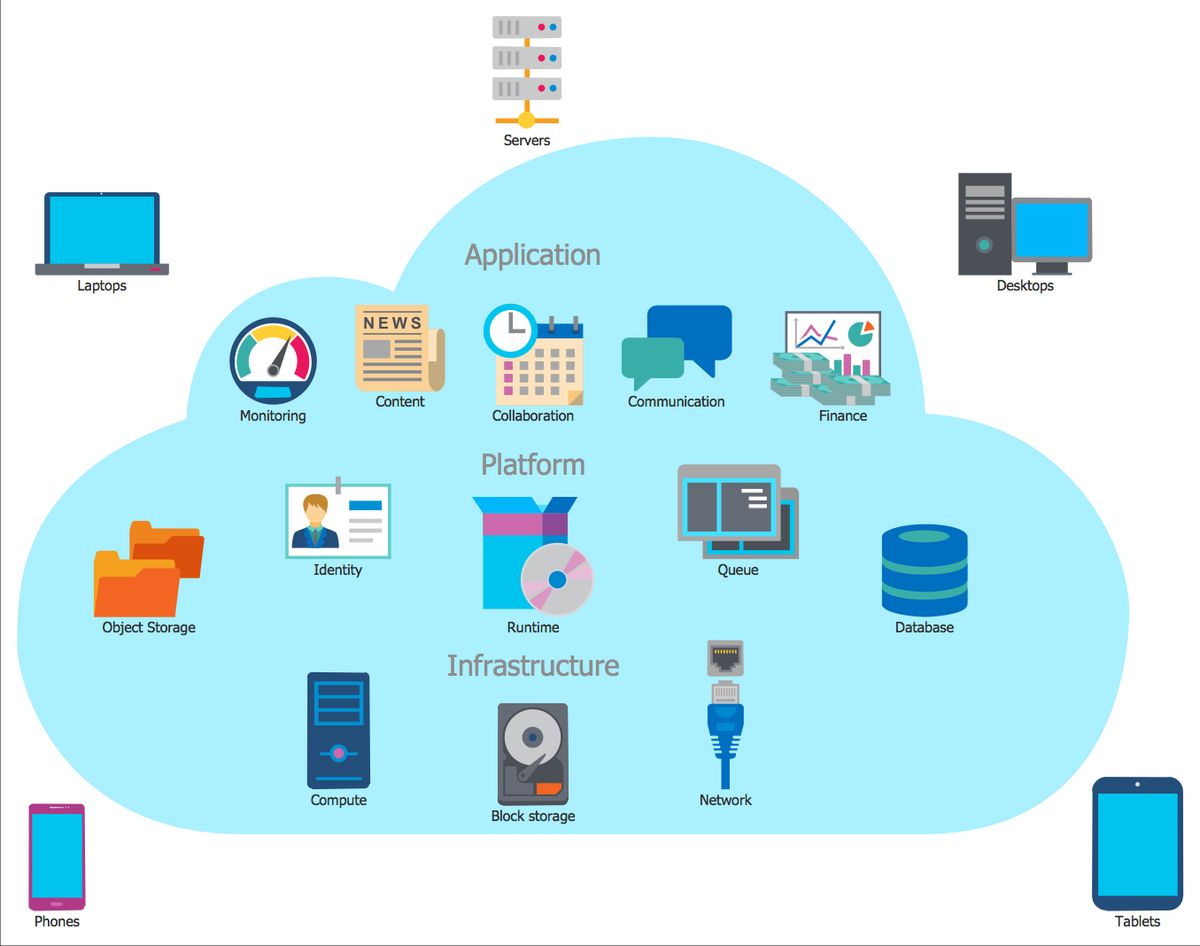
Creating Adaptable User Interfaces with Modern Tools
In the realm of web development, building adaptable user interfaces is crucial for ensuring that a website can evolve alongside user expectations and technological advancements. By utilizing modern tools, developers can create complex UI elements from simple, reusable components. These components foster code reuse and consistency, making it easier to maintain and update the website over time.
Adapting to user needs, responsive design, and embracing adaptable architectures are key for sustainable engagement and future-proof websites. Prioritizing adaptability ensures longevity and competitiveness.
Traditional methods, while still relevant, often fall short when it comes to the demands of contemporary web applications. Modern tools streamline the development process, allowing teams to focus on product innovation rather than infrastructure. This shift not only saves time but also enhances the overall quality and scalability of the website.
Here’s how we can help:
- Transforming your design into a highly optimized, pixel-perfect WordPress theme
- Collaborating with design and marketing agencies to realize their creative vision
- Ensuring a seamless process from strategy and design to development and quality assurance
By choosing the right tools and approaches, we not only deliver impressive results but also lay the groundwork for websites that stand the test of time.
Building with Scalable Architectures
In the realm of web development, scalability is a cornerstone for long-term success. A scalable architecture ensures that your website can handle growth, whether it’s an increase in users, data, or transaction volume. To achieve this, a component-based design approach is often employed. This method involves breaking down complex UI elements into smaller, reusable components. These components can be easily shared and reused, promoting code reuse and consistency across projects.
By focusing on modular components, developers can create systems that are easier to maintain and upgrade. Scalability isn’t just about handling more traffic; it’s about making your website more adaptable to future changes.
Another key aspect is the optimization of resources. This includes minimizing server load through techniques such as image compression and implementing caching. It’s also crucial to keep external scripts to a minimum to reduce unnecessary requests. Below is a list of practices that contribute to a scalable architecture:
- Use of modern frameworks that support modular design
- Regular code refactoring to improve maintainability
- Efficient database management and indexing
- Adoption of cloud services for flexible resource allocation
Remember, building with scalability in mind is not a one-time task but an ongoing process that involves regular reviews and updates to the system architecture.
Incorporating Tailored Design and Branding
In the digital landscape, a strong brand identity is your signature. It’s what sets you apart from the competition and resonates with your audience. Tailored design and branding are about crafting a unique visual and communicative style that aligns with your brand’s values and goals. This involves a meticulous process of selecting color schemes, typography, and imagery that not only look good but also tell your brand’s story effectively.
By weaving together the various elements of your brand’s identity, you create a cohesive and memorable experience for your users. It’s not just about aesthetics; it’s about creating a connection that turns first-time visitors into loyal customers.
To ensure that your website remains relevant and impactful, consider the following steps:
- Develop a clear brand voice that reflects your company’s personality and resonates with your target audience.
- Create a consistent visual identity across all platforms, enhancing recognition and trust.
- Strategically place content to engage visitors and guide them through your site, fostering a seamless user journey.
Remember, design and development best practices ensure future-proof websites. Collaboration between designers and developers is key for performance and user experience. Strategic planning, agile methodologies, and security measures are crucial.
Post-Launch Strategies for Long-Term Success
Quality Assurance and Bug Fixing
After the excitement of launching a website, it’s crucial to shift focus to quality assurance and bug fixing to maintain the integrity of the site. This phase is not just about correcting errors but also about ensuring that the website remains aligned with the evolving needs and expectations of users. A systematic approach to QA includes multiple layers of testing, from unit tests to user acceptance testing, to guarantee that all components work harmoniously.
By establishing a routine for identifying and addressing issues, developers can prevent minor bugs from escalating into major setbacks, safeguarding the user experience.
To streamline the QA process, consider the following checklist:
- Review and test all website functionalities.
- Validate code against current web standards.
- Conduct cross-browser and cross-device compatibility checks.
- Monitor website performance and loading times.
- Implement user feedback mechanisms for continuous improvement.
Remember, the goal of quality assurance is not just to fix what’s broken but to proactively enhance the website’s reliability and performance. This ongoing commitment to excellence is what ultimately leads to a successful and resilient online presence.
Post-Launch Monitoring and Quick Response
After a website goes live, the journey towards ensuring its long-term success begins. Website post-launch success relies on meticulous design review, continuous monitoring for performance and user experience, and proactive issue resolution to maintain high quality standards. This phase is critical; it’s where analytics and tracking tools come into play, providing valuable insights into user behavior and website performance.
By staying vigilant and responsive post-launch, you can swiftly address any issues that arise, keeping your website running smoothly and efficiently.
To effectively monitor and manage your website post-launch, consider the following steps:
- Uptime monitoring: Set up automated alerts to notify you if your website becomes inaccessible.
- Security checks: Perform daily automated security scans to ensure your site remains malware-free.
- Performance checks: Conduct daily checks to verify that your website is loading quickly, enhancing user satisfaction and SEO rankings.
- SEO monitoring: Keep track of your search engine rankings and address any SEO issues promptly.
- Automated backups: Schedule regular backups to safeguard your website data and facilitate easy recovery in case of emergencies.
These proactive measures are essential for maintaining a robust online presence and can significantly impact your return on investment by improving user experience and conversion rates.
Continuous Performance Optimization
In the realm of web development, continuous performance optimization is not just a one-time task but an ongoing commitment. It’s about regularly refining your strategies to align with evolving user expectations and technological advancements. By analyzing performance data, you can identify specific areas for improvement, ensuring that your website remains fast, efficient, and ahead of the competition.
Performance optimization is a journey, not a destination. It requires a proactive approach to adapt to the ever-changing digital landscape.
Here are some key steps to consider in your optimization process:
- Regularly review and update your website’s codebase to ensure efficiency.
- Implement advanced caching techniques to reduce load times.
- Minimize and optimize scripts to streamline functionality.
- Conduct A/B testing to understand user behavior and preferences.
- Utilize analytics to drive decisions and measure success.
Remember, a website that loads quickly and operates smoothly can significantly enhance user experience, leading to increased engagement and conversions. As WP Minds suggests, this is a powerful list of continuous website optimization strategies in 2024, aimed at increasing website traffic and converting more visitors.
Launching your website is just the beginning. To ensure long-term success, it’s crucial to implement post-launch strategies that keep your site relevant and engaging. At [Our Company], we specialize in WordPress Development, eCommerce solutions, and custom web design that can help your business thrive online. Don’t let your digital presence fade into the background. Visit our website to learn more about our services and how we can support your growth every step of the way. Let’s build something great together!
Conclusion
In the journey to create future-proof websites, we’ve explored the importance of robust development practices that ensure longevity, security, and adaptability. From the strategic implementation of design and development to the meticulous post-launch monitoring and ongoing support, the goal is to deliver top-quality products that stand the test of time. Embracing modern tools like React, optimizing for performance, and focusing on user experience are key to staying ahead in the ever-evolving digital landscape. As we continue to push the boundaries of what’s possible on the web, remember that investing in value-driven, scalable solutions is not just about meeting current needs—it’s about paving the way for future growth and success.
Frequently Asked Questions
How can I ensure my website is prepared for future growth and changes?
To future-proof your website, focus on scalability and flexibility. Use modern tools and technologies that allow for easy updates and expansions, and design adaptable user interfaces. Implement a robust development process that includes regular health audits and performance optimizations.
What are some best practices for maintaining website security?
Keep your WordPress or other CMS platforms up to date with the latest security patches. Perform regular security and performance scans, implement automated backups, and have a recovery plan in place. Also, minimize the use of unnecessary plugins to reduce security risks.
How can I improve my website’s performance and user experience?
Optimize your website by implementing advanced caching techniques, minimizing and optimizing scripts, and optimizing the use of external scripts. Compress and optimize images to reduce load times, and regularly review your website against a performance checklist.
What should I do immediately after launching my website?
Post-launch, engage in thorough quality assurance and bug fixing. Monitor your website’s performance closely and respond quickly to any issues. Continue to optimize performance to ensure the best possible user experience and maintain high conversion rates.
How can I create a stress-free development process for my clients?
Establish professional processes with clear communication and transparency. Guide clients through each step, from strategy and design to development and quality assurance, ensuring on-time delivery and a seamless, enjoyable experience.
Why is it important to have a website health audit, and how often should it be done?
A website health audit helps identify opportunities for improvement in SEO, performance, security, and usability. It ensures that the user experience is optimal, which is crucial for retention and conversion. Conduct audits regularly, at least annually or biannually, to maintain website health.