Leveraging Advanced Technology for Optimized Website Functionality

In the digital era, a website’s functionality is pivotal for business success. Advanced technology plays a crucial role in optimizing a website’s performance, ensuring it is fast, efficient, and secure. This article explores various techniques such as advanced caching, image optimization, code streamlining, external script optimization, and WordPress maintenance to enhance website functionality. These methods contribute to a seamless user experience, improved search engine rankings, and robust website security.
Key Takeaways
- Implementing advanced caching techniques can significantly reduce server load and improve user experience by decreasing website load times.
- Optimizing image delivery through compression and adaptive serving ensures high-quality visuals with minimal impact on speed, enhancing performance across devices.
- Minifying scripts and leveraging code optimization techniques like bundling can dramatically improve website loading times and customer experience.
- Balancing functionality with optimized external script usage reduces unnecessary third-party requests, contributing to faster and more efficient website performance.
- Regular security audits, performance optimizations, and automated backups are essential for maintaining a secure and high-performing WordPress website.
Enhancing Website Performance through Advanced Caching Techniques
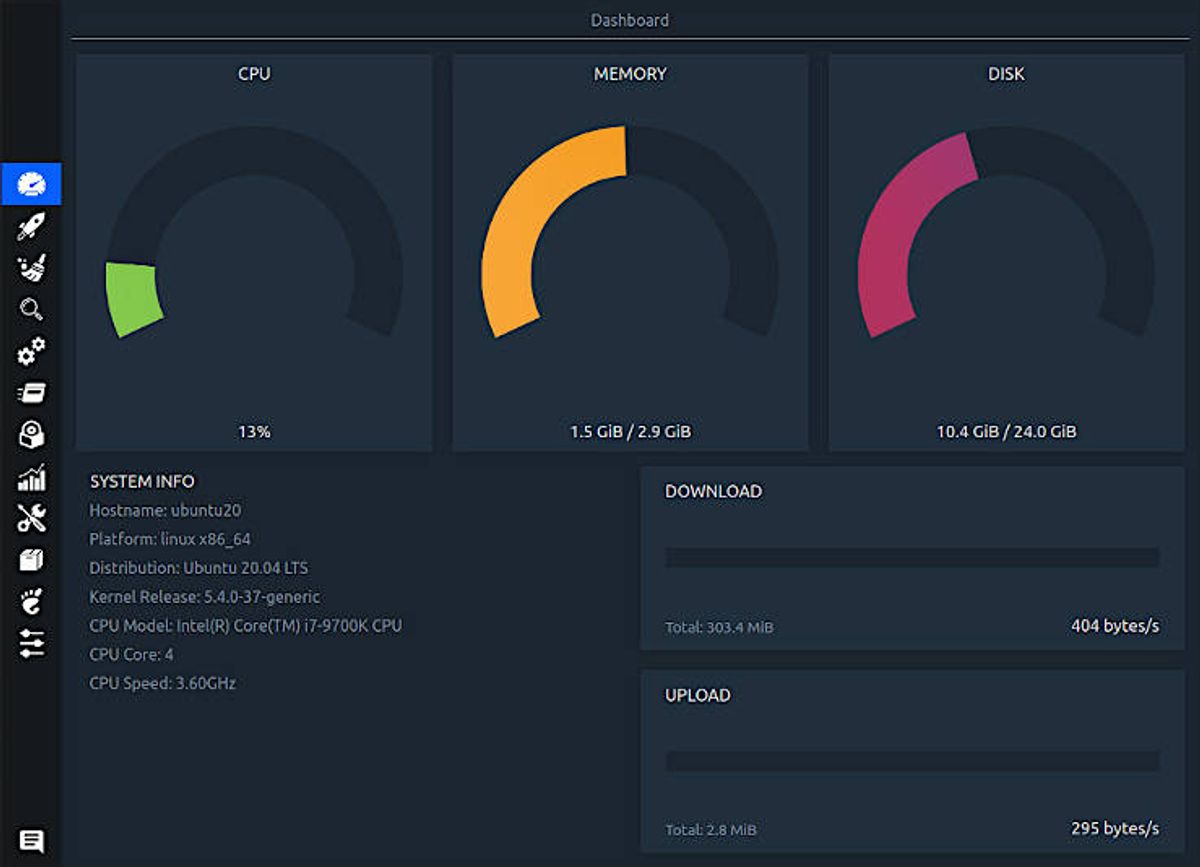
Understanding the Fundamentals of Caching
At the core of website performance lies the concept of caching, a technique that stores copies of files or data in a temporary storage location for quick access. Caching is pivotal in enhancing user experience by reducing load times and server load. By understanding and implementing effective caching strategies, websites can achieve significant performance improvements.
Caching mechanisms can be broadly categorized into two types: browser caching and server-side caching. Browser caching stores website resources on the user’s device, allowing for faster access on subsequent visits. Server-side caching, on the other hand, involves storing data on the server to expedite processing and delivery of content.
Continuous learning and the adoption of advanced caching methods are crucial for maintaining a website that is both high-performing and user-friendly.
To ensure that caching contributes positively to website performance, it is essential to monitor and manage the cache effectively. This includes setting appropriate cache expiration times and validating cached content to ensure it remains up-to-date. The following list outlines key actions for optimizing caching:
- Determine which resources to cache and for how long
- Implement cache control headers for browser caching
- Utilize server-side caching solutions like Varnish or Redis
- Regularly monitor cache hit rates and adjust strategies accordingly
By optimizing website performance and user experience through effective caching, we can improve load times and enhance user satisfaction.
Implementing Browser and Server-Side Caching
To boost site speed and enhance user experience, implementing effective caching strategies is essential. Browser caching allows frequently accessed resources to be stored locally on the visitor’s device, which leads to a significant reduction in server requests. This not only decreases load times but also reduces server load, contributing to improved server response times.
Server-side caching complements browser caching by storing data and content on the server itself. This approach is particularly beneficial for dynamic websites where content changes frequently but still has elements that can be cached. It improves performance and scalability by minimizing database queries and reducing the time to generate a page.
By carefully monitoring and managing both browser and server-side caches, we can ensure that users receive up-to-date content while still enjoying the performance benefits of caching.
Here are some steps to effectively implement caching:
- Determine the static resources that can be cached, such as CSS files, JavaScript, and images.
- Set appropriate cache headers to control how long resources are stored in the browser cache.
- Utilize server-side caching mechanisms like object caching or full-page caching.
- Regularly invalidate and update the cache to reflect the latest content.
Monitoring and Managing Cache for Optimal Results
Effective cache management is pivotal for maintaining website performance. Regular cache analysis ensures that content delivery remains swift and server load is minimized. By monitoring cache hit ratios and expiration policies, we can fine-tune caching strategies to match user behavior and content updates.
- Review Cache Settings: Ensure that cache lifetimes and invalidation rules align with content update frequencies.
- Analyze Cache Performance: Use tools to track cache hit rates and adjust settings for optimal efficiency.
- Update Cache Regularly: Clear outdated items and refresh cache contents to reflect the latest website changes.
By proactively managing the cache, we prevent stale content from being served and reduce the likelihood of cache-related issues impacting user experience.
Continuous improvement is key. Utilize analytics to identify trends and make data-driven decisions. Remember, a well-managed cache is a cornerstone of a high-performing website.
Optimizing Image Delivery for Speed and Quality

Effective Image Compression Strategies
To maintain both the speed and quality of your website, effective image compression is essential. By reducing the file size of images, you can significantly improve load times without sacrificing visual fidelity. This can be achieved by carefully choosing the right file type and utilizing compression techniques that strip away unnecessary data while retaining the image’s essence.
- Choose the right file format: JPEG for photographs, PNG for graphics with transparency, and WebP for a balance of quality and size.
- Lossy vs Lossless compression: Lossy removes data for smaller size, while lossless compresses without quality loss.
- Use automated tools: Tools like ImageOptim or TinyPNG can streamline the process.
Ensuring that images are not only visually appealing but also optimized for web delivery is a cornerstone of modern web design. It’s not just about the visual quality, but also about the performance impact that optimized images have on user experience.
Remember to monitor the results of your image optimization efforts. Regularly check your website’s performance metrics to ensure that the balance between image quality and load speed is maintained. This proactive approach will contribute to an overall optimized website functionality.
Adaptive Image Serving for Different Devices
In today’s diverse device landscape, adaptive image serving is essential for providing an optimal user experience. By detecting the user’s screen size and resolution, websites can serve images that are appropriately scaled, ensuring that images are neither pixelated on high-resolution devices nor unnecessarily large on smaller screens. This approach not only maintains visual clarity but also contributes to faster load times.
Responsive design principles are the cornerstone of adaptive image serving. Utilizing flexible grids, media queries, and the srcset attribute allows developers to create a seamless experience across all devices. Moreover, modern tools like Imagify and Smush can automate the process of image optimization, further enhancing website performance.
By prioritizing above-the-fold content and employing lazy loading techniques, websites can significantly improve user engagement. Serving images in efficient formats such as WebP is another strategy that can reduce load times without compromising quality.
Optimizing images is not just about compression; it’s a balance between quality and performance. Implementing responsive images and lazy loading can lead to a reduction in bounce rates and an overall improvement in user experience.
Automating Image Optimization with Modern Tools
In the digital age, automating image optimization has become a cornerstone for enhancing website performance. Tools such as ImageOptim and JPEGmini are pivotal in reducing file sizes without sacrificing quality, thereby improving speed, user experience, and SEO. These tools work by stripping unnecessary metadata and employing advanced compression algorithms.
The process of automation can be outlined in a few key steps:
- Selecting the right tools and plugins for your specific needs.
- Configuring the tools to automatically process images upon upload.
- Setting up regular scans of existing images for potential re-optimization.
- Integrating with content delivery networks (CDNs) to serve optimized images globally.
By automating the optimization process, developers and content creators can save valuable time and ensure that all images meet performance standards consistently.
Adopting responsive image techniques, such as the srcset attribute, further enhances image delivery across various devices. This ensures that users receive images tailored to their screen size, improving load times and conserving bandwidth.
Streamlining Website Code for Maximum Efficiency

Minifying CSS and JavaScript Files
The process of minifying CSS and JavaScript files is a critical step in streamlining your website’s code for maximum efficiency. By removing unnecessary characters such as whitespace, comments, and new line characters, you can significantly reduce the size of these files. This leads to faster loading times as the amount of data that needs to be transferred over the network is minimized.
Minification is not just about reducing file size; it also involves organizing and consolidating code to improve performance and maintainability.
Here are some practical steps to achieve effective minification:
- Utilize tools like UglifyJS for JavaScript and CSSNano for CSS.
- Integrate minification into your build process using task runners like Gulp or Webpack.
- Regularly review your code to identify opportunities for further optimization.
Remember, while minification is a powerful optimization technique, it should be part of a broader strategy that includes other performance enhancements such as compression and caching.
Leveraging Code Splitting and Bundling Techniques
To enhance website performance, code splitting and bundling are essential techniques in modern web development. Code splitting divides the application into smaller chunks, allowing users to load only the necessary code for a particular page or feature. This results in faster page load times and a more responsive user experience. Bundling, on the other hand, consolidates related files into a single package, reducing the number of server requests and further optimizing load times.
- Code Splitting: Divides large codebases into manageable chunks.
- Bundling: Combines multiple files to reduce server requests.
- Lazy Loading: Delays loading of non-critical resources until needed.
- Dynamic Imports: Loads modules on demand, improving initial load performance.
By strategically implementing code splitting and bundling, developers can significantly improve a site’s performance without sacrificing functionality. It’s a balance between loading essential features upfront and deferring others until they are required.
Bundle splitting, as highlighted in a Medium article, is a technique where the codebase is divided into multiple bundles or chunks, which can be loaded independently. This allows for separation of concerns and more efficient resource utilization. Monitoring these techniques is crucial to ensure they are delivering the desired performance benefits.
Eliminating Render-Blocking Resources
To enhance user experience and improve page load times, it’s crucial to eliminate render-blocking resources. These are typically JavaScript and CSS files that prevent the page from being displayed until they are fully loaded. By addressing these resources, we can significantly speed up the time to first render.
This can be achieved through:
- Minifying Resources: Remove unnecessary characters from code without changing its functionality.
- Utilizing Compression: Apply gzip or Brotli to reduce file sizes.
- Deferring JavaScript: Load scripts after the main content has been processed.
- Using ‘async’ Attribute: Load non-critical scripts concurrently with the page.
By prioritizing above-the-fold content and deferring the rest, we ensure that users can interact with the most important parts of the site without delay.
Regular monitoring and optimization of these techniques are essential to maintain an efficient and responsive website. As technologies and standards evolve, so should our strategies for managing render-blocking resources.
Balancing Functionality with External Script Optimization

Assessing the Impact of Third-Party Scripts
Third-party scripts can significantly affect website performance and user experience. Assessing their impact is crucial for maintaining an optimized site. A methodical yet flexible approach, like that of AM2 Studio, can ensure quality and support while focusing on user-centric design.
- Identify all third-party scripts running on the site.
- Measure the performance impact using tools like Google PageSpeed Insights.
- Analyze the necessity of each script in terms of functionality and user engagement.
- Consider the trade-offs between features provided by the scripts and the performance cost.
By carefully evaluating third-party scripts, you can streamline your website’s functionality without compromising on speed or user experience.
Regularly reviewing the scripts and their versions can prevent potential security risks and compatibility issues. It’s about striking the right balance between functionality and performance.
Strategies for Reducing External Script Dependencies
Reducing external script dependencies is essential for a streamlined, high-performance website. Prioritizing essential scripts and deferring the loading of non-critical ones can significantly enhance site speed. This can be achieved through techniques such as lazy loading, which delays the loading of scripts until they are actually needed.
- Minify Resources: Shrinking the size of your scripts by removing unnecessary characters without changing functionality.
- Utilizing Compression: Employ gzip or Brotli to compress scripts, reducing their size for faster network transfer.
- Implement Caching: Take advantage of browser caching to store scripts locally, reducing load times on subsequent visits.
By strategically managing external scripts, we can improve user experience and website performance without sacrificing essential functionality.
Optimizing external script usage not only streamlines the user experience but also contributes to better search engine rankings. Regularly reviewing and minimizing the use of third-party tools can prevent unnecessary requests and optimize overall performance.
Implementing Asynchronous and Deferred Loading
The integration of asynchronous (‘async’) and deferred (‘defer’) loading attributes is a pivotal strategy for optimizing JavaScript execution. These attributes alter the way scripts are loaded, ensuring that they do not interfere with the initial rendering of the page.
- ‘Async’ loading allows the script to be downloaded in the background and executed as soon as it’s ready, without waiting for the entire page to load.
- ‘Defer’, on the other hand, delays the script execution until after the page has finished parsing. This can significantly improve the user experience by reducing initial load times and preventing render-blocking.
By strategically implementing ‘async’ and ‘defer’ attributes, developers can enhance website responsiveness and performance, leading to a smoother user journey and potentially higher engagement rates.
It’s important to monitor the impact of these attributes on website functionality to ensure that scripts are executed in the correct order and at the appropriate time. This careful management of script loading can be a key factor in achieving optimal website performance.
Securing and Maintaining WordPress Websites

Regular Security Audits and Updates
To maintain a robust security posture for WordPress websites, it’s imperative to conduct regular security audits and apply updates diligently. These audits help identify potential vulnerabilities, ensuring that any security gaps are addressed promptly. Updates not only include the WordPress core but also themes and plugins, which are often targets for exploitation.
- Implement strong passwords and enforce two-factor authentication.
- Schedule automated security checks to detect malware and vulnerabilities.
- Keep the WordPress core, themes, and plugins up to date.
- Educate users on best security practices to enhance overall site safety.
By streamlining these maintenance tasks, website administrators can significantly reduce the risk of security breaches and maintain optimal performance. Regular updates also contribute to improved website functionality, as they often include enhancements and new features.
It’s also beneficial to monitor the website’s performance as part of the maintenance routine. This includes checking for broken links, optimizing loading speeds, and ensuring that all security measures are functioning as intended. A proactive approach to security and maintenance not only protects against threats but also contributes to a trustworthy and efficient online presence.
Performance Optimization Best Practices for WordPress
Optimizing your WordPress site for performance is not just about speed; it’s about creating a seamless user experience that encourages engagement and conversion. Regular updates and maintenance are crucial for keeping your site running smoothly and securely. Here are some best practices to ensure your WordPress site remains optimized:
- Choose the right theme: Select a theme that is optimized for speed and responsiveness.
- Minimize plugin use: Only keep essential plugins to reduce bloat and potential security risks.
- Implement caching: Utilize caching plugins to store frequently accessed data and reduce server load.
- Optimize images: Compress images without sacrificing quality to enhance load times.
- Minify resources: Reduce the size of CSS, JavaScript, and HTML files.
- Database optimization: Regularly clean up your database to remove unnecessary data.
By adhering to these best practices, you can significantly improve the performance and security of your WordPress site, leading to a better user experience and potentially lower hosting costs.
Remember, a well-optimized website not only retains visitors but also ranks better in search engine results, driving more traffic and increasing the potential for conversions.
Automated Backup and Recovery Plans
In the realm of WordPress website maintenance, automated backup and recovery plans stand as a cornerstone for ensuring data integrity and business continuity. Regular backups serve as a safety net, allowing website owners to quickly restore their site in the event of data loss or corruption.
- Automated backups are scheduled to run without manual intervention, ensuring that the latest version of your website is always stored securely off-site.
- Incremental backups save changes since the last full backup, reducing storage requirements and speeding up the recovery process.
- Easy restoration means that in case of an emergency, your website can be brought back online with minimal downtime.
By integrating automated backup solutions, businesses can focus on growth and innovation, confident that their online presence is protected against unforeseen incidents.
The implementation of these plans often includes performance scans and security audits, which further fortify the website’s defenses. A mobile-first approach ensures that backups are responsive and reliable across all devices. The table below outlines a typical service package for automated backup and recovery:
Ensuring the security and performance of your WordPress website is crucial for your online presence. Our team at [Your Company Name] specializes in WordPress Development, including website design, performance optimization, and ongoing support and maintenance. Don’t let your website be vulnerable to threats or lag behind in speed. Visit our website today to learn how we can help you maintain a robust and efficient online platform.
Conclusion
In the pursuit of an optimized online presence, leveraging advanced technology is indispensable. Throughout this article, we’ve explored various strategies such as image optimization, caching, script minimization, and prudent use of external scripts to enhance website functionality. These techniques not only improve site speed and user experience but also contribute to better search engine rankings and heightened security. By implementing a comprehensive 15-point checklist, businesses can ensure their websites are not only aesthetically pleasing but also robust and efficient. As the digital landscape continues to evolve, staying abreast of these optimization practices is crucial for maintaining a competitive edge and delivering a seamless user experience that drives conversions and customer satisfaction.
Frequently Asked Questions
What are the benefits of implementing advanced caching techniques on my website?
Advanced caching techniques save local resources on your server, enhance performance, and improve customer experience by reducing load times and server load. This leads to a faster website and a better user experience.
How can I optimize image delivery for different devices without sacrificing quality?
You can optimize image delivery by using effective compression strategies to reduce file sizes, serving adaptive images that are tailored to different devices, and utilizing modern tools for automating image optimization.
What does minifying CSS and JavaScript files do for my website?
Minifying CSS and JavaScript files reduces the number of HTTP requests and the size of the files, which can significantly improve your website’s loading times and performance.
How can I manage the impact of third-party scripts on my website’s performance?
You can manage the impact of third-party scripts by reducing dependencies, implementing asynchronous or deferred loading to prevent render-blocking, and keeping external script usage to a minimum.
Why is regular security auditing important for WordPress websites?
Regular security audits and updates are crucial for WordPress websites to protect against vulnerabilities, prevent hacking, and maintain a secure and trustworthy online presence.
What are some best practices for WordPress performance optimization?
Best practices for WordPress performance optimization include regular updates, minimizing plugin use, implementing caching, optimizing images, and ensuring efficient code on your website.