Leveraging Advanced Technology for Optimized Website Functionality
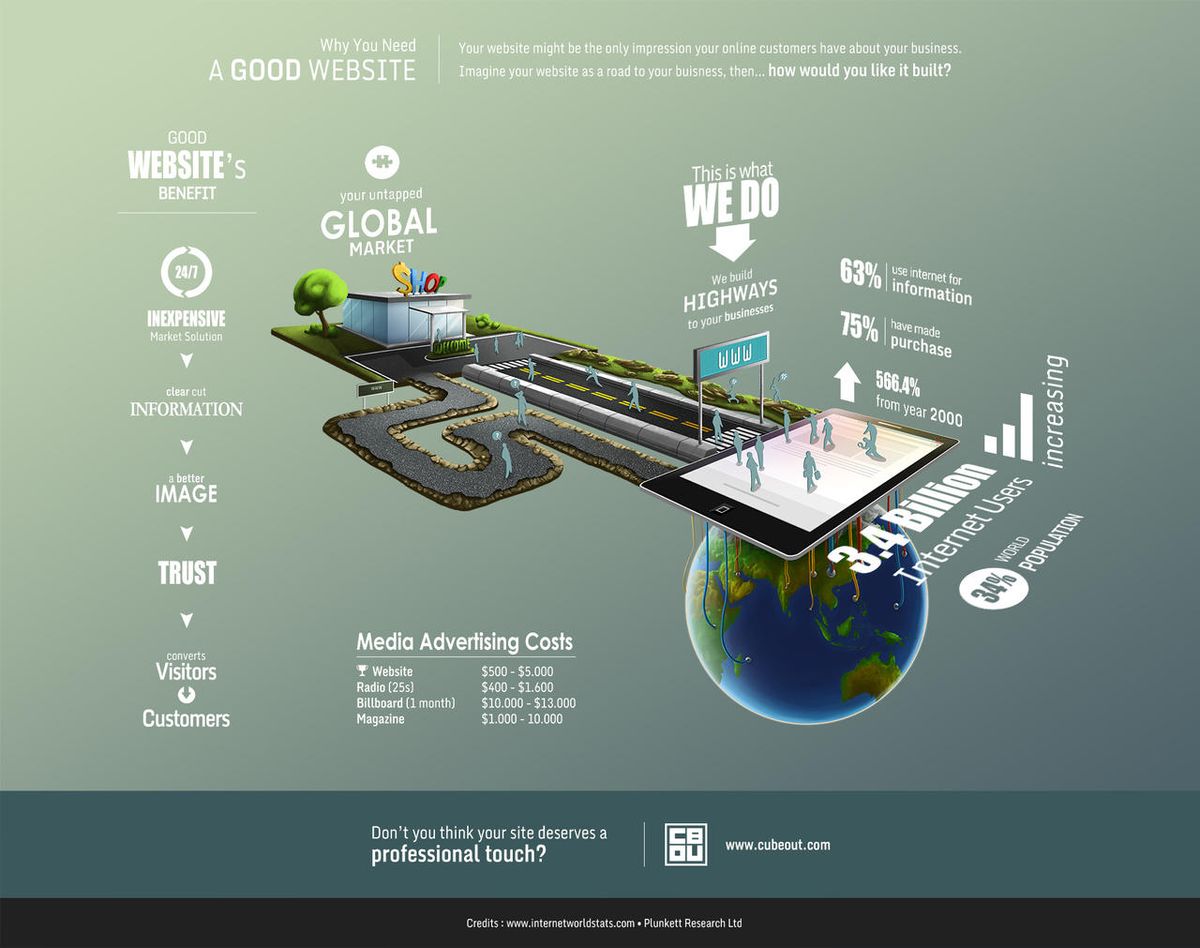
The digital landscape is ever-evolving, and with it, the need for websites to utilize advanced technology to stay competitive and meet user expectations. In the article ‘Leveraging Advanced Technology for Optimized Website Functionality,’ we explore how cutting-edge tools and strategies can enhance user experience, improve website performance, and ensure robust security and maintenance, particularly for WordPress sites. We also delve into the pivotal role of technology in conversion rate optimization and the innovative features that can set a website apart. Regular health audits are emphasized as a critical component in maintaining a website’s effectiveness and compliance with the latest standards.
Key Takeaways
- Advanced technology enhances user experience by enabling responsive design, accessibility through AI, and data-driven improvements.
- Optimizing website performance through image compression, effective caching, and script minification is key to faster load times and better user engagement.
- Regular updates, security monitoring, and automated backups are essential for maintaining a secure and efficient WordPress website.
- Conversion rates can be significantly improved by employing web analytics, A/B testing, and server-side optimizations for speed.
- Staying ahead of the curve with innovative web technologies, such as progressive web apps and AR/VR integration, can provide a competitive edge.
Enhancing User Experience with Advanced Technology

Responsive and Mobile-Friendly Design
In today’s digital landscape, responsive and mobile-friendly design is not just a trend but a necessity. With a variety of devices at their disposal, users expect a seamless experience across all platforms. A mobile-friendly design ensures that your website is accessible and functional across all devices, which is crucial for maintaining user engagement and satisfaction.
- Implement Responsive Design: Utilize CSS media queries and flexible grids to create a fluid layout that adapts to any screen size.
- Optimize for Touch: Increase button size and readability to make navigation user-friendly on touch devices.
- Simplify Your Layout: Prioritize clarity by avoiding cluttered interfaces, ensuring your site is intuitive and easy to navigate.
- Refine Your Copy: Keep content concise and to the point, enhancing readability and user comprehension on smaller screens.
Embracing these best practices not only caters to the methodical yet flexible approach required for optimal website functionality but also aligns with the expectations of modern users who prioritize quick and efficient interactions with online content.
Agencies like AM2 Studio understand the importance of a responsive design, not just for user experience but also for continuous improvement. By leveraging data and user feedback, websites can evolve to meet the ever-changing demands of the digital world, ensuring that they remain competitive and relevant.
Accessibility and Inclusivity through AI
The integration of Artificial Intelligence (AI) in web development has opened new avenues for creating more inclusive and accessible digital experiences. AI technologies such as Natural Language Processing (NLP) and Machine Learning (ML) enable websites to understand and adapt to individual user needs, providing a more personalized experience. For instance, AI can power tools that offer text-to-speech functionalities or image recognition to assist users with visual impairments.
By embedding AI-driven features, developers can ensure their websites are compliant with accessibility standards like the Web Content Accessibility Guidelines (WCAG), making the web a more inclusive space for everyone.
Accessibility should not be an afterthought but a key consideration from the outset of the design process. This proactive approach not only benefits users with disabilities but also enhances the overall user experience, leading to higher engagement and potentially increased conversion rates. Below is a list of AI-powered features that can significantly improve website accessibility:
- Text-to-speech and voice commands
- Image and facial recognition
- Real-time language translation
- Support for assistive technologies such as screen readers
Embracing these technologies not only fulfills a moral obligation to inclusivity but also expands market reach by accommodating a wider audience.
Leveraging Data for Continuous Improvement
In the digital age, data is the compass that guides website enhancements. Regularly reviewing website analytics is crucial for understanding user interactions and identifying areas for optimization. Metrics such as bounce rate, conversion rate, and traffic sources offer insights into user behavior, revealing opportunities for improvement.
By leveraging these insights, businesses can make data-informed decisions, leading to better user experiences and increased efficiency.
To systematically approach this, consider the following steps:
- Monitor key performance indicators (KPIs) to track website effectiveness.
- Analyze user flow to understand the customer journey.
- Implement changes based on data-driven insights.
- Continuously measure the impact of optimizations.
Embracing a culture of data-driven refinement ensures that your website remains aligned with user needs and business goals, fostering an environment of perpetual growth and innovation.
Optimizing Website Performance for Better Results

Image Compression and Quality Retention
Optimizing visual content for enhanced performance involves image compression techniques to balance quality and load times, ensuring faster page load times and improved user experience. Large image files can drastically slow down a website, making optimization crucial.
By compressing images and choosing the correct file format, such as JPEG for photographs and PNG for graphics, websites can maintain visual quality while improving speed. Tools like TinyPNG automate this process, striking a balance between quality and efficiency.
Effective image optimization also includes using alt tags for better SEO and accessibility, as well as testing on multiple devices to ensure consistent appearance. Here are some steps to consider:
- Optimize Images: Compress and use the correct file formats.
- Leverage Browser Caching: Store resources locally to reduce data transfer.
- Enable Compression: Reduce the size of CSS, HTML, and JavaScript files with tools like Gzip.
Remember, the goal is to enhance user engagement and satisfaction by providing a seamless visual experience without compromising on load times.
Effective Caching Strategies
Effective caching strategies are a cornerstone of website performance optimization. By storing frequently accessed data in a cache, websites can reduce server load and accelerate content delivery, leading to a more responsive user experience. Implementing caching involves adjustments to your website’s configuration or the use of plugins for content management systems like WordPress.
Caching not only saves server resources but also significantly enhances customer experience.
Leveraging browser caching, for instance, allows the storage of webpage resource files on a local computer, which means less data is transferred on subsequent visits, speeding up page load times. Additionally, utilizing Content Delivery Networks (CDNs) can distribute your website’s assets from servers closer to the user, further enhancing performance.
Here are some key caching techniques to consider:
- Optimize images to reduce file size without compromising quality.
- Leverage browser caching to store static resources locally.
- Use server-side caching to minimize database queries.
- Implement CDN caching to offload traffic from the origin server.
By applying these strategies, experts can streamline processes, optimize code, and ensure peak performance, which ultimately improves user satisfaction and productivity.
Minifying CSS and JavaScript Files
To optimize website performance, minifying CSS and JavaScript files is a crucial step. This process involves stripping all unnecessary characters from the code, such as whitespace, comments, and block delimiters, without affecting its functionality. By reducing the file size, websites can load faster, improving the user experience significantly.
Minification is not just about removing whitespace. It’s a careful process of code optimization that contributes to a more efficient and faster-loading website.
Here are some benefits of minifying your CSS and JavaScript files:
- Reduced file sizes lead to faster page loading times.
- Fewer HTTP requests are needed, as minified files can be combined.
- Improved caching efficiency, since smaller files are quicker to download and store.
- Enhanced user experience due to quicker interactions and reduced load times.
Tools like UglifyJS and CSSNano are commonly used for this purpose, and they can be integrated into the build process for automation. Remember, maintaining code efficiency is not a one-time task but an ongoing effort to ensure a seamless user experience.
External Script Usage Reduction
Optimizing external script usage is a critical step in enhancing website performance. Reducing the number of external scripts can lead to faster page load times and a smoother user experience. Here are some strategies to consider:
- Assess the impact of each script on performance and prioritize essential functionalities.
- Implement lazy loading for scripts that are not immediately necessary, deferring their load until they are needed.
- Aim to minimize the use of third-party scripts by integrating essential features natively when possible.
By carefully evaluating and streamlining the external scripts, websites can achieve a balance between functionality and performance, ultimately benefiting the end-user.
Remember, every script added to a website has the potential to add to the load time. It’s important to regularly review and audit script usage to ensure that only the most valuable and efficient scripts are employed.
Security and Maintenance for WordPress Websites

Regular Updates and Security Monitoring
Keeping your WordPress website secure and up-to-date is not just a best practice; it’s a necessity in today’s digital landscape. Regular updates to the core, themes, and plugins are essential to protect against vulnerabilities and ensure compatibility with new technologies. Security monitoring, on the other hand, is a proactive measure to detect and respond to threats in real-time.
By implementing a routine maintenance schedule, you can safeguard your website from potential security breaches and maintain optimal performance.
Here’s a quick checklist to help you stay on top of your WordPress website’s health:
- Perform daily security checks to ensure your site is malware-free.
- Update WordPress core and plugins immediately after new releases.
- Conduct regular security audits to identify and fix potential vulnerabilities.
- Utilize uptime monitoring to receive alerts if your site becomes inaccessible.
- Integrate performance checks to keep your website running swiftly.
Remember, a well-maintained website not only secures your online presence but also enhances user trust and engagement, leading to better conversion rates.
Automated Backups and Recovery Plans
In the realm of WordPress website management, automated backups are a cornerstone of reliability and peace of mind. Many WordPress plugins and hosting providers offer options for automated backups, ensuring that your website’s data is regularly saved without manual intervention. This automation allows team members to focus on strategic initiatives rather than routine tasks.
Automated backups should be complemented by robust recovery plans. Storing backups in a secure, off-site location is crucial to prevent data loss in case of on-site failures.
A well-structured backup strategy includes not only the automation of the backup process but also regular testing of the recovery plan. This ensures that, in the event of an emergency, your website can be restored quickly and efficiently, minimizing downtime and preserving user trust.
Below is a brief overview of a typical backup and recovery service package:
- Automated backups: Frequent incremental backups of website files and databases.
- Secure storage: Off-site and encrypted storage solutions.
- Recovery testing: Regular checks to validate the integrity and restorability of backups.
- On-demand recovery: Expert assistance for restoring your website in case of data loss.
Performance and SEO Monitoring
In the digital age, continuous monitoring and support are pivotal for maintaining a website’s integrity and performance. Regular assessments of website functionality not only safeguard against potential security threats but also contribute to a seamless user experience. By integrating tools that track and analyze website performance, businesses can pinpoint areas that require optimization, thereby enhancing overall site speed and reliability.
Performance and SEO monitoring go hand in hand, as they collectively contribute to a website’s visibility and user engagement. Staying vigilant about SEO trends and website analytics allows for timely adjustments that align with search engine algorithms, ultimately boosting organic traffic.
To effectively monitor and optimize your website’s performance and SEO, consider the following steps:
- Run site audits to identify technical issues that could impede SEO performance.
- Analyze keyword rankings and adjust content strategy accordingly.
- Monitor page load times and optimize for faster delivery.
- Review and manage backlink profiles to maintain site authority.
- Stay updated with Google’s algorithm changes and refine SEO tactics.
By embracing these practices, businesses ensure their online presence is both secure and primed for user engagement, leading to sustained growth and success.
Conversion Rate Optimization through Technology

Web Analytics and User Behavior Insights
Harnessing the power of web analytics is crucial for understanding and enhancing the user journey on your website. Tools like Google Analytics provide a treasure trove of data, from bounce rates to conversion paths, painting a clear picture of user interactions. By analyzing this data, you can pinpoint areas for optimization, leading to a more intuitive and effective website.
With the right insights, every visitor interaction becomes an opportunity to improve and personalize the user experience.
Key metrics to monitor include:
- Bounce rate
- Conversion rate
- Traffic sources
- Time on site
- User flow
These metrics not only reveal user behavior but also guide continuous improvement efforts. Advanced features like funnel analysis and predictive analytics take this a step further, offering deeper insights that inform strategic decisions. Ultimately, a data-driven approach can enhance engagement, boost conversions, and drive revenue growth.
A/B Testing and User Experience Enhancements
A/B testing is a powerful strategy for enhancing user experience and increasing engagement. By comparing different versions of a webpage, businesses can make data-driven decisions to optimize their sites. A/B testing improves user engagement by allowing for a direct comparison of design elements, such as headlines, images, or call-to-action buttons. Comfort in interface design is crucial for user experience, focusing on accessibility and aesthetics for a welcoming environment.
Effective A/B testing involves a structured approach:
- Choose a single element to test and create variations.
- Use tools like Google Optimize for implementation and tracking.
- Ensure a statistically significant sample size and test duration.
- Analyze results to inform continuous website improvements.
By methodically testing and refining website elements, businesses can create a more intuitive and enjoyable user experience, leading to better conversion rates and customer satisfaction.
It’s essential to integrate A/B testing into the broader context of website optimization, considering performance, security, and maintenance as part of a holistic approach to web development.
Server-Side Optimizations for Speed
To achieve a seamless user experience, server-side optimizations are crucial. These optimizations include efficient caching mechanisms, database query enhancements, and strategic load balancing. By addressing these areas, websites, especially those with high traffic, can see significant performance gains.
- Optimize Images: Compress and choose the correct formats to reduce load times.
- Leverage Browser Caching: Store files locally to minimize data transfer on repeat visits.
- Reduce Server Response Time: Upgrade hosting and optimize web servers and databases.
- Minify CSS and JavaScript: Remove unnecessary characters to decrease file size.
- Use a Content Delivery Network (CDN): Serve content from the nearest server to the user.
By implementing these server-side strategies, you can enhance site speed, which is a pivotal factor in user experience and conversion rates. Regularly employing these tactics as part of a comprehensive performance optimization process can lead to improved customer satisfaction and potentially lower hosting costs.
Remember, a faster website not only retains users but also contributes to better search engine rankings. It’s a continuous process that requires regular monitoring and tweaking to maintain optimal performance.
Innovative Features to Stay Ahead of the Curve

Integrating Cutting-Edge Web Technologies
In the realm of Next-Level Website Development, the integration of cutting-edge technologies is pivotal. These advancements are not just about keeping pace with trends; they are about setting the stage for future growth and ensuring that your website stands out in a crowded digital landscape.
Incorporating features such as responsive design, AI-driven elements, and IoT connectivity can transform the user experience into something truly remarkable. For instance, personalization and content curation become more intuitive with AI, while chatbots and virtual assistants provide real-time engagement that users now expect.
By strategically adopting these technologies, businesses can create a dynamic online presence that is both innovative and efficient.
Here are some key areas where cutting-edge technologies can make a significant impact:
- Responsive and Mobile-Friendly Design: Ensuring your website is accessible on any device.
- Artificial Intelligence: Enhancing user interactions with smart chatbots and personalized experiences.
- Internet of Things (IoT): Integrating with smart devices to provide users with a seamless online-to-offline experience.
Embracing these technologies not only enhances user engagement but also provides valuable data insights. With continuous analysis and refinement, websites can evolve to meet the ever-changing needs of their audience.
Adopting Progressive Web Apps
Progressive Web Apps (PWAs) are revolutionizing the way users interact with websites by offering an app-like experience directly in the web browser. They bridge the gap between web and mobile applications, providing the convenience of a mobile app with the broad accessibility of a web page. PWAs are designed to work offline, leverage device capabilities, and improve load times, which can significantly enhance the user experience.
Key benefits of PWAs include:
- Offline mode, allowing users to access content without an internet connection.
- Improved performance over traditional web pages.
- No need for installation or manual updates, as PWAs are updated automatically.
- Access to platform-specific features, such as push notifications.
- Low data usage, which is particularly beneficial for users with limited data plans.
By adopting PWAs, businesses can provide a seamless and engaging experience that meets the expectations of today’s mobile-centric consumers. This approach not only improves user retention and engagement but also has the potential to increase conversion rates.
It’s important to weigh the advantages against the potential disadvantages, such as the need for browser compatibility and the challenges of implementing service workers for offline functionality. However, the continuous advancements in web technologies are rapidly addressing these concerns, making PWAs an increasingly viable option for businesses aiming to stay ahead of the curve.
Exploring AR/VR and IoT in Web Development
The integration of Augmented Reality (AR) and Virtual Reality (VR) technologies is transforming the web development landscape, offering users immersive and interactive experiences. These technologies enable businesses to present their products and services in a more engaging way, enhancing customer understanding and satisfaction.
- AR allows for the overlay of digital information onto the real world, enriching user interactions and providing a unique way to experience content.
- VR transports users into fully immersive digital environments, ideal for industries like real estate, travel, or education, where virtual tours can offer profound insights.
The Internet of Things (IoT) further extends the capabilities of web applications by allowing for seamless interactions between the digital and physical worlds. IoT integration can lead to smarter user experiences, with real-time data and automation playing a pivotal role.
Embracing these technologies not only prioritizes user-centric design principles but also positions businesses at the forefront of digital innovation. As we adapt to emerging web technologies, it’s crucial to maintain a balance between novelty and functionality to ensure that the advancements serve to enhance, rather than complicate, the user experience.
The Importance of Regular Website Health Audits
Identifying Opportunities for Improvement
Regular health audits are not just a formality; they are a strategic tool for uncovering areas that need enhancement. By analyzing various aspects of your website, experts can pinpoint specific elements that may be hindering performance or user satisfaction. For instance, a deep dive into on-site SEO can reveal missing tags or poor keyword optimization, while performance checks might highlight slow loading times due to unoptimized images or excessive script use.
Regular health audits improve user engagement, security, and compliance. Performance optimization techniques enhance speed, user satisfaction, and search engine rankings.
A structured approach to these audits can lead to actionable insights. Below is a simplified checklist used during a website health audit:
- Review and optimize server configurations
- Implement efficient caching mechanisms
- Ensure all plugins and themes are up to date
- Conduct security checks for vulnerabilities
- Analyze user experience and accessibility
- Monitor SEO performance and adjust strategies accordingly
By addressing these areas proactively, businesses can maintain a robust online presence, ensuring their website remains secure, efficient, and user-friendly. Regular proactive website health audits are crucial for maintaining site functionality, security, and efficiency. Performance, security, SEO, and usability checks are key for optimal online presence.
Ensuring Compliance with Latest Web Standards
In the ever-evolving landscape of web development, compliance with the latest web standards is crucial for maintaining a competitive edge. Adhering to standards such as the Web Content Accessibility Guidelines (WCAG) not only meets legal requirements but also ensures that your website provides an inclusive experience for all users.
By integrating accessibility considerations from the outset, your website becomes a welcoming environment for a diverse audience, reflecting your commitment to inclusivity.
Regular testing on multiple devices and browsers is essential to guarantee that your website functions seamlessly across different platforms. This includes checking compatibility with both new and older technology that users may still employ. Additionally, staying updated with the latest trends and technologies in web development can lead to continuous innovation and improvement of your website’s functionality.
To maintain compliance, consider the following checklist:
- Follow established web standards and guidelines
- Provide alternative text for images and captions for multimedia
- Support assistive technologies like screen readers
- Regularly update your website to patch security vulnerabilities
- Implement privacy features such as cookie consent banners
Ensuring your website’s adherence to the latest standards is not just about avoiding legal pitfalls; it’s about providing a superior user experience that can enhance trust and satisfaction.
Post-Launch Monitoring and Bug Fixes
After a website launch, the journey towards maintaining its integrity begins. Post-launch strategies include vigilant monitoring for bugs and ensuring the site remains supportive and secure. Regular health checks and updates are crucial to this phase.
The goal is to provide a seamless experience for users by swiftly addressing any issues that arise and integrating customer feedback into ongoing improvements.
To maintain a robust online presence, consider the following steps:
- Integrate customer feedback to refine user experience.
- Monitor the website for bugs and performance issues.
- Provide regular updates to software and security patches.
- Ensure backups are automated and recovery plans are in place.
By adhering to these practices, you can ensure a secure, fast, and reliable website experience for your users.
Ensuring your website remains in top condition is crucial for maintaining user engagement and search engine rankings. Regular website health audits can identify potential issues before they escalate, keeping your site running smoothly and efficiently. Don’t let small problems become big headaches—visit our [Website Health Audit] page now to learn how our expert services can help safeguard your online presence.
Conclusion
In conclusion, leveraging advanced technology for optimized website functionality is a multifaceted endeavor that encompasses image optimization, caching, script minimization, and prudent use of external scripts. By implementing these strategies, we can significantly enhance website performance, improve user experience, and ultimately drive higher conversion rates. Regularly reviewing analytics and adapting to user behavior are key to maintaining an edge in the digital landscape. As we continue to explore the vast potential of advanced technologies, from AI to IoT integration, it’s clear that a commitment to ongoing optimization will yield substantial rewards for any website looking to thrive in today’s competitive online environment.
Frequently Asked Questions
What are the key activities to optimize website images?
Key activities include image compression and optimization while retaining the quality of the image to help your website run faster.
How does caching benefit my website?
Caching saves local resources on your server, improves website performance, and enhances the overall customer experience.
Why is minifying CSS and JavaScript important?
Minifying CSS and JavaScript reduces the number of HTTP requests and file sizes, significantly improving website loading times and customer experience.
What should I consider when using external scripts on my website?
Minimize the use of external scripts to reduce unnecessary requests to third-party tools and optimize website performance.
How do I keep my WordPress website secure?
Regularly update core and plugins, perform daily security scans, and ensure you have automated backups and a recovery plan in place.
What impact does website performance have on customer satisfaction?
Optimized website performance leads to increased sales, improved user experience, enhanced search engine rankings, and higher customer satisfaction.