Leveraging Advanced Technology for Optimized Website Functionality

In the digital age, the functionality and performance of a website are critical to user engagement and business success. Advanced technologies offer a myriad of opportunities to enhance website functionality, from image optimization and caching strategies to code minification and script management. This article delves into the best practices for leveraging these technologies to optimize website performance, ensuring a seamless user experience and improved site metrics.
Key Takeaways
- Optimizing images and managing plugins effectively can significantly enhance website speed and user experience.
- Implementing sophisticated caching strategies, including AI-driven dynamic caching, can drastically improve website performance and customer satisfaction.
- Minifying scripts and automating content delivery can reduce load times and improve real-time website responsiveness.
- Efficient management of external scripts is essential for faster page loads, better performance, and heightened security.
- Regular security audits, updates, and maintenance are crucial for securing WordPress websites and optimizing their performance.
Enhancing User Experience through Image Optimization

The Importance of Image Compression
In the digital age, image compression is a critical factor in website performance. By reducing the file size of images, websites can load faster, providing a smoother experience for users. This not only enhances user satisfaction but also contributes to better SEO rankings as search engines favor quick-loading sites.
- Reduced Bandwidth Usage: Compressing images decreases the amount of data transferred over the network, leading to lower hosting costs and faster page loads.
- Improved Page Load Times: Smaller image files mean quicker load times, which is essential for retaining visitors who might otherwise leave a slow-loading site.
- Enhanced Mobile Experience: With the increasing use of mobile devices, optimized images ensure that pages load efficiently even on limited data plans or slower connections.
By strategically optimizing images, website owners can strike a balance between visual quality and performance, ultimately leading to a more engaging and responsive website.
It’s important to note that image optimization should be part of a broader performance strategy, which includes other techniques such as code minification and effective caching. As AM2 Studio suggests, a methodical yet flexible approach to website development and maintenance can ensure excellence through strategic planning and continuous improvement.
Balancing Quality and Performance
When it comes to website images, the adage ‘a picture is worth a thousand words’ holds true, but only if that picture doesn’t slow your site to a crawl. Optimizing images for website performance is crucial. Employing techniques such as compression, responsive images, and lazy loading can significantly enhance user experience while maintaining visual quality. This balance is not just about aesthetics; it’s a strategic approach that can reduce bounce rates and improve engagement.
- Compression: Reduces file size without compromising too much on quality.
- Responsive Images: Serve different image sizes based on the user’s device.
- Lazy Loading: Delays loading of images until they are needed, which speeds up initial page loads.
By carefully considering each factor, we can ensure that our websites are both visually appealing and performant. This is not a one-time task but an ongoing process that requires regular monitoring and updates to keep up with technological advancements and user expectations.
Websites with optimized images not only look better but also load much faster, which is essential in retaining visitors for extended periods. A well-optimized image can be the difference between a user staying on your site or leaving for a competitor’s.
Dealing with Unwanted Plugins
Unwanted plugins can significantly hinder website performance, leading to slower load times and potential security vulnerabilities. Regular audits of installed plugins are essential to identify and remove those that are no longer needed or that negatively impact site speed and security. Here’s a simple process to manage your plugins effectively:
- Conduct a thorough plugin audit to assess necessity and impact on performance.
- Test plugins in a staging environment to ensure they don’t affect site functionality.
- Update plugins regularly to benefit from performance improvements and security patches.
- Consider alternative solutions that may be more efficient and less resource-intensive.
By streamlining the number of active plugins, you can maintain a lean and optimized website environment, which is crucial for both user experience and search engine rankings.
Remember to optimize images with the appropriate format and compression, and implement lazy loading to further enhance site performance. Utilizing caching strategies can also contribute to an improved user experience by reducing load times.
Boosting Website Speed with Effective Caching Strategies

Understanding the Benefits of Caching
Caching is a pivotal aspect of website performance, storing copies of content such as web pages and images either on the server or the user’s device. This strategic storage allows for faster content retrieval on subsequent visits, significantly reducing server requests and enhancing loading times. Technologies like browser caching, server-side caching, and Content Delivery Networks (CDNs) are commonly employed to achieve this efficiency.
The benefits of caching are not just theoretical; they manifest in tangible performance improvements. Here’s a quick rundown of the advantages:
- Speed: Cached content loads much faster since it’s retrieved locally rather than from the server.
- Bandwidth savings: Caching reduces the amount of data transferred between the server and the client, leading to lower hosting costs.
- Scalability: With caching, websites can handle more traffic without degrading performance.
- User experience: A faster website translates to a better user experience, which can lead to increased engagement and conversions.
By leveraging sophisticated caching techniques, such as AI-driven dynamic caching, websites can make smart decisions on what to cache and for how long, based on user behavior. This not only ensures that users receive the most up-to-date content but also maintains a high cache hit rate, further optimizing the browsing experience.
Implementing Server-Side Caching
Server-side caching is an essential component in the quest for optimized website performance. By storing frequently accessed data on the server, websites can serve content to users more rapidly, reducing the need to fetch data from the database or execute complex computations on every request. This technique is particularly effective for dynamic websites where content changes infrequently.
Implementing server-side caching can significantly decrease page load times and improve the scalability of a website by handling more concurrent users without degrading performance.
Several technologies facilitate server-side caching, such as Redis and Memcached. These tools can be integrated into the server environment to cache data like HTML pages, API calls, and query results. Here’s a simple list of steps to consider when implementing server-side caching:
- Identify the static and dynamic components of your website.
- Choose an appropriate caching tool based on your server’s technology stack.
- Configure the caching mechanism to store and serve the most frequently accessed data.
- Set appropriate cache expiration times to ensure users receive up-to-date content.
- Monitor and adjust the caching strategy based on performance metrics and user behavior.
Dynamic Caching with AI
The advent of Artificial Intelligence Optimization (AIO) has revolutionized the way we approach website caching. By analyzing user behavior, AI can make informed decisions on what content to cache and for how long, ensuring that users always have access to the most up-to-date information without compromising on speed. This results in a seamless browsing experience and a high cache hit rate.
AI’s ability to predict and preload content based on anticipated user actions can significantly reduce load times, enhancing key performance metrics such as Largest Contentful Paint (LCP) and Time to Interactive (TTI).
Furthermore, AI-driven caching is not just about storing data efficiently; it’s also about optimizing the delivery of that data. Real-time performance monitoring allows AI systems to adjust cache settings on the fly, responding to current website load and user behavior to maintain optimal performance at all times.
Streamlining Performance with Code Minification
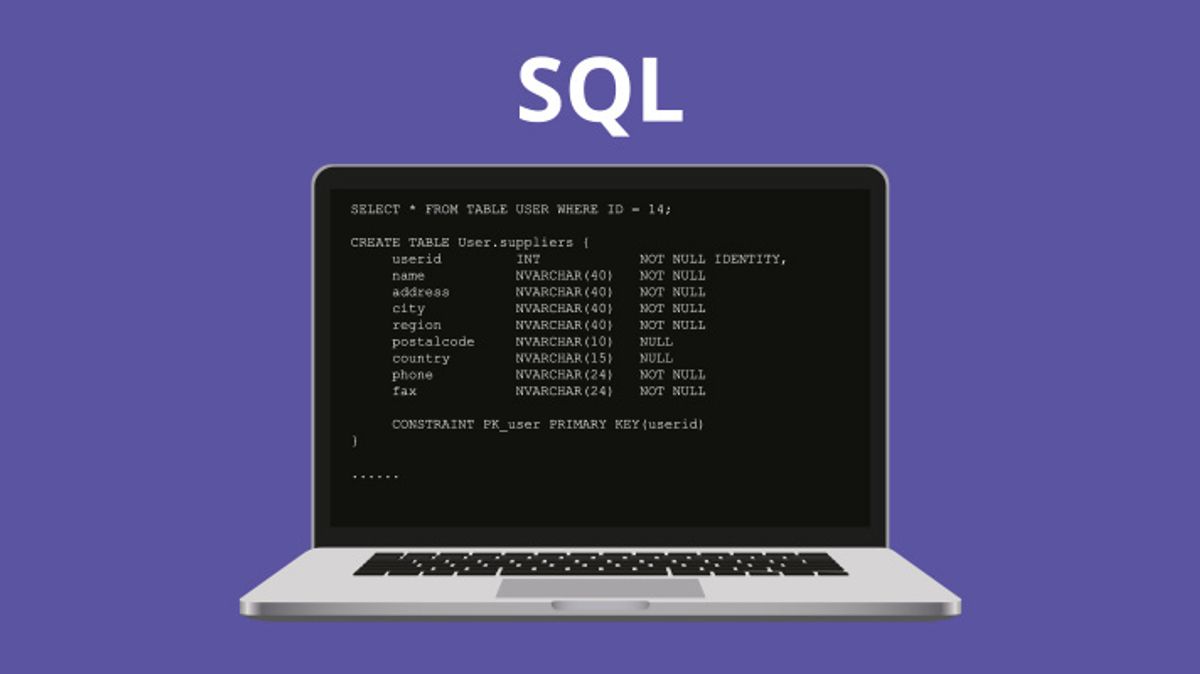
Reducing CSS and JavaScript HTTP Requests
One of the most effective ways to enhance site speed is by reducing the number of CSS and JavaScript HTTP requests. Each file your site loads requires a separate HTTP request, which can significantly slow down page loading times, especially on networks with higher latency.
By consolidating CSS and JavaScript files, we can minimize the total number of HTTP requests, leading to a more streamlined and efficient loading process.
Here are some practical steps to achieve this:
- Utilize CSS sprites to combine multiple images into one, thus reducing image HTTP requests.
- Combine multiple CSS or JavaScript files into a single file to reduce the number of requests.
- Employ server-side or build tools to automate the combining and minification of files.
- Prioritize above-the-fold content to load first, deferring the rest.
These methods not only improve loading times but also contribute to a better user experience, which is crucial for retaining visitors and improving conversion rates. Remember, a faster website can lead to better SEO rankings, as site speed is a factor considered by search engines like Google.
Automated Content Delivery Optimization
In the realm of web performance, automated content delivery optimization stands out as a pivotal strategy for enhancing site functionality. AI-driven tools are now capable of resizing and compressing images and videos dynamically, tailoring them to the user’s device and network conditions. This not only improves page load times but also reduces server load, leading to a more engaging user experience.
By leveraging AI to analyze website code, redundancies can be identified and eliminated, which streamlines the delivery of content and minimizes HTTP requests. This proactive approach ensures that critical resources are prioritized, significantly boosting website responsiveness and user satisfaction.
Content Delivery Networks (CDNs) play a crucial role in this optimization process. They distribute content across a network of servers, ensuring that users receive data from the closest server, thereby minimizing latency. Below is a list of benefits that CDNs provide in the context of automated content delivery optimization:
- Reduced latency and improved load times
- Enhanced global reach due to distributed servers
- Increased reliability and uptime
- Better handling of traffic spikes
- Offloading traffic from the origin server
Optimizing website performance is not just about speed; it’s about creating a seamless experience for the user. As we continue to push the boundaries of technology, the integration of AI and advanced caching mechanisms will remain at the forefront of delivering optimized content efficiently and effectively.
Real-Time Performance Monitoring
Real-time performance monitoring is a critical component in website optimization. AI-driven tools are now capable of continuously monitoring website performance, detecting issues as they occur. This proactive approach allows for instant adjustments such as cache settings modification, resource reallocation, and content delivery optimization based on current traffic and user behavior.
By leveraging detailed application performance monitoring (APM), real user monitoring (RUM), and infrastructure monitoring, businesses can maintain optimal performance levels. These tools provide invaluable insights into server response times, Time to First Byte (TTFB), and overall website availability.
To effectively manage performance monitoring, it’s essential to select the right tools. Here’s a list of features to consider when choosing a performance monitoring solution:
- Powerful log management
- Detailed APM
- Real user monitoring (RUM)
- Infrastructure monitoring
- Database monitoring
Each feature plays a vital role in ensuring that your website functions at its best, offering a seamless experience to your users.
Optimizing External Script Usage for Better Load Times
Minimizing Third-Party Requests
In the quest for a streamlined website, minimizing third-party requests is a critical step. Each external script or service integrated into your website adds to the load time, potentially affecting user experience and page speed. To reduce the impact of third-party code, it’s essential to evaluate the necessity of each script. If a script is not essential to the core functionality or user experience, it should be removed.
- Audit your website to identify all third-party scripts.
- Determine the purpose and necessity of each script.
- Remove non-essential scripts to reduce load times.
- For remaining scripts, consider asynchronous loading or defer parsing until after the main content.
By strategically managing third-party scripts, you can significantly improve site performance without compromising on functionality. This approach not only enhances user experience but also contributes to better SEO rankings due to faster load times.
Remember, every millisecond counts when it comes to website performance. Prioritize scripts that directly contribute to user engagement or conversion, and always aim for a balance between functionality and speed.
Strategies for Efficient External Script Management
Efficient management of external scripts is pivotal for maintaining swift website load times and overall performance. Identifying which scripts are necessary and which can be deferred or asynchronously loaded is the first step towards optimization. Tools such as Google PageSpeed Insights and GTmetrix offer insights into how scripts affect your site’s loading speed, allowing you to make informed decisions about script prioritization.
- Assess impact: Use testing tools to understand how scripts affect performance.
- Minimize requests: Reduce the number of scripts to lower the number of HTTP requests.
- Prioritize critical scripts: Load essential scripts first to improve user experience.
- Regular audits: Continuously check for script efficiency and remove redundancies.
By streamlining the management of external scripts, you can significantly enhance site responsiveness and user satisfaction. Regularly auditing and updating your script management strategy ensures that your website remains fast and efficient, adapting to the ever-evolving web landscape.
Remember, the goal is not only to minimize the number of external scripts but also to manage them in a way that aligns with your website’s performance objectives. This delicate balance between functionality and speed is key to a successful online presence.
Impact on Performance and Security
The impact on performance and security when optimizing external script usage cannot be overstated. By prioritizing scripts and implementing lazy loading, websites can see a marked improvement in speed and user experience. It’s essential to identify third-party scripts and assess their performance impact as a first step towards optimization.
Optimizing external script usage involves balancing functionality with performance. This balance is crucial for maintaining a fast and secure website.
Minimizing third-party requests is not just about reducing the number of scripts; it’s about strategic management. Strategies such as deferring non-critical scripts and bundling similar functions can lead to significant performance gains. Moreover, this approach can enhance security by limiting potential vulnerabilities introduced by external sources.
Here’s a quick checklist for efficient external script management:
- Prioritize essential scripts
- Implement lazy loading for non-essential scripts
- Minimize and manage third-party scripts
- Regularly audit script performance and security
Securing WordPress Websites for Enhanced Performance

Regular Security Audits and Updates
Conducting regular security audits and updates is a cornerstone of maintaining a secure WordPress website. These audits help identify vulnerabilities and ensure that all aspects of the site, from plugins to core code, are up to date.
- Firewalls and malware scanning are essential tools in detecting and preventing unauthorized access.
- SSL certificates contribute to a secure connection between the server and the user.
- Scalable authentication mechanisms adapt to growing user bases and evolving threats.
Regular maintenance not only bolsters security but also enhances website performance, reducing the risk of downtime and data breaches.
By prioritizing security, you not only protect your website but also the trust your users place in it.
It’s crucial to integrate security measures into the website’s architecture to ensure long-term resilience against attacks. This proactive approach to security can prevent potential issues that might compromise both user experience and the website’s functionality.
The Role of Maintenance in Website Security
Regular maintenance and updates are a cornerstone of website security, ensuring that vulnerabilities are promptly addressed and the site remains protected against emerging threats. Frequent core and plugin updates are essential to safeguard your WordPress website from potential security breaches. By keeping the software up to date, you minimize the risk of being targeted by hackers exploiting known issues.
A comprehensive maintenance strategy includes not only updates but also consistent monitoring and performance checks. This proactive approach allows for the early detection of any irregularities or security concerns, enabling swift remediation. Below is a list of critical maintenance tasks that contribute to a secure and high-performing website:
- Uptime monitoring with automated alerts
- Daily automated security checks for malware
- Regular updates to WordPress core and plugins
- Performance assessments to ensure optimal loading times
- SEO monitoring to maintain online visibility
By integrating these maintenance practices, you can enhance the security and reliability of your website, which in turn supports better user experience and trust.
Choosing the right support and maintenance package is crucial for continuous protection. Packages typically offer a range of services, from basic upkeep to advanced solutions including SEO monitoring and performance optimization suggestions. It’s important to select a package that aligns with your website’s specific needs and your business goals.
Performance Optimization as a Security Measure
Performance optimization is not just about enhancing the user experience; it’s also a critical component of website security. Optimizing performance can lead to improved site security by reducing the attack surface for potential threats. By implementing routine security checks, updating protocols, and monitoring for breaches, you enhance data protection and ensure compliance with industry standards.
Efficient resource utilization through performance optimization not only bolsters security but also results in cost savings and improved site performance.
Additionally, tools like ‘ShieldUp’ help tackle bad bots, scrapers, and hackers, further securing your WordPress site while optimizing for a seamless user experience. It’s essential to view performance optimization as an integral part of your security strategy, as it can significantly impact your website’s resilience against attacks.
Looking to elevate your online presence? Our expert team at [YourWebsiteName] specializes in securing WordPress websites to enhance performance and drive growth. From custom design to performance optimization and website health audits, we provide comprehensive WordPress development services tailored to your needs. Don’t let a sluggish site slow down your success. Visit us now to learn how we can help you achieve a fast, secure, and reliable online platform.
Conclusion
In conclusion, advanced technology plays a pivotal role in optimizing website functionality, ensuring that users enjoy a seamless and efficient online experience. From image optimization and caching to minifying scripts and judicious use of external scripts, the strategies discussed offer a comprehensive approach to enhancing website performance. Regularly employing a performance optimization checklist and staying abreast of WordPress security are crucial for maintaining a robust online presence. As we’ve explored, the impact of optimized websites extends beyond mere speed improvements, contributing to increased sales, improved user engagement, and better search engine rankings. Embracing these technological advancements is not just a recommendation but a necessity for businesses aiming to thrive in the digital landscape.
Frequently Asked Questions
How does image optimization enhance website performance?
Image optimization reduces file sizes while maintaining visual quality, using compression algorithms and appropriate formats. This leads to faster page loading times, improved user experience, and better SEO rankings.
What are the benefits of effective caching on my website?
Effective caching saves server resources and improves user experience by storing frequently accessed data. This results in quicker page load times and reduces the load on your server.
Why is code minification important for my website?
Code minification removes unnecessary characters from source code without changing its functionality, reducing file size and HTTP requests. This optimizes loading times and enhances performance.
How can optimizing external script usage improve my website’s load times?
Optimizing external script usage minimizes third-party requests and ensures only essential scripts are loaded. This reduces latency, enhances security, and improves page load times.
What role does website security play in performance optimization?
Strong website security prevents malicious activities that can slow down your site. Regular updates and audits help maintain optimal performance and protect against vulnerabilities.
How does AI contribute to website optimization?
AI can automate content delivery optimization, provide real-time performance monitoring, and implement sophisticated caching strategies. It analyzes user behavior to optimize website functionality.