Optimizing Website Performance for Faster Load Times
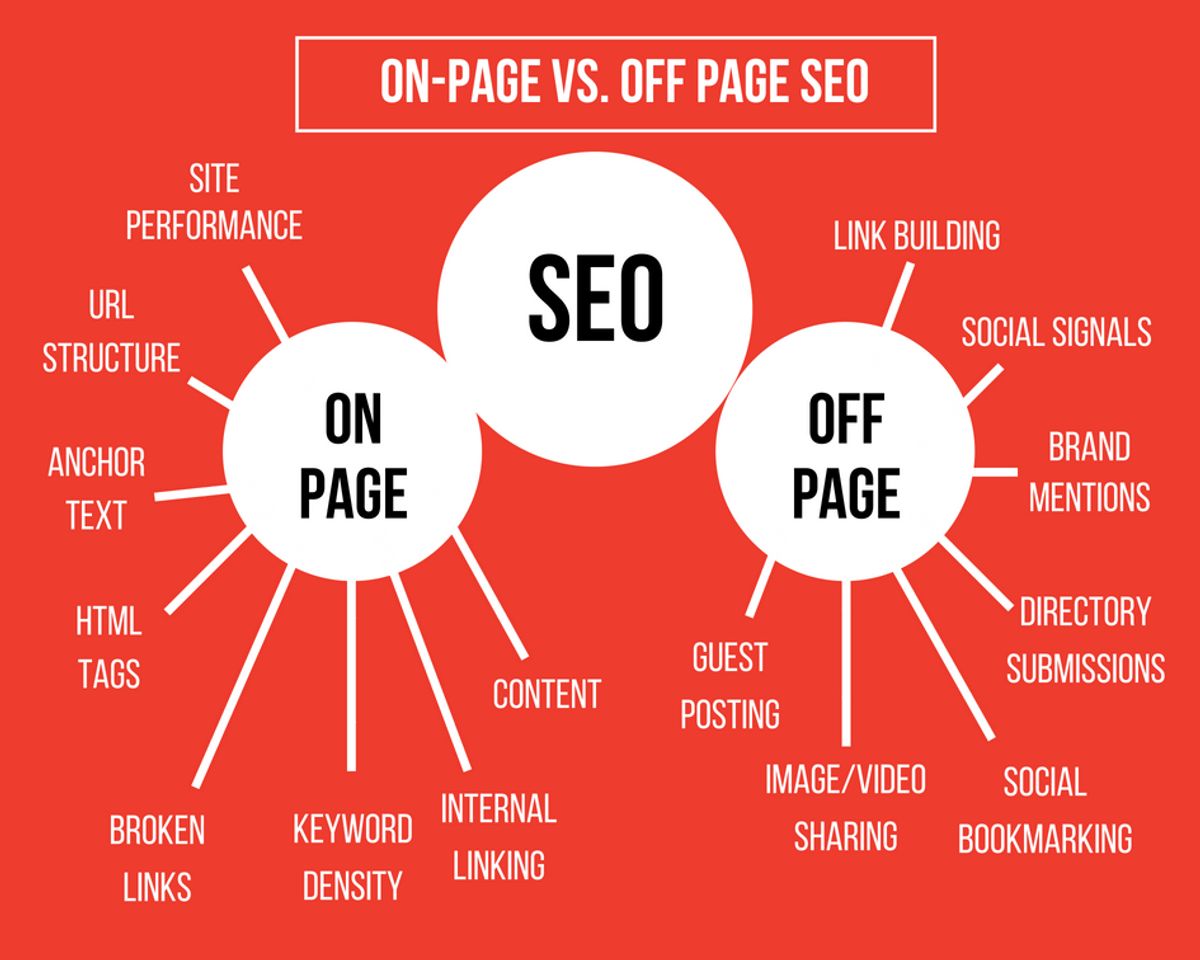
In today’s digital age, website performance is critical for user satisfaction and SEO rankings. A fast-loading website not only provides a better user experience but also contributes to higher conversion rates and improved visibility in search engine results. This article explores various strategies and best practices to optimize website performance and achieve faster load times, ensuring your website operates at its full potential.
Key Takeaways
- Optimizing images and reducing unnecessary plugins can significantly improve website speed and enhance user experience.
- Implementing effective caching strategies saves server resources and boosts website performance, leading to a better customer experience.
- Minifying CSS and JavaScript files and reducing HTTP requests are essential for decreasing load times and improving site efficiency.
- Limiting the use of external scripts and managing them efficiently can reduce load times and prevent negative impacts on performance.
- Advanced techniques such as lazy loading, optimizing above-the-fold content, and fixing redirects can further speed up your website and improve SEO rankings.
Essential Strategies for Image Optimization

Effective Compression Techniques
Optimizing images is a crucial step in enhancing website performance. By compressing images, you can significantly reduce their file size without compromising visual quality, leading to faster load times. There are several methods to achieve this, each with its own advantages:
- Use image compression tools or plugins that automatically optimize images by removing unnecessary data.
- Implement Gzip compression on your HTTP servers to minimize the size of textual responses.
- Choose the right image format for your content; JPEG is ideal for photos, while PNG suits graphics with transparency.
It’s essential to balance compression with quality to maintain a positive user experience.
Remember, lossy compression is most effective on high-density images with lots of noise and colors. Always measure your website’s performance before and after implementing these techniques to ensure the best results.
Balancing Quality and Performance
Achieving the perfect balance between image quality and website performance is a delicate art. Strategies for image optimization are crucial, as they can significantly reduce load times while maintaining visual appeal. Key tips include resizing images to the appropriate dimensions and selecting the right file formats. For instance, using responsive images ensures that the correct image size is delivered based on the user’s device, preventing unnecessary data consumption.
Modern formats like WebP offer superior compression and quality characteristics compared to traditional formats like JPEG or PNG. Embracing these newer technologies can lead to better performance without sacrificing quality.
Automation plays a pivotal role in maintaining this balance. Tools that automate the process of image optimization can streamline workflows and ensure consistent results across your website. Regular performance audits are essential to stay aligned with evolving industry standards and browsing habits, allowing for timely adjustments to your optimization strategies.
Dealing with Unnecessary Plugins
Plugins enhance functionality but can also bloat your website, leading to longer load times. Regularly review and prune your plugin list, removing those that are redundant or no longer serve a critical purpose. This not only streamlines your site’s operations but also reduces potential security vulnerabilities.
By minimizing the number of plugins, you can significantly improve your website’s performance. Each additional plugin can introduce extra HTTP requests and increase the time to first byte (TTFB), affecting the overall speed.
Consider the following points when auditing your plugins:
- Code Conflicts: Eliminate plugins that conflict with others, ensuring smoother site functionality.
- Excessive HTTP Requests: Each plugin adds HTTP requests; fewer plugins mean fewer requests.
- Server Load: Some plugins may require intensive database queries or processes, increasing server load. Opt for plugins that handle complex operations off-server.
Remember, the goal is to maintain a balance between functionality and performance. Sometimes, custom coding specific features instead of using multiple plugins can be more efficient and beneficial for your website’s speed.
Leveraging Caching for Enhanced Speed

Understanding the Benefits of Caching
Caching is a powerful tool in the web performance toolkit. By storing frequently accessed data in a temporary storage location, websites can serve content to users more quickly. This is because the data can be retrieved from the cache rather than being generated or fetched from the original source each time it is requested. The benefits of caching are numerous and can be seen across various aspects of website performance.
Caching reduces the load on servers, leading to a more efficient use of resources and potentially lower hosting costs. It also minimizes latency, providing a snappier user experience.
Here are some key advantages of implementing caching on your website:
- Reduced server load: Less processing power is required to serve cached content, which can lead to cost savings on server resources.
- Improved page load times: Cached content is delivered faster, enhancing the user experience and keeping visitors engaged.
- Decreased bandwidth usage: By serving cached content, the amount of data transferred over the network is reduced, which can be particularly beneficial for users with limited data plans.
- Enhanced SEO performance: Search engines favor websites that load quickly, and caching can help improve your site’s load times and thus its search engine rankings.
Implementing Browser and Server Caching
Enabling browser caching is a pivotal step in website performance optimization. It allows static files such as images, CSS, and JavaScript to be stored locally in the visitor’s browser. Consequently, on subsequent visits, these files can be loaded without additional server requests, leading to quicker page rendering and an enhanced user experience.
By setting appropriate cache headers, developers can dictate how long browsers should retain the cached content. This strategy not only reduces server load but also minimizes data transfer, contributing to faster load times and improved SEO rankings.
Implementing server caching complements browser caching by storing frequently accessed data on the server itself. This reduces the processing time for common requests, further accelerating content delivery to the user. Below is a list of steps to effectively implement caching on both the browser and server sides:
- Determine which static resources can be cached.
- Set cache control headers for these resources.
- Configure the server to serve cached content efficiently.
- Regularly monitor and update the caching strategy to ensure optimal performance.
Remember, while caching can significantly improve load times, it’s crucial to balance it with content freshness to ensure users receive the most up-to-date information.
Caching Best Practices
To optimize website performance, it’s crucial to implement caching best practices. By enabling browser caching, you reduce server requests and data transfer, leading to improved website speed and user experience. Here are some key points to consider:
- Set appropriate cache durations for different types of content, such as images, stylesheets, and JavaScript files.
- Use HTTP headers or expiration tags to control browser caching behavior.
- Leverage a Content Delivery Network (CDN) to distribute and cache content across multiple locations, reducing latency.
- Regularly review and update your caching strategy to ensure it aligns with your website’s content update frequency.
Caching not only saves server resources but also enhances customer satisfaction. It’s a balance between ensuring content freshness and maximizing speed.
Remember to regularly update cache settings and minimize code to maintain fast load times. This includes minifying scripts and stylesheets to reduce file sizes. By following these best practices, you can significantly improve your website’s loading times and overall performance.
Minimizing and Managing Scripts
Reducing CSS and JavaScript HTTP Requests
One of the most effective ways to enhance your website’s performance is by reducing the number of HTTP requests for CSS and JavaScript files. Each request creates additional latency, so minimizing them can lead to significant improvements in load times.
By consolidating multiple CSS or JavaScript files into single, combined files, you can decrease the number of requests a browser needs to make. This not only reduces network latency but also simplifies the management of your codebase.
Here are some practical steps to achieve this:
- Combine and minify CSS and JavaScript files to reduce the number of requests and file sizes.
- Utilize CSS sprites to combine multiple images into one, thus reducing image requests.
- Remove or replace unnecessary plugins that add extra HTTP requests.
- Implement lazy loading for scripts that don’t need to be loaded initially.
Remember, a streamlined website with fewer HTTP requests will generally result in a faster, more responsive user experience.
The Role of Minification in Performance
Minification plays a crucial role in enhancing website performance. By removing unnecessary characters such as whitespace, comments, and line breaks from CSS and JavaScript files, minification reduces file sizes. This process results in faster loading times and improved user experience, as browsers can download and execute the code more efficiently.
When it comes to inline JavaScript and external files, especially those not cached, minification becomes even more important. Google suggests minifying all JavaScript files larger than 4096 bytes, with a minimum reduction of 25 bytes to make a noticeable impact on page load time.
Minification is not just about reducing file size; it’s about optimizing the delivery of code to the browser for quicker interpretation and execution.
Here are some key points to understand about this optimization technique:
- Minification is generally an automated step that occurs at build time.
- It can lead to reduced network latency and fewer HTML requests.
- Enhanced compression is another benefit, leading to faster browser downloading.
- It’s considered a best practice, even if the performance improvements are marginal.
Optimizing File Sizes for Faster Load Times
Optimizing file sizes is a critical step in enhancing website performance. Smaller files load faster, which contributes to a better user experience and improved SEO rankings. One effective method is image optimization, which involves resizing and compressing images without sacrificing quality. Tools like JPEG & PNG Stripper, Smush.it, and Online Image Optimizer can significantly reduce image file sizes.
Combining files is another technique that can streamline your website’s code. By decreasing file sizes, it becomes easier to combine CSS and JavaScript files, resulting in cleaner code and leaner web pages. This not only simplifies the codebase but also reduces the number of HTTP requests, which is essential for faster page rendering.
Employing these optimization strategies is not just about improving load times; it’s about enhancing the overall performance and user satisfaction. Remember, a fast-loading website is more likely to retain visitors and convert them into customers.
Here’s a quick checklist for optimizing file sizes:
- Use image optimization tools to compress images.
- Stick to standard image formats like JPG, PNG, and GIF.
- Minify CSS and JavaScript files to reduce their size.
- Combine files where possible to reduce HTTP requests.
- Implement lazy loading to defer loading of images outside the viewport.
Optimizing External Script Usage

Limiting Third-Party Scripts and Pixels
To optimize external script usage, it’s crucial to limit the number of third-party scripts and pixels. These elements, often sourced from external services like commenting systems, analytics, or social media platforms, can significantly impact load times. By prioritizing essential scripts and reducing the rest, websites can achieve a balance between functionality and performance.
- Async and Defer Scripts: Use
asyncordeferattributes to prevent scripts from blocking the rendering of content. - Evaluate Impact: Regularly assess the performance impact of third-party content and remove non-essential elements.
- Minimize Redirects: Avoid unnecessary redirects that can add extra load time.
By streamlining the use of external scripts, websites can reduce load times, prevent content jumping, and improve the overall user experience.
Remember, every script added to a page introduces potential delays. Therefore, it’s important to regularly review and minimize render-blocking JavaScript. Tools are available to help identify and eliminate unnecessary code that may slow down page loading, especially on larger websites with multiple content contributors.
Strategies for Efficient External Script Management
To maintain a swift website, limiting the use of external scripts is crucial. Scripts such as commenting systems, CTA buttons, and various plugins can significantly slow down page loads, leading to content jumping or layout shifting, which is particularly troublesome for mobile users. By evaluating the impact of third-party content and optimizing their loading with async or defer attributes, we ensure a non-blocking load that enhances the rendering of above-the-fold content.
It’s essential to scrutinize every external script and weigh its utility against its performance cost. Removing unnecessary render-blocking JavaScript and minimizing inline JS and CSS can lead to a more streamlined and efficient website.
Here are some practical steps to manage external scripts effectively:
- Utilize performance tools to identify and eliminate unnecessary code.
- Implement
asyncordeferattributes for non-critical scripts. - Regularly review and optimize third-party plugins and widgets.
- Consider a dedicated server or VPS to avoid slow response times from shared hosting.
By adhering to these strategies, we can significantly improve website loading times and enhance the user experience.
Impact on Performance and User Experience
The inclusion of third-party scripts and pixels on a website can have a profound impact on performance and user experience. These external elements can significantly slow down page load times, leading to frustration and potentially driving users away. It’s crucial to understand that every additional script introduces a new layer of complexity and potential points of failure.
By limiting the number of third-party scripts, you can streamline the user experience, reduce load times, and improve overall site stability.
However, it’s not just about reducing quantity; it’s also about managing these scripts efficiently. Strategies such as asynchronous loading and selective script execution can help maintain a balance between functionality and performance. For instance, loading non-essential scripts after the main content has been rendered ensures that the user can interact with the page without unnecessary delays.
Here’s a quick checklist to help manage external scripts effectively:
- Audit your current use of third-party scripts.
- Evaluate the necessity of each script.
- Implement asynchronous or deferred loading.
- Regularly monitor the performance impact of scripts.
- Consider using lighter alternatives or custom solutions where feasible.
Remember, the goal is to enhance the user’s experience by providing a responsive and seamless interaction with your website. Keeping a vigilant eye on third-party scripts is a step towards achieving that goal.
Advanced Techniques and Best Practices

Implementing Lazy Loading for Media
Lazy loading is a technique that defers the loading of non-critical resources at page load time. Instead, images and videos are only loaded when they’re likely to be seen by the user, such as when they scroll down the page. This approach can significantly reduce initial page load times, enhance user experience, and conserve bandwidth.
- Benefits of Lazy Loading:
- Reduces initial load time
- Lowers bandwidth usage
- Improves user experience by loading images in context
By implementing lazy loading, you ensure that users enjoy a seamless browsing experience without unnecessary delays.
Combining lazy loading with other strategies, such as serving resources via a CDN, can further optimize website performance. It’s essential to review and test your implementation to ensure compatibility across different browsers and devices.
Optimizing Above-the-Fold Content
Optimizing the content that appears above the fold is a critical aspect of enhancing website performance. The goal is to prioritize the loading of elements that users see first, without scrolling. This can significantly improve the perceived speed of your site and, as a result, user satisfaction. To achieve this, follow these steps:
- Prioritize Critical Resources: Ensure that essential stylesheets, scripts, and images load first. This may involve inlining critical CSS and deferring non-critical JavaScript.
- Minimize Render-Blocking Resources: Reduce the size and number of resources that must be loaded before the page can be rendered.
- Inline Critical CSS: Embedding the styles necessary for above-the-fold content directly in the HTML can eliminate additional requests and speed up rendering.
- Defer Non-Critical JavaScript: Loading scripts that are not required for initial rendering after the main content can prevent delays.
- Lazy Load Images: Implementing lazy loading for images below the fold ensures they do not affect the initial page load time.
By streamlining the loading process for above-the-fold content, you can create a more responsive and engaging user experience. This optimization is not only beneficial for user retention but also contributes to better SEO performance due to faster load times.
Reducing Redirects and Fixing Broken Links
To optimize website performance, it’s crucial to address the issues of redirects and broken links. Redirects, while sometimes necessary, can add unnecessary load time if overused. Streamlining the redirect process by eliminating superfluous steps can significantly improve page load speed. For instance, avoid chains like example.com -> www.example.com -> m.example.com -> m.example.com/home, and instead, direct users immediately to the intended page.
Broken links not only frustrate users but also harm SEO rankings. Regular audits to identify and fix broken links can enhance the user experience and contribute to a more robust online presence. Here’s a simple checklist to maintain a healthy link structure:
- Conduct regular website audits to detect broken links.
- Implement 301 redirects for outdated URLs to relevant pages.
- Simplify redirect chains to reduce server load and response time.
- Monitor link health with automated tools for ongoing maintenance.
By proactively managing redirects and repairing broken links, you ensure a seamless browsing experience, which is a key factor in improving page load speed and maintaining a positive user experience.
Remember, a well-maintained website reflects your commitment to quality and can lead to increased trust and engagement from visitors.
Dive into the world of advanced techniques and best practices with our comprehensive suite of web development services. From WordPress Development to custom eCommerce solutions, we have the expertise to elevate your online presence. Don’t settle for mediocrity; choose excellence and let us help you achieve the digital success your business deserves. Visit our website to explore our services and start your journey towards a better, more efficient online strategy.
Conclusion
In conclusion, optimizing website performance is a multifaceted endeavor that can significantly enhance user experience and improve search engine rankings. By implementing strategies such as image optimization, caching, script minification, and judicious use of external scripts, websites can achieve faster load times and better overall performance. Regular maintenance, including removing unnecessary plugins and implementing lazy loading, further contributes to a streamlined and efficient online presence. As we’ve discussed, even incremental improvements in page speed can lead to higher engagement, retention, and conversion rates. It’s clear that in the digital age, where speed and efficiency are paramount, taking the time to optimize your website’s performance is not just beneficial—it’s essential for staying competitive and satisfying the ever-increasing expectations of online users.
Frequently Asked Questions
How does image optimization affect website performance?
Image optimization involves compressing and resizing images to reduce file size without sacrificing quality. This reduces the amount of data that needs to be transferred, leading to faster page load times and improved website performance.
What is the role of caching in website speed?
Caching stores copies of files and web pages on the user’s device or server, allowing for quicker access on subsequent visits. This reduces server load and speeds up page delivery, enhancing the overall user experience.
Why is it important to minify CSS and JavaScript files?
Minification removes unnecessary characters from code without changing its functionality, which reduces file sizes and the number of HTTP requests needed. This results in faster loading times and improved website speed.
How do external scripts impact website load times?
External scripts, such as third-party analytics or advertising code, can slow down websites by adding extra HTTP requests and processing time. Minimizing their use and managing them efficiently is crucial for optimal performance.
What are advanced techniques to further improve website speed?
Advanced techniques include implementing lazy loading for media, optimizing above-the-fold content, and reducing redirects and broken links. These methods help to load only necessary content initially, improving perceived load times.
How does website performance optimization influence SEO and user experience?
Faster websites provide a better user experience, leading to increased engagement and conversions. Website speed is also a ranking factor for search engines, so performance optimization can result in higher visibility and organic traffic.