Optimizing Website Performance for Faster Load Times

In the digital age, website performance is crucial for user satisfaction and conversion rates. A fast-loading website can significantly enhance user experience, reduce bounce rates, and improve search engine rankings. This article explores various strategies to optimize website performance for faster load times, covering image optimization, caching, script management, server infrastructure, and regular maintenance.
Key Takeaways
- Optimize images by compressing them and using modern formats to maintain quality while ensuring faster load times.
- Implement caching techniques to save server resources and enhance user experience by reducing load times for repeat visitors.
- Minify and manage CSS and JavaScript files to decrease the number of HTTP requests and optimize file sizes, thereby improving website speed.
- Choose the right hosting environment and utilize advanced server technologies to improve server response times and overall site performance.
- Conduct regular performance audits and updates, including security measures, to maintain website health and prevent downtime.
Understanding and Improving Image Optimization

The Role of Image Compression
Image optimization is a critical step in enhancing website performance. Optimizing images can significantly reduce load times, ensuring a smoother experience for users. By compressing images, we maintain visual quality while decreasing file size, striking a balance between aesthetics and efficiency.
- Lossy Compression: This method compresses images by reducing their quality to a level that is often imperceptible to the human eye, resulting in smaller file sizes.
- Lazy Loading: Prioritizes visible images, delaying the loading of off-screen pictures until they’re needed, which conserves bandwidth and accelerates page rendering.
- Next-Gen Formats: Serving images in formats like WebP can offer better compression and quality characteristics compared to traditional formats like JPEG or PNG.
By implementing these techniques, we not only improve page load times but also enhance the user’s engagement with the site. It’s a win-win for both website owners and visitors.
It’s important to regularly review and update image optimization practices as technology evolves. AM2 Studio’s approach to website development includes a focus on quality assurance, maintenance, and support, ensuring that image optimization contributes to optimal performance and success.
Balancing Quality and Performance
Achieving the perfect balance between image quality and website performance is a delicate dance. High-quality images enhance user engagement, but they can also slow down your site. To maintain a swift user experience without compromising on visual appeal, consider the following points:
- Prioritize Above-the-Fold Content: Load critical images that appear in the viewport first to captivate users immediately.
- Leverage Browser Rendering: Implement asynchronous loading for images outside the viewport, reducing initial load time.
- Monitor and Test: Continuously analyze image performance and adjust compression levels to find the sweet spot.
By methodically optimizing images, you can significantly improve your site’s load times while still delivering a visually rich user experience.
Remember, the goal is to keep users engaged with a visually appealing site that loads quickly. Regularly revisiting your image optimization strategies is key to maintaining this balance as user expectations and web technologies evolve.
Implementing Lazy Loading Techniques
Lazy loading is a design pattern that defers the loading of non-critical resources at page load time, instead waiting until they are needed. This often applies to images and videos that are off-screen when the page first loads. By only loading these elements as they come into the viewport, we conserve bandwidth and enhance the user experience.
Lazy loading prioritizes the content that the user is actively viewing, making initial page loads faster and reducing server load.
Here’s how you can implement lazy loading on your website:
- Use native HTML lazy loading attributes where supported.
- Employ JavaScript libraries for cross-browser compatibility.
- Optimize image delivery with responsive images and appropriate formats.
- Test lazy loading implementation to ensure it does not affect SEO.
Remember, while lazy loading improves performance, it should be used judiciously to avoid any negative impact on user engagement or search engine ranking.
Leveraging Caching for Enhanced Performance

Benefits of Browser Caching
Browser caching is a powerful tool for enhancing the user experience on repeat visits. By storing static resources like images and stylesheets locally, a user’s browser can dramatically reduce the load time of a page. This not only improves the speed but also conserves bandwidth and decreases server load.
When a visitor returns to your site, the browser can display the cached content instead of downloading it again, leading to quicker interactions and a smoother browsing experience. Here’s how browser caching benefits both the user and the website owner:
- Reduced page load times: Faster access to content for returning visitors.
- Decreased server load: Less stress on your server during peak traffic times.
- Bandwidth savings: Minimized data transfer for users and hosting services.
- Improved SEO: Search engines favor fast-loading websites.
Implementing effective browser caching can result in a significant performance boost, making it a critical aspect of website optimization.
It’s essential to set appropriate cache control headers to ensure that the browser caches the resources for the right amount of time. Too short, and users won’t benefit from caching; too long, and they might miss out on updates. Striking the right balance is key to leveraging the full advantages of browser caching.
Server-Side Caching Strategies
Server-side caching is a powerful tool for enhancing website performance. Strategic caching can significantly reduce server load and speed up content delivery for returning visitors. By storing pre-rendered or optimized versions of web pages and assets, server-side caching ensures that users receive data without unnecessary delays.
Effective server-side caching strategies involve not just storing data, but also determining when to update or invalidate cached content. Smart cache invalidation is crucial to ensure that users always access the most up-to-date content without manual intervention.
Here are some key server-side caching techniques:
- Advanced Caching: Storing optimized content for quick delivery.
- Smart Cache Invalidation: Automatic updates of cached content.
Implementing these techniques can make a vast difference in website speed, providing a better user experience and improving overall site performance.
Setting Up Content Delivery Networks (CDNs)
Content Delivery Networks (CDNs) are a pivotal component in the quest for website performance optimization. By distributing your website’s content across a network of servers around the globe, CDNs minimize the distance between your users and the content they access, leading to faster load times and a more responsive user experience.
Implementing a CDN can significantly reduce latency and improve site speed, especially for sites with a geographically diverse audience. The strategic placement of CDN servers ensures that users are always served from the nearest possible location.
- Evaluate your website’s traffic patterns and audience locations
- Choose a CDN provider that aligns with your specific needs
- Configure your CDN settings to optimize for performance
- Monitor CDN performance and adjust as necessary
By leveraging CDNs, you not only enhance user satisfaction but also gain SEO benefits, as search engines favor fast-loading websites. It’s a win-win situation that can lead to improved engagement and conversions.
Remember to optimize server-side caching, utilize CDNs for global reach, and streamline code for faster load times by minifying CSS and JavaScript files. These steps are essential for maintaining a swift and efficient online presence.
Minimizing and Managing Scripts for Speed
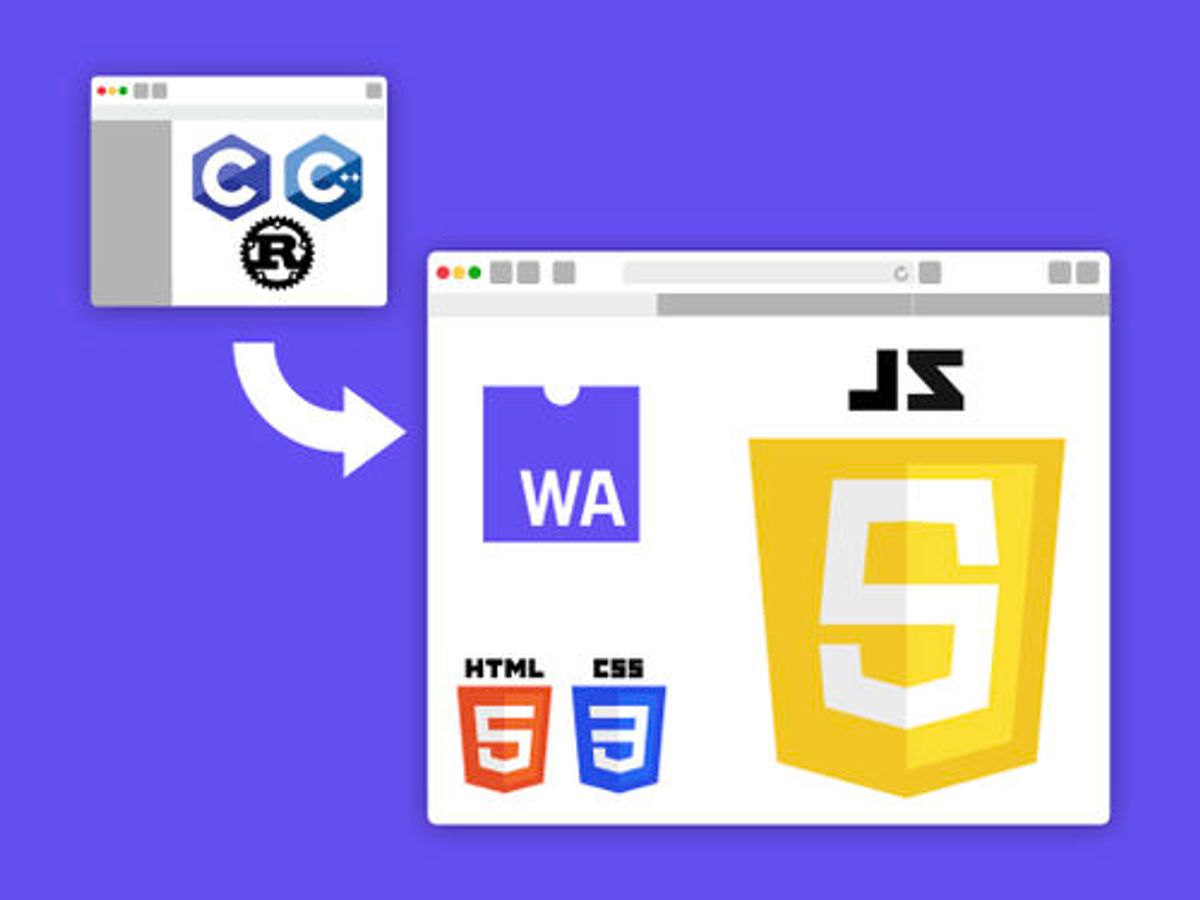
The Impact of Minifying CSS and JavaScript
Minifying CSS and JavaScript files is a crucial step in optimizing website performance. By removing unnecessary characters such as whitespace, comments, and new line characters, the file size is reduced, leading to faster download times and reduced bandwidth usage. This process does not affect the functionality of the code but significantly improves loading speed, enhancing the user experience.
Minification is a simple yet effective technique that can be implemented quickly to yield immediate performance gains.
Here are some benefits of minification:
- Reduces file size and bandwidth usage
- Decreases the number of HTTP requests
- Improves page rendering speed
- Enhances user experience and potentially SEO rankings
It’s important to automate the minification process as part of your build or deployment workflow to ensure that all code is consistently optimized. Tools like UglifyJS for JavaScript and CSSNano for CSS can be integrated into task runners such as Gulp or Webpack.
Effective Use of Asynchronous and Deferred Loading
To enhance user experience and improve website performance, utilizing asynchronous and deferred loading is essential. Asynchronous loading allows non-critical resources to load without blocking the rendering of the page, while deferred loading postpones the loading of less important scripts until after the main content. This strategy prioritizes above-the-fold content, ensuring that users can interact with the page more quickly.
- Prioritize Above-the-Fold Content: Load critical content first.
- Leverage Browser Rendering: Use asynchronous loading to avoid render-blocking.
- Monitor and Test: Regularly analyze and optimize the loading of resources.
By strategically managing the loading order of resources, websites can significantly reduce initial load times and improve perceived performance.
Regularly review and streamline website assets for smooth and efficient performance. Utilize asynchronous loading techniques for enhanced speed, user experience, and website performance.
Streamlining Third-Party Script Usage
The performance impact of third-party scripts cannot be overstated. Identifying and optimizing these scripts is crucial for a faster website. Begin by auditing your site to pinpoint external scripts and assess their impact on load times. This initial step is vital for streamlining script usage.
- Evaluate the necessity of each third-party script.
- Prioritize scripts based on their importance to user experience.
- Implement asynchronous or deferred loading for non-critical scripts.
- Regularly review script performance and seek alternatives if necessary.
By minimizing reliance on external scripts and optimizing their delivery, you can significantly enhance site performance. Remember, every millisecond counts when it comes to user engagement and retention.
Continuously monitor and refine the integration of third-party scripts. This ongoing process ensures that your website remains fast and responsive, providing a seamless experience for your users.
Optimizing Server and Infrastructure

Choosing the Right Hosting Environment
Selecting the appropriate hosting environment is crucial for website performance. No amount of optimization can compensate for subpar hosting. It’s essential to match your hosting solution to your website’s size and functionality to ensure optimal speed. While budget constraints may tempt some to choose the cheapest option, this often leads to inadequate hosting and slower website speeds.
It’s advisable to consult with a web development expert who can assess your needs and recommend a suitable hosting plan. Remember, investing in quality hosting is investing in your website’s future.
Here’s a quick checklist to consider when choosing a hosting provider:
- Evaluate the hosting provider’s performance history.
- Consider the types of hosting they offer, such as shared, VPS, or dedicated servers.
- Look for scalability options to grow with your website’s needs.
- Check for support and maintenance services included with the hosting plan.
- Ensure they offer regular performance and security audits.
By carefully selecting a hosting provider that aligns with your goals, you can significantly impact your website’s load times and overall user experience.
Improving Server Response Times
To enhance user experience and boost SEO rankings, reducing server response time is crucial. This involves optimizing server resources and configurations to handle requests more efficiently. One effective method is to reduce page bloat, which refers to the unnecessary bulk in web pages that can slow down response times. Simplifying the design and minimizing the use of heavy scripts and large images can make a significant difference.
Implementing strategic caching is another key step. By storing frequently accessed content in memory, subsequent requests for that content can be served much faster. Server-side caching strategies, such as object and database query caching, can greatly improve content delivery.
Content Delivery Networks (CDNs) play a vital role in minimizing latency by distributing content across multiple geographically dispersed servers. Users receive data from the nearest server, which speeds up subsequent user requests.
By focusing on these areas, you can achieve a more responsive website that satisfies users and search engines alike.
Lastly, regular monitoring and testing are essential to maintain optimal performance. Tools and services that provide insights into server performance can help identify bottlenecks and areas for improvement.
Utilizing Advanced Server Technologies
To achieve optimal website performance, utilizing advanced server technologies is crucial. These technologies are designed to enhance the efficiency of resource delivery and improve overall user experience. Advanced caching mechanisms, such as storing pre-rendered pages, significantly reduce server load and expedite content delivery. Smart cache invalidation ensures that users always receive the most up-to-date content without the need for manual cache purges.
Resource loaders have evolved to better utilize modern multi-core CPUs, offloading tasks from the main thread to speed up processing. Deferred loading of non-critical JavaScript files further accelerates initial page rendering, allowing users to interact with the main content more quickly.
By strategically implementing these advanced server technologies, websites can enjoy faster load times and improved reliability, which are essential for maintaining a competitive edge in today’s digital landscape.
It’s also important to regularly monitor and adjust these technologies to align with the evolving web standards and user expectations. Performance optimization is an ongoing process that requires attention to detail and a proactive approach.
Monitoring and Maintaining Website Health

Regular Performance Audits
Conducting regular performance audits is crucial for maintaining the health and efficiency of your website. These audits help identify areas that need improvement, ensuring that your site remains competitive and provides a seamless user experience. A comprehensive audit covers various aspects, including site speed, SEO, security, and usability.
- Site Speed: Daily performance checks can reveal opportunities to enhance loading times, which is essential for retaining visitors and improving search engine rankings.
- SEO: Regular monitoring of keyword rankings and on-site SEO practices helps maintain and boost your site’s visibility in search results.
- Security: Automated security checks guard against malware and vulnerabilities, keeping your site safe for users.
- Usability: Analyzing user engagement and behavior patterns allows for optimizations that can lead to better conversion rates.
By proactively addressing issues uncovered during performance audits, you can optimize your website’s user experience and performance. This not only enhances your online presence but also contributes to better user engagement.
Remember, what may seem like minor tweaks as a result of an audit can have significant impacts on your website’s overall performance. It’s not just about making changes; it’s about making the right changes that align with operational KPIs and strategic goals for long-term success.
Security Measures to Prevent Downtime
Ensuring the security of a website is paramount to prevent downtime and maintain trust with users. Regular updates and maintenance are critical to safeguard against vulnerabilities. This includes updating the CMS, plugins, and themes to their latest versions, as well as implementing strong access controls and firewalls.
- Automated security checks should be conducted daily to detect malware or unauthorized changes.
- Frequent core and plugin updates are necessary to patch security flaws and protect against hacking attempts.
- Backups must be performed regularly to enable quick recovery in the event of data loss or a breach.
By proactively monitoring and addressing security concerns, website longevity is ensured through maintenance with regular updates, security patches, performance monitoring, and optimization for enhanced security, user experience, and efficiency.
It’s also important to educate users on security best practices and to have a response plan in place for potential security incidents. By taking these steps, businesses can minimize the risk of downtime and ensure their website remains a reliable resource for users.
Ongoing Optimization and Updates
To maintain peak website performance, ongoing optimization and updates are crucial. Regularly updating content and aligning it with SEO best practices ensures that your website remains relevant and competitive. It’s also important to review search engine policies frequently to stay compliant and maintain or improve search rankings.
By continuously monitoring and refining your website, you can enhance user experience, which in turn can lead to increased trust and higher conversion rates.
Here’s a simple checklist to keep your website in top shape:
- Conduct updates on keyword research and adjust content accordingly
- Review and implement search engine best practices
- Invest in domain authority through quality backlinks
- Regularly audit website performance and security
- Update plugins and themes to the latest versions
- Monitor website uptime and fix issues promptly
- Optimize website speed and responsiveness
- Perform SEO monitoring and adjustments as needed
Remember, a well-maintained website is a performant website. Stay proactive to keep your digital presence strong.
Ensuring your website remains healthy and performs optimally is crucial for your online presence. At AM2, we specialize in WordPress Development, including website health audits that keep your site running smoothly. Don’t let technical issues hinder your success. Visit our website and take the first step towards a robust and efficient online platform. Let’s work together to make your digital world better. [Contact us] today for a comprehensive website health check.
Conclusion
In conclusion, optimizing website performance is not just a technical necessity but a critical component of user satisfaction and business success. Techniques such as image optimization, caching implementation, script minification, and the judicious use of external scripts can lead to significant improvements in load times. These enhancements not only elevate the user experience but also contribute to better search engine rankings and potentially lower hosting costs. By following the strategies outlined in this article, website owners can ensure their sites are fast, efficient, and capable of meeting the demands of today’s fast-paced digital landscape. Remember, a faster website is not just about speed; it’s about creating a seamless, engaging experience that retains visitors and drives conversions.
Frequently Asked Questions
How does image optimization affect website performance?
Optimizing images through compression techniques and proper formatting reduces file sizes, leading to faster loading times and improved website performance without sacrificing image quality.
What are the benefits of caching on website speed?
Caching reduces server load and speeds up page delivery by storing frequently accessed data locally in the user’s browser or on the server, providing a quicker and smoother user experience.
Why is it important to minify CSS and JavaScript files?
Minifying CSS and JavaScript reduces the size of these files, which decreases the number of HTTP requests and the amount of data transferred, resulting in faster page load times.
How can a Content Delivery Network (CDN) enhance website performance?
A CDN stores your website’s static resources on multiple servers around the world, allowing users to download content from the closest server, reducing latency and improving load times.
What impact does server response time have on website speed?
Server response time is critical for website speed; optimizing server performance and infrastructure can significantly reduce response times, leading to quicker page rendering for users.
How often should website performance be audited?
Regular performance audits are essential to identify and address issues that can slow down your website. It’s recommended to conduct audits periodically or after significant updates.