Optimizing Website Performance for Faster Load Times
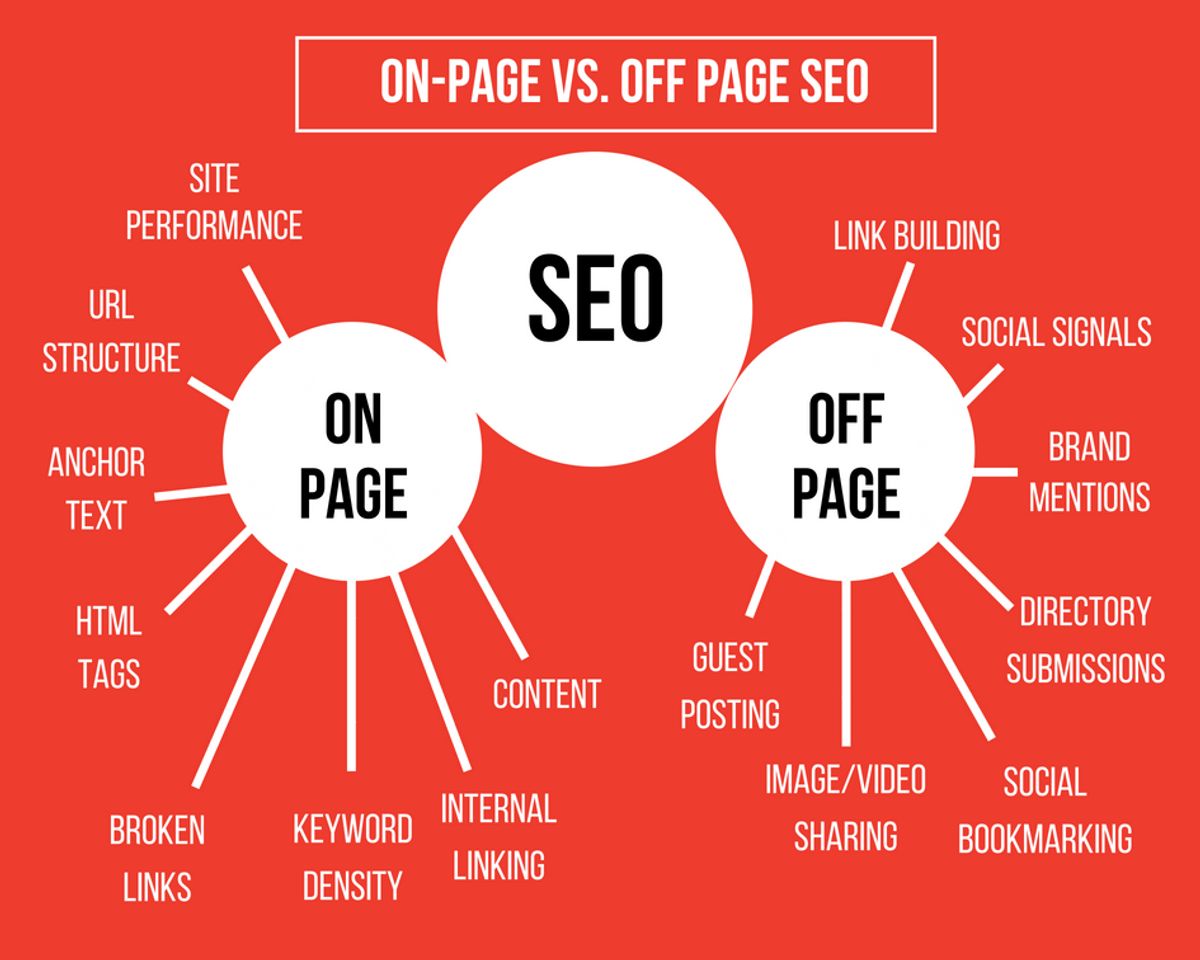
In the fast-paced digital landscape, optimizing website speed and performance is essential for maintaining user engagement, improving conversion rates, and securing higher search engine rankings. A slow website can deter visitors and negatively impact your business’s online success. Therefore, implementing strategies to enhance your site’s speed and functionality is crucial for providing users with a frictionless browsing experience. In this article, we’ll examine the best practices for improving website load times through various optimization techniques.
Key Takeaways
- Optimizing images and media files by compressing and choosing the right formats can significantly reduce load times without affecting quality.
- Effective caching strategies, such as browser and server-side caching, along with using CDNs, can greatly improve website performance and user experience.
- Minifying CSS and JavaScript files, inlining critical CSS, and reducing HTTP requests can streamline code and speed up website rendering.
- Optimizing server response times through proper hosting selection, database optimization, and load balancing can enhance overall site responsiveness.
- Managing external scripts and third-party services by minimizing their impact and selectively loading them can prevent performance bottlenecks.
Optimizing Image and Media Files

Image Compression Techniques
Optimizing images is a crucial step in enhancing website performance. Effective image compression reduces file sizes, which can significantly decrease page load times. Here are some key techniques:
- Lossy Compression: This method compresses images by reducing their quality to a level that is often imperceptible to the user, resulting in smaller file sizes.
- Lossless Compression: Unlike lossy, this technique maintains the original quality of the image while still reducing file size.
- Selective Quality Compression: Apply different compression levels to different areas of an image, preserving high quality where it matters most.
In addition to these methods, implementing ‘lazy loading’ for images can further improve page performance. This technique delays the loading of images until they are needed, which can save bandwidth and speed up initial page loads.
By prioritizing the optimization of images, web developers can ensure a smoother and more efficient user experience. It’s not just about reducing file sizes; it’s about maintaining a balance between quality and performance.
Remember, the goal is to optimize images without compromising their visual integrity. Tools such as Adobe Photoshop, TinyPNG, and Squoosh can help achieve this balance by providing user-friendly interfaces and powerful compression algorithms.
Effective Use of Image Formats
Choosing the right image format is crucial for optimizing website performance. Different formats are suited for different types of images, and using the appropriate one can significantly reduce file size without compromising quality. For instance, PNGs are typically used for graphics with transparency, while JPEGs are better for photographs. Scalable Vector Graphics (SVGs) are ideal for logos and icons as they can scale without losing quality.
Next-gen image formats like JPEG 2000 and WebP offer superior compression and quality compared to traditional formats. By switching to these formats, websites can experience faster load times and reduced server space usage.
Here’s a quick guide to help you select the best image format:
- PNG: Best for images that require transparency.
- JPEG: Ideal for photographs and images with gradients.
- SVG: Perfect for vector-based images like logos and icons.
- WebP: Provides excellent compression and quality, suitable for a variety of uses.
Remember, optimizing your images for the web before uploading is a shared responsibility between content creators and developers. Tools like Adobe Photoshop, TinyPNG, and Squoosh can help with this process.
Media File Optimization Strategies
Beyond image compression, media file optimization is crucial for enhancing website performance. Video and audio content should be encoded in formats that balance quality and file size, such as H.264 for video and AAC for audio. Implementing responsive video solutions ensures that only the appropriate version of a video is loaded based on the user’s device, saving bandwidth and improving load times.
- Use video and audio encoding standards that optimize for quality and size.
- Implement responsive video solutions to serve the correct file size to the user’s device.
- Employ audio optimization techniques to reduce file sizes without compromising on quality.
By optimizing media files, you not only improve loading times but also create a better user experience, which can lead to increased engagement and conversions.
Remember to regularly audit your media files and update them to the latest standards to maintain optimal performance. Keeping your media files lean and efficient is a continuous process that contributes significantly to the speed optimization tools of your website.
Implementing Effective Caching Strategies

Understanding Browser Caching
Browser caching is a powerful tool for improving website performance by storing frequently accessed resources, such as CSS, JavaScript, and images, on the visitor’s local device. This reduces the need to download them on subsequent visits, leading to faster page load times and a smoother user experience.
Effective browser caching involves several key strategies:
- Set Proper Cache Headers: Define the lifespan of cached resources with HTTP cache headers.
- Gzip Compression: Enable Gzip to compress files, reducing their size and download time.
- Cache-Busting with Versioning: Use version numbers on static resource URLs to force browsers to download updated files.
By leveraging these techniques, you can ensure that your website’s content is delivered quickly and efficiently, enhancing both user satisfaction and SEO rankings.
Remember to regularly review and update your caching strategy to adapt to new content and changes on your website. Tools like GTmetrix or Google PageSpeed Insights can assist in identifying areas for improvement, ensuring that your caching approach remains effective.
Server-Side Caching Solutions
Server-side caching is a powerful tool for enhancing website performance. By storing frequently accessed data, server-side caching reduces the need to regenerate the same content, leading to improved response times. Implementing advanced caching mechanisms can involve storing pre-rendered or optimized versions of your website’s pages and assets, which allows for faster delivery to visitors and reduces server load.
Proper cache headers are crucial for defining how long resources should be cached. Tools like GTmetrix or Google PageSpeed Insights can help identify caching issues and ensure that your caching strategy is effective. Additionally, smart cache invalidation is essential to ensure that visitors always see the most up-to-date content without the need for manual cache purges.
By optimizing server-side caching, you not only save local resources but also enhance the overall customer experience.
Activating Gzip compression can significantly reduce file sizes, leading to faster download times and better performance. It’s also important to use versioning for cache-busting, adding unique identifiers to the URLs of your static resources to ensure browsers fetch the latest versions.
Content Delivery Networks (CDNs)
Content Delivery Networks (CDNs) are a pivotal part of modern web performance optimization strategies. By caching content at geographically distributed servers, CDNs reduce latency and improve access speeds for users around the world. This is especially beneficial for sites with a global audience, ensuring that a user in Asia has just as swift an experience as one in Europe.
The use of CDNs also offers enhanced security features, such as DDoS protection and traffic encryption, adding an extra layer of defense against cyber threats. Moreover, CDNs can significantly reduce the load on your origin server, which can help to prevent crashes during traffic surges.
Implementing a CDN is not just about speed; it’s about providing a reliable and secure user experience while offloading the heavy lifting from your servers.
To effectively utilize a CDN, consider the following points:
- Select a CDN provider that has a robust network of servers in regions where your audience is concentrated.
- Configure your CDN to cache the right content, such as static assets like images, CSS, and JavaScript files.
- Use smart cache invalidation to ensure users always receive the most up-to-date content without unnecessary delays.
By integrating a CDN into your website’s architecture, you can achieve a more scalable and resilient online presence.
Minifying CSS and JavaScript

Tools for Code Minification
Code minification is a crucial step in optimizing your website’s performance. By removing unnecessary characters and whitespace from your HTML, CSS, and JavaScript files, you can reduce file sizes and improve load times. Here are some key strategies and tools to consider:
- HTML Minification: Tools like HTMLMinifier can strip out redundant code and whitespace, leading to leaner files.
- CSS Minification: CSSNano and CleanCSS are popular choices for minimizing CSS files without affecting functionality.
- JavaScript Minification: UglifyJS and Terser are widely used for compressing JavaScript files, significantly reducing their size.
Additionally, consider using tools that can automate these tasks as part of your build process, such as Gulp or Webpack. These build tools can integrate various minification plugins, streamlining your workflow and ensuring that your code is consistently optimized for production.
By integrating minification into your development process, you can ensure that your website remains fast and efficient, providing a better user experience and potentially improving your search engine rankings.
Remember, while minification makes your code more compact, it’s also important to apply compression algorithms, such as GZip or Brotli, for even greater efficiency. Asynchronous loading of JavaScript files can also prevent blocking of content rendering, further enhancing performance.
Inline Critical CSS and Deferred Loading
To optimize webpage performance, it’s crucial to prioritize the loading of essential styles and scripts that affect the immediate visibility of your site. Inline critical CSS directly within the HTML to ensure that above-the-fold content is styled and visible without waiting for external stylesheets to load. This technique can significantly enhance the user experience by presenting a fully styled page from the very first moment.
For non-essential resources, deferred loading is a powerful strategy. By using the defer attribute on script tags, you can instruct the browser to hold off on executing JavaScript until after the page has rendered. Similarly, non-critical CSS can be loaded asynchronously or after the main content, reducing render-blocking and speeding up the initial page load.
- Inline Critical CSS: Embed essential styles for above-the-fold content directly in the HTML head.
- Defer Non-Essential Scripts: Use the
deferattribute to delay script execution until after the page has loaded. - Asynchronous CSS Loading: Load non-critical CSS files asynchronously to prevent render-blocking.
- Performance Reviews: Conduct regular performance audits to identify and rectify bottlenecks.
By strategically managing the loading order of resources, you can minimize large files that impact load times and prioritize user interaction with critical content. Regular performance reviews are essential to maintain an optimal balance between functionality and speed.
Reducing HTTP Requests
One of the most effective ways to speed up your website is by reducing the number of HTTP requests. Each file, image, or script that your webpage requires incurs a separate request to the server, which can significantly slow down page load times. Here are some strategies to minimize these requests:
- Combine and Minify Files: By minifying HTML, CSS, and JavaScript files, you remove unnecessary characters and whitespace. Combining multiple files into one can also reduce the number of requests made.
- Limit External Scripts: Keep the number of external scripts to a minimum. Only include essential scripts to avoid additional overhead.
- Asynchronous Loading: Implement asynchronous loading for JavaScript files to prevent them from blocking the rendering of other important content.
These strategies not only decrease server processing time but also enhance the user experience. It’s crucial to regularly audit your website to identify areas where the number of requests can be reduced. Tools like GTmetrix or Google PageSpeed Insights can assist in pinpointing specific files or scripts that may be optimized for better performance.
By focusing on reducing HTTP requests, you can achieve a leaner, more efficient website that delivers content to your users more quickly.
Optimizing Server Response Time

Choosing the Right Hosting Environment
Selecting the appropriate hosting environment is crucial for optimizing server response time and enhancing overall website performance. A reliable hosting provider not only ensures excellent uptime but also offers robust server capabilities to handle your website’s demands. Consider the following factors when choosing a hosting service:
- Server performance and uptime guarantees
- The physical location of data centers relative to your audience
- Scalability options to accommodate traffic growth
- Support for server-side caching mechanisms
It’s essential to balance cost efficiency with performance needs. Opting for a hosting solution that aligns with your website’s size and traffic can lead to significant savings without compromising on speed.
Remember to conduct regular performance reviews and consider upgrades or changes as your website evolves. By prioritizing these aspects, you can provide a seamless user experience and maintain a competitive edge in the digital landscape.
Database Optimization and Query Performance
Optimizing server response time is crucial for maintaining a swift and efficient website. Database optimization and query performance are key factors in achieving this. By refining complex queries and indexing important columns, databases can retrieve data more rapidly, enhancing the overall user experience. Proper indexing prevents the database from scanning entire tables, thereby reducing the load and improving response times.
Effective database optimization involves several strategies:
- Indexing: Create indexes on columns that are frequently used in search queries to speed up data retrieval.
- Query Refinement: Simplify and optimize SQL queries to minimize execution time.
- Caching: Store frequently accessed data in memory to avoid repeated database calls.
By implementing these strategies, you can significantly reduce server response times, which can lead to improved site performance and user satisfaction.
Remember, a faster website not only keeps users engaged but also contributes to higher search engine rankings. Regular monitoring and optimization of your database and queries ensure that your website remains fast and reliable, providing a seamless experience for your visitors.
Load Balancing and Resource Allocation
Effective load balancing and resource allocation are critical components in optimizing server response time. By allocating resources based on predicted demand, organizations can ensure that servers are neither overburdened nor underutilized. This balance is essential for maintaining optimal performance and can significantly decrease the time a server takes to process and respond to requests, thereby enhancing the user experience on your website.
Optimized resource allocation not only improves server efficiency but also ensures that businesses get the most out of their server investments. It’s a strategic approach that can lead to a more robust and responsive infrastructure.
To achieve this, consider the following strategies:
- Choose a Reliable Hosting Provider: Select a provider with excellent uptime and server performance.
- Implement Caching Mechanisms: Use server-side caching to store frequently accessed data.
- Optimize Database Queries: Index important columns and refine complex queries.
- Utilize CDNs: Distribute static content across multiple servers to speed up load times.
These strategies, when implemented effectively, can lead to an improved overall user experience and contribute to higher conversion rates, customer satisfaction, and potentially lower hosting costs.
Managing External Scripts and Third-Party Services

Minimizing the Impact of External Scripts
External scripts can significantly affect website performance. Optimizing external script usage involves balancing functionality with performance. To achieve this, prioritize scripts that are essential for core functionality. Implement lazy loading for scripts that are not immediately necessary, allowing the page to become interactive more quickly.
By reducing the number of external scripts, you minimize overhead and improve load times, which enhances user experience.
Consider the following steps to optimize external script usage:
- Combine and minify HTML, CSS, and JavaScript files to reduce the number of HTTP requests.
- Use asynchronous loading for JavaScript files to prevent render-blocking.
- Employ techniques like preconnect and DNS prefetch to speed up external resource loading.
- Limit the number of tracking scripts to avoid excessive code that monitors user actions.
These practices not only conserve bandwidth but also minimize server load, leading to a faster and more responsive website.
Selective Loading of Third-Party Services
To optimize website performance, it’s crucial to scrutinize and prioritize the third-party services that your website relies on. By selectively loading these services, you can ensure that only the most essential features are loaded immediately, while less critical ones are deferred. This approach can lead to faster load times and a smoother user experience.
- Asynchronous Loading: Implement asynchronous loading for JavaScript files to prevent them from blocking the main content.
- Deferred Loading: Utilize deferred loading for non-critical JavaScript and CSS, allowing the main content to load first.
- Lazy Load: Apply lazy loading to non-essential elements like social media widgets, which can wait until after the main content is fully interactive.
Regularly review and update scripts to maintain efficiency and support faster load times. This ongoing process not only enhances performance but also keeps your website up-to-date with the latest optimizations.
Remember, every millisecond counts when it comes to retaining visitors. By implementing these strategies, you can significantly reduce unnecessary load on your server resources and improve the overall customer experience.
Monitoring and Auditing External Dependencies
Regularly monitoring and auditing external scripts is essential to maintain optimal website performance. Tools and processes should be in place to assess the impact of each script on load times and overall user experience. It’s important to prioritize scripts based on their necessity and the value they add, loading the most critical ones first.
By minimizing the number of external requests and using techniques like preconnect and DNS prefetch, websites can deliver a faster experience. Versioning for cache-busting ensures that users receive the most up-to-date content without unnecessary delays.
Here are some steps to optimize external script usage:
- Assess the impact of each script using performance testing tools.
- Minimize the number of requests by combining scripts where possible.
- Prioritize script loading to improve responsiveness to user interactions.
- Regularly audit scripts to ensure they remain efficient and necessary.
Remember, every external script can affect your site’s load time, so it’s crucial to keep them in check.
In today’s digital landscape, managing external scripts and third-party services is crucial for seamless website performance and user experience. Our team at [YourWebsiteName] specializes in WordPress Development, eCommerce solutions, and custom web design to ensure your online presence is powerful and efficient. Don’t let technical challenges hinder your business growth. Visit our website to explore our services and let us help you optimize your site for success. Partner with us for a stress-free and efficient process that has been refined over 10 years, delivering more than 700 projects successfully. Take the first step towards a better digital world and [Hire us] today!
Conclusion
In conclusion, optimizing website performance is not just a one-time task but a continuous effort to enhance user experience and improve business outcomes. By implementing the strategies discussed, such as optimizing images and media files, leveraging caching, minifying scripts, and reducing server response times, you can significantly accelerate your website’s load times. Remember, every second counts in retaining user attention and improving conversion rates. Regularly reviewing your website with performance optimization tools and staying updated with the latest best practices will ensure that your website remains fast, efficient, and competitive in the digital landscape.
Frequently Asked Questions
How can image compression improve website performance?
Image compression reduces file sizes without significantly sacrificing quality, resulting in faster page load times and reduced bandwidth usage.
What is browser caching and how does it affect website speed?
Browser caching stores website resources on a user’s device, allowing for quicker load times on subsequent visits by reducing the need to download the same files again.
Why is code minification important for website optimization?
Code minification removes unnecessary characters from CSS and JavaScript files, reducing file size and improving load times and efficiency.
How does server response time impact website performance?
Server response time affects how quickly a server can start delivering content to a user’s browser, with faster response times leading to quicker page rendering.
What role do external scripts play in website load times?
External scripts can add additional HTTP requests and processing time, potentially slowing down page loads if not managed and optimized properly.
What are the benefits of using a Content Delivery Network (CDN)?
A CDN distributes your website’s content across multiple servers worldwide, reducing latency and improving load times for users regardless of their location.