User-Centric Website Design Approach for Engaging User Experience
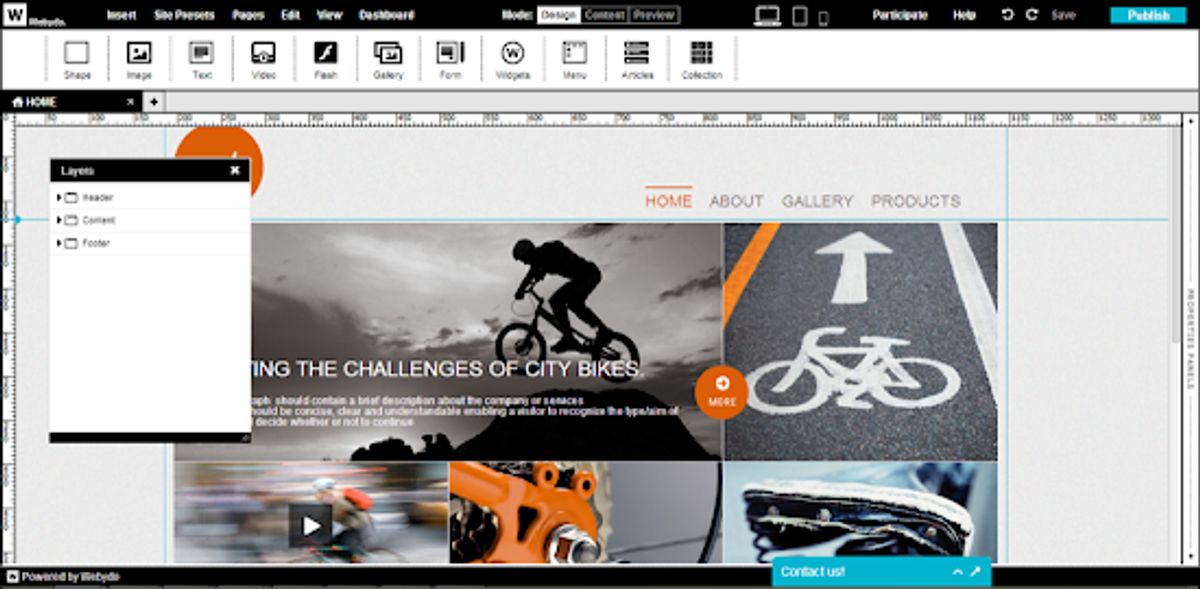
In the realm of digital experiences, the emphasis on user-centric website design is paramount for creating engaging user experiences. This approach not only prioritizes the needs and preferences of users but also ensures that websites are accessible, intuitive, and enjoyable for a diverse audience. By focusing on user-centric principles and continuously refining the design based on user feedback, designers can craft websites that not only look aesthetically pleasing but also function seamlessly across various platforms and assistive technologies.
Key Takeaways
- User-centric design is essential for creating websites that are accessible and provide a positive user experience, focusing on the needs and preferences of the user throughout the design process.
- Engaging user experiences are enhanced through interactive elements, personalization, and gamification, which cater to user preferences and encourage active participation.
- Accessibility and inclusion are critical components of user-centric design, requiring compliance with WCAG and consideration for diverse abilities and assistive technologies.
- Optimizing website performance, including loading speed and mobile responsiveness, is crucial for user satisfaction and can significantly impact user engagement and retention.
- Leveraging analytics and user feedback is vital for continuous improvement, using data-driven insights to refine the user experience and ensure the design meets evolving user needs.
Understanding the Fundamentals of User-Centric Design
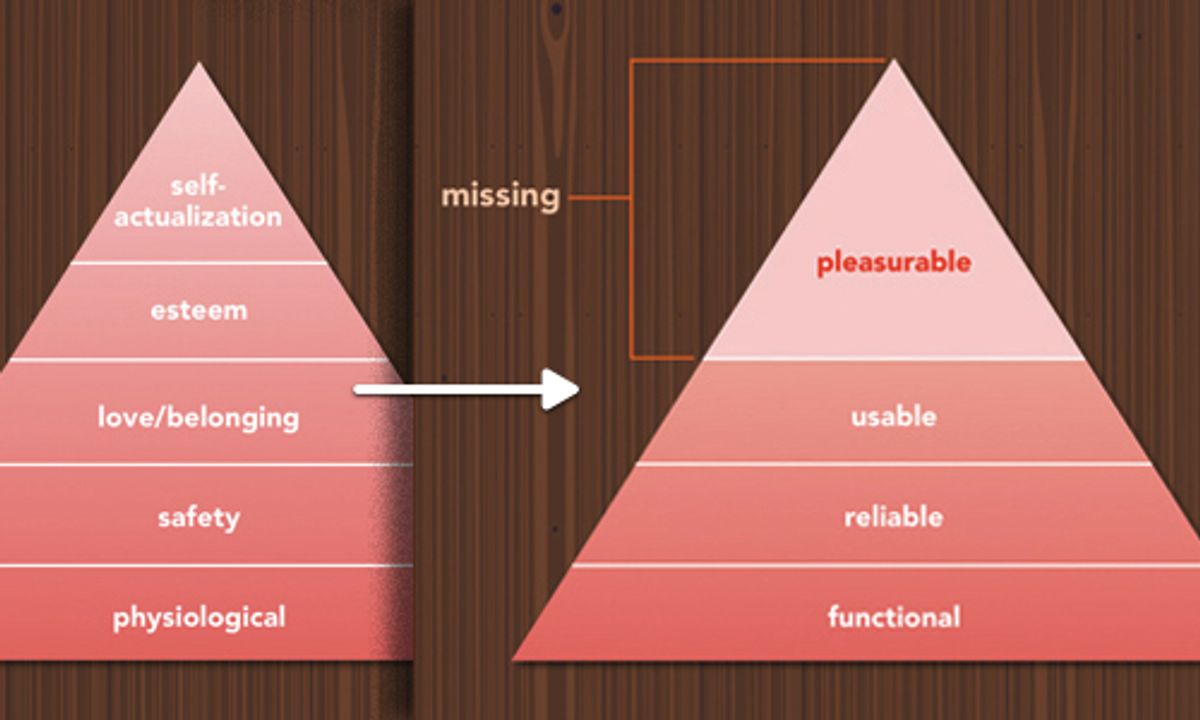
Defining User-Centric Design Principles
At the heart of user-centric design lies the commitment to deeply understand and prioritize the needs and behaviors of users. User-centric design principles guide the creation of products and services that are not only functional but also intuitive and delightful to use. These principles are the foundation upon which a meaningful and engaging user experience is built.
Key components of a user-centric design approach include:
- Empathy for the user, to understand their context, emotions, and challenges.
- Inclusivity, ensuring the design is accessible to as wide an audience as possible.
- Engagement, creating interactive experiences that keep users interested and involved.
- Feedback, incorporating user input to refine and improve the design continuously.
By adopting a user-centric approach, designers can craft experiences that resonate with users on a personal level, fostering a sense of connection and loyalty.
It’s essential to recognize that user-centric design is not a one-size-fits-all solution. It requires a nuanced understanding of the target audience and the flexibility to adapt to their evolving needs. This dynamic process involves ongoing research, testing, and iteration to ensure that the end product truly serves its users.
The Role of User Research in Shaping Design
User research is the cornerstone of a user-centric design approach, ensuring that the end product resonates with the target audience. By understanding the behaviors, needs, and motivations of users, designers can create experiences that are not only aesthetically pleasing but also highly functional and intuitive.
User research guides the design process, providing a foundation for creating a user experience that is both engaging and accessible.
Incorporating user feedback at various stages of the design process is crucial. Here’s a simplified workflow:
- Conduct initial user interviews to gather qualitative data.
- Develop personas based on research to inform design decisions.
- Create prototypes and conduct usability testing.
- Analyze feedback and iterate on the design.
This iterative process helps in refining the design to better meet user expectations and improve overall satisfaction.
Balancing Aesthetics with Usability
In the realm of user-centric design, the real challenge lies in finding the equilibrium between aesthetics and usability. A visually appealing design can attract users, but it is the usability that determines the longevity of user engagement. To achieve this balance, designers must prioritize elements that enhance both the visual appeal and the functional efficiency of a website.
- Clear Visual Hierarchy: Establishing a clear visual hierarchy is crucial. It guides users’ attention and prioritizes important elements, using visual cues such as size, color, and contrast.
- Intuitive Navigation: Users should be able to navigate a website with ease. Consistent and predictable layouts allow for a smoother user experience.
- Accessible Typography: Legible fonts with appropriate sizing and contrast ratios are essential, especially for users with reading difficulties.
By focusing on these aspects, designers can create an interface that is not only beautiful but also highly functional and user-friendly. This approach ensures that the aesthetics of a website do not overshadow its usability, but rather work in harmony to provide a seamless user experience.
It’s important to remember that while aesthetics can initially draw users in, it is the usability that keeps them returning. Designers must therefore be diligent in testing their interfaces with real users, incorporating feedback, and making iterative improvements to strike the right balance.
Strategies for Enhancing User Engagement

Interactive Elements and Feedback Loops
Incorporating interactive elements into a website not only enhances the user experience but also fosters a sense of engagement and community. These elements can range from simple hover effects to more complex features like drag-and-drop interfaces or real-time content updates. A dynamic aspect of user-centric design lies in the development of constant feedback loops, encouraging users to provide insights and opinions through various channels.
By creating opportunities for users to interact with the website and each other, designers can gather valuable data on user preferences and behavior. This information is crucial for iterative design improvements and ensuring that the website evolves in line with user needs.
Accessibility should not be an afterthought when implementing interactive features. Alternative navigation methods and keyboard accessibility are essential for inclusive design, allowing users with diverse abilities to fully engage with the website. Testing with assistive technologies ensures that interactive elements are not only functional but also accessible to all.
Below is a list of key considerations for integrating interactive elements:
- Design for various input methods, including touch, mouse, and keyboard.
- Provide clear and immediate feedback to user actions.
- Ensure compatibility with assistive technologies.
- Involve users with disabilities in the testing phase.
Personalization and User Preferences
In the realm of user-centric website design, personalization is a key factor in enhancing user engagement. By allowing users to set their preferences, websites can tailor experiences to individual needs, leading to a more satisfying interaction. For instance, offering user preference settings enables visitors to save their accessibility choices, which spares them from reconfiguring the interface with each visit.
Personalization extends beyond mere convenience; it’s about creating a connection with the user by acknowledging their unique preferences and behaviors.
To effectively implement personalization, it’s essential to understand the user’s journey through the creation of user personas and scenarios. This approach not only aids in empathizing with users but also ensures that the design caters to a diverse audience. Moreover, testing with assistive technologies is crucial to identify any interface issues, thereby ensuring compatibility and inclusivity.
Here are some personalization features that can be considered:
- High contrast and color options for users with visual impairments
- Alternative navigation methods for those who rely on assistive technologies
- Simplified user interface to minimize cognitive load
By integrating these personalization elements, websites can offer a more engaging and accessible experience for all users.
Gamification Techniques for Increased Interaction
Incorporating gamification techniques can significantly enhance user engagement on websites. By introducing elements such as points, badges, leaderboards, and challenges, users are motivated to interact more deeply with the content. Gamification taps into the human desire for achievement and competition, making the user experience more dynamic and enjoyable.
- Points can be awarded for user actions like completing a profile or posting a comment.
- Badges recognize milestones or the acquisition of new skills.
- Leaderboards foster a sense of competition by displaying user rankings.
- Challenges encourage users to complete tasks within a certain timeframe or with specific constraints.
Gamification not only makes the experience more interactive but also provides a sense of progress and accomplishment. It’s a powerful tool for increasing user participation and fostering a community around your website.
Personalization is another key aspect of engaging users. By tailoring content and challenges to individual preferences, websites can create a more relevant and compelling experience. This approach can lead to higher satisfaction and, ultimately, better conversion rates.
Accessibility and Inclusion in Website Design
Compliance with Web Content Accessibility Guidelines (WCAG)
Ensuring that a website is accessible to all users, including those with disabilities, is not just a moral imperative but also a legal requirement in many jurisdictions. Compliance with the Web Content Accessibility Guidelines (WCAG) is a critical step in achieving this inclusivity. These guidelines are developed through the W3C process in cooperation with individuals and organizations around the world, aiming to provide a single shared standard for web content accessibility.
To effectively meet WCAG standards, it’s essential to define clear accessibility goals and involve users throughout the design process. Collaborating with accessibility experts can provide valuable insights into best practices and help navigate complex accessibility challenges. Organizing content clearly and logically, with descriptive headings and structured layouts, benefits all users and is particularly helpful for those using assistive technologies.
By emphasizing clear and accessible typography, using legible fonts, and providing options to adjust font size and style, designers can enhance the accessibility of the user experience. Testing with assistive technologies ensures that these measures are effective and that the website can be navigated with ease by everyone.
Ultimately, the goal is to create a seamless experience for all users, regardless of their abilities. This commitment to accessibility should be evident in every aspect of the website design, from the content and information hierarchy to the intuitive and consistent interfaces.
Designing for Diverse Abilities and Assistive Technologies
Creating an inclusive digital environment requires a deep understanding of the diverse needs of users. Engaging users with disabilities in the design process is crucial for gathering direct feedback and insights. This collaborative approach ensures that the design caters to a wide range of abilities and preferences.
Testing with assistive technologies, such as screen readers and voice recognition software, is essential to verify compatibility and functionality. It’s not just about compliance; it’s about providing an enriching and enjoyable user experience for all. Iterative testing and improvement help refine the user experience, making it seamless for those relying on assistive technology.
By incorporating accessibility from the outset, designers can create products that are not only usable but also delightful for everyone, regardless of their abilities.
Regular user testing with individuals who have disabilities is a key part of the design lifecycle. This ongoing involvement helps validate design decisions and identify areas for improvement. Collaborating with accessibility experts can further enhance the design process, ensuring that accessibility is not an afterthought but a fundamental consideration.
Inclusive User Research and Testing
Inclusive user research and testing are critical to ensuring that a website’s design is accessible to all users, including those with disabilities. Conducting inclusive user research involves engaging with a diverse group of users to understand their experiences and challenges. This can be achieved through various methods such as interviews, surveys, and direct observation of user interactions with prototypes or existing products.
By involving users with disabilities throughout the design process, designers can validate their decisions and uncover areas for improvement, making accessibility a core aspect of the design lifecycle.
Collaboration with accessibility experts is also essential. These experts can provide insights into best practices and help identify potential barriers that might not be obvious to those without specialized knowledge. Below is a list of steps to consider when conducting inclusive user research and testing:
- Engage with individuals representing a wide range of disabilities.
- Observe users as they interact with prototypes or existing products.
- Seek feedback on prototypes and design iterations.
- Regularly test with users to ensure ongoing accessibility.
Inclusive design is not just a legal requirement; it is a social imperative that fosters empathy and ensures equal access to information and services. It is a responsibility that designers bear to create a digital world that accommodates all users, contributing to a more inclusive and equitable digital landscape.
Optimizing Website Performance for User Satisfaction

The Impact of Loading Speed on User Experience
In the digital age, website loading speed is a critical factor for user satisfaction and engagement. A slow-loading website can lead to increased bounce rates, as users often lack the patience for pages that take too long to display content. This impatience is not unfounded; statistics show that a mere one-second delay in page response can result in a 7% reduction in conversions.
The speed at which a website loads significantly influences its conversion rate. Users are more likely to take desired actions on a platform that respects their time and provides a swift response.
To illustrate the importance of loading speed, consider the following data:
- 47% of consumers expect a web page to load in 2 seconds or less.
- A 1-second delay in page load time can lead to an 11% decrease in page views.
- A slow website can directly impact a company’s bottom line, with a 1-second delay potentially resulting in a 7% reduction in conversions.
Optimizing website performance is not just about keeping current users happy; it also affects search engine rankings. Search engines, like Google, prioritize user experience and thus favor websites that load quickly. This means that improving loading speed can also enhance a website’s visibility and organic reach.
Mobile Responsiveness and Cross-Platform Compatibility
In today’s digital landscape, mobile responsiveness and cross-platform compatibility are not just features but necessities for a successful website. Users expect seamless interaction with websites across a variety of devices, from smartphones to tablets to desktops. To meet these expectations, developers must employ responsive design techniques that ensure content is easily accessible and functional on any screen size.
- Responsive Design: Implementing a fluid grid layout that adapts to the screen’s real estate.
- Adaptive Images: Serving different image sizes based on the device’s resolution and screen size.
- Media Queries: Using CSS3 media queries to apply different styles for different devices.
- Touchscreen Readiness: Ensuring that all elements are easily navigable with a touch interface.
By prioritizing mobile-first design, we can optimize user experience for the majority of web traffic which now comes from mobile devices. This approach not only enhances usability but also contributes to better SEO rankings as search engines favor mobile-friendly websites.
Furthermore, cross-platform compatibility extends beyond mere appearance. It encompasses performance optimization, ensuring that websites load quickly and run smoothly on all devices. This involves minimizing code, compressing images, and leveraging browser caching. The goal is to provide a consistent and engaging user experience, regardless of the user’s choice of technology.
Strategies for Efficient Content Delivery
Efficient content delivery is pivotal in creating a seamless user experience. Optimizing the delivery of content ensures that users enjoy fast loading times and a responsive interface, which are crucial for engagement and retention. One effective strategy is the use of Content Delivery Networks (CDNs), which distribute the load by serving content from the closest servers to the user’s location.
To further enhance performance, consider the following steps:
- Minimize HTTP requests by combining files and using sprites.
- Enable compression to reduce the size of your CSS, JavaScript, and HTML files.
- Leverage browser caching to store resource files locally on users’ devices.
- Optimize images to balance quality and file size, ensuring quick load times without compromising visual fidelity.
By focusing on these strategies, websites can significantly improve their performance, leading to a more satisfying user experience.
Remember, the goal is not only to make the site faster but also more efficient and sustainable. This involves writing lightweight code and minimizing the use of external scripts that can slow down page rendering. Regularly reviewing and updating your performance optimization strategies is essential to stay ahead of user expectations and technological advancements.
Leveraging Analytics and User Feedback for Continuous Improvement

Using Data to Understand User Behavior
Harnessing the power of analytics is crucial for understanding user behavior on your website. By tracking key metrics and user interactions, you can gain insights into how visitors navigate your site, what content they engage with, and where they may encounter issues. Implementing the right tools and methods is essential for efficient analysis.
For instance, consider the following framework for analyzing user behavior:
- Collection: Gather data using analytics tools, heatmaps, and session recordings.
- Analysis: Examine the data to identify patterns, trends, and anomalies.
- Action: Make informed decisions to optimize the user experience based on the analysis.
By continuously monitoring and analyzing user behavior, you can iterate on your design to create a more engaging and effective website.
Remember, the goal is to learn from user interactions and leverage that knowledge to enhance the user experience. This process is not a one-time task but an ongoing effort to ensure your website evolves with your users’ needs.
Iterative Design and A/B Testing
The essence of a user-centric design approach lies in its iterative nature, where feedback from users is pivotal to continuous improvement. By employing iterative design, changes are made in cycles, allowing for incremental enhancements based on user interactions and feedback. This process ensures that the design remains flexible and adaptable, catering to the evolving needs of users.
A/B testing is a critical component of this iterative process. It involves comparing two versions of a webpage or feature to determine which one performs better in terms of user engagement and conversion rates. The results from A/B testing guide designers in making data-driven decisions, refining the user experience to its optimal state. Below is a simplified representation of the iterative design cycle:
- Design or revise a feature.
- Implement the feature on the website.
- Conduct A/B testing to evaluate performance.
- Analyze the results and gather user feedback.
- Make informed changes based on the analysis.
- Repeat the cycle for continuous enhancement.
Embracing an iterative design and A/B testing framework is not just about making changes; it’s about making the right changes that resonate with users and drive success. Analytics play a crucial role in this process, offering insights into user behavior and preferences, which in turn inform the design strategy for data-driven improvements in user experience.
Incorporating User Feedback into Design Updates
The iterative nature of user-centric design demands that user feedback be a cornerstone of the design update process. By systematically collecting and analyzing feedback, designers can pinpoint areas for enhancement and ensure that the website evolves in alignment with user expectations.
A successful website is not static; it adapts and grows with its users, continually refining the user experience.
Incorporating user feedback effectively involves several steps:
- Designing feedback mechanisms that are intuitive and non-intrusive, encouraging users to share their thoughts.
- Analyzing feedback to distinguish between one-off comments and patterns that indicate broader issues.
- Prioritizing changes based on the impact they will have on the user experience and the feasibility of implementation.
- Communicating updates to users, demonstrating that their input has been valued and acted upon.
This approach not only enhances the user experience but also fosters a sense of community and ownership among users, which can lead to increased engagement and loyalty.
In today’s digital landscape, the key to staying ahead is continuous improvement through insightful analytics and genuine user feedback. At [Your Company], we specialize in harnessing these powerful tools to refine your online presence and enhance user experience. Dive into our comprehensive services, from WordPress Development to eCommerce solutions, and let’s collaborate to elevate your business. Ready to transform your digital strategy? Visit our website and let’s make your vision a reality.
Conclusion
In conclusion, adopting a user-centric website design approach is essential for creating an engaging and inclusive user experience. By prioritizing usability, involving users with disabilities in the design process, and ensuring that interfaces are intuitive, consistent, and adaptable, designers can cater to a diverse audience. The strategies discussed throughout this article serve as a guide for designers to build accessible digital products that not only meet legal requirements but also embody a social imperative of empathy and equality. As we continue to evolve in a digital-first world, the commitment to user-centered design will pave the way for a more inclusive and equitable online experience for all users.
Frequently Asked Questions
What is user-centric website design?
User-centric website design is an approach that prioritizes the needs, preferences, and behaviors of users throughout the design process to create an engaging and accessible online experience. It involves research, testing, and design strategies focused on providing the best user experience possible.
Why is user research important in user-centric design?
User research is crucial as it provides insights into user behavior, needs, and challenges. It helps designers create solutions that truly resonate with users, ensuring the website is intuitive, accessible, and provides value to its audience.
How can interactive elements enhance user engagement?
Interactive elements such as buttons, forms, and animations can increase user engagement by providing immediate feedback, encouraging user participation, and making the browsing experience more dynamic and enjoyable.
What role does accessibility play in user-centric design?
Accessibility ensures that a website can be used by everyone, including people with disabilities. In a user-centric design approach, accessibility is considered from the start, resulting in a website that is inclusive and provides a positive experience for a wider audience.
How can website performance impact user satisfaction?
Website performance, including loading speed and responsiveness, directly affects user satisfaction. A fast and smoothly functioning website reduces bounce rates, improves user retention, and contributes to a positive user experience.
What is the benefit of iterative design and incorporating user feedback?
Iterative design allows for continuous improvements based on user feedback, leading to a more refined and user-friendly website. Incorporating user feedback ensures that the design remains aligned with user needs and expectations.