User-Centric Website Design Approach for Engaging User Experience

In the digital era, a user-centric website design approach is pivotal for creating engaging user experiences. This article will explore the principles of user-centric design, strategies for optimizing user experience (UX) for engagement, the synergy between user interface (UI) and UX, and effective implementation methods. Additionally, it will delve into evaluating and improving website performance to ensure that users not only enjoy visiting the website but also find it functional and responsive to their needs.
Key Takeaways
- A deep understanding of user behaviors and preferences is essential to create a user-centric website that resonates with the target audience.
- Incorporating user feedback and designing for accessibility and inclusivity are critical for iterative design improvements and wider audience reach.
- Optimizing the UX involves crafting intuitive navigation, leveraging behavioral psychology, and continuously measuring and enhancing user satisfaction.
- The collaboration between UI and UX is vital to balance aesthetics with usability and to create consistent and predictable user experiences.
- Continuous monitoring and performance optimization are necessary post-launch to maintain a high-quality user experience and improve website speed and functionality.
Principles of User-Centric Web Design
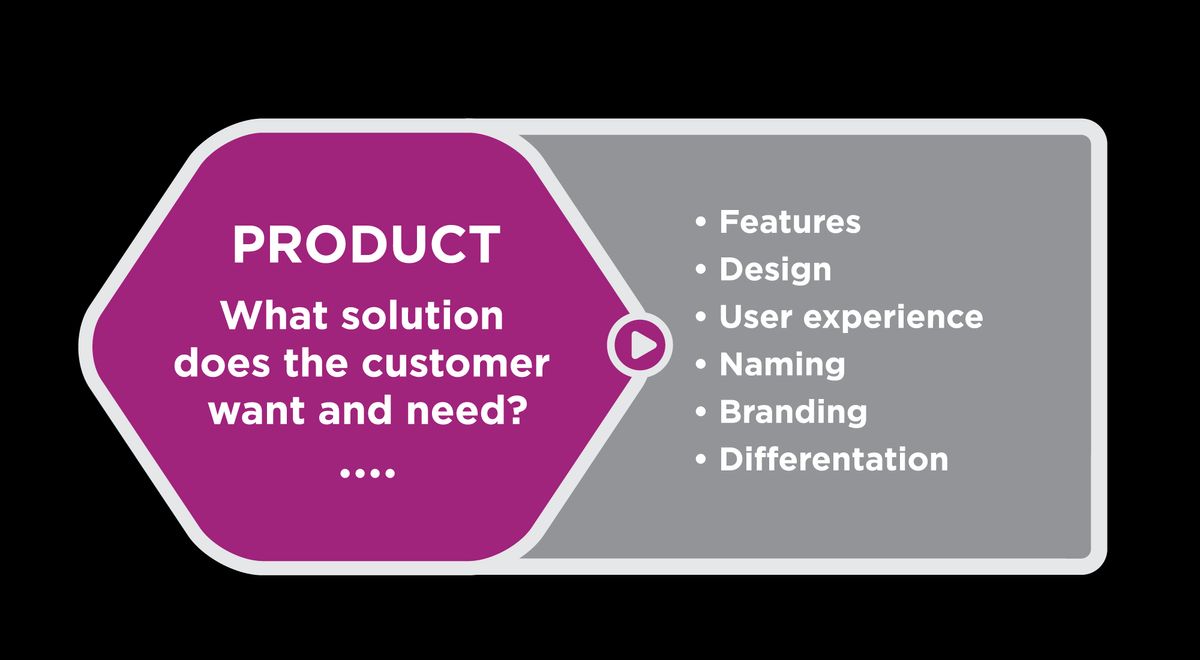
Understanding User Behaviors and Preferences
To create a user-centric website, it’s essential to grasp the intricacies of user behaviors and preferences. UX designers employ a variety of methods such as surveys, interviews, and usability testing to gather valuable insights. This research is pivotal in shaping design decisions that resonate with the target audience.
By analyzing user data and empathizing with customers, designers can craft experiences that are not only functional but also emotionally engaging.
Understanding the full user journey, including pre- and post-interaction experiences, allows for a holistic design approach. Incorporating behavioral psychology and emotional design elements enhances user engagement, making the experience more delightful.
Here’s a brief overview of key user research methods:
- Surveys and interviews provide direct feedback from users.
- Usability testing observes how users interact with the website.
- Analyzing user data offers quantitative insights into user behavior.
Emphasizing the importance of empathy, designers must put themselves in the users’ shoes to truly understand their needs and motivations. This empathetic approach is a cornerstone of user-centric design, ensuring that the website meets the real needs of its users.
Incorporating User Feedback into Design Iterations
In the realm of user-centric web design, incorporating user feedback is pivotal for continuous improvement. By adopting an iterative design process, designers can refine their work based on real insights from users. This approach not only addresses pain points but also adapts to changing user needs, ensuring that the website remains relevant and user-friendly.
The iterative process involves multiple stages, each one an opportunity to gather and apply user feedback. It’s a cycle of designing, testing, learning, and refining that leads to a more engaging user experience.
Collaboration across cross-functional teams is essential in this process. Designers, developers, marketers, and other stakeholders must work together to create holistic solutions. Regular usability testing is a core activity, where users interact with prototypes or the actual product, providing invaluable feedback. Below is a list of key stages in the feedback loop:
- Discovery and brainstorming to understand objectives
- Designing and developing initial concepts
- Conducting usability testing and gathering feedback
- Refining the design based on user insights
- Implementing the improved design
- Monitoring post-launch performance and making further adjustments
Strategies for engaging user experience include incorporating feedback loops for continuous improvement and leveraging design thinking with five key stages for user-centric design. This ensures that the final product is not only functional but also resonates with users on a deeper level.
Designing for Accessibility and Inclusivity
Creating a user-centric website necessitates a commitment to accessibility and inclusivity, ensuring that all users, regardless of their abilities, can navigate and interact with the site effectively. This commitment extends beyond compliance with legal standards; it’s about embracing the diversity of the web’s users and providing an equitable experience for everyone.
- Adhere to WCAG guidelines to make your site accessible to individuals with disabilities.
- Use alt text for images and provide voice-guided instructions for those relying on screen readers.
- Ensure that your site is navigable and readable across a range of devices and platforms.
By focusing on usability and accessibility, we not only meet ethical standards but also enhance user satisfaction and foster brand loyalty.
Incorporating these practices into your design process is not just a moral imperative but also a strategic business decision. It broadens your audience and can lead to increased user engagement and retention.
Optimizing User Experience (UX) for Engagement
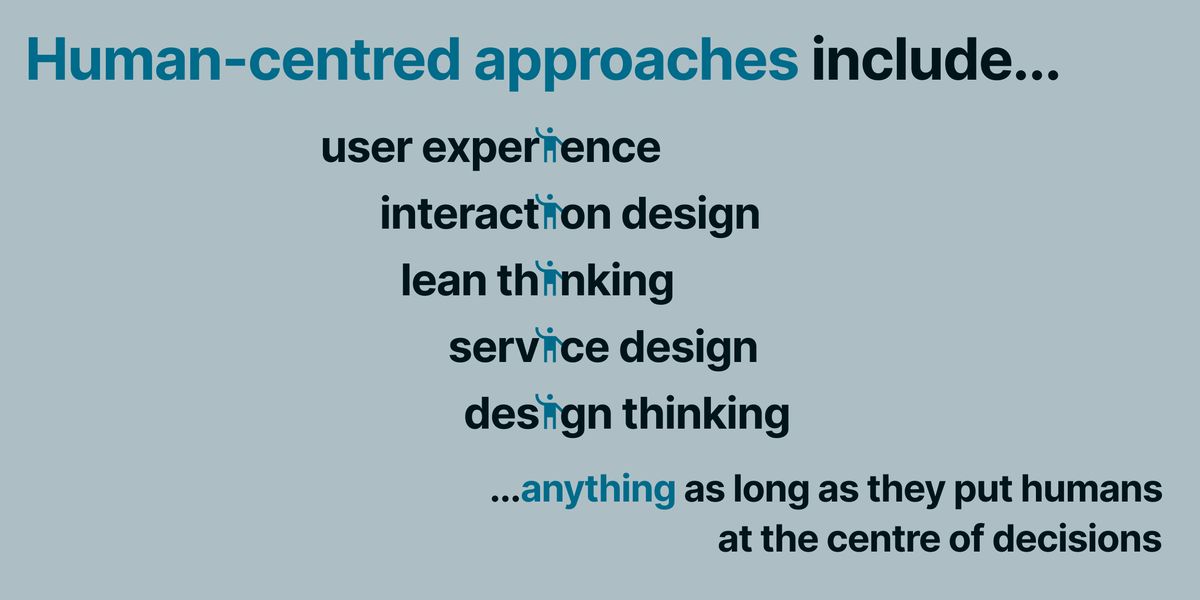
Crafting Intuitive Navigation and User Flows
To maximize user experience, intuitive navigation is essential. Users anticipate the ability to locate what they seek swiftly and effortlessly. A clear hierarchy and logical structure are the cornerstones of intuitive navigation, guiding users through the website without confusion.
Best practices for intuitive navigation include:
- Consistent and predictable menus
- Logical grouping of related content
- Visible and accessible search functionality
- Breadcrumbs for easy tracking of user journey
By focusing on user-friendly interfaces and logical flow of information, designers can significantly enhance user satisfaction and engagement.
It’s not just about a visually appealing UI; the UX must be functional to prevent user frustration. Analyzing user interface and user flow, and then iterating based on user feedback, ensures continuous improvement in navigation. This synergy between UI and UX leads to a seamless and enjoyable user experience.
Leveraging Behavioral Psychology in Design
In the realm of user-centric design, leveraging behavioral psychology is pivotal for creating engaging experiences that prompt user action. By understanding the psychological triggers and cognitive biases of users, designers can craft interfaces that subtly guide behaviors and decisions. For instance, the use of color, contrast, and space can influence how users perceive information and make choices.
Designers must optimize mobile responsiveness and simplify navigation to align with users’ mental models, ensuring a frictionless journey through the website.
Analytics play a crucial role in this process, providing insights into user interactions and areas for improvement. A/B testing, for example, allows designers to compare different design elements and their impact on user behavior. Below is a list of key behavioral psychology principles applied in design:
- Scarcity and urgency: Highlighting limited availability to encourage prompt action
- Social proof: Showcasing testimonials and user reviews to build trust
- Anchoring: Presenting a reference point that users rely on for making decisions
- Loss aversion: Emphasizing the benefits of avoiding negative outcomes
By integrating these principles, designers can create more intuitive and persuasive interfaces that enhance user satisfaction and drive engagement.
Measuring and Enhancing User Satisfaction
To ensure a website meets user expectations, it’s crucial to measure and enhance user satisfaction continuously. Usability testing is a core activity in this process, where real users interact with the website, providing feedback on its usability. This feedback is essential for identifying pain points and areas for improvement.
Engagement metrics are another vital aspect of user satisfaction. These include clicks, taps, screen views, page views, video views, and time spent on site. Regularly analyzing these metrics can reveal much about user behavior and preferences, guiding design decisions for better engagement.
Continuous testing and optimization are key to refining the user experience. Use analytics tools, user feedback mechanisms, and A/B testing to drive ongoing improvements.
Finally, collaboration across teams ensures that user-centric design principles are consistently applied. By involving designers, developers, marketers, and other stakeholders, a holistic approach to user satisfaction can be achieved.
The Synergy of User Interface (UI) and User Experience
Balancing Aesthetics with Usability
In the realm of web design, balancing aesthetics with usability is a critical endeavor. A visually stunning site that fails to consider user needs can lead to a frustrating experience. Conversely, a highly functional website lacking in visual appeal may not attract or retain users’ attention. This balance is not just about making compromises; it’s about finding harmony between form and function to create an engaging user experience.
The Aesthetic-Usability Effect suggests that users often perceive aesthetically pleasing products as more usable. When users find a website attractive, they are more forgiving of minor usability issues. This does not mean that designers should ignore usability principles, but rather that an attractive interface can enhance the overall user experience.
To achieve this synergy, designers must consider various elements:
- Design elements: Utilize color, typography, buttons, and icons to create an intuitive and visually appealing interface.
- Accessibility: Ensure that the website is accessible to all users, including those with disabilities.
- Performance: Analyze and optimize the website’s speed as it impacts user behavior and satisfaction.
Ultimately, the goal is to create a digital product that is not only visually appealing but also provides a seamless and satisfying user experience.
Creating Consistent and Predictable Interfaces
Consistency in UI design is not just about aesthetics; it’s about creating a seamless user experience that enhances usability and user confidence. A consistent interface allows users to develop a sense of mastery over your website, leading to a more engaging and satisfying interaction. This includes maintaining a uniform layout, using a coherent color scheme, and ensuring that elements behave predictably across different pages and contexts.
To achieve this, designers must focus on several key areas:
- Design Elements: Employ consistent color palettes, typography, buttons, and icons that align with the brand identity.
- Navigation: Ensure that navigation elements are uniform and intuitive, allowing users to move through the site with ease.
- Interactivity: Standardize interactive elements like forms and CTAs to prevent confusion and reduce learning time.
By adhering to these principles, businesses can reduce friction in the customer journey and enhance overall satisfaction.
It’s also crucial to incorporate user feedback into the design process to refine these elements continuously. This iterative approach helps in maintaining a consistent and predictable interface that meets user expectations and supports a positive UX.
UI and UX Collaboration for Seamless Interactions
The synergy between UI and UX design is pivotal for creating a product that is not only visually appealing but also functionally robust. UI designers must work in tandem with UX designers to ensure that the visual elements complement the user experience. This collaboration is essential for developing a product that users find intuitive and engaging.
User-centric design emphasizes simplicity, clarity, and empathy to enhance user experience. Strategies include intuitive navigation, engagement tactics, and personalization for meaningful interactions and business growth.
Collaboration extends beyond the design team to include developers, ensuring that the design is technically feasible. A well-coordinated effort results in a seamless user experience, where the interface is both beautiful and usable. The table below illustrates the roles and responsibilities in a collaborative design process:
| Role | Responsibilities |
|---|---|
| UI Designer | Visual design, branding, graphic development |
| UX Designer | User research, usability testing, user flows |
| Developer | Technical implementation, functionality, testing |
By fostering a culture of collaboration, teams can create digital products that not only meet but exceed user expectations. It’s a continuous process of learning and adapting to user feedback to refine the product for optimal user satisfaction.
Strategies for Effective User-Centric Design Implementation

Adopting Agile Methodologies for User-Centric Development
In the realm of user-centric web design, agility is paramount. Adopting agile methodologies means embracing a flexible, iterative approach to design and development. This process is characterized by short development cycles, known as sprints, which allow for rapid prototyping and frequent reassessment of goals and user needs.
By focusing on continuous improvement and responsiveness to user feedback, agile teams can create websites that not only meet but exceed user expectations.
Key elements of agile methodologies include:
- User stories to capture specific user needs
- Regular sprint reviews to assess progress
- Retrospectives to reflect on the process and make adjustments
- Backlog refinement to prioritize features based on user impact
This approach ensures that the user remains at the heart of the development process, with every feature and design choice scrutinized for its value to the end-user. Ultimately, agile methodologies foster an environment where user experience is key for engagement, focusing on aspects such as navigation, content clarity, loading speed, and aesthetics.
Prioritizing Mobile-First and Responsive Design
In the era of ubiquitous smartphones and tablets, prioritizing mobile-first and responsive design is not just a trend but a necessity. Designing with a mobile-first approach ensures that the most essential features are accessible on smaller screens, leading to a more intuitive user experience. Responsive design techniques then adapt these features to larger screens, maintaining usability and visual appeal across devices.
- Mobile-First Approach: Start with the smallest screen and scale up.
- Fluid Grids: Use flexible grid layouts that adapt to any screen size.
- Flexible Images: Ensure images resize within their containing elements.
- Media Queries: Apply CSS styles based on device characteristics.
By focusing on mobile-first and responsive design, developers and designers can create websites that provide seamless interactions, regardless of the device. This approach not only caters to the current market but also future-proofs websites against the ever-evolving landscape of devices and screen sizes.
Optimizing for mobile devices also means considering the performance implications. Fast loading times and efficient resource allocation are crucial for keeping users engaged. A website that is responsive and quick to load can significantly improve the user experience, leading to higher satisfaction and retention rates.
Utilizing Prototyping and Wireframing Tools
Wireframing and prototyping are essential steps in the user-centric design process, providing a visual representation of the user interface before development begins. Wireframes are basic, static layouts that outline the skeletal structure of a website, while prototypes are interactive models used for usability testing and refining the user experience.
Prototyping tools, such as Proto.io, offer cloud-based collaboration features that are perfect for prototyping and UX testing, making it easier to create data-driven designs.
In the context of user-centric design, usability testing is a core activity where users interact with prototypes, providing feedback that is invaluable for identifying pain points and areas for improvement. Iterative improvements based on this feedback are central to refining the UX design.
Below is a list of benefits when utilizing prototyping and wireframing tools:
- Visualize user flows and interface layout
- Facilitate early detection of usability issues
- Enable collaborative design with stakeholders
- Streamline the feedback and iteration cycle
- Reduce development time and costs by preempting changes
Selecting the right tool is crucial, and many options are available, each with its own set of features and pricing models. For instance, the guide ’15 Best Wireframe Tools for Your Website Design [2024 Guide]’ highlights Proto.io as a standout choice for its ease of use and collaborative capabilities.
Evaluating and Improving Website Performance
Analyzing Website Speed and Its Impact on User Behavior
Website speed is a critical factor in user engagement and retention. A slow-loading website can lead to increased bounce rates, as users often lack the patience for pages that take too long to appear. In fact, studies have shown that a delay of just a few seconds can significantly affect user satisfaction and the likelihood of them returning to the site.
Website performance optimization is not just about improving loading times; it’s about enhancing the overall user experience. By streamlining the site’s functionality, you can ensure that users have a smooth and enjoyable interaction with your content, which is essential for building trust and loyalty.
The table below highlights the direct correlation between website speed and key user behavior metrics:
| Metric | Impact of Speed Increase |
|---|---|
| Bounce Rate | Decrease |
| Page Views | Increase |
| Session Duration | Increase |
| Conversion Rate | Increase |
By conducting a structured analysis of user behavior, we can develop design strategies for user engagement and optimize the UX design to enhance website success. This approach not only improves the user’s experience but also contributes to better conversion rate optimization.
Implementing Performance Optimization Techniques
To ensure a website operates at peak efficiency, a variety of performance optimization techniques must be employed. Optimizing website performance is crucial for user satisfaction, leading to increased engagement and potentially increased sales. One fundamental step is image optimization, which involves compressing images without sacrificing quality to reduce load times. Additionally, implementing caching can significantly enhance the user experience by storing frequently accessed data to speed up future requests.
Minifying scripts is another essential technique, which reduces the size of CSS and JavaScript files, thereby decreasing load times. It’s also important to limit the use of external scripts to minimize third-party processing and optimize overall performance. Below is a list of key actions to consider:
- Optimize images to improve load times
- Implement caching to save server resources
- Minify CSS and JavaScript files
- Reduce the use of external scripts
By adopting a comprehensive approach to performance optimization, websites can achieve faster loading times, which is a pivotal factor in enhancing user experience and retention.
Regularly reviewing and updating these techniques as part of a website’s maintenance routine can lead to continuous improvement in performance. Accessibility in design ensures that these optimizations benefit all users, creating an inclusive environment that supports a wider audience.
Continuous Monitoring and Post-Launch Improvements
After a website goes live, the journey towards perfection continues. Continuous monitoring and post-launch improvements are crucial to ensure that the website remains secure, functional, and aligned with user expectations. This phase involves a series of actions:
- Regularly reviewing website analytics to understand user behavior and identify trends.
- Conducting performance scans and security audits to maintain optimal operation.
- Gathering and implementing user feedback to refine the user experience.
- Ensuring data backups are performed consistently to prevent data loss.
By proactively addressing issues and making iterative enhancements, a website can evolve to meet the changing needs of its audience and the digital landscape.
It’s important to start by examining the key performance metrics that offer a snapshot of your website’s health. These metrics can guide your optimization efforts and help you understand where to focus your attention for the greatest impact on user satisfaction and engagement.
In today’s digital age, a high-performing website is crucial for business success. Our team at AM2 specializes in WordPress Development, including website design, development, and performance optimization to ensure your site not only looks great but also runs smoothly. Don’t let a sluggish website hinder your growth. Visit our [WordPress Performance optimization] service page to learn how we can help you improve your website’s performance and keep your visitors engaged. Partner with us for a seamless, stress-free experience that delivers results.
Conclusion
In conclusion, user-centric website design is not just a trend but a fundamental approach that ensures digital products resonate with their intended audience. By prioritizing usability, aesthetics, and overall user satisfaction, businesses can create engaging experiences that not only retain users but also convert them into loyal customers. The synergy between UI and UX design is crucial, as it combines the visual appeal with seamless interaction, making the user’s journey through the website both intuitive and delightful. As we’ve seen through various examples, a well-executed user-centric design strategy can lead to increased conversion rates, customer satisfaction, and a solid digital presence. Remember, the goal is to build not just a website, but a user experience that impresses, engages, and stands the test of time.
Frequently Asked Questions
What is user-centric website design?
User-centric website design is an approach that prioritizes the needs, behaviors, and preferences of users throughout the design process. It involves research, empathy, and continuous feedback to create engaging and intuitive digital experiences that align with user goals and expectations.
How does user feedback contribute to website design?
User feedback is integral to iterative design processes, ensuring that the website evolves based on actual user experiences and suggestions. This feedback can be gathered through surveys, usability testing, and analytics, leading to design enhancements that improve user satisfaction and engagement.
Why is accessibility important in web design?
Accessibility ensures that a website can be used by everyone, including people with disabilities. Designing for accessibility means creating web content that can be navigated and understood by users with diverse abilities, thus promoting inclusivity and reaching a wider audience.
How does website speed affect user experience?
Website speed is crucial for user experience as it impacts the user’s willingness to wait for page loads and can influence their overall satisfaction. Slow speeds can lead to higher bounce rates and lost conversions, while a fast-loading site improves engagement and retention.
What is the difference between UI and UX in web design?
UI (User Interface) design focuses on the visual and interactive elements of a product, such as color schemes, typography, and button styles. UX (User Experience) design is concerned with the overall user journey and satisfaction, including usability, information architecture, and user flow.
How do UI and UX designers collaborate?
UI and UX designers collaborate to ensure that the visual design (UI) aligns with the functional and navigational aspects (UX) of the product. This synergy is essential for creating a website that is not only aesthetically pleasing but also intuitive and easy to use.