User-Centric Website Design Approach for Engaging User Experience

In the ever-evolving digital landscape, user-centric website design has become a cornerstone for creating engaging and satisfying user experiences. By prioritizing the needs, preferences, and behaviors of users, designers can craft intuitive interfaces that not only retain visitors but also convert them into loyal customers. This article delves into the principles of user-centric design, explores the impact of usability on user experience, and examines the balance between privacy and personalization. Additionally, it discusses the importance of website performance and outlines a collaborative process for developing successful web projects.
Key Takeaways
- User-centric design focuses on understanding and addressing the specific needs and behaviors of website users to enhance satisfaction and engagement.
- Effective usability testing and feedback loops are crucial for improving user experience and increasing conversion rates.
- Balancing user privacy with personalized experiences is essential, especially in light of regulations like GDPR, to maintain user trust and compliance.
- Website performance, including speed and reliability, significantly affects user engagement and is a critical aspect of the design process.
- A collaborative approach to web design and development, incorporating quality assurance and user testing, leads to more successful and engaging web projects.
Understanding User-Centric Design

Principles of User-Centered Design
At the heart of user-centric design is the commitment to deeply understand and prioritize the needs and behaviors of users. This approach ensures that every aspect of the website, from layout to features, is crafted with the end-user in mind.
Key principles include:
- Empathy for the user’s experience
- Inclusivity in design to cater to diverse user groups
- Personalized interactions to enhance engagement
By focusing on these core principles, designers can create intuitive and accessible interfaces that resonate with users and foster a seamless experience.
User-centric design focuses on aligning websites with user needs and behaviors, emphasizing empathy, inclusivity, and personalized interactions for a seamless user experience.
Ultimately, the goal is to remove barriers and streamline the user journey, making every interaction with the website as intuitive and pleasant as possible. This not only satisfies users but also contributes to higher engagement and conversion rates.
The Role of User Research in Design
User research is the cornerstone of a user-centric design approach. It involves a deep dive into understanding the users’ needs, behaviors, and pain points. By conducting interviews, surveys, and usability tests, designers can gather valuable insights that inform the design process. For instance, AM2 Studio’s data-driven approach to web development is a testament to the importance of aligning design with user needs for client success.
Effective user research leads to the creation of user personas and journey maps, which serve as critical tools for empathizing with the user throughout the design process. These tools help in visualizing the user’s experience and identifying opportunities for improvement. For example, if research indicates that users find a checkout process confusing, the design strategy might involve simplifying the payment flow to enhance usability and prevent frustration.
Moreover, user research is not a one-time task; it’s an ongoing process that continues even after the product launch. Regularly collecting user feedback and conducting A/B testing ensures that the design remains relevant and user-friendly. This iterative process is a hallmark of user-centric design, reflecting key elements such as empathy and inclusivity, which are essential for creating engaging products.
Creating Intuitive User Interfaces
Intuitive user interfaces are the cornerstone of a user-centric design approach. They are essential for providing a seamless and engaging user experience. By meticulously organizing information and ensuring a logical flow, users can navigate effortlessly through the website. This approach often involves a minimalist design philosophy, where clean, uncluttered interfaces take precedence, and subtle animations enhance interactivity without causing distractions.
Effortless navigation is akin to the experience of using an ATM, where users of varying technical backgrounds can perform tasks quickly and efficiently. The goal is to remove friction and make the user’s journey through the website as intuitive as withdrawing cash or checking balances. To achieve this, the design process must prioritize user needs and focus on creating an interface structure that encourages site usage.
The design team’s role is to analyze user behavior and provide suggestions for an improved interface that will increase conversion rates. This involves a deep understanding of the user’s needs and preferences, which can be achieved through rigorous user research and usability testing.
In summary, an intuitive user interface is not just about aesthetics; it’s about creating a functional, accessible, and satisfying experience for the user. By adhering to established UI design principles and continuously refining the design based on user feedback, designers can craft interfaces that not only look good but also perform exceptionally well.
Enhancing User Experience Through Usability

Improving Conversion Rates with UX
To enhance user experience and drive conversions, a meticulous approach to usability is paramount. Simplified forms and clear calls-to-action (CTAs) are not just design elements; they are essential tools that guide users towards completing a desired action, thereby increasing conversion rates.
By focusing on user-centric design principles, we can significantly improve engagement and conversion rates.
Incorporating social proof, such as testimonials or user reviews, builds trust and credibility. This, coupled with the strategic use of white space, can improve readability and focus, leading to a more intuitive navigation through the site’s content.
Here are some actionable steps to consider:
- Simplify navigation to guide users effortlessly.
- Optimize page speed for enhanced satisfaction.
- Ensure responsive design for accessibility on any device.
- Implement web accessibility practices for inclusivity.
- Establish a clear content hierarchy to aid user understanding.
Measuring the success of UX improvements involves tracking key metrics like bounce rate, page views, session duration, and, most importantly, conversion rates. Continuous iteration based on analytics and user feedback is crucial for maintaining an engaging user experience.
Usability Testing and Feedback Loops
Usability testing is a method where users are observed attempting to complete tasks on your website, providing insights into where they encounter difficulties. This process is essential for identifying and addressing user pain points. By incorporating feedback loops into the design process, you can ensure that user input directly influences iterative improvements.
Prototyping is a key stage in usability testing, allowing for the simulation of real user interactions. Different iterations can be compared to refine the design before anything is built.
Regularly measuring and analyzing user data helps to inform ongoing enhancements to the user experience. Below is a summary of the steps involved in a typical usability testing process:
- Planning the test, including defining goals and selecting participants.
- Creating tasks that users will attempt to complete during the test.
- Conducting the test sessions and observing user behavior.
- Analyzing the results to identify usability issues.
- Implementing changes based on the findings and retesting as necessary.
Feedback loops are crucial for user engagement, offering real-time responses and enhancing user experience. Companies like AM2 Studio prioritize web development, usability, and navigation simplification to ensure client success.
Designing for Accessibility and Inclusivity
Designing for accessibility and inclusivity is not just a benevolent practice but a necessity for creating websites that serve a diverse user base. Accessibility ensures that all users, including those with disabilities, can engage with content effectively. Inclusivity goes a step further to actively involve users from different backgrounds and abilities in the design process.
By integrating accessibility features, such as alternative text for images and sufficient contrast ratios, developers can enhance the user experience for visually impaired users. Keyboard navigation is another critical aspect, allowing users who cannot use a mouse to interact with all elements of a site.
Here are some practical steps to consider:
- Ensure that all interactive elements are reachable and operable via keyboard alone.
- Provide clear labels and error messages for form elements to assist users in completing and correcting forms.
- Maintain a focus on content hierarchy to guide users through the website with ease.
Accessibility is not just a technical requirement; it’s a design philosophy that puts user needs at the forefront, creating a welcoming digital space for everyone.
Privacy and Personalization in Web Design
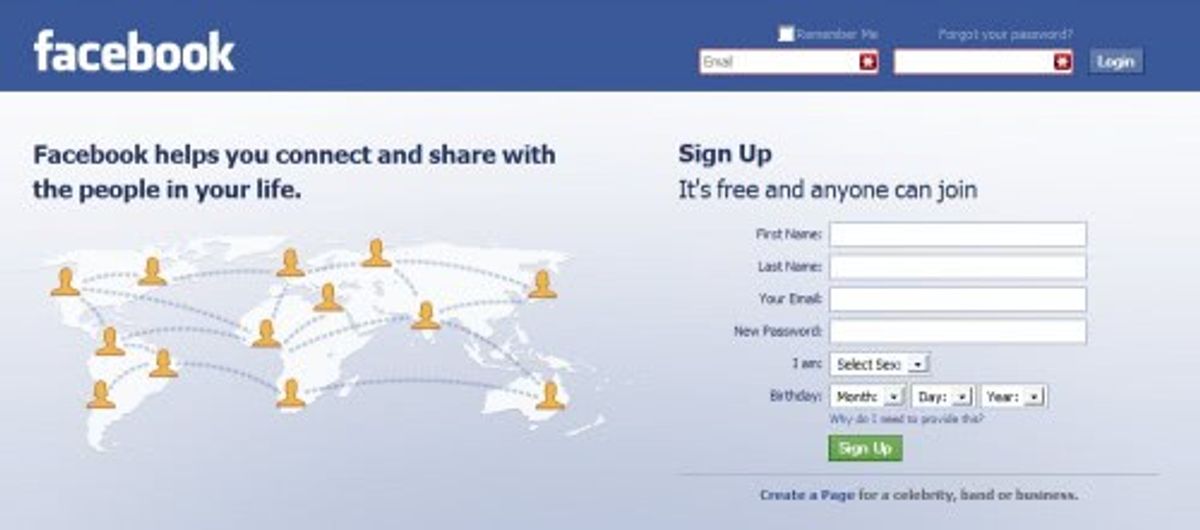
Balancing User Privacy with Personalized Experiences
In the realm of user-centric web design, privacy and personalization are two sides of the same coin. While users demand tailored experiences that cater to their preferences, they also expect their personal information to be safeguarded. Designers create memorable user experiences by infusing delight into microinteractions, respecting user preferences, offering clear cookie consent options, and balancing personalization with privacy.
The challenge lies in designing systems that can learn from user behavior without overstepping privacy boundaries. This delicate balance requires a transparent approach where users feel in control of their data.
To achieve this, a clear and user-friendly cookie policy is essential. Users should be able to understand what data is being collected and how it will be used. Here’s a simplified breakdown of cookie categories and user consent:
- Necessary Cookies: Essential for website functionality, do not require consent.
- Performance Cookies: Collect data on how users interact with the website, require consent.
- Functional Cookies: Enable personalization features, require consent.
- Analytics Cookies: Help understand website usage, require consent.
- Advertising Cookies: Used for targeting ads, require consent.
By providing options to accept or reject cookies based on categories, websites can respect user choices while still offering a degree of personalization. This not only complies with regulations like GDPR but also builds trust with the user base.
Implementing Cookie Policies and Consent Management
In the realm of user-centric web design, ensuring compliance with privacy regulations is a critical aspect that cannot be overlooked. Implementing cookie policies and consent management is a step towards respecting user privacy while still offering personalized experiences. Websites must clearly inform users about the use of cookies and obtain their consent in a transparent manner.
Users should have the ability to easily access and modify their cookie preferences at any time, reinforcing the notion of control and trust.
To effectively manage cookie consent, many websites now utilize consent management platforms. These tools streamline the process and help website owners adhere to privacy laws such as the GDPR. Below is a list of common cookie categories and their purposes:
- Necessary: Essential for website functionality and cannot be disabled.
- Performance: Collect data on how visitors use the website to improve performance.
- Functional: Enable enhanced functionality and personalization.
- Analytics: Help website owners understand how visitors interact with the site.
- Advertising: Used to deliver targeted ads and track ad performance.
Each category requires clear communication and user consent, ensuring that visitors are fully aware of what they are opting into.
The Impact of GDPR on User-Centric Design
The General Data Protection Regulation (GDPR) has significantly influenced user-centric design by enforcing stricter data privacy standards. Designers must now integrate privacy considerations from the outset, ensuring that user data is handled transparently and with consent. This shift has led to a more trustworthy relationship between users and digital platforms.
The emphasis on informed consent under GDPR has necessitated clear communication about data collection practices. Users are now empowered to make choices about their personal data, fostering a sense of control and respect for their privacy.
To comply with GDPR, websites have adopted various consent management solutions. Here’s a brief overview of common cookie consent categories and their descriptions:
- Necessary: Essential for website functionality and cannot be opted out.
- Analytics: Used to understand user behavior and improve the website.
- Functional: Enable certain non-essential features or preferences.
- Performance: Collect data on website performance metrics.
- Others: Miscellaneous cookies that may not fit into the above categories.
Each category requires explicit user consent, and the duration of consent is typically set for a specific period, such as 11 months. The purpose limitation principle of GDPR ensures that data is collected for clear and legitimate reasons, aligning with user-centric values.
Optimizing Website Performance for Engagement

The Importance of Website Speed and Performance
In the digital age, website speed and performance are pivotal to the success of any online presence. A swift-loading website not only enhances user experience but also contributes to higher search engine rankings. Users expect quick access to information, and any delay can lead to frustration and a higher likelihood of abandoning the site. This is why optimizing website performance is crucial for user satisfaction, leading to increased sales and engagement.
Optimizing load times is not just about keeping visitors on the site, but also about improving the overall perception of your brand. Accessibility in design ensures usability for all users, promoting equality and inclusivity.
To achieve optimal performance, developers employ a variety of techniques:
- Image Optimization: Compressing images to reduce load times while maintaining quality.
- Minimize HTTP Requests: Reducing the number of page elements to speed up rendering.
- Use Browser Caching: Storing parts of the site locally to decrease loading times on subsequent visits.
- Enable Compression: Using Gzip to shrink the size of CSS, HTML, and JavaScript files.
Regular monitoring and strategic improvements are key for a seamless user experience. Website speed is vital for user engagement and SEO, impacting not just retention and conversions, but also the site’s visibility in search results.
Strategies for Performance Optimization
Optimizing website performance is crucial for enhancing user engagement and satisfaction. Effective strategies are essential to ensure that websites load quickly and run smoothly, providing a seamless experience for users. One fundamental approach is to optimize images, compressing them without sacrificing quality to reduce load times. Developers can use specialized tools to significantly reduce file sizes, making a substantial impact on performance.
Another key strategy is to minimize HTTP requests by reducing the number of elements on a page, such as scripts, images, and CSS files. This can speed up page rendering and improve the overall user experience. Additionally, implementing caching can save local resources on the server and improve customer experience by allowing pages to load faster on subsequent visits.
By continuously testing and optimizing websites post-launch, we can refine designs and interfaces, maximizing user engagement and satisfaction.
Furthermore, it’s important to minify scripts and optimize file sizes for CSS and JavaScript. This reduces the number of HTTP requests and can significantly improve loading times. Keeping the usage of external scripts and pixels to a minimum also reduces unnecessary requests to third-party tools, further optimizing performance.
Here is a list of common optimization techniques:
- Image Optimization
- Minimize HTTP Requests
- Implement Caching
- Minify Scripts
- Optimize the Use of External Scripts
These strategies, when applied diligently, can lead to increased sales, conversions, and customer satisfaction by improving user experience, engagement, and overall website usability.
Monitoring and Improving Post-Launch Performance
Once a website is launched, the journey towards refining user experience doesn’t end. Post-launch monitoring is crucial to ensure the website remains secure, performs efficiently, and aligns with user expectations. This involves tracking key performance indicators (KPIs) and user interactions to identify areas for improvement.
Continuous optimization is the hallmark of a successful online presence. By leveraging tools such as heatmaps, A/B testing, and user feedback, websites can evolve to meet changing user needs and technological advancements.
To systematically enhance post-launch performance, consider the following steps:
- Conduct usability testing to uncover user pain points.
- Analyze website metrics, such as bounce rate and conversion rates.
- Implement changes based on data-driven insights.
- Repeat the process to foster ongoing improvement.
By embracing a cycle of evaluation and refinement, websites can maintain relevance and provide a superior user experience.
The Process of Creating Engaging Web Projects

Collaborative Design and Development Workflows
The success of a user-centric web project hinges on the collaboration between designers and developers. This partnership ensures that the design vision is effectively translated into a functional and engaging user experience. A structured approach to this collaboration involves several key steps:
- Discovery and Strategy: Identifying objectives and brainstorming creative solutions.
- Design: Crafting visual elements and interactive prototypes to align with user needs.
- Development: Bringing the design to life with clean, efficient code.
- Quality Assurance: Rigorous testing to iron out any issues before launch.
- Post-Launch Monitoring: Responding to user feedback and making necessary adjustments.
By embracing a collaborative workflow, teams can avoid the pitfalls of miscommunication and ensure a seamless transition from concept to completion. The iterative nature of this process allows for continuous refinement, adapting to user feedback and evolving requirements.
The table below outlines the typical roles and responsibilities in a collaborative workflow:
| Role | Responsibilities |
|---|---|
| UX Researcher | Conduct user research, define user personas. |
| UI Designer | Create visual design, interactive prototypes. |
| Developer | Implement design, optimize performance. |
| QA Specialist | Test functionality, ensure quality standards. |
| Project Manager | Oversee project, manage timelines and deliverables. |
This structured process, when executed with precision and clarity, leads to the delivery of top-quality products that resonate with users and stand the test of time.
Quality Assurance and User Testing
Quality Assurance (QA) is a pivotal phase in web development, where QA specialists meticulously scrutinize the product to identify and rectify any defects. This process ensures that the final website aligns with the highest standards of quality and provides a seamless user experience. Collaboration with the design team is crucial during this stage to guarantee that the product not only functions correctly but also resonates with the intended design vision.
Usability testing is a core component of QA, involving real users who perform tasks on the website while vocalizing their thought process. This method uncovers usability issues and informs iterative improvements. Testing on actual devices is vital for an authentic assessment of the user experience.
The table below summarizes the key aspects of the QA process:
| Phase | Description |
|---|---|
| Design Validation | Ensuring the design is implemented as intended. |
| Functional Tests | Verifying all features work according to specifications. |
| Usability Testing | Assessing ease of use and intuitiveness for end-users. |
| Performance Check | Confirming the website’s speed and responsiveness. |
| Security Audit | Checking for vulnerabilities and potential security risks. |
By integrating QA and user testing into the development workflow, teams can deliver top-quality products that meet user expectations and foster positive engagement.
Case Studies of Successful User-Centric Web Projects
The culmination of a user-centric design process is best illustrated through real-world examples. These case studies not only highlight the successful implementation of user-centric principles but also serve as a beacon for aspiring designers and developers. Each project begins with a deep understanding of user needs, followed by the meticulous crafting of interfaces that prioritize usability and aesthetics.
By examining these case studies, we gain insights into the practical application of user research, intuitive design, and the relentless pursuit of user satisfaction. The outcomes are websites that not only look good but also perform exceptionally, providing seamless user experiences that drive engagement and foster loyalty.
Here are a few examples of projects that have excelled in creating engaging user experiences:
- White Rabbit (NFT): A custom design strategy for an NFT project that focused on an intuitive interface for a metaverse company.
- Inchoo: Collaborative UX/UI strategy implementation for a leading Magento eCommerce agency.
- Geologija: A website redesign for the Croatian Geological Society that emphasized user-friendly navigation.
- Powersafe: A new website with a custom design strategy to serve the Power Generation and Electrical Services industries.
These projects demonstrate the tangible benefits of a user-centric approach, where the end goal is always to enhance user engagement and satisfaction.
Embarking on the journey of crafting an engaging web project is an art that combines strategy, design, and development to ensure your digital presence stands out. At the heart of this process is a commitment to quality assurance and a partnership that extends beyond mere transactions. Ready to elevate your online experience? Visit our website to explore our comprehensive services, including custom WordPress development, eCommerce solutions, and more. Let’s create something remarkable together!
Conclusion
In conclusion, a user-centric website design approach is paramount for creating an engaging user experience. By prioritizing usability, performance optimization, and a deep understanding of user needs, designers can craft websites that are not only visually appealing but also intuitive and satisfying to navigate. Real-world examples from various projects, such as those for NFT platforms, eCommerce agencies, and local initiatives, demonstrate the effectiveness of this approach in delivering top-quality, responsive, and highly optimized websites. As we’ve seen, the impact of such design on user satisfaction and conversion rates cannot be overstated. It’s clear that when it comes to website design, it’s all about the user. By keeping the user’s perspective at the heart of the design process, we can ensure that our digital solutions are not just functional, but truly resonate with the audience they are intended to serve.
Frequently Asked Questions
What is user-centric website design?
User-centric website design is an approach that prioritizes the needs, preferences, and behaviors of the user throughout the design process. The goal is to create a website that is intuitive, accessible, and engaging, ensuring a positive and satisfying user experience.
How does user research contribute to website design?
User research helps designers understand the target audience, including their behaviors, goals, and challenges. This information guides the design decisions to ensure that the website meets the users’ needs and provides a seamless experience.
Why is website performance optimization important for user engagement?
Website performance optimization is crucial because it directly impacts the user’s experience. A fast-loading, responsive website reduces bounce rates, improves engagement, and can lead to higher conversion rates.
What role does accessibility play in user-centric design?
Accessibility ensures that a website can be used by people with various disabilities, making the web more inclusive. In user-centric design, accessibility is a key consideration to provide an equitable experience for all users.
How does GDPR affect user-centric website design?
The General Data Protection Regulation (GDPR) impacts user-centric design by enforcing stricter privacy policies. Designers must ensure that websites are compliant by providing transparent consent management and protecting user data.
Can you give examples of successful user-centric web projects?
Successful user-centric web projects include the design and development of the WHITE RABBIT (NFT) website, the INCHOO eCommerce agency site, and the GLOW CHRISTMAS festival site, all of which prioritize user experience and engagement.