Crafting Memorable User Experiences with Intuitive Design

In today’s digital landscape, intuitive design is paramount in crafting user experiences that are not only efficient but also memorable. The following article delves into the intricate relationship between user interface design and user experience, exploring how intuitive design can enhance user engagement, conversion rates, and overall satisfaction. From the subtleties of micro-interactions to the balancing act between privacy and personalization, we uncover the strategies that can make or break the user’s journey. As we look ahead, we also consider how emerging technologies such as AR, VR, and AI are reshaping the principles of intuitive design, compelling designers to continuously learn and adapt.
Key Takeaways
- Intuitive interfaces prioritize user behavior understanding, clarity, simplicity, and cross-platform consistency to create seamless experiences.
- Micro-interactions play a crucial role in enhancing user engagement by providing feedback, adding delight, and serving as storytelling devices.
- Design must strike a balance between offering personalized experiences and maintaining user privacy, with transparent cookie consent and preference management.
- Optimizing conversion rates is closely tied to intuitive design, which can be achieved through user testing, feedback, and tailored design strategies for e-commerce.
- The future of intuitive design involves adapting to AR, VR, and AI technologies, requiring continuous learning and adaptation from designers.
The Art of Intuitive Interfaces
Understanding User Behavior
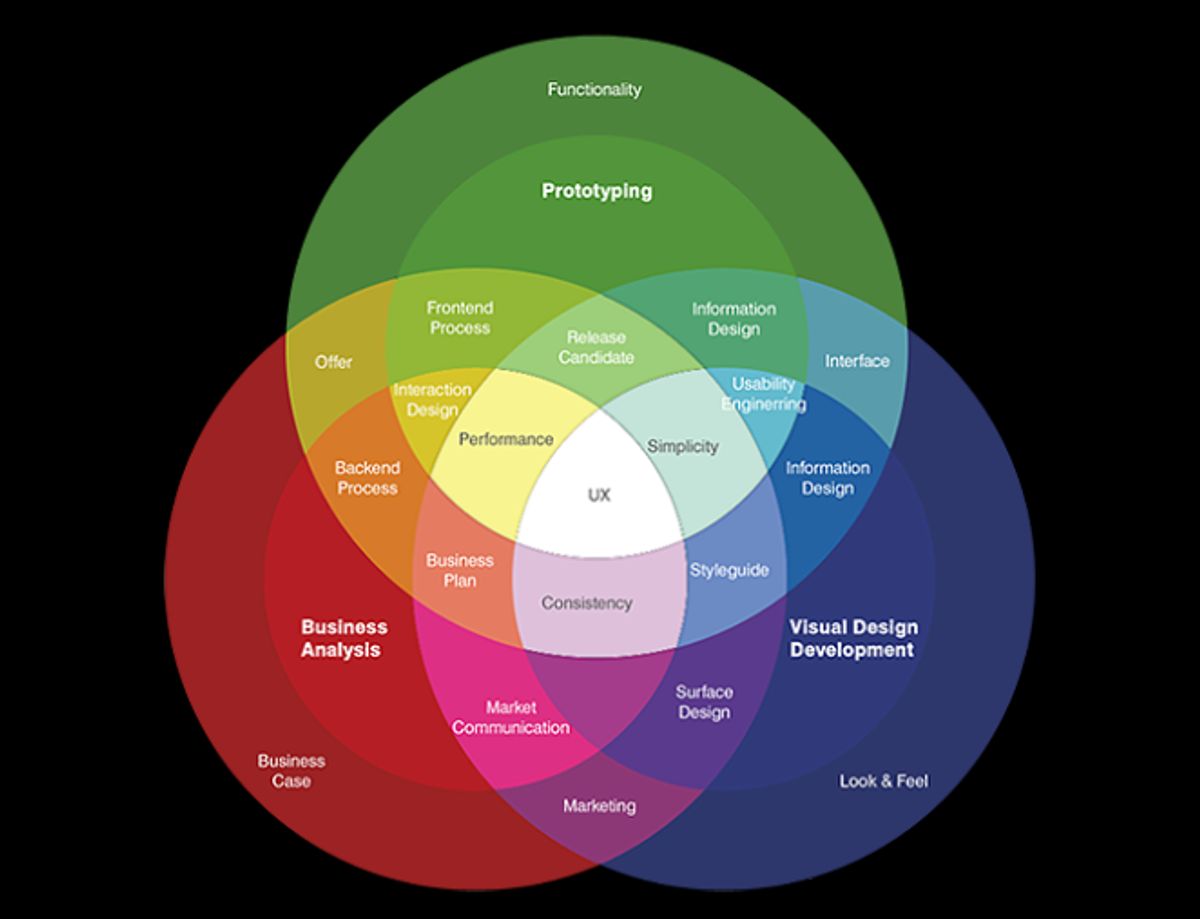
To create intuitive designs that resonate with users, it’s essential to grasp the nuances of user behavior. This understanding forms the foundation for interfaces that are not only aesthetically pleasing but also functionally seamless. By analyzing how users interact with various elements of a design, we can identify patterns and preferences that inform the creation of more effective user experiences.
Intuitive design is not just about making things look good; it’s about creating a seamless flow that users can navigate effortlessly.
Key to this process is the development of user personas and scenarios that reflect real-world use cases. These tools help designers empathize with users and anticipate their needs, leading to designs that are more aligned with user expectations. Below is a list of considerations when studying user behavior:
- Observing real users as they interact with the system
- Collecting feedback through surveys and interviews
- Analyzing usage data for insights into user habits
- Conducting A/B testing to compare different design approaches
AM2 Studio’s strategic web development approach, which focuses on client goals and user experience, is a testament to the importance of understanding user behavior in crafting intuitive designs. By prioritizing innovative technology and maintaining a user-centric perspective, they ensure that their digital experiences stand out.
Designing for Clarity and Simplicity
In the pursuit of creating intuitive user interfaces, the mantra of less is more often holds true. Designing for clarity and simplicity means stripping away the non-essential and focusing on what’s truly important to the user’s journey. A minimalist approach not only aids in reducing cognitive load but also enhances the overall aesthetic appeal of the design.
- Identify core functionalities
- Eliminate unnecessary elements
- Utilize white space effectively
- Choose clear, legible typography
- Implement intuitive navigation
By adhering to these principles, designers can craft interfaces that are not only visually pleasing but also highly functional and user-friendly.
Embracing clarity, simplicity, and consistency in interface design is not just about aesthetics; it’s about creating an environment where users can achieve their goals with efficiency and ease. Use microinteractions to enhance the user experience with meaningful interactions and focus on usability and accessibility to ensure that all users, regardless of their abilities, can navigate the interface successfully.
Consistency Across Platforms
Achieving consistency across platforms is crucial for a seamless user experience. Cross-platform consistency ensures that users feel familiar with your product, whether they’re on a desktop, tablet, or mobile device. This familiarity breeds confidence and reduces the learning curve, leading to higher user satisfaction and retention.
- Uniformity of Design Elements: Maintain the same color schemes, fonts, and layout structures.
- Interactions and Behaviors: Standardize clickable actions, gestures, and navigation flows.
- Adaptive Responsiveness: Ensure your design adapts elegantly to different screen sizes and orientations.
By prioritizing consistency, you create an intuitive environment where users can move between devices effortlessly, enhancing their overall experience with your brand.
Remember, a consistent design not only strengthens brand recognition but also improves the user’s experience. It’s about creating a coherent journey across all touchpoints. Designing for cross-platform consistency involves a strategic approach to user interface development, where every detail is considered in the context of the whole ecosystem.
Enhancing User Engagement Through Micro-Interactions
The Role of Feedback in User Experience
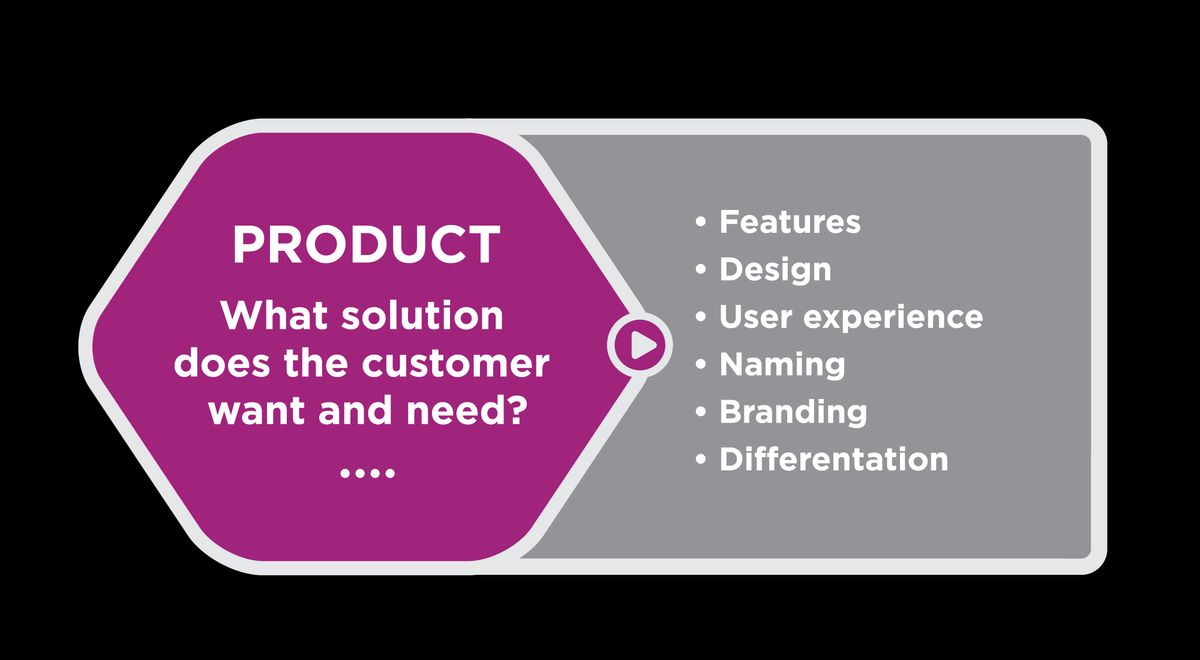
Feedback mechanisms are a cornerstone of intuitive design, providing users with immediate and relevant information about their interactions. Effective feedback reassures users that the system is responsive to their actions, which is crucial for building trust and ensuring a smooth user experience. By prioritizing system feedback, we can create interfaces that empower users and enhance their experience.
Micro-interactions, such as subtle animations or sound effects, serve as feedback that guides and delights users. These small design elements can have a significant impact on user engagement. For instance, a simple animation when a user completes a form can confirm the action and encourage further interaction. Here’s how micro-interactions can benefit the user experience:
- Providing clear feedback during user actions
- Communicating system status effectively
- Guiding users through tasks with visual cues
- Adding personality to the product’s interface
Incorporating thoughtful feedback throughout the user journey ensures a seamless experience. Delight users with micro-interactions that not only inform but also create memorable moments within the digital landscape.
Creating Delightful Interaction Moments
Micro-interactions are the subtle yet powerful elements that contribute significantly to the user experience. By focusing on the quality of these interactions, designers can transform ordinary tasks into engaging experiences. A well-crafted micro-interaction can make the user feel acknowledged and can turn a simple action into a moment of joy.
For instance, a playful animation when a task is completed or a clever sound effect when a user action is confirmed can create a sense of accomplishment and satisfaction. These moments of delight are not just about aesthetics; they are about creating an emotional connection with the user. Below is a list of key considerations when designing micro-interactions:
- Ensure they are intuitive and serve a clear purpose
- Keep them simple and avoid overloading the user
- Align them with the overall design language for consistency
- Use them to provide feedback or guide user behavior
Micro-interactions should be seen as an opportunity to convey the brand’s personality and to surprise the user positively. They are a chance to exceed expectations and to make the mundane memorable.
Ultimately, the goal is to design micro-interactions that are not only functional but also contribute to a cohesive and enjoyable user journey. When done right, these small details can significantly enhance the overall user experience and leave a lasting impression.
Micro-Interactions as Storytelling Devices
Micro-interactions are not just functional; they’re the essence of storytelling within a user interface. By weaving a narrative through subtle animations and feedback, they guide users on a journey, making each interaction feel like a chapter in a larger story. These moments can be as simple as a button changing color when clicked, or as intricate as a sequence of animations leading to a new page.
Micro-interactions contribute to the usability, feedback, and emotional connection users have with a product.
Consider the following points when designing micro-interactions:
- They should be intuitive, not requiring additional explanation.
- Each interaction must feel connected to the overall user journey.
- They should enhance the user experience without overwhelming it.
When thoughtfully implemented, micro-interactions can turn a mundane task into an engaging experience. They are the unsung heroes that bring a digital product to life, creating a sense of delight and personal connection. It’s the attention to these details that can transform a user’s interaction with your product from merely functional to genuinely memorable.
Privacy and Personalization: Balancing User Needs
Incorporating Privacy by Design
In the realm of user experience, privacy by design stands as a foundational principle that ensures user trust and legal compliance. It’s a proactive approach that embeds privacy into the design process from the outset, rather than as an afterthought. This method not only safeguards user data but also aligns with global privacy regulations, such as GDPR.
- Understand and map out user data flow: Identify where and how user data is collected, used, stored, and shared.
- Minimize data collection: Only gather what is necessary for the intended service or functionality.
- Enable user control: Provide users with options to manage their privacy settings and consent.
- Implement robust security measures: Protect user data with strong encryption and regular security audits.
- Regularly update privacy practices: Stay informed about new regulations and user expectations.
By integrating privacy considerations early in the design process, we can create systems that users can trust, fostering a sense of security and respect for their personal information. Balancing functionality with visual appeal is crucial, but never at the expense of user privacy.
Designing user-friendly interfaces with clear error messaging and personalization for user engagement is essential. We must practice minimalism and ensure consistency across the user journey, while providing quick feedback. Testing based on user feedback is vital to refine privacy features. Ultimately, the importance of intuitive design, usability, microinteractions, and transparent privacy policies cannot be overstated in creating a delightful user experience.
Customizing Experiences While Protecting Data
In the quest to deliver personalized user experiences, data privacy cannot be an afterthought. It is crucial to strike a balance that respects user preferences while providing tailored content. Here are some key considerations:
- Transparency is paramount. Clearly communicate what data is collected and how it will be used.
- Consent should be obtained in an unambiguous manner, with easy options for users to opt-in or opt-out.
- Employ data minimization practices to ensure only necessary data is collected.
- Implement robust security measures to protect user data from unauthorized access.
By embedding privacy into the design process, we can build trust and ensure compliance with regulations, creating a foundation for sustainable user relationships.
Navigating personalized marketing with data privacy concerns requires a delicate balance between providing relevant experiences and maintaining user trust. As designers and developers, we must advocate for the user, ensuring their data is handled with the care and respect it deserves.
Navigating Cookie Consent and User Preferences
In the era of digital transparency, navigating cookie consent and user preferences has become a pivotal aspect of user experience (UX). Websites must balance the need for data to enhance user experiences with the individual’s right to privacy. A well-designed cookie consent interface can make this process intuitive and user-friendly.
Effective cookie consent banners should provide clear options for users to accept, reject, or customize their cookie preferences. Here’s a simple breakdown of the types of cookies and user consent:
- Necessary Cookies: Essential for website functionality and cannot be disabled.
- Analytics Cookies: Used to understand how users interact with the site.
- Functional Cookies: Enable personalization of user experience.
- Performance Cookies: Help improve website performance.
- Other Cookies: May include cookies for marketing or social media.
By offering a straightforward and accessible way to manage cookies, businesses can foster trust and ensure compliance with privacy regulations.
It’s crucial to remember that the user’s journey through cookie consent should be as seamless as their navigation through the website. This not only adheres to privacy laws but also respects user preferences, ultimately contributing to a positive UX.
Optimizing Conversion with Intuitive Design

Leveraging Design to Boost Conversion Rates
Intuitive design is a powerful tool for increasing conversion rates. By understanding and implementing key design principles, businesses can create a user experience that not only meets but exceeds user expectations, leading to higher engagement and sales.
A well-designed interface guides users effortlessly towards the desired action, making the journey from visitor to customer seamless and enjoyable.
For instance, consider the impact of a clear call-to-action (CTA) button. Its size, color, and placement can significantly influence user behavior. Here’s a simple list of design elements that can affect conversions:
- Clear and compelling CTAs
- Consistent and intuitive navigation
- Fast-loading pages
- Responsive design for mobile devices
- Trust signals, such as security badges and customer testimonials
By focusing on these elements, designers can craft experiences that not only look good but also drive business results.
The Importance of User Testing and Feedback
User testing and feedback are critical components in the iterative design process, providing invaluable insights that can lead to a more intuitive user experience. By engaging with real users, designers can uncover usability issues, understand user behavior, and validate design decisions. This direct interaction helps to ensure that the final product aligns with user expectations and needs.
User testing will help you design a better product, which will help you achieve better results. Knowing whether the solution satisfies user needs is necessary to optimize UI for conversion rates and user experience.
Incorporating user feedback early and often allows for continuous improvement and can prevent costly redesigns post-launch. The table below illustrates the benefits of integrating user testing throughout the development cycle:
| Stage | Benefit |
|---|---|
| Concept | Validate ideas |
| Prototype | Identify issues |
| Launch | Refine features |
| Post-Launch | Enhance engagement |
Ultimately, user testing and feedback are not just about fixing what’s broken; they’re about discovering opportunities to delight users and exceed their expectations. It’s a strategic approach that can lead to increased user satisfaction and loyalty, driving long-term success for the business.
Design Strategies for E-commerce Success
In the competitive realm of e-commerce, design can be the differentiator that drives success. A well-crafted website design not only captivates but also facilitates a seamless shopping experience, leading to increased conversions. To achieve this, one must analyze and optimize various elements of the website design and user experience.
By focusing on user-centric design, e-commerce platforms can significantly improve customer satisfaction and conversion rates.
Understanding the customer journey is crucial. It involves mapping out each step a user takes, from landing on the site to completing a purchase. This insight allows for targeted improvements that can reduce friction and encourage sales. Here are some key areas to consider:
- Usability: Ensure the interface is intuitive and easy to navigate.
- Performance: Optimize loading times as speed is a critical factor in user retention.
- Aesthetics: A visually appealing site can enhance user engagement.
- Personalization: Tailor the shopping experience to individual user preferences.
- Mobile Optimization: With the increasing use of mobile devices, a responsive design is imperative.
Tracking and measuring the impact of these strategies is essential for continuous improvement. Tools that monitor user interaction and conversion rates provide valuable feedback for further refinement of the design.
The Future of Intuitive Design in Evolving Technologies

Adapting Design for AR and VR
As augmented reality (AR) and virtual reality (VR) technologies mature, designers face the challenge of creating experiences that are not only visually compelling but also intuitive to navigate. The key to success lies in understanding the unique ways users interact with 3D environments. Designing for AR and VR requires a shift from traditional 2D interfaces to spatial design principles that consider depth, scale, and perspective.
- Depth Perception: Ensuring objects and interfaces appear at the correct distance.
- User Focus: Designing elements that are easily within the user’s field of view.
- Interaction Models: Developing natural and intuitive ways for users to interact with the virtual world.
By prioritizing user comfort and ease of use, designers can create immersive experiences that are both engaging and accessible. Crafting these experiences demands a meticulous approach to user testing and iteration to refine every aspect of the user’s journey.
Ultimately, the goal is to foster an environment where users feel a sense of presence and immersion, making the virtual world as natural to navigate as the real one. This not only enhances the user experience but also encourages longer and more frequent engagement with the application.
Design Considerations for AI and Machine Learning
When integrating AI and machine learning into design, it’s crucial to consider how these technologies can enhance the user experience without compromising simplicity and intuitiveness. AI-driven design decisions should be data-informed, aligning with user expectations and behaviors to create interfaces that are not only visually appealing but also functionally relevant.
- Understand the user’s context: AI should be leveraged to adapt interfaces to the user’s current situation and needs.
- Data transparency: Users should be informed about how their data is being used to personalize their experience.
- Ethical considerations: Designers must ensure that AI respects user privacy and avoids biases.
By working with AI, designers can simplify complex processes, making them more accessible to users. This approach doesn’t need to be intimidating; it’s about asking the right questions to guide the design process.
Ultimately, the goal is to create a seamless interaction where AI enhances the user journey without becoming a noticeable barrier. This balance requires careful planning and a deep understanding of both the technology and the user.
Staying Ahead with Continuous Learning and Adaptation
In the dynamic realm of design, continuous learning and adaptation are not just beneficial; they are essential for survival and growth. The digital landscape is perpetually shifting, with new technologies, user preferences, and design trends emerging at a rapid pace. To stay relevant and competitive, designers must embrace a culture of lifelong learning and remain agile in their approach to design.
The importance of continual learning and adaptation cannot be overstressed. It provides opportunities to acquire new skills and knowledge, which can be applied to current or future roles. It can also help to increase job satisfaction and foster innovation.
Here are some steps to ensure you are continuously learning and adapting in the field of design:
- Stay updated with the latest design trends and technologies.
- Attend workshops, webinars, and conferences to expand your knowledge.
- Engage with a community of designers to exchange ideas and experiences.
- Practice reflective design thinking to evaluate and improve your work.
- Experiment with new tools and methodologies to enhance your skill set.
By integrating these practices into your routine, you can ensure that your design work remains fresh, relevant, and impactful.
As we navigate the ever-changing landscape of technology, intuitive design becomes increasingly crucial for engaging and retaining users. Our team at AM2 specializes in crafting custom web solutions that are not only aesthetically pleasing but also optimized for performance and user experience. Whether you’re looking to revamp your WordPress site, develop a robust eCommerce platform, or simply need a website health audit, we have the expertise to elevate your digital presence. Don’t settle for the ordinary; visit our website to explore our services and start your journey towards a more intuitive and effective online platform.
Conclusion
In conclusion, crafting memorable user experiences is an intricate dance between form and function, where intuitive design plays the pivotal role. It’s about understanding the subtle art of micro-interactions, the power of storytelling, and the importance of user-centric strategies. By focusing on the details that matter—those that resonate with users emotionally and functionally—we can create digital products that not only meet needs but also delight and inspire. Whether it’s through meticulous usability analysis, engaging narratives, or seamless interactive design, the goal remains the same: to build digital experiences that are not just used, but loved. As we continue to push the boundaries of what’s possible in design, let’s remember to keep the user’s journey at the heart of our creative endeavors, ensuring that every touchpoint is an opportunity to leave a lasting impression.
Frequently Asked Questions
What is intuitive design and why is it important?
Intuitive design refers to creating interfaces that are easy to understand and use without prior instruction or training. It is important because it improves user experience, increases user satisfaction, and can lead to better engagement and higher conversion rates.
How can micro-interactions enhance user engagement?
Micro-interactions provide immediate feedback to users, create delightful moments, and guide them through tasks. They can make digital experiences feel more human and interactive, thus enhancing user engagement.
What are some key considerations for designing with privacy in mind?
Designing with privacy in mind includes incorporating privacy by design principles, being transparent about data collection and usage, providing clear consent options, and allowing users to easily manage their preferences and data.
How does user testing contribute to intuitive design?
User testing allows designers to observe real users interacting with their designs, identify usability issues, and gather feedback. This insight is crucial for refining interfaces to be more intuitive and effective.
What role does design play in conversion optimization?
Design plays a critical role in conversion optimization by creating clear, appealing, and easy-to-navigate interfaces that encourage users to take desired actions, such as making a purchase or signing up for a service.
How is intuitive design adapting to emerging technologies like AR and VR?
Intuitive design for AR and VR involves creating immersive and natural user interactions that leverage the unique capabilities of these technologies. It requires a focus on spatial design, user comfort, and seamless integration with the physical world.