Crafting Memorable User Experiences with Intuitive Design

In the digital realm, intuitive design is the silent ambassador of your brand. It’s the fine balance between aesthetics and functionality that creates memorable user experiences. This article delves into the art and science of crafting intuitive interfaces that resonate with users, ensuring that every interaction is seamless, engaging, and meaningful. We explore the foundational pillars of intuitive design, the role of usability in enhancing user experience, the emotional connection through design, the importance of analytics for user-centric improvements, and how to marry creativity with functionality to create experiences that are not only beautiful but also highly effective.
Key Takeaways
- Intuitive design is rooted in a deep understanding of user psychology, ensuring consistency and incorporating feedback loops for continuous improvement.
- Usability is key to user experience, with simplified navigation, performance optimization, and a commitment to accessibility and inclusivity.
- Emotional design connects with users on a deeper level through a cohesive visual language, engaging micro-interactions, and effective storytelling.
- Analytics play a critical role in user-centric design, with behavioral data analysis, A/B testing, and personalization strategies driving iterative improvements.
- A successful design strategy balances creativity with functionality, leveraging innovative solutions while maintaining clarity and utilizing prototyping and user testing.
The Pillars of Intuitive Design
Understanding User Psychology
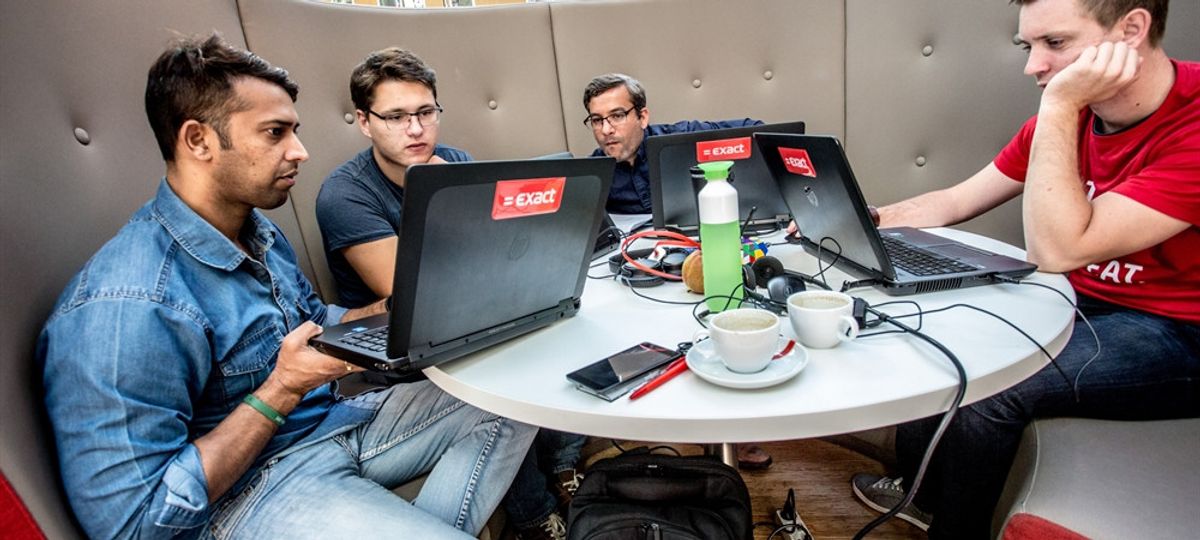
At the heart of intuitive design lies a profound understanding of user psychology. This understanding is not just a step in the design process; it is the foundation upon which all user experiences are built. By adopting a user-centric approach, designers can empathize with their audience, gaining insights that inform every design decision.
Creating an exceptional user experience is an ongoing commitment to research, testing, and improvement. It involves placing the user at the center of every design decision, ensuring that products are not only functional but also emotionally engaging. To achieve this, designers employ various strategies:
- User research: Gathering insights through surveys, interviews, and observations.
- Persona development: Crafting fictional representations of target users to guide design choices.
- Defining project goals: Setting clear objectives to enhance user engagement or conversion rates.
By stepping into the user’s shoes, we can anticipate their needs and create interfaces that are intuitive, user-friendly, and deeply resonant, fostering trust and loyalty.
Intuitive design prioritizes user psychology, emotional responses, and different design levels to create engaging, efficient, and satisfying user experiences. It’s a blend of science and art, where empathy maps and user personas become tools that translate human behavior into design that feels almost second nature to the user.
Designing for Consistency
Consistency in design is not just about aesthetics; it’s about creating a seamless experience that aligns with the user’s mental model. Consistency across interfaces is essential for user comprehension and navigation, as it builds a sense of predictability and familiarity. By adhering to established design patterns and standards, we can provide a cohesive experience that enhances both the user experience and brand identity.
A consistent design promotes a sense of familiarity and facilitates intuitive navigation for users on the website.
To achieve this, every aspect of the design, from color schemes and fonts to navigation and terminology, should be harmonious. Here are some key areas to focus on for maintaining consistency:
- Visual Consistency: Use the same colors, fonts, and layout styles throughout the product.
- Functional Consistency: Ensure that interactive elements like buttons and links behave predictably across the product.
- Internal Consistency: Keep the design language and tone of voice uniform in all internal communications.
- External Consistency: Align the product’s interface with external marketing materials and branding.
By investing in these areas, we not only improve the quality of the final product but also demonstrate our commitment to delivering a solution that truly meets the needs of our users.
Incorporating Feedback Loops
In the quest for creating intuitive design, feedback loops are indispensable. They serve as a critical communication channel between the user and the system, providing real-time responses to user actions. This immediate interaction ensures that users are constantly informed about the consequences of their interactions, fostering a sense of control and engagement.
Feedback mechanisms can be as simple as visual cues or as complex as personalized messages based on user behavior. For instance, a color change to indicate a successful action, or an error message when something goes wrong, are both effective ways to keep users in the loop. Below is a list of common feedback elements in user interfaces:
- Visual indicators (e.g., color changes, animations)
- Auditory signals (e.g., sounds, voice feedback)
- Haptic feedback (e.g., vibrations)
- Confirmation messages (e.g., alerts, notifications)
By integrating feedback loops into the design, we not only enhance the user experience but also pave the way for continuous improvement. User feedback, gathered through various channels such as surveys, usability tests, and analytics, is a goldmine of insights. It allows designers to iterate and refine the product, aligning it more closely with user needs and expectations.
AM2 Studio’s strategic approach to web development focuses on client goals, user experience, and cutting-edge technology. They offer quality assurance, maintenance services, and showcase client testimonials and case studies for excellence.
Enhancing User Experience Through Usability
Simplifying Navigation
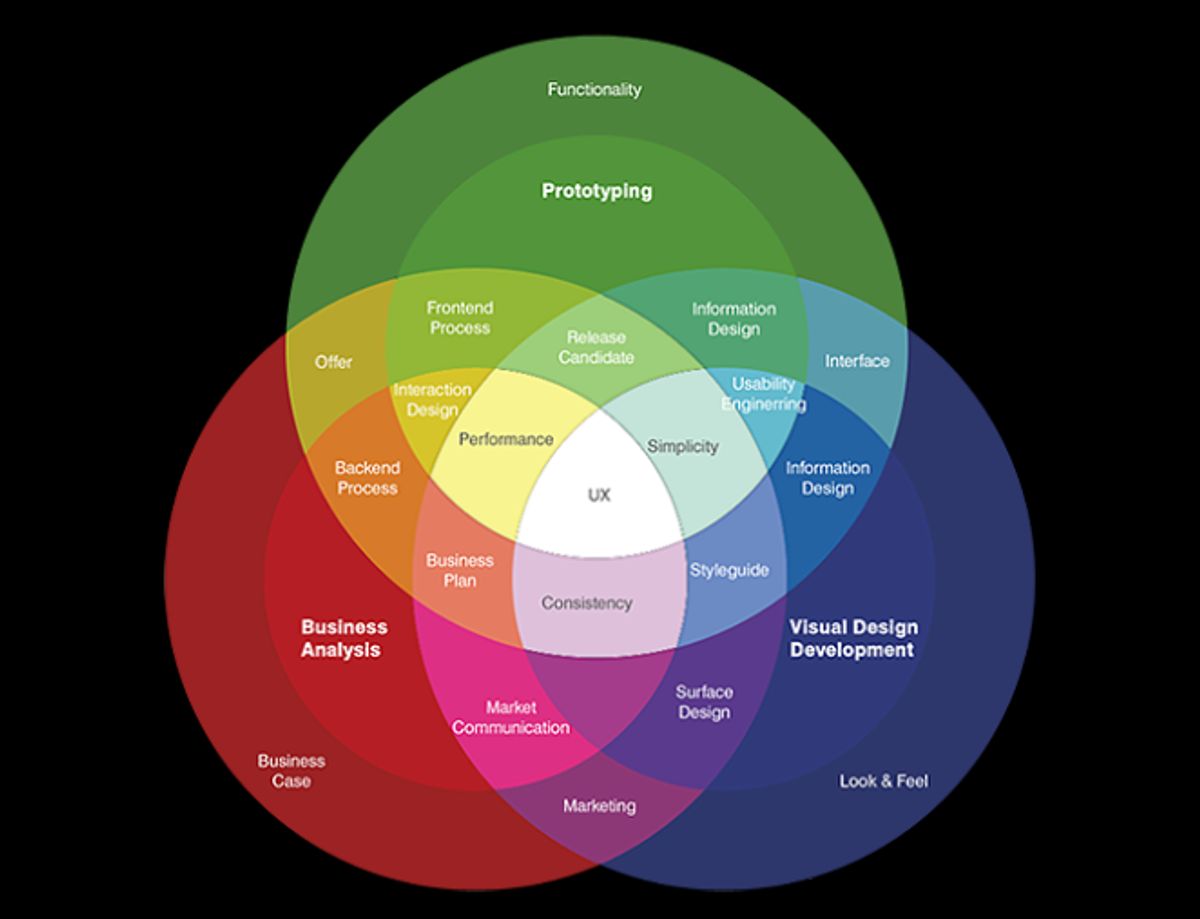
Simplifying navigation is a cornerstone of user-centric design. It’s about creating a journey that feels natural and effortless for the user. By providing clear and visible navigation, we let users know where they are, where they’ve been, and where they can go next. This is achieved through visual cues such as page titles and highlighting selected navigation options.
Effective navigation not only enhances user experience but also benefits SEO. A well-structured website with clear paths allows search engine crawlers to index content efficiently, improving the site’s visibility in search results.
To ensure efficient user journeys, it’s crucial to streamline the UI interface design. This involves focusing on simplicity and intuitive elements that guide users seamlessly through their digital journey. A responsive design across all platforms further ensures that the experience is consistent and engaging, regardless of the device used.
Here are some key steps to simplify navigation:
- Acknowledge user actions with immediate feedback.
- Make navigation elements clear and easily accessible.
- Use consistent design patterns throughout the interface.
- Incorporate microinteractions to guide and reassure users.
Optimizing for Performance
In the realm of user experience, performance is paramount. A web application’s speed and efficiency are not just about user satisfaction—they are also tied to tangible business outcomes. Improved site speed can lead to higher conversion rates, better search engine rankings, and ultimately, increased revenue.
To ensure optimal performance, consider the following steps:
- Minimize load times: Reduce server response time and prioritize visible content.
- Streamline task sequences: Help users complete actions with fewer steps and less complexity.
- Optimize images: Compress and adjust images without sacrificing quality to decrease load times.
- Implement caching: Store frequently accessed data to reduce load on servers and speed up access for users.
- Minify scripts: Reduce the size of CSS and JavaScript files to improve loading times.
By focusing on these areas, designers and developers can create a smoother, more responsive experience that meets users’ expectations of speed and reliability.
Remember, a performance-optimized web app not only enhances user experience but also positively impacts business metrics. It’s a critical aspect of design that should never be overlooked.
Accessibility and Inclusivity
Creating an inclusive digital environment means ensuring that everyone, including people with disabilities, can access and effectively navigate your website. Accessibility is not just a feature; it’s a fundamental aspect of user experience. By adhering to established accessibility standards, such as the Web Content Accessibility Guidelines (WCAG), we can make our products more usable for a wider audience.
By focusing on the user perspective, we foster inclusivity and accessibility in design. This approach leads to experiences that are universal and accommodating, expanding the potential audience and engagement.
To achieve this, consider the following points:
- Ensure text readability for users with visual impairments.
- Provide alternative text for images and media.
- Design for various input methods, including keyboard and voice commands.
- Implement clear and intuitive navigation to minimize cognitive load.
These practices not only enhance the user experience but also reflect a commitment to ethical design principles. Inclusive design is not a trend; it is an essential component of modern web development that will continue to grow in importance.
Emotional Design: Connecting with Users

Crafting a Visual Language
Creating a visual language for your digital product is akin to establishing a distinct personality that resonates with users. It’s not just about aesthetics; it’s about communication. A well-crafted visual language conveys the essence of your brand and facilitates intuitive navigation. By maintaining consistent design elements such as colors, fonts, and icons throughout your navigation menu, you establish a cohesive visual language that users can easily recognize and follow.
Visual clarity is paramount in user interface design. Reducing clutter and eliminating distractions allows users to focus on what is important, enhancing their overall experience.
Here are some general principles of content organization to promote visual clarity:
- Grouping similar items together
- Numbering items for easy reference
- Using headings to guide users through content
Remember, the goal is to create a seamless user journey that feels natural and effortless. This is the art of intuitive navigation, where every element is placed with purpose and precision.
Micro-Interactions and Animations
Micro-interactions are the subtle, yet powerful, details that enhance the user experience by providing feedback and guiding users through their interactions with a product. They are the finishing touches that add polish and personality to the user interface. These small animations and visual cues can communicate status, provide guidance, and even entertain, making the experience more intuitive and enjoyable.
- Feedback: Visual cues that inform users about the result of an action.
- Guidance: Indicators that help users navigate through tasks.
- Entertainment: Delightful elements that create a memorable experience.
By thoughtfully incorporating micro-interactions, designers can create a more engaging and responsive interface that resonates emotionally with users.
However, it’s crucial to balance the use of these elements to prevent them from becoming distractions. A well-designed micro-interaction should feel seamless and natural, not forced or overbearing. Designing for emotional impact, creating consistent user interfaces, and implementing delightful microinteractions enhance user experiences and engagement, leading to intuitive and enjoyable interactions.
Storytelling in UI/UX
In the realm of UI/UX, storytelling is a powerful tool that can transform a user’s interaction with a digital product into a memorable journey. It’s not just about the aesthetics or functionality; it’s about weaving a narrative that resonates with users on an emotional level. Businesses can foster a user-centric environment through emotional design, storytelling for user engagement, and empathy in design to prioritize user satisfaction and loyalty.
By crafting a story around a product or service, designers can create a context that users can connect with, making the experience more intuitive and engaging. This approach can lead to increased user retention and brand loyalty.
Effective storytelling in UI/UX involves a series of strategic elements that guide the user through the digital landscape:
Leveraging Analytics for User-Centric Improvements
Behavioral Data Analysis
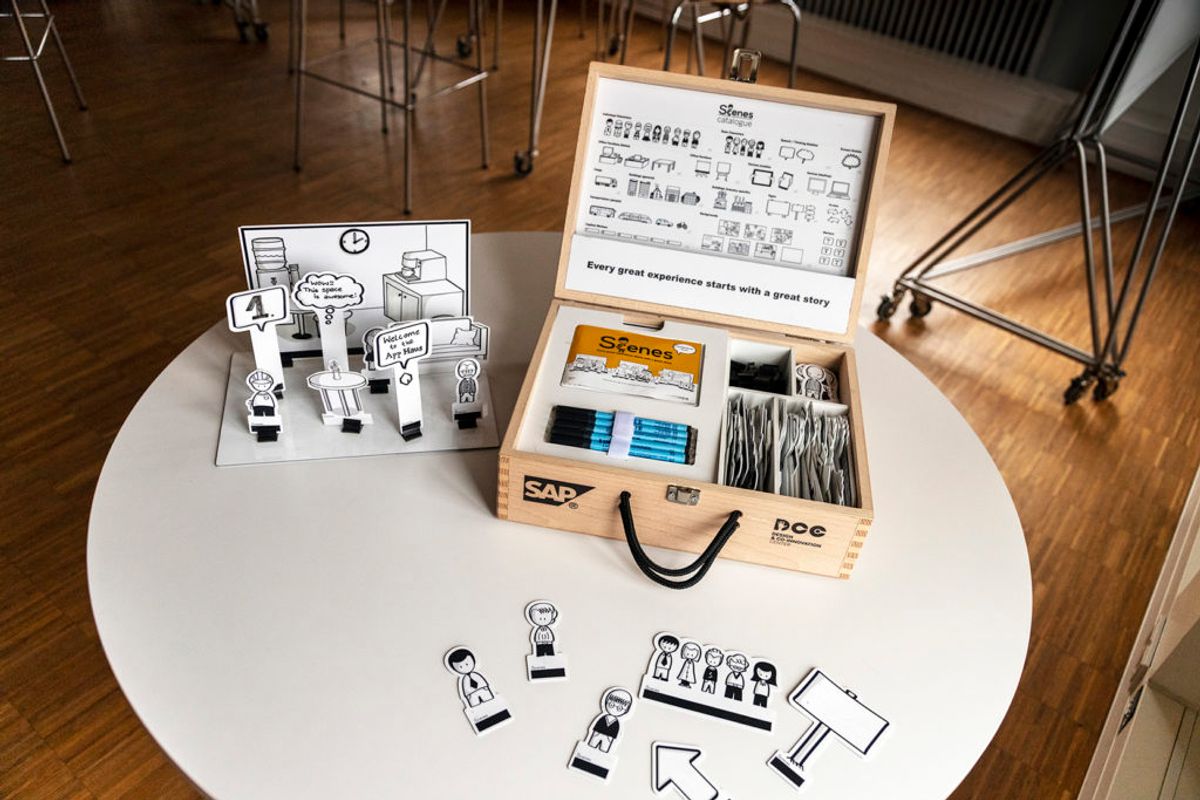
Understanding user behavior through analytics and testing is crucial for designing user-centric websites. Data-driven insights guide iterative improvements to enhance user engagement and satisfaction. By analyzing how users interact with a website, designers can pinpoint areas that require refinement. This process often involves a combination of qualitative and quantitative methods:
- User interviews: To delve into individual experiences and gather in-depth insights.
- Surveys: For collecting broad feedback on user preferences and behaviors.
- Analytics review: To identify patterns and trends in user interaction data.
- A/B testing: To compare different design implementations and choose the most effective one.
By integrating behavioral data analysis into the design process, we can create more engaging and effective user experiences.
This approach not only helps in understanding what users do but also why they do it, enabling a more empathetic and user-focused design strategy.
A/B Testing and Iterative Design
In the realm of user experience, A/B testing and iterative design are not just methodologies; they are the bedrock of a user-centric approach to design. By comparing different versions of a product, designers can discern which elements resonate most with users. This process is crucial for making data-driven decisions that enhance user engagement and satisfaction.
Iteration is a cycle of learning and improvement. Each round of A/B testing yields valuable insights that inform the next design iteration, ensuring that each version is more refined than the last.
A typical A/B testing cycle might include the following steps:
- Identifying key features or pages to test.
- Creating variations of the design for each feature.
- Randomly presenting these variations to users.
- Collecting and analyzing user interaction data.
- Implementing the most successful design elements.
This iterative process is essential for honing in on what works best for the user, leading to a more intuitive and satisfying product experience. It’s a continuous journey of enhancement, where user feedback and behavioral data guide the evolution of design.
Personalization Strategies
In the realm of user experience, personalization is the cornerstone that can transform a generic interface into a bespoke environment tailored to individual users. By leveraging data analytics and machine learning algorithms, designers can create interfaces that adapt to user preferences, behaviors, and emotions, fostering a deeper connection with the product.
Personalization strategies are not just about aesthetics; they are about creating an intuitive and seamless experience that resonates with the user on a personal level.
For instance, an online clothing retailer may implement technology that allows customers to virtually "try on" clothes, enhancing the shopping experience by aligning it with user expectations and preferences. Similarly, content management systems (CMS) can be tailored to meet specific user requirements, ensuring a seamless and personalized online experience.
Here are some key elements to consider when implementing personalization in design:
- User Behavior Analysis: Understanding how users interact with your product.
- Adaptive Content: Displaying content that is relevant to the user’s interests.
- Predictive Interactions: Anticipating user needs and providing solutions proactively.
- Customization Options: Allowing users to set preferences for how they interact with your service.
Balancing Creativity with Functionality

Innovative Solutions vs. User Expectations
In the dynamic landscape of UX/UI design, the tension between innovative solutions and user expectations is a pivotal challenge. Designers must navigate this delicate balance to create interfaces that are both fresh and familiar. Users often gravitate towards interfaces that resonate with their existing mental models, making it essential to understand user psychology for crafting user-centric interfaces.
Innovation should not come at the cost of usability. While users appreciate creativity, they should not struggle to navigate through the design. The key is to leverage familiar patterns while introducing new concepts, ensuring a seamless user experience.
To achieve this, designers can employ a variety of strategies:
- Balancing aesthetics with functionality
- Designing for delight and surprise
- Optimizing conversion with strategic UX design
Each strategy aims to enhance the user experience without overwhelming the user with unnecessary complexity. By maintaining clarity in creative designs and investing in prototyping and user testing, designers can validate their innovative ideas against real user expectations and preferences.
Maintaining Clarity in Creative Designs
In the intersection of creativity and user experience, maintaining clarity is paramount. Designers are tasked with the challenge of innovating without compromising the intuitive nature of the user interface. This balance is critical; a design that is visually stunning but difficult to navigate can quickly lead to user frustration and abandonment.
To achieve this balance, it’s essential to adhere to certain principles:
- Promote visual clarity by minimizing clutter and focusing on the essentials. This means being selective about what elements make it onto the page and ensuring that each one serves a purpose.
- Ensure consistency across the design to help users form a mental model of how the system works. This includes maintaining a coherent color scheme, typography, and interaction patterns.
- Simplicity and clarity should guide the design process, with a focus on making interfaces understandable and easy to use.
By embedding these principles into the design process, we create experiences that are not only aesthetically pleasing but also functionally transparent. This approach not only enhances the quality of the final product but also demonstrates our commitment to delivering a solution that truly meets the needs of our users.
AM2 Studio, for instance, exemplifies these principles by prioritizing user-centric web development, focusing on clarity, simplicity, and consistency. Their approach to understanding user behavior results in intuitive designs that facilitate seamless cross-platform experiences.
The Role of Prototyping and User Testing
Prototyping and user testing are critical stages in the design process that bridge the gap between conceptual design and final product. Prototyping allows designers to explore ideas and iterate quickly, transforming abstract concepts into tangible experiences. User testing then puts these prototypes into the hands of real users, providing invaluable feedback that shapes the final design.
Empathy in design empowers users, ensures accessibility, and fosters trust. Iterative prototyping and testing refine products for optimal user experience and delight.
The iterative cycle of prototyping and testing ensures that the product not only meets the functional requirements but also resonates with users on an emotional level. This cycle can be summarized in the following steps:
- Create initial prototypes based on design concepts.
- Conduct user testing to gather feedback.
- Refine the prototype incorporating user insights.
- Repeat the process until the design meets usability and satisfaction goals.
By integrating user feedback into each iteration, designers can avoid costly mistakes and ensure that the final product is both usable and desirable.
In a world where digital presence is paramount, ‘Balancing Creativity with Functionality’ is not just a goal, it’s a necessity. Our expert team at AM2 specializes in crafting custom web solutions that are as beautiful as they are effective. From WordPress Development to eCommerce optimization, we ensure your online platform is a perfect blend of aesthetics and efficiency. Ready to elevate your digital experience? Visit our website and discover how we can transform your business with our tailored services. Let’s create something remarkable together!
Conclusion
In the journey of crafting memorable user experiences, we’ve explored the significance of intuitive design and its profound impact on user engagement and satisfaction. Intuitive design is not just about aesthetics; it’s about creating a seamless interaction between the user and the product. By empathizing with users, maintaining consistency, and designing with emotional engagement in mind, we can build interfaces that are not only functional but also delightful. The case studies and examples discussed illustrate the transformative power of intuitive design in various sectors, from e-commerce to storytelling. As we continue to innovate and refine our design strategies, let us remember that at the heart of every great design is an understanding of the user’s needs and a commitment to enhancing their overall experience. The future of design is one that is user-centric, emotionally resonant, and deeply intuitive, ensuring that every interaction is a step towards a more engaging and memorable experience.
Frequently Asked Questions
What are the key principles of intuitive design?
Intuitive design is anchored in understanding user psychology, designing for consistency, and incorporating feedback loops to create a seamless user experience that feels natural and requires minimal learning.
How does usability enhance user experience?
Usability improves user experience by simplifying navigation, optimizing website performance, and ensuring accessibility and inclusivity, thus making interactions more efficient, effective, and satisfying.
Why is emotional design important in UX?
Emotional design connects with users on a personal level by crafting a visual language, utilizing micro-interactions and animations, and incorporating storytelling, which can transform a functional interface into a memorable experience.
What role does analytics play in user-centric design improvements?
Analytics provide insights into user behavior, enabling designers to conduct A/B testing, iterative design, and implement personalization strategies that refine the user experience based on actual data.
How can creativity be balanced with functionality in design?
Balancing creativity with functionality involves innovating within the bounds of user expectations, maintaining clarity in creative designs, and using prototyping and user testing to ensure that new ideas enhance usability.
What is the importance of storytelling in UI/UX design?
Storytelling in UI/UX design engages users by weaving a narrative through the interface, which can enhance understanding, emotional investment, and the overall enjoyment of the user journey.