Crafting Memorable User Experiences with Intuitive Design

In the digital age, where user attention is a precious commodity, crafting memorable user experiences through intuitive design is not just an option but a necessity. The article ‘Crafting Memorable User Experiences with Intuitive Design’ explores the multifaceted approach to creating digital environments that are not only aesthetically pleasing but also functionally seamless. It delves into the principles of user-centric design, engagement strategies, usability optimization, trust-building through transparency, and real-world success stories to illustrate the transformative power of intuitive design in the user experience (UX) landscape.
Key Takeaways
- Intuitive design is anchored in understanding and prioritizing user needs, simplifying navigation, ensuring visual clarity, and creating responsive designs that adapt to various devices.
- User engagement is enhanced through emotional design that connects users with the brand, interactive elements that enrich the experience, gamification, and personalization based on user preferences.
- Usability is optimized by incorporating accessibility and inclusivity, improving performance and speed, providing clear feedback and error handling, and conducting iterative usability testing.
- Building trust with users involves transparent privacy policies, secure user experiences, and clear communication channels for support and assistance.
- Analyzing case studies and success stories from design projects provides valuable insights and lessons learned, demonstrating the impact of intuitive design on user satisfaction and business outcomes.
The Pillars of Intuitive Design

Understanding User Needs
At the core of intuitive design is the deep understanding of user needs and behaviors. This understanding is the foundation upon which all user-centric design decisions are built. By conducting thorough user research, including interviews, surveys, and usability testing, designers can uncover the motivations and pain points of their audience. These insights guide the creation of interfaces that are not only functional but also emotionally resonant, leading to a more engaging user experience.
Effective design is empathetic; it anticipates user needs and ensures that the end product aligns with their expectations. A user-centric focus means that every aspect of the design process is tailored to enhance user satisfaction. This approach can transform a good design into a great one, fostering a connection between the user and the product.
Intuitive design emphasizes user psychology, emotional responses, and different levels of influence. Prioritizing user satisfaction leads to dynamic websites that connect with users on an emotional level.
To illustrate the importance of understanding user needs, consider the following points:
- User research and persona development are critical for gaining insights into user behaviors and preferences.
- A user-centered design process involves users at every stage, ensuring that their feedback is integral to the development.
- The relationship between various elements within the design should be clear, enhancing usability and guiding users through their journey.
Simplifying Navigation
Simplifying navigation is a cornerstone of intuitive design, ensuring that users can easily find what they’re looking for with minimal effort. Maintaining simplicity across the interface allows users to navigate with confidence and efficiency. A strategy often employed is the ‘one-task, one-screen’ approach, which helps to avoid clutter and keeps the user’s main goals in focus.
Effective navigation patterns, such as the use of breadcrumbs, enhance user orientation within a website or application. Breadcrumbs provide a secondary navigation aid, allowing users to retrace their steps in a hierarchical structure. Here are some best practices for implementing breadcrumbs:
- Start with the homepage and end with the current page.
- Keep breadcrumbs subtle and use simple separators like a slash (/).
- Highlight the current page, making it stand out as unclickable.
By implementing intuitive navigation, we not only improve user satisfaction but also increase the likelihood of user engagement and recommendations.
Consistency is key in navigation design. Familiar patterns and responsive layouts create a cohesive experience, which is crucial for user retention and task completion. Below is a summary of the benefits of intuitive navigation:
- Intuitive Navigation: Reduces frustration and increases satisfaction.
- Consistency: Ensures a cohesive experience across different sections.
- Increased Engagement: Encourages users to engage, return, and recommend.
- Efficiency: Allows users to complete tasks quickly and with fewer errors.
Visual Clarity and Consistency
Achieving visual clarity and consistency across various platforms is a cornerstone of intuitive design. Consistency is key in UI/UX design, as it establishes a familiar environment that allows users to navigate seamlessly. This not only enhances the aesthetics but also improves usability and comprehension. A clear visual hierarchy helps users prioritize information and actions, leading to a more efficient and satisfying experience.
Benefits of visual clarity and consistency include:
- Intuitive navigation, reducing user frustration.
- Increased engagement due to comfortable and understandable interfaces.
- Efficiency in task completion with fewer errors.
By maintaining a consistent design language, including color schemes, typography, and layout, designers create a cohesive experience that resonates with users across different sections of a product.
It’s also important to consider the design of data visualization components. Clear labeling, contextual information, and visual cues such as badges are essential for immediate data comprehension. When necessary, tables should be editable and provide feedback on user interaction, using a diverse color palette and size variations for better visual recognition.
Responsive and Adaptive Design
In the diverse ecosystem of devices, responsive and adaptive design are key to crafting digital products that provide a seamless experience. These design approaches ensure that an application or website behaves optimally across various platforms, from desktops to smartphones.
Responsive design is not just about adjusting screen resolutions; it’s about creating an intuitive and cohesive user experience. For instance, a user might switch from a laptop to a mobile device, expecting the same level of functionality and ease of use. This adaptability is crucial for maintaining user engagement and satisfaction.
By prioritizing a design that is flexible and device-agnostic, we cater to the user’s context and preferences, enhancing the overall experience.
Consider the following aspects when implementing responsive and adaptive design:
- Fluid grid layouts that adjust to different screen sizes
- Flexible images and media queries
- Touch-friendly navigation and controls
- Testing on a variety of devices to ensure consistency
These elements work together to create an environment where users can interact with your digital product in a way that feels natural and effortless, regardless of the device they are using.
Enhancing User Engagement

Emotional Design and Brand Connection
Emotional design is at the heart of creating experiences that resonate deeply with users. It’s about crafting interactions that are not just functional, but also joyful and memorable. Great design elicits emotions that foster a strong connection between the user and the brand. This connection can turn first-time users into loyal advocates.
By integrating emotional design, brands can express their unique identity and values. Aesthetic choices and storytelling become powerful tools that reflect the brand’s essence and promise. For example, Kerrygold uses narrative to create a sense of tradition and quality, while WWF leverages beauty and truth to enhance memorability.
Emotional design is not just about how a product looks, but how it feels to interact with it. It’s the subtle animations, the tone of the content, and the responsiveness that make a user’s experience truly delightful.
Understanding and adapting to the emotional journey of users throughout their interaction with a product is crucial. Brands like Nike and Netflix excel at this, offering versatile and personalized experiences that align with users’ changing emotional states. This approach not only improves user satisfaction but also contributes to a more intuitive and engaging user experience.
Interactive Elements and Microinteractions
Interactive elements and microinteractions are not just embellishments in design; they are essential components that enhance user engagement and provide valuable feedback. These small, often overlooked details can significantly improve the user experience by making digital interactions feel more human and intuitive.
For instance, the subtle animation of a button when clicked not only confirms the action but also delights the user. Similarly, the use of familiar icons and visual cues, like a magnifying glass for search, helps users navigate effortlessly. It’s these nuances that make an interface not just functional but enjoyable.
Embrace responsive design for intuitive user journeys. Overcome challenges with best practices. Microinteractions enhance UX by guiding users subtly. Design for delight with purposeful, consistent, and tested interactions.
To create intuitive interfaces, consider the following points:
- Design for familiarity and predictability.
- Ensure interactive elements like buttons, forms, and menus are easily recognizable.
- Utilize microinteractions to guide and engage users throughout their journey.
- Test and refine these elements to ensure they contribute positively to the overall experience.
Gamification Strategies
Incorporating gamification into design is more than just adding points and badges; it’s about creating a journey that motivates and engages users through challenges and rewards. Gamification boosts engagement and makes tasks enjoyable, often leading to improved user experience. By implementing dynamic content that responds to user actions, personalized recommendations, and fun incentives, designers can align these tactics with website goals to enhance the overall user experience.
Gamification is not just a buzzword but a strategic design approach that, when executed thoughtfully, can transform mundane tasks into exciting adventures, encouraging users to return and engage more deeply with the platform.
Here are some benefits of gamification in user experience design:
- Enhanced User Satisfaction: Intuitive interfaces and seamless experiences foster positive sentiments and brand loyalty.
- Improved Conversion Rates: Strategic gamification can significantly boost conversions, driving business growth.
- Competitive Advantage: A well-implemented gamification strategy can set a product apart in a crowded marketplace.
- Greater User Engagement: Engaging game mechanics captivate users, leading to deeper interaction with the product.
- Increased Customer Retention: Experiences that resonate with users foster long-term relationships and loyalty.
Personalization and User Preferences
In the realm of user experience, personalization is the cornerstone of creating a connection between users and digital products. By understanding user preferences and behaviors, designers can craft experiences that resonate on a personal level, leading to increased engagement and satisfaction. Netflix, for example, uses advanced algorithms to tailor content recommendations, not just by geographic location but also by individual user tastes.
To achieve this, user research and persona development are essential. These methods provide insights into user behaviors, preferences, and pain points, which inform design decisions throughout the product development process. A well-personalized experience can lead to a profound impact on user satisfaction and loyalty.
Personalization strategies must be implemented with care to avoid overwhelming users with choices or infringing on their privacy. Striking the right balance is key to a successful user experience.
Ultimately, personalization should aim to simplify the user’s journey, making it more intuitive and enjoyable. This can be achieved through features like customizable interfaces, relevant content filtering, and adaptive functionalities that respond to user actions.
Optimizing for Usability
Accessibility and Inclusivity
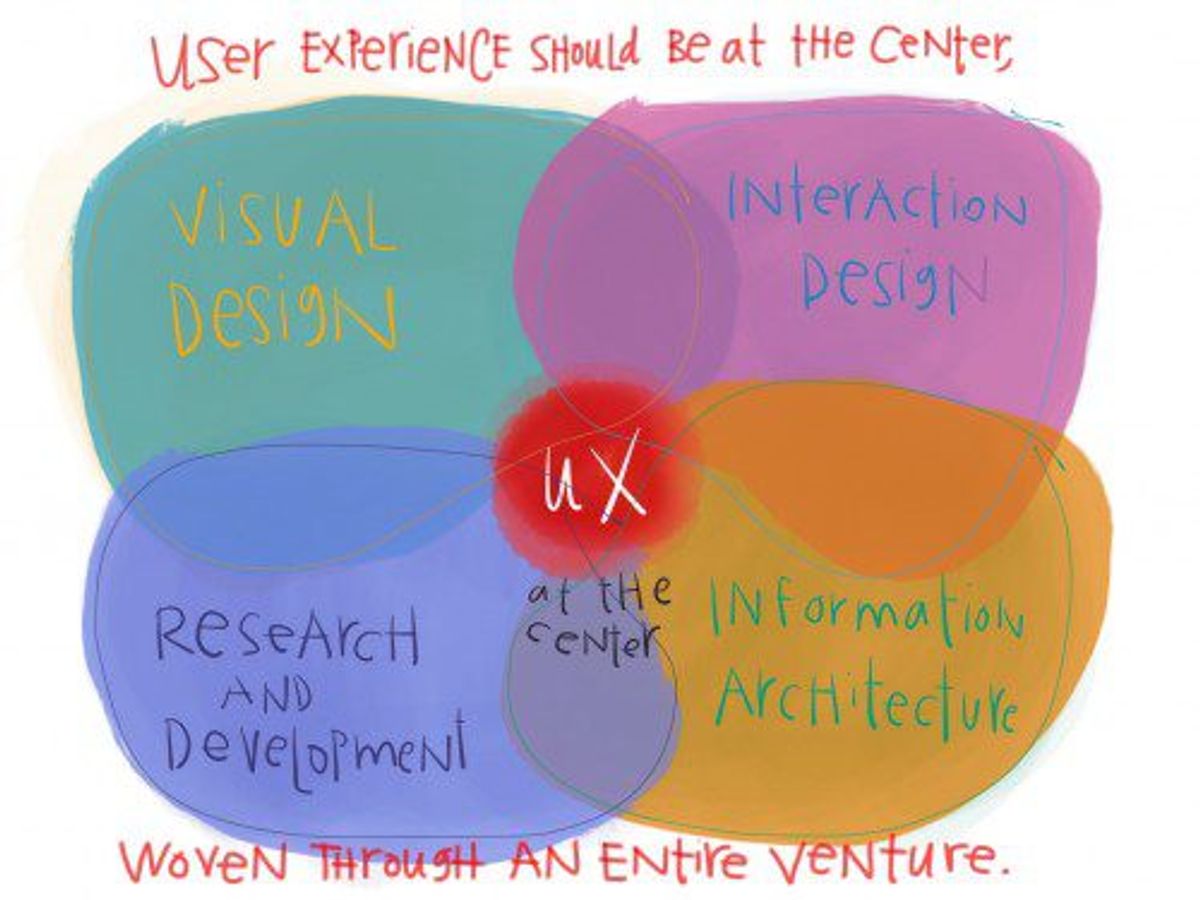
In the realm of user experience design, accessibility and inclusivity are not just ethical imperatives but also practical necessities. To guarantee inclusivity, it’s essential to conduct research, get input, and include people with disabilities in the design process. This approach ensures that products are usable by everyone, regardless of their abilities, and leads to a more universal design.
- Usability Testing: Conducting usability tests with a diverse user base can identify areas for improvement.
- Standards Compliance: Adhering to accessibility guidelines, such as WCAG, ensures that designs meet the necessary criteria for inclusivity.
- Assistive Technologies: Designing for compatibility with screen readers and other assistive devices removes barriers and enhances user autonomy.
By embedding accessibility into the design process, we create products that empower all users and foster a sense of belonging. This commitment to inclusivity not only broadens the reach of a product but also reflects a brand’s dedication to social responsibility.
Performance and Speed
In the realm of user experience, performance and speed are critical. Users expect instant responses and minimal loading times. A delay of just a few seconds can lead to frustration and abandonment of a website. To maintain a competitive edge, it’s essential to optimize website performance and ensure that pages load quickly.
Embrace clarity, simplicity, and consistency in interface design to enhance performance.
Here are some key strategies for optimizing performance:
- Optimize Images: Compress and adjust the quality of images to reduce load times without compromising visual appeal.
- Implement Caching: Store frequently accessed data to reduce server load and speed up response time.
- Minify Scripts: Reduce the size of CSS and JavaScript files to decrease loading times.
- Use Loaders and Progress Bars: Provide visual feedback during loading processes to manage user expectations.
Performance optimization not only improves user satisfaction but also contributes to higher search engine rankings and visibility. It’s a continuous process that requires regular monitoring and updates to keep up with evolving technologies and user expectations.
Feedback and Error Handling
Effective feedback and error handling are vital components of a user-friendly interface. They guide users through recovery from errors and provide them with the necessary information at each stage of their interaction. Thoughtful microcopy and onboarding processes are essential in facilitating a smooth and engaging experience.
By implementing an iterative design strategy with feedback loops, designers can leverage user insights to build an optimized website aligned with user preferences and needs.
Here are some key considerations for designing feedback mechanisms:
- Select the appropriate type of feedback based on the context.
- Keep the feedback timely and relevant to the user’s actions.
- Provide clear instructions and labels for error recovery.
- Utilize placeholder text to give examples or hints about the required data format.
- Make sure that feedback is accessible and inclusive to all users.
Remember, user feedback, streamlined tasks, and intuitive design are key for a user-friendly product. Focus on recognition, user needs, and micro-interactions to enhance usability and delight users.
Usability Testing and Iteration
After establishing a solid foundation of usability, the next step is to ensure that the design process is transparent and builds trust with users. Usability testing and iteration are crucial components of this transparency. By involving users in the testing phase, designers can gather valuable feedback that informs iterative improvements, leading to a more refined and user-friendly product.
Emphasizing simplicity, guided interactions, and iterative design with feedback loops enhance user experience.
An iterative design strategy is not just about fixing what doesn’t work; it’s about continuously seeking ways to improve and adapt the design to meet evolving user needs. This approach requires defined mechanisms for collecting user feedback, such as surveys and analytics tools, which can then be leveraged to optimize the website in alignment with user preferences and needs.
The table below illustrates the iterative process with an example of user feedback impact on design changes:
| Iteration | User Feedback | Design Change |
|---|---|---|
| 1 | Difficult navigation | Simplified menu structure |
| 2 | Slow page loading | Performance optimization |
| 3 | Lack of accessibility options | Added alternative text for images |
By embracing an iterative design approach, companies can create products that are not only functional but also engaging and inclusive for all users. This commitment to continuous improvement is key to building lasting trust and satisfaction among users.
Building Trust Through Transparency

Privacy Policies and Cookie Consent
In the digital age, privacy policies and cookie consent are not just legal requirements; they are integral to building user trust. Embedding privacy into design fosters trust, compliance, and sustainable user relationships. Navigating cookie consent, user preferences, and data privacy is crucial for user trust and personalized experiences. Designing with privacy in mind ensures security, respect, and transparency for user data.
Clear and accessible privacy policies, alongside straightforward cookie consent mechanisms, empower users. They provide the knowledge and control necessary to foster confidence in your platform.
Trust and Transparency: Demonstrating compliance through clear privacy policies and cookie consent mechanisms builds trust with your users. It signals that you value their privacy and are committed to protecting their personal information. A transparent approach to privacy and cookies not only complies with regulations but also reassures users, encouraging them to engage more deeply with your service.
Secure User Experiences
In the realm of digital products, security is not an afterthought but a fundamental aspect of user experience (UX). A secure user experience instills confidence and trust, ensuring that users feel safe while interacting with your digital interface. To achieve this, several measures can be taken:
- Establish safety through design: Integrate security features from the very beginning of the design process.
- Use copy effectively: Clear communication can guide users safely through the interface.
- Enhance user privacy and data protection: Implement robust data encryption and privacy settings.
- Introduce forced friction: Sometimes, adding extra steps, like two-factor authentication, can significantly improve security.
By weaving security into the UX design, we create an environment where users can engage with our digital products without fear of compromising their personal information or experiencing fraudulent activities.
It’s crucial to balance security measures with user convenience to avoid overwhelming users with complex security protocols. A user-centric approach to security can lead to a seamless experience that users trust and rely on.
Clear Communication and Support
Clear communication is the cornerstone of trust between a user and a digital platform. Effective communication through UI/UX design is crucial in guiding users and providing them with the necessary information at each stage of their interaction. Thoughtful microcopy and onboarding processes enhance the interface-user dialogue, ensuring a smooth experience.
A seamless and enjoyable process, characterized by good communication and transparency, guides clients every step of the way, ensuring stress-free delivery within deadlines.
Support and maintenance services play a vital role in sustaining user trust post-launch. Regular updates, security scans, and performance checks are essential for maintaining an optimal website performance. Here’s a brief overview of typical support services:
- Weekly WordPress core and plugin updates
- Daily security and performance scans
- Automated backups
- Website health audits
By prioritizing user support and clear messaging, businesses can foster a reliable and trustworthy digital environment.
Case Studies and Success Stories
Analyzing Successful UX/UI Projects
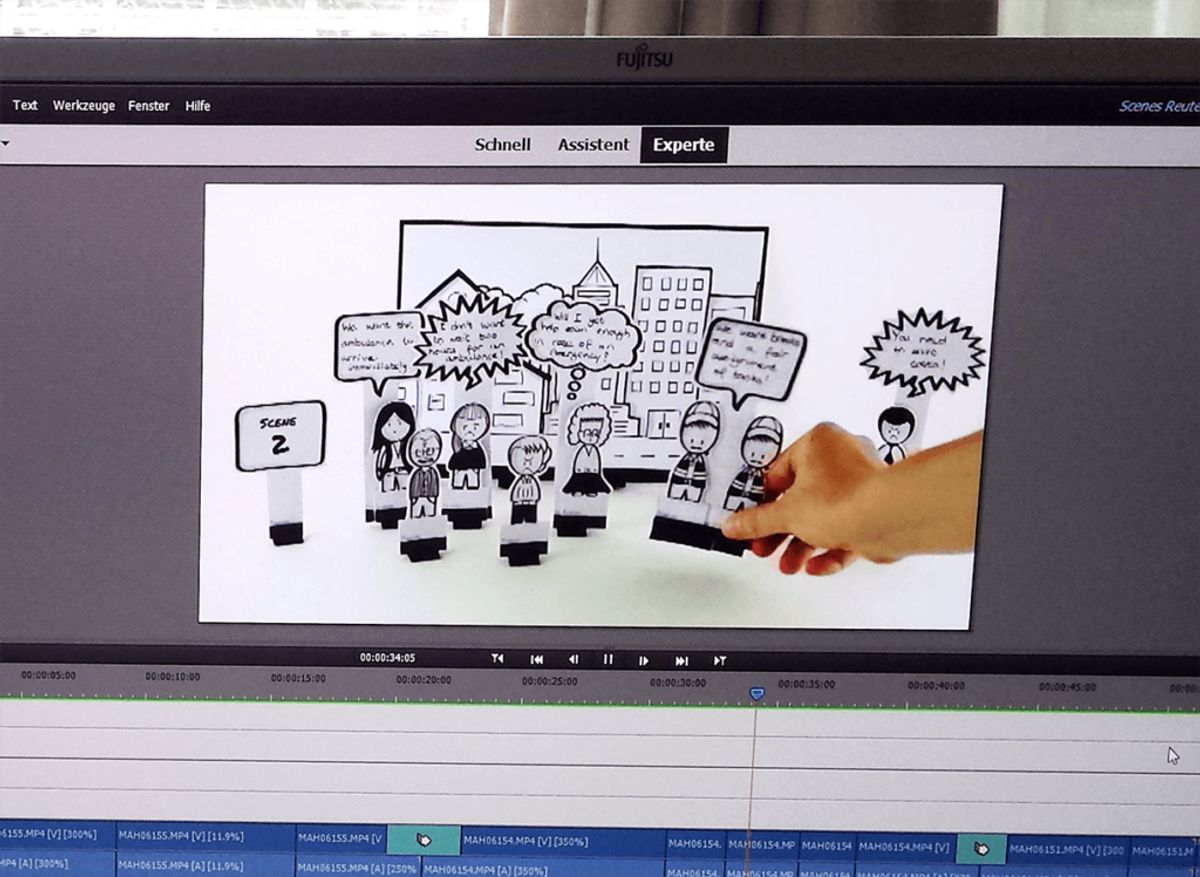
In the realm of digital products, the success stories often share a common thread: a deep understanding of the user. Analyzing successful UX/UI projects reveals patterns of user-centric design that prioritize intuitive navigation, clear labeling, and overall usability. These projects become benchmarks, demonstrating how continuous testing and analysis of user behavior can optimize user experience for greater engagement and satisfaction.
The art of storytelling in UI/UX plays a pivotal role in enhancing user engagement. By weaving emotional design with user-centric storytelling and empathy, designers create a narrative that resonates with users. Leveraging analytics and A/B testing for iterative improvements ensures that the user experience is not only engaging but also constantly evolving.
A closer look at these projects often uncovers a strategic approach to design that includes several key phases:
- Discovery and brainstorming to align on objectives
- Creative design development to captivate users
- Technical development to bring the design to life
- Rigorous quality assurance to ensure a bug-free launch
- Post-launch monitoring to quickly address any issues
This process, when executed effectively, results in a seamless and enjoyable user journey that not only meets but exceeds expectations.
Lessons Learned from Design Challenges
Design challenges are a crucible for innovation and growth. They push us to think outside the box and refine our approaches to user experience. One key lesson is the importance of empathy-driven design. By delving into the emotions and aspirations of users, we can create designs that resonate on a deeper level. This approach involves integrating feedback loops and conducting usability tests to iteratively refine our designs.
Another lesson is the balance between familiarity and novelty. Users seek comfort in the familiar, yet they are also drawn to the excitement of discovery. Designers must tailor content to individual tastes while maintaining a sense of comfort and exploration.
The iterative design strategy is essential, leveraging feedback to align websites with user preferences and needs. It’s not just about aesthetics; it’s about creating user experiences that make lives easier, more enjoyable, and more efficient.
Finally, accessibility design considerations remind us that our work should be inclusive, allowing everyone to engage with our designs fully. This means implementing mechanisms for collecting user feedback, such as surveys and analytics tools, to build optimized websites that cater to all users.
Client Testimonials and User Feedback
In the realm of intuitive design, client testimonials and user feedback are invaluable assets that provide direct insight into the effectiveness of a design strategy. These narratives not only highlight the successes but also shed light on areas that may require further refinement.
For instance, a recent project for the Croatian Geological Society, dubbed ‘GEOLOGIJA’, received acclaim for its custom design and seamless user experience. Similarly, the ‘GLOW CHRISTMAS’ website was praised for helping families discover a winter festival through an easily navigable and beautifully designed interface.
By actively seeking and incorporating feedback, designers can ensure that their creations resonate with users and meet their needs effectively.
It’s essential to establish mechanisms, such as surveys and analytics tools, to collect this feedback systematically. This approach not only fosters a culture of continuous improvement but also demonstrates a commitment to crafting memorable user experiences that exceed expectations.
Discover how our tailored web solutions have propelled businesses to new heights in our ‘Case Studies and Success Stories‘ section. From custom WordPress development to eCommerce success, we showcase real-world applications of our expertise. Ready to transform your digital presence? Visit our website to see how we can help your business grow and thrive in the digital world. Let’s create your success story together!
Conclusion
In the realm of digital design, the creation of intuitive and engaging user experiences is not just about aesthetics; it’s about understanding and addressing the needs of the user. Throughout this article, we’ve explored the multifaceted approach to crafting memorable user experiences, from employing user-centric design principles to leveraging emotional design for positive user engagement. By prioritizing usability, accessibility, and delight in our design processes, we can guide users seamlessly through their digital journeys, ensuring that every interaction is intuitive, efficient, and enjoyable. As we continue to innovate and adapt to new challenges in UI/UX design, let us remember that at the heart of every great design is a deep respect for the user’s experience, which ultimately drives business outcomes and fosters brand loyalty.
Frequently Asked Questions
What are the key principles of intuitive design?
Intuitive design is grounded in understanding user needs, simplifying navigation, ensuring visual clarity and consistency, and creating responsive and adaptive designs that cater to various devices and screen sizes.
How does emotional design enhance user engagement?
Emotional design creates a connection between the user and the product through delightful animations, relatable content, and intuitive interfaces, leading to a memorable and satisfying user experience.
Why is usability testing important in UX design?
Usability testing is crucial as it provides direct input on how real users use the system, identifies areas for improvement, and ensures the final product meets user expectations and is easy to use.
How does transparency build trust in user experiences?
Transparency in user experiences is achieved through clear privacy policies, secure interactions, and straightforward communication. It helps users understand how their data is used and builds trust in the brand.
Can you give examples of successful UX/UI projects?
Successful projects include the website for the NFT project White Rabbit, the UX/UI strategy for Magento agency Inchoo, and the e-commerce development for Dr. Segal’s compression socks, all of which demonstrate effective user experience design.
What role does performance optimization play in user experience?
Performance optimization is key to a smooth user experience as it ensures fast loading times, reduces bounce rates, and improves overall satisfaction, which can directly influence conversion rates and customer retention.