Enhancing User Experience with Seamless Website Navigation
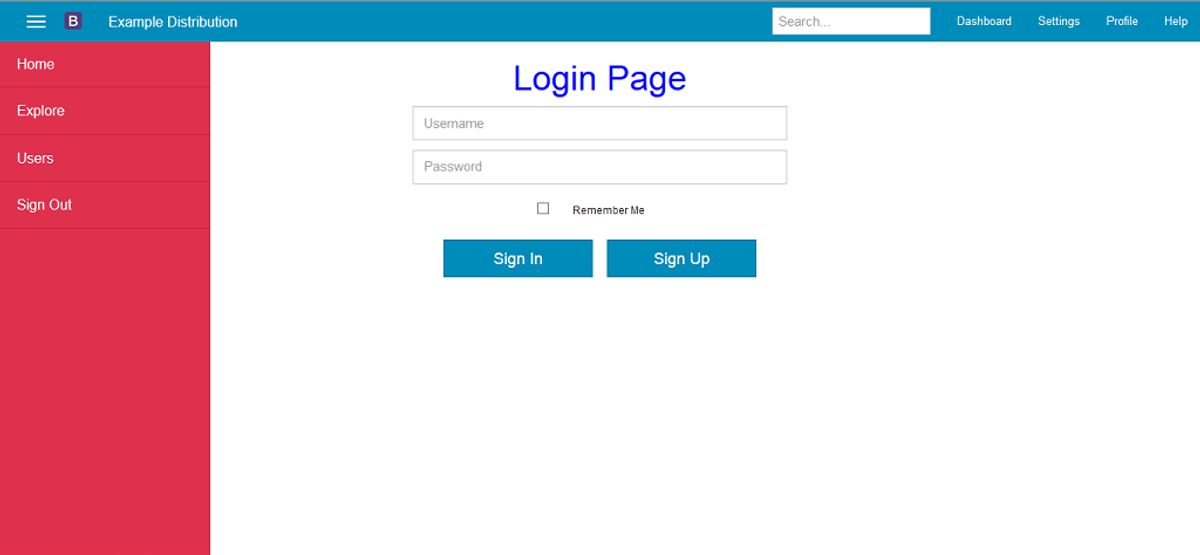
The digital landscape is ever-evolving, and at the heart of a successful online presence is the user experience, particularly how easily and intuitively visitors can navigate a website. Seamless website navigation not only satisfies users but also contributes significantly to user retention and conversion rates. This article explores various strategies and practices that enhance website navigation, ensuring a frictionless and enjoyable journey for every user.
Key Takeaways
- Analyzing user behavior through heatmaps and other tools is essential for optimizing navigation and improving the user experience.
- Intuitive menu structures and clear calls-to-action (CTAs) reduce user frustration and facilitate effortless navigation.
- Website performance, including loading speed, directly affects user retention, making speed optimization crucial for a positive user experience.
- Usability and accessibility are fundamental in design; regular website health audits help maintain these standards.
- Continuous improvement through leveraging analytics and user feedback is key to evolving and enhancing the user experience.
Strategies for Effective Website Navigation
Analyzing User Behavior for Navigation Optimization
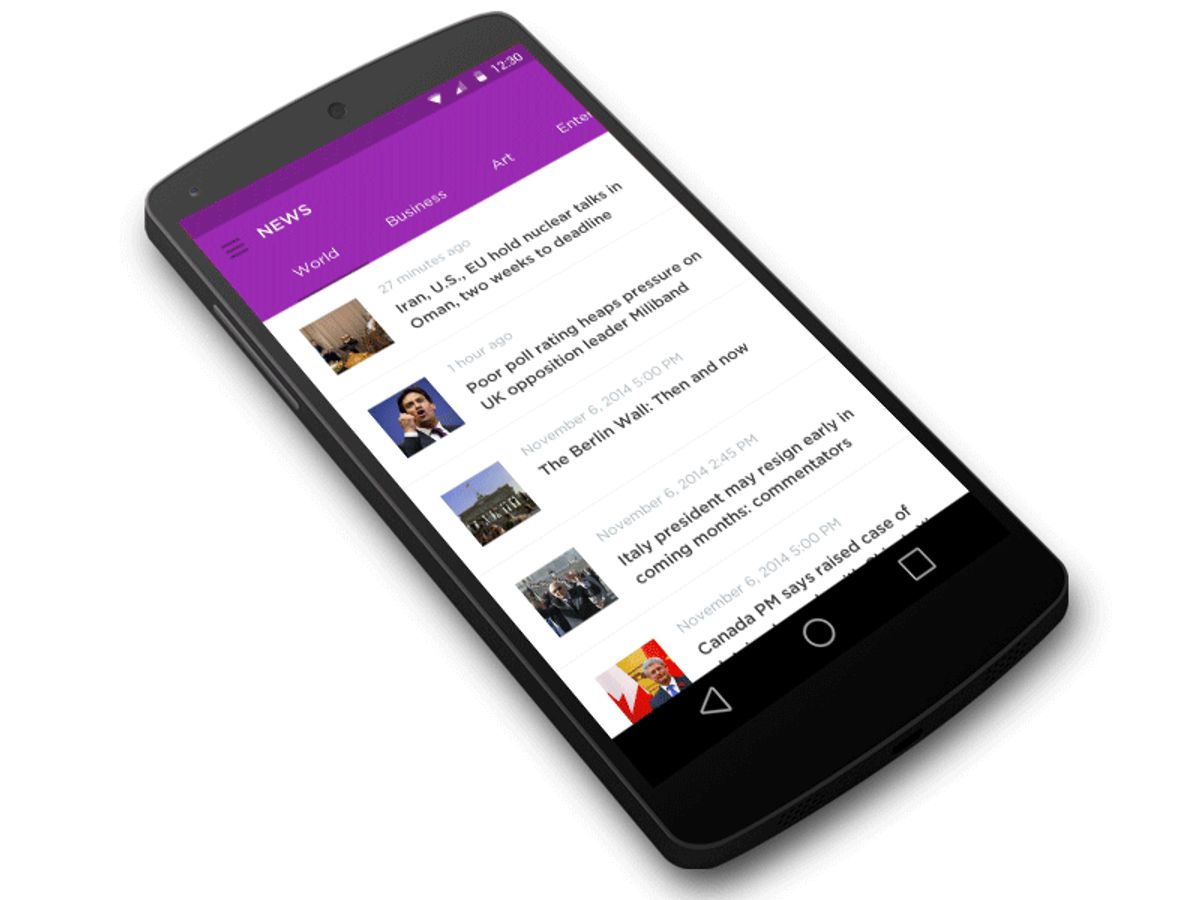
To create a website that resonates with visitors, it’s crucial to analyze user behavior and adapt navigation accordingly. Tools like heatmaps and A/B testing provide invaluable insights into how users interact with your site. By understanding these patterns, you can streamline the navigation process, making it more intuitive and reducing friction points.
Consistency in navigation and the inclusion of effective search functionality are foundational to a positive user experience. Advanced navigation techniques, such as forward, horizontal, and backward navigation, should be employed to cater to different user preferences and enhance the overall user-friendly experience.
Here are some steps to optimize website navigation based on user behavior analysis:
- Review heatmap data to identify popular areas and potential distractions.
- Conduct A/B testing to compare different navigation structures.
- Implement changes based on data-driven insights to align with user expectations.
- Monitor the impact of changes on user behavior and conversion rates.
Implementing Intuitive Menu Structures
To create a user-friendly navigation system, it’s essential to focus on intuitive menu structures that align with user expectations. This involves a clear hierarchy that simplifies the decision-making process for users, guiding them to the desired content with ease.
- Simplicity is key: Avoid cluttering menus with excessive options.
- Consistency: Maintain uniformity across all pages.
- Visibility: Ensure all important sections are easily accessible.
- Flexibility: Allow users to navigate effortlessly regardless of their entry point on the site.
By adhering to these principles, designers can craft navigation menus that enhance the overall user experience, leading to increased engagement and satisfaction.
Remember, effective website navigation is not just about the aesthetic appeal but also about the seamless integration of user-centric features such as breadcrumbs and search functions. It’s about striking the right balance between control and variation, ensuring that users are not overwhelmed by too many options or complex structures. Continuous iteration and leveraging user interaction data are crucial for maintaining an optimal navigation flow.
Leveraging Heatmaps to Enhance Navigation Paths
Heatmaps are invaluable tools in the quest to create a user-friendly website navigation experience. By visualizing where users click, move, and scroll, heatmaps provide a data-driven approach to understanding user behavior. This insight allows for the iterative refinement of navigation elements, ensuring that the most important links are both visible and accessible.
Heatmaps can reveal not only the most engaging parts of a website but also highlight areas that may be causing confusion or going unnoticed. By analyzing these patterns, web designers can optimize navigation paths to align with user expectations and preferences.
For example, a heatmap analysis might show that users frequently miss a critical navigation button, prompting a redesign for better visibility. The table below illustrates a hypothetical scenario where heatmap data informed changes to a website’s navigation structure:
| Navigation Element | Before Heatmap Analysis | After Heatmap Analysis |
|---|---|---|
| Main Menu Visibility | Low | High |
| Search Bar Interaction | Minimal | Increased |
| Call-to-Action Button Clicks | Moderate | Significantly Improved |
By leveraging heatmaps, we can not only enhance the user experience but also drive continuous improvement in website performance. It’s a strategic process that involves analyzing user behavior, implementing changes, and then measuring the impact of those changes to further refine the navigation design.
Optimizing Website Performance for User Retention
The Impact of Loading Speed on User Experience
The speed at which a website loads is a critical factor in shaping the user experience. Faster loading times are synonymous with a more positive user experience, reducing frustration and waiting times. This immediacy encourages users to engage with the site more readily and increases the likelihood of their return.
However, the consequences of slow loading speeds extend beyond user dissatisfaction. There is a clear correlation between page speed and key performance indicators such as bounce rates and conversion rates. A sluggish website can deter users from taking desired actions, leading to a direct impact on a business’s bottom line.
Optimizing website speed is not just about enhancing user experience; it’s a strategic move that can significantly influence conversion rates and overall business performance.
To illustrate the importance of loading speed, consider the following statistics:
- A 1-second delay in page response can result in a 7% reduction in conversions.
- 53% of mobile site visitors will leave a page that takes longer than 3 seconds to load.
- Bounce rates can be 123% higher for pages that take 10 seconds to load compared to those loading in 1 second.
These figures underscore the necessity for speed optimization as a fundamental aspect of website maintenance and user experience enhancement.
Techniques for Speed Optimization
Optimizing your website’s performance is crucial for retaining users and improving their experience. Employ best practices for seamless user experience, such as responsive design, intuitive navigation, and fast loading times. Here are some techniques to enhance your website’s speed:
- Caching: Storing frequently accessed data can significantly reduce load times.
- Image optimization: Compress images without losing quality to quicken page loads.
- Minify scripts: Reduce the size and number of CSS and JavaScript files.
- Use of external scripts: Limit external scripts to minimize load on your server.
Focusing on these areas will not only improve user satisfaction but also contribute to higher search engine rankings.
Remember, a faster website leads to a better user experience, which is essential for higher engagement and conversion rates. By implementing these techniques, you can ensure that your website remains competitive and appealing to users.
Monitoring Post-Launch Performance
Once a website is live, the journey towards refining user experience doesn’t end. Continuous monitoring of website performance is crucial to ensure that the user experience remains seamless. This involves tracking key performance indicators (KPIs) that can highlight areas for improvement. For instance, page load speed is a critical metric, as it can significantly impact user retention and satisfaction.
By regularly reviewing website analytics, developers and site owners can make data-driven decisions to enhance performance and, consequently, user experience.
A structured approach to monitoring can include the following steps:
- Conduct initial performance benchmarks post-launch.
- Set up alerts for performance dips and anomalies.
- Analyze user feedback and behavior to identify patterns.
- Implement changes and measure their impact on performance.
- Repeat the process to maintain optimal performance over time.
AM2 Studio’s methodical yet flexible approach to website development and support services ensures that strategic planning and cutting-edge technology are employed to maintain excellence in website performance post-launch.
Designing for Usability and Accessibility

Creating a User-Centric Design Approach
In the realm of web design, user-centered design (UCD) is paramount. This iterative process places users and their needs at the forefront of every design phase. By conducting thorough research to understand user objectives, challenges, and habits, designers can craft experiences that resonate deeply with the audience. Empathy is the cornerstone of this approach, allowing for the creation of customized experiences that truly connect.
Design is an ongoing cycle of experimentation, feedback, and refinement. The digital landscape is ever-changing, and so are user preferences. Continuous iterations, informed by user interaction data, are essential to keep designs relevant and effective. A user-centric design approach is not a one-time effort but a perpetual commitment to improvement and adaptation.
By prioritizing simplicity and fostering continuous improvement, we can create captivating experiences that engage users globally. It’s about harmonizing creativity with functionality, ensuring that every design decision enhances usability and accessibility.
To ensure that designs meet the evolving needs of users, it’s crucial to implement a feedback loop. Quick prototyping, A/B testing, and user feedback are invaluable tools for validating ideas and uncovering new insights. This emphasis on iteration ensures that designs are not only aesthetically pleasing but also highly functional and responsive to user feedback.
Ensuring Accessibility for All Users
Accessibility is not just a feature; it’s a fundamental aspect of a user-friendly website. By adhering to web accessibility standards, we ensure that our designs are usable by everyone, including people with disabilities. This commitment to inclusivity not only broadens our audience reach but also reflects a dedication to equality in the digital space.
To achieve this, we focus on key areas such as text readability, navigational consistency, and compatibility with assistive technologies. Integrating breadcrumbs and clear categorization enhances website navigation, making it easier for users to find what they need without unnecessary complexity.
Prioritizing accessibility in our design process involves a series of steps that are both ethical and practical. Here’s a brief overview of our approach:
- Conducting thorough user research to understand diverse needs
- Implementing accessible design elements like alt text for images
- Ensuring keyboard navigation is possible for all site features
- Regularly testing with a variety of assistive tools
Optimizing website usability through effective navigation and information architecture is not just about aesthetics; it’s about creating a seamless experience for all users. By focusing on simplicity, consistency, responsiveness, and usefulness, we craft websites that are not only desirable and credible but also highly usable and findable.
Conducting Website Health Audits
Regular website health audits are essential to ensure that your site remains efficient, secure, and user-friendly. By conducting thorough audits, you can identify and rectify issues that may be hindering your website’s performance or user experience. These audits should encompass various aspects of your site, including performance, security, SEO, and usability.
A comprehensive website health audit will typically include checks for broken links, page speed analysis, security vulnerabilities, and compliance with web standards. It’s a proactive measure to maintain the integrity and reliability of your digital presence.
To streamline the audit process, consider the following steps:
- Review site performance metrics to pinpoint slowdowns.
- Scan for security threats and ensure all software is up to date.
- Assess on-site SEO to improve organic traffic.
- Evaluate the user interface for potential improvements in usability.
By addressing these areas, you can enhance your website’s overall health, which in turn, supports better user engagement and retention.
Maintaining Website Health and Security

Regular Updates and Backups
Maintaining the health and security of a website is an ongoing process that requires regular attention and action. Regular updates and backups are essential components of a robust maintenance strategy. These practices help safeguard your website against potential threats and ensure that your data remains intact in the event of unforeseen issues.
By staying vigilant with updates and backups, you can mitigate risks and maintain a stable online presence.
Here’s a simple checklist to help you stay on top of your website’s health and security:
- Perform weekly updates of WordPress core and plugins to patch security vulnerabilities.
- Conduct daily security scans to detect and address malware or other harmful intrusions.
- Implement automated backups to secure your website’s files and databases, ensuring easy recovery if needed.
- Monitor website performance regularly to identify and resolve any slowdowns or technical glitches.
Adhering to these practices not only protects your website but also contributes to a seamless user experience, which is crucial for retaining visitors and building trust.
Security Scans and Performance Checks
Regular security scans and performance checks are crucial for maintaining the health of your website. Automated security checks ensure your site is free from malware and vulnerabilities that could compromise user data and trust. Performance checks are equally important, as they verify that your website is loading quickly and efficiently, which is essential for user retention and SEO rankings.
By conducting daily performance checks, you can ensure that your website is operating at its peak. This proactive approach not only improves user experience but also contributes to better search engine visibility.
To keep your website secure and performing well, consider the following steps:
- Implement frequent incremental backups to safeguard your data.
- Update WordPress core and plugins regularly to protect against security threats.
- Monitor uptime and receive automated email alerts if your site becomes inaccessible.
- Conduct daily performance checks to optimize loading times.
- Stay informed with regular SEO monitoring reports.
These measures, when combined with a comprehensive Website Security Audit, can significantly enhance the security and performance of your website. Learn to secure your website with our clear, step-by-step security audit guide. Explore the essentials with our comprehensive checklist.
Strategies for Handling Post-Launch Bugs
After a website goes live, it’s crucial to remain vigilant for post-launch bugs that can compromise user experience. A proactive approach involves setting up a system for monitoring, identifying, and addressing issues as they arise. This ensures that the website maintains its integrity and continues to meet user expectations for functionality and performance.
A robust bug tracking and resolution process is essential for maintaining the health of your website post-launch.
Here are some steps to effectively manage post-launch bugs:
- Establish a monitoring system that alerts the team to issues in real time.
- Prioritize bugs based on their impact on user experience and website functionality.
- Develop a clear protocol for bug resolution, including timelines and responsibilities.
- Engage with users to gather feedback and identify any unnoticed issues.
By adhering to these strategies, you can swiftly address problems and minimize disruptions, thereby safeguarding your website’s reputation and user satisfaction.
Leveraging Analytics for Continuous Improvement

Utilizing Data-Driven Insights for UX Enhancements
In the realm of website optimization, utilizing data-driven insights is paramount for enhancing user experience (UX). By analyzing user interaction data, we can identify patterns and pinpoint areas for improvement. For example, if heatmap analysis shows that users frequently abandon a page quickly, this could indicate a need for better content or a more engaging layout.
Optimization opportunities are abundant when we begin to understand the ‘why’ behind user behaviors. This understanding allows us to tailor our UX strategies to meet the actual needs of our visitors, rather than relying on assumptions.
A structured approach to leveraging these insights involves several key steps:
- Collecting comprehensive data on user behavior.
- Analyzing the data to uncover user experience issues.
- Brainstorming solutions based on the insights gained.
- Implementing changes and monitoring their impact on UX.
By continuously iterating on design and functionality based on user feedback and behavior, we ensure that the website remains aligned with user expectations and preferences. This ongoing process not only improves the user experience but also contributes to higher engagement and conversion rates.
Heatmap Analysis for User Engagement
Heatmaps are a powerful tool for visualizing user engagement on a website. By analyzing the color gradients on a heatmap, we can identify areas of high and low interaction, known as hotspots and coldspots. Hotspots indicate where users are most engaged, often due to compelling content or intuitive design. Conversely, coldspots highlight areas that may require optimization to improve user interaction.
Heatmap analysis goes beyond mere observation; it provides actionable insights that can transform user engagement into measurable outcomes.
To effectively leverage heatmaps, consider the following steps:
- Analyze the most clicked elements to understand what attracts users.
- Observe the scroll depth to gauge content effectiveness.
- Identify mouse movement density to optimize page layout.
- Use dynamic heatmaps for insights on interactive elements like pop-ups.
By implementing these practices, you can ensure that your website’s design aligns with user behavior, leading to a more engaging and satisfying experience.
Conversion Rate Optimization Through User Feedback
To increase conversion rates, it’s essential to leverage user feedback for continuous improvement. This involves a cycle of collecting feedback, analyzing it, iterating on the design, and measuring the impact. By focusing on user experience, especially on dedicated landing pages, businesses can see a significant uplift in conversions.
User feedback is invaluable in tailoring the user experience to meet the needs and expectations of your audience. It provides firsthand insights that can guide targeted improvements.
A structured approach to utilizing user feedback might include the following steps:
- Collect feedback through surveys, user testing, and feedback forms.
- Analyze the feedback to identify common themes and areas for improvement.
- Implement changes based on the analysis and prioritize them according to potential impact.
- Measure the impact of changes through A/B testing and ongoing analytics.
By adopting this methodical approach, businesses can ensure that their website evolves in line with user preferences, ultimately leading to better engagement and higher conversion rates.
In today’s competitive business landscape, leveraging analytics is not just an option—it’s a necessity for continuous improvement. Our custom web design and development solutions are tailored to help your business grow by making informed decisions based on actionable insights. Don’t let your competitors outpace you; harness the power of data with our expert WordPress Development and eCommerce services. Visit our website to explore our services and see how we can elevate your online presence. Let’s build a digital strategy that propels your business forward—[Find out more](#) about how we can help you succeed.
Conclusion
In conclusion, seamless website navigation is not just a feature but a fundamental aspect of user experience that can significantly influence the success of a website. By implementing strategic design, development, and optimization practices, we can create intuitive and frictionless navigation that aligns with user expectations and enhances overall engagement. From heatmaps to performance optimization, every tool and technique discussed serves the purpose of refining the journey through a website, ensuring that users find what they are looking for with ease and efficiency. As we continue to embrace the fast-paced digital world, prioritizing seamless navigation is essential for delivering top-quality products that not only meet but exceed user demands for speed, convenience, and satisfaction.
Frequently Asked Questions
What are the key factors in enhancing website navigation?
Key factors include analyzing user behavior, implementing intuitive menu structures, and using heatmaps to optimize navigation paths.
How does website performance affect user retention?
Website performance, particularly loading speed, significantly impacts user experience. Faster websites lead to higher user satisfaction and retention.
Why is website accessibility important?
Accessibility ensures that all users, including those with disabilities, can interact with your website, thereby expanding your audience and improving user experience.
How often should I perform website health and security checks?
Regular updates, backups, and security scans should be conducted frequently to maintain website health and security and to promptly address post-launch bugs.
What role does analytics play in website improvement?
Analytics provide data-driven insights that help in continuously improving the user experience, engagement, and conversion rates through ongoing optimization efforts.
What is the importance of post-launch monitoring?
Post-launch monitoring is crucial to quickly identify and fix any new bugs that may arise, ensuring the website continues to operate smoothly after going live.