Enhancing User Experience with Seamless Website Navigation
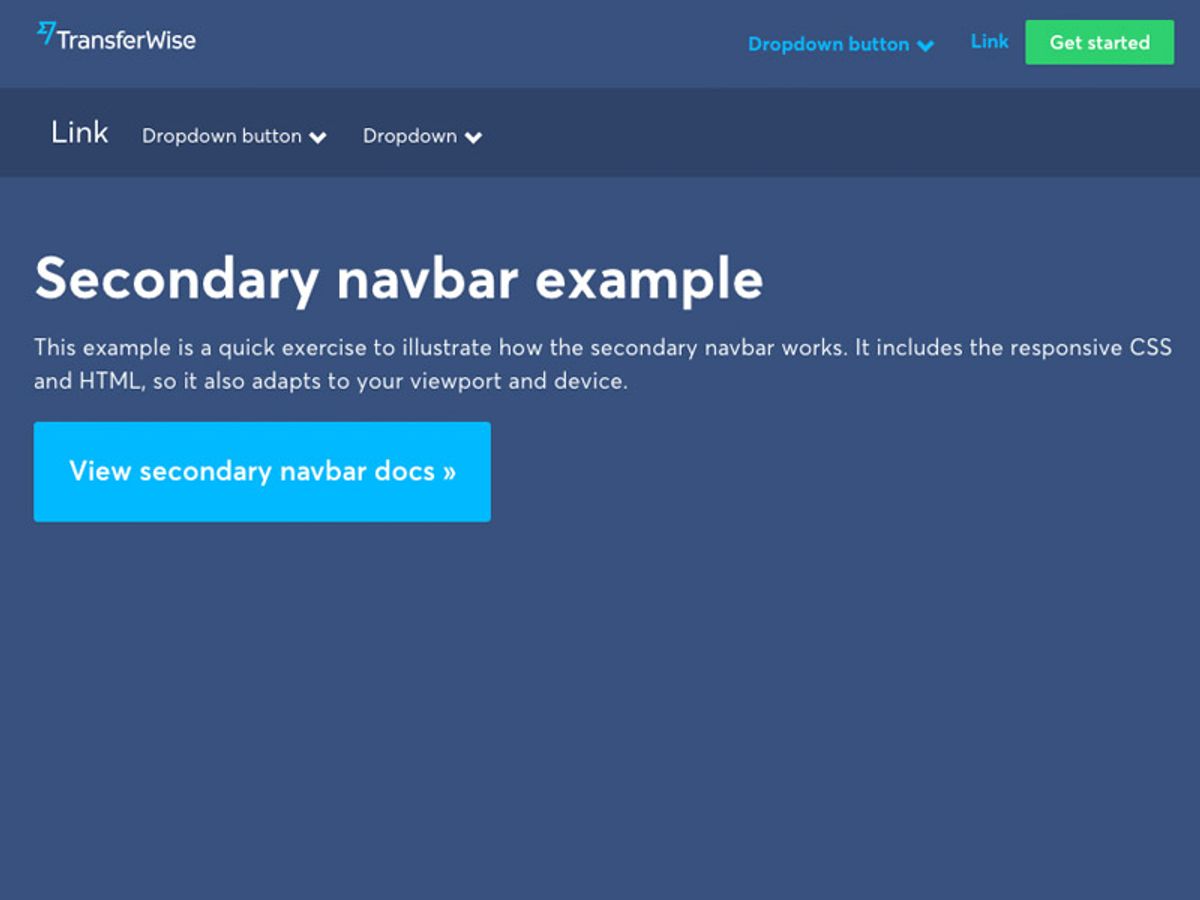
User experience (UX) is a critical factor in the success of any website. It encompasses all aspects of the end-user’s interaction with a company, its services, and its products. A seamless website navigation is paramount to a positive UX, as it guides visitors through the site’s content, encourages engagement, and facilitates the journey towards conversion. This article explores various strategies to enhance user experience through improved website navigation, ensuring visitors can find what they need with ease and efficiency.
Key Takeaways
- Streamlined navigation with intuitive menus and responsive structures enhances user engagement and simplifies the user journey.
- Optimizing website speed and performance, including leveraging caching and script optimization, is crucial for seamless browsing and user retention.
- Incorporating effective search functionality with predictive search and autocomplete can significantly elevate the user experience.
- User feedback, including user testing and A/B testing, is invaluable for refining navigation paths and improving overall navigation strategies.
- Ensuring website accessibility and compliance with guidelines like WCAG benefits all users and is essential for an inclusive online environment.
Streamlining Website Navigation for Enhanced User Engagement
Designing Intuitive Menus and Categories
Creating an intuitive menu structure is crucial for a seamless user experience. Users should be able to find what they’re looking for within seconds of landing on your site. A cluttered or confusing menu can lead to frustration and high bounce rates. For example, a restaurant’s website should allow a potential customer to easily locate the menu, hours, and reservation information.
Clear labels and a logical hierarchy are essential. They guide users effortlessly through your website, enhancing user engagement and satisfaction.
Consider the following points when designing your menus and categories:
- Keep it simple and straightforward, avoiding overwhelming users with too many options.
- Use clear labels for menu items to facilitate quick navigation.
- Implement responsive design to ensure cross-device harmony.
- Integrate search functionality to complement the menu structure.
By adhering to these principles, you can significantly improve the navigation of your website, leading to a better overall user experience.
Implementing Responsive Navigation Structures
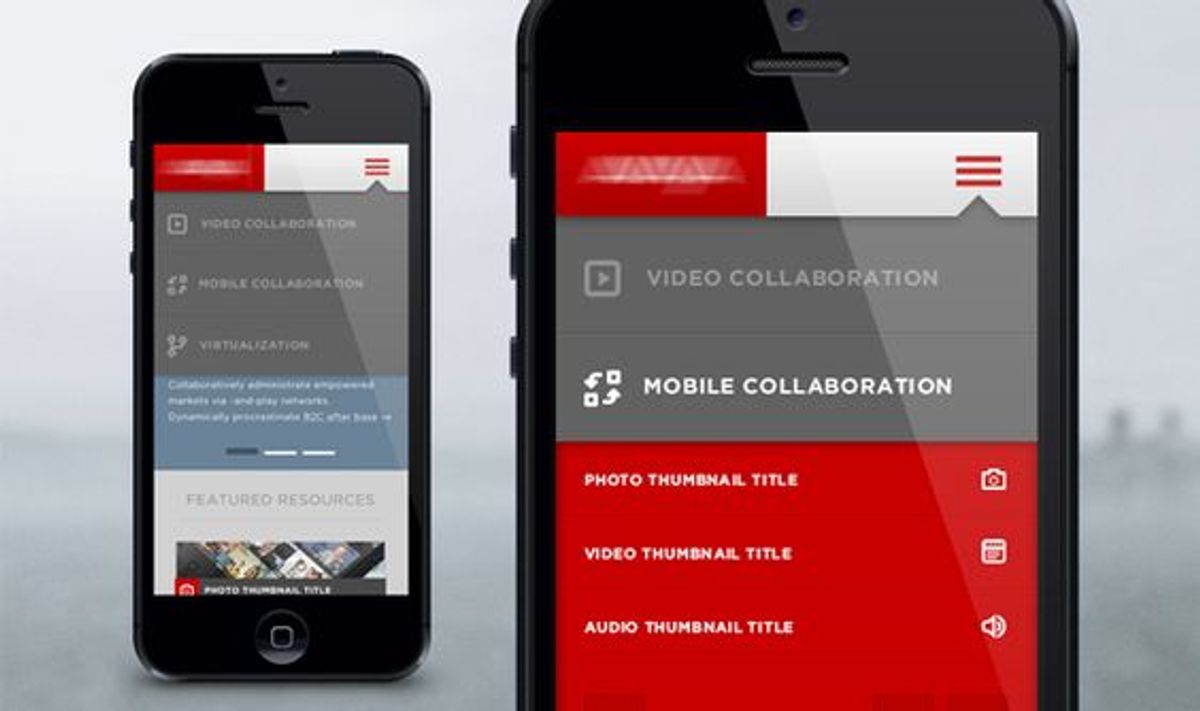
In today’s digital landscape, responsive navigation structures are not just a trend but a necessity. As users switch between various devices, from desktops to smartphones, the need for a seamless transition in website navigation becomes paramount. Simplifying menu structures and ensuring that essential pages are easily accessible can significantly enhance the mobile user experience.
For instance, consider the use of hamburger menus or expandable panels on mobile devices to save screen space while maintaining easy access to navigation. Sticky navigation bars and breadcrumb trails also contribute to a user-friendly experience by providing clear paths and quick access to different sections of the site.
By focusing on key considerations such as maintaining simplicity and creating adaptive layouts, businesses can ensure that their website remains approachable and efficient across all devices.
Ultimately, implementing responsive navigation structures is about understanding and adapting to user behavior. Analyzing search data and user feedback can lead to refinements that make navigation intuitive and effortless, thereby reducing bounce rates and improving overall engagement.
Utilizing Breadcrumb Trails for Improved Orientation
Breadcrumb trails serve as an essential tool for enhancing user orientation within a website. By presenting a clear path from the homepage to the current page, breadcrumbs improve navigation and encourage exploration without the fear of getting lost. This is particularly beneficial for websites with multiple levels of content hierarchy, such as e-commerce platforms.
Breadcrumbs not only aid in usability but also contribute to better search engine optimization (SEO), as they provide a structured layout that search engines can easily interpret.
For instance, a user on an online store can navigate from ‘Home > Electronics > Laptops > Gaming Laptops’ with ease, understanding exactly where they are and how to return to a previous section. This methodical yet flexible approach to web development ensures excellence in user experience from the initial visit to post-launch monitoring.
By focusing on clarity and consistency in navigation, breadcrumbs optimize website usability, leading to better user engagement and reduced bounce rates. It’s a simple yet powerful way to guide users through your site’s content, making every visit a seamless journey.
Optimizing Website Speed and Performance for Seamless Browsing
Leveraging Caching Techniques for Faster Load Times
To optimize website performance, caching is a pivotal strategy. It involves storing copies of files in a cache, or temporary storage location, so that they can be accessed more quickly by the user’s browser. This method significantly reduces the need for repeated HTTP requests, leading to faster page load times and a smoother browsing experience.
By strategically implementing caching, websites can ensure that returning visitors experience quicker load times, as their browsers can retrieve files from the local cache instead of the server.
Effective caching can be achieved through various techniques, such as browser caching, server-side caching, and content delivery networks (CDNs). Each method serves to enhance the user’s experience by minimizing delays and improving the responsiveness of the website.
- Browser caching stores website resources on local computers.
- Server-side caching keeps frequently requested content on the server.
- CDNs distribute and cache content across multiple locations globally.
Regularly monitoring and updating caching protocols is crucial to maintain optimal performance. As content changes, cache lifetimes must be adjusted to ensure users receive the most current information without compromising on speed.
Minimizing HTTP Requests Through Script Optimization
One of the most effective strategies to improve website performance is to minimize HTTP requests. Each time a user visits a page, their browser must download all the associated files, such as images, scripts, and stylesheets. By reducing the number of these requests, we can significantly speed up page loading times.
- Combine and minify CSS and JavaScript files to reduce the number of requests.
- Use CSS sprites to combine multiple images into one, decreasing image requests.
- Implement lazy loading for images and scripts, loading them only when they are needed.
- Optimize images for the web, ensuring they are not larger than necessary.
By focusing on script optimization, we not only enhance the user experience but also reduce server load and improve SEO. It’s a win-win situation for both website owners and visitors.
Evaluating the necessity of external scripts and employing asynchronous loading can further optimize performance. This approach ensures that non-essential scripts do not block the rendering of the page, allowing users to interact with the content more quickly.
Improving Server Response Times and Resource Delivery
To ensure a seamless user experience, optimizing server response times is crucial. This involves a variety of strategies, from image optimization to script minimization. For instance, optimizing images by compressing them and using appropriate formats can significantly reduce load times. Additionally, implementing caching and utilizing content delivery networks (CDNs) can serve static assets more efficiently.
By reducing the number of HTTP requests and optimizing file sizes, we can enhance the website’s performance, leading to a better user experience.
Here are some key steps to consider:
- Combine and minify CSS and JavaScript files to minimize HTTP requests.
- Employ lazy loading for images not immediately visible to prioritize visible content.
- Leverage browser caching to reduce server load and speed up content delivery.
- Use a lightweight and SEO-friendly theme to decrease site load time.
Remember, a fast-loading website not only improves user engagement but also contributes to higher search engine rankings.
Incorporating Search Functionality to Elevate User Experience

Designing an Effective Search Interface
An effective search interface is a cornerstone of user-friendly website navigation. It empowers users to bypass traditional navigation paths and directly access the information they seek. To achieve this, designers focus on the user journey, ensuring that the search box is placed in a prominent location and that labels are clear and concise.
Utilizing negative space effectively can guide users’ visual flow, making the search function easy to locate and use. Moreover, providing immediate feedback, such as a loading indicator or a count of search results, enhances the user experience by setting clear expectations.
The integration of predictive search and autocomplete features can significantly streamline the search process. These tools anticipate user needs and offer suggestions, thereby reducing the effort required to find relevant content.
Incorporating filters allows users to refine their search results further, tailoring the information presented to their specific needs. Below is a list of key elements to consider when designing an effective search interface:
- Conspicuous placement of the search box
- Implementation of autofill and suggestion features
- Smooth incorporation within the broader navigational framework
- Crafting a well-thought-out page to display results
Integrating Predictive Search and Autocomplete Features
The integration of predictive search and autocomplete features is a game-changer in enhancing user experience on websites. By providing suggested queries as users type, these tools not only expedite the search process but also guide users towards relevant content, effectively reducing the cognitive load. For instance, a bookstore’s search bar might display titles, authors, or genres as a user begins to type, leveraging artificial intelligence to predict keystrokes and phrases.
A well-implemented search functionality can significantly boost user engagement and satisfaction. It’s not just about speed; it’s about creating a seamless interaction that feels intuitive and helpful.
To achieve this, consider the following steps:
- Ensure the search box is conspicuously placed, typically in the website’s header.
- Implement autofill and suggestion features that are responsive and accurate.
- Integrate these features within the broader navigational framework to maintain consistency.
- Design a results page that is clear and easy to navigate, enhancing the overall search experience.
Analyzing Search Data to Refine Content Accessibility
The integration of search functionality is not just about providing a tool for users to find content; it’s about leveraging the data to enhance the overall user experience. By meticulously tracking and analyzing search queries, websites can uncover invaluable insights into user preferences and behavior. This data-driven approach allows for the optimization of content accessibility and the refinement of navigation structures.
By examining the most popular search terms and the paths users take to reach their desired content, we can identify opportunities to streamline the user journey. This might involve prioritizing certain content, simplifying navigation menus, or even restructuring the website layout to better align with user expectations.
To effectively harness search data, consider the following steps:
- Implement analytics tools to track user search behavior.
- Analyze popular search queries to detect trends and user needs.
- Use insights to improve search suggestions and content offerings.
- Regularly review and adjust navigation based on analytical findings.
Optimizing on-site search with a prominent search bar, filters, and auto-suggestions can significantly improve user experience. Additionally, dynamic menus and personalized paths, informed by heatmaps and user flow analysis, can lead to a more intuitive and satisfying navigation experience.
Leveraging User Feedback to Refine Navigation Paths
Conducting User Testing for Direct Insights
User testing is a critical component in enhancing the user experience of a website. By observing real users as they navigate through the site, designers and developers can identify pain points and areas for improvement. This direct feedback is invaluable for creating a seamless navigation experience that meets user expectations.
User testing allows for the collection of qualitative data that can reveal insights into user behavior, preferences, and difficulties encountered. It’s a proactive approach to ensure that the website’s navigation is intuitive and efficient.
There are two primary methods of user testing: moderated and unmoderated. Moderated tests involve guiding participants through specific tasks, while unmoderated tests allow users to explore the site independently. Both methods provide unique insights that can lead to actionable changes in the website’s design.
- Conduct moderated usability tests to observe user interactions
- Analyze unmoderated test results for independent user behavior
- Implement changes based on user feedback and observed behavior
- Utilize A/B testing to compare navigation variations
Incorporating user feedback and analyzing behavior are essential steps in refining navigation elements, prioritizing information access, and ensuring the effectiveness of the website’s navigation structure.
Implementing A/B Testing to Determine Optimal Navigation
A/B testing is a powerful strategy for enhancing website navigation by directly comparing different versions of a page to see which performs better. By analyzing user behavior, we can make informed decisions about which navigation elements are most effective. For instance, we might test variations of menu layouts, button sizes, or link placements to determine what users prefer.
A/B testing is not just about changing elements on a page; it’s about understanding user preferences and behavior to create a more intuitive navigation experience.
To conduct an A/B test, follow these steps:
- Identify the navigation elements you want to test.
- Create two versions: the current version (A) and the modified version (B).
- Randomly divide your audience to experience either version.
- Collect data on user interactions and conversions.
- Analyze the results to see which version had better performance.
- Implement the winning elements for all users.
Remember, A/B testing is an iterative process. It’s important to test one change at a time to isolate the impact of that specific change. This methodical approach ensures that each modification is based on data-driven insights, leading to a more user-friendly navigation structure.
Gathering and Acting on User Surveys and Comments
Surveys and interviews are pivotal in understanding user experiences and expectations. By analyzing user feedback, we can pinpoint areas of a website that may cause frustration or hinder navigation. This direct input is invaluable for making informed design decisions that enhance the user journey.
To truly create a user-friendly interface, it is essential to gather feedback from your users. Actively listening to your users allows for continuous enhancement of the user experience.
A structured approach to incorporating user feedback involves several steps:
- Reviewing survey data to identify common themes
- Prioritizing changes based on user impact and feasibility
- Implementing updates in a controlled environment
- Monitoring the effects of changes on user behavior
By systematically addressing user feedback, websites can evolve to meet the needs of their audience more effectively. This process not only improves usability but also demonstrates a commitment to user-centric design.
Ensuring Accessibility and Compliance in Website Navigation

Adhering to Web Content Accessibility Guidelines (WCAG)
Ensuring that a website is accessible to all users, including those with disabilities, is not just a matter of legal compliance; it’s a cornerstone of inclusive design. Adhering to the Web Content Accessibility Guidelines (WCAG) is essential for creating an environment where every user has equal access to information and functionality.
WCAG 2.2, the latest version released in October 2023, is structured around four key principles: websites must be perceivable, operable, understandable, and robust. These principles are supported by twelve guidelines, providing a framework for accessibility that aligns with international standards and anti-discrimination laws like the ADA and Section 508.
By implementing features such as alternative text for images, keyboard navigation, and proper heading structure, website owners can significantly enhance the user experience for individuals with disabilities. Regular audits and updates to accessibility features ensure that websites remain compliant and user-friendly over time.
Incorporating accessibility into the design process not only benefits users with disabilities but also improves the overall user experience, potentially boosting user engagement and satisfaction. It is a proactive step towards optimizing images, ensuring fast load times, and maintaining a mobile-friendly interface, all of which contribute to a seamless browsing experience.
Designing for Keyboard Navigation and Screen Readers
Creating an inclusive web environment means ensuring that all users, regardless of their abilities, can navigate your website effectively. For users with visual impairments or mobility issues, keyboard navigation and screen reader compatibility are essential. High contrast ratios and text resizing capabilities are crucial for readability, while interfaces that respond to keyboard-only navigation enhance accessibility for those using assistive devices.
- Ensure all interactive elements are accessible via keyboard shortcuts.
- Provide clear focus indicators to show which element is active.
- Use ARIA (Accessible Rich Internet Applications) roles and properties to enhance screen reader user experience.
By prioritizing these accessibility features, we not only comply with legal standards but also open our digital doors to a wider audience, fostering a more inclusive online community.
Inclusion of accelerators like keyboard shortcuts and macros can significantly boost the performance of savvy users by reducing repetitive actions. Personalization of UI designs to adjust automatically based on user profiles creates a tailored experience that aligns with individual preferences and requirements.
Regularly Auditing for Accessibility and Making Necessary Adjustments
Regular audits are a cornerstone of maintaining an accessible website. By frequently evaluating your site’s accessibility, you can ensure that it remains compliant with evolving standards and continues to serve the diverse needs of your audience. These audits should encompass a range of elements, from alt text for images to keyboard navigation and proper heading structures.
Regular accessibility audits are not just about compliance; they are about sustaining a universally welcoming environment for all users.
A structured approach to these audits can be outlined as follows:
- Review the website’s adherence to the latest WCAG guidelines.
- Test the website with assistive technologies like screen readers.
- Gather user feedback, particularly from individuals with disabilities.
- Implement changes based on audit findings and user suggestions.
- Schedule the next audit, ensuring a continuous cycle of improvement.
Accessibility is not a one-time task but an ongoing commitment to inclusivity. Integrating breadcrumbs and clear categorization enhances website navigation. Accessibility is crucial for diverse audiences, focusing on perceivability, operability, understandability, and robustness. Prioritizing accessibility improves usability for all users.
Navigating a website should be effortless and inclusive, ensuring that everyone, regardless of ability, can access the information and services they need. At AM2, we specialize in creating custom web solutions that prioritize accessibility and compliance, making your digital presence welcoming to all. Our expertise in WordPress Development, eCommerce, and custom web design is just the beginning of what we offer. Don’t let your website be a barrier; let us help you make it a gateway to growth and opportunity. Explore our services and see how we can elevate your online experience. Ready to make a change? [Contact us] today and take the first step towards a more accessible and compliant web presence.
Conclusion
In summary, seamless website navigation is an indispensable element in enhancing user experience and fostering higher engagement and conversion rates. By implementing strategies such as streamlined navigation, intuitive menus, and efficient search functionality, businesses can create a user-friendly environment that not only retains visitors but also encourages deeper exploration of their website. It’s essential to continuously refine these elements based on user feedback and analytics to ensure that navigation remains effective and aligned with user expectations. Remember, the smoother the navigation, the more enjoyable the journey for your users, leading to a successful and satisfying online experience.
Frequently Asked Questions
How can intuitive menus and categories enhance user engagement?
Intuitive menus and categories simplify the user’s journey by making it easy to find information, which can lead to increased engagement and time spent on the site.
What are the benefits of responsive navigation structures?
Responsive navigation structures adapt to various screen sizes, ensuring a seamless browsing experience across all devices, which can reduce bounce rates and improve user satisfaction.
Why are breadcrumb trails important for website navigation?
Breadcrumb trails provide a clear path of the user’s navigation and help them understand their location within the website, which improves orientation and the ability to navigate back.
How does optimizing website speed affect user experience?
Optimizing website speed reduces load times, which is critical for keeping users’ attention and reducing bounce rates, leading to a more seamless and enjoyable browsing experience.
What role does search functionality play in user experience?
Search functionality allows users to quickly find specific content, making the browsing experience more efficient and user-friendly, which can elevate overall satisfaction and engagement.
How can user feedback help improve website navigation?
User feedback, through testing and surveys, provides direct insights into user preferences and pain points, which can be used to refine navigation paths and enhance the overall user experience.