Enhancing User Experience with Seamless Website Navigation
In today’s digital landscape, the user experience (UX) of a website is paramount. A seamless navigation system is a cornerstone of good UX, guiding visitors effortlessly through the site and ensuring that they find what they need without frustration. This article explores the multifaceted approach to enhancing user experience through strategic navigation design, technical performance optimization, user interaction enhancement, and continuous post-launch monitoring. By leveraging analytics and embracing a user-centered design philosophy, businesses can create intuitive and responsive websites that not only meet but exceed user expectations, leading to increased user satisfaction, higher conversion rates, and sustained competitive advantage.
Key Takeaways
- Strategic navigation design, informed by user behavior and information architecture, improves accessibility and user satisfaction.
- Technical performance, including fast loading times and responsive design, is crucial for retaining users on mobile and desktop platforms.
- Enhancing user interactions through feedback mechanisms and conversion rate optimization can lead to better user engagement and business outcomes.
- Regular post-launch monitoring and maintenance, including website health audits, ensure long-term performance and security.
- Using analytics to track user journeys and conduct A/B testing is essential for continuously refining the navigation experience.
Strategic Navigation Design
Understanding User Behavior
To create a website that truly resonates with users, it’s essential to delve into the psychology behind UX. This involves exploring the principles that impact how users perceive and interact with online platforms. By understanding these psychological underpinnings, designers can craft experiences that not only meet but anticipate user needs.
A strategic approach to UX incorporates user feedback and research, which is crucial for tailoring the experience to actual user desires and pain points. It’s not just about collecting data; it’s about interpreting user behavior through various methods, such as usability tests, to grasp the subtleties of how users engage with your site.
Optimizing user interactions and conversions is at the heart of UX design. The goal is to create websites that are not only visually appealing but also highly functional and responsive to user needs. This leads to more engaging websites that not only retain visitors but also encourage them to convert and return.
Information Architecture
At the core of seamless website navigation lies a well-planned information architecture. It’s about organizing content in a way that feels natural and intuitive to the user. Clear labels and a logical content hierarchy are essential, as they allow users to find information quickly and with minimal effort.
- Organize content into clear, logical categories.
- Label navigation elements in a way that is understandable at a glance.
- Structure your site with a hierarchy that reflects the importance and relationships of the content.
By focusing on these elements, you can create a navigation experience that feels like second nature to the user.
Remember, strategic navigation design enhances user engagement by creating intuitive structures, using advanced tools, and incorporating feedback for continuous improvement and future-proofing.
Interactive Elements and Dynamic Scrolling
Interactive elements and dynamic scrolling are pivotal in creating a user-centric navigation experience. They not only make the website more engaging but also facilitate ease of use. For instance, dynamic scrolling can trigger animations or reveal content as the user scrolls, which adds a layer of interactivity and keeps the user interested.
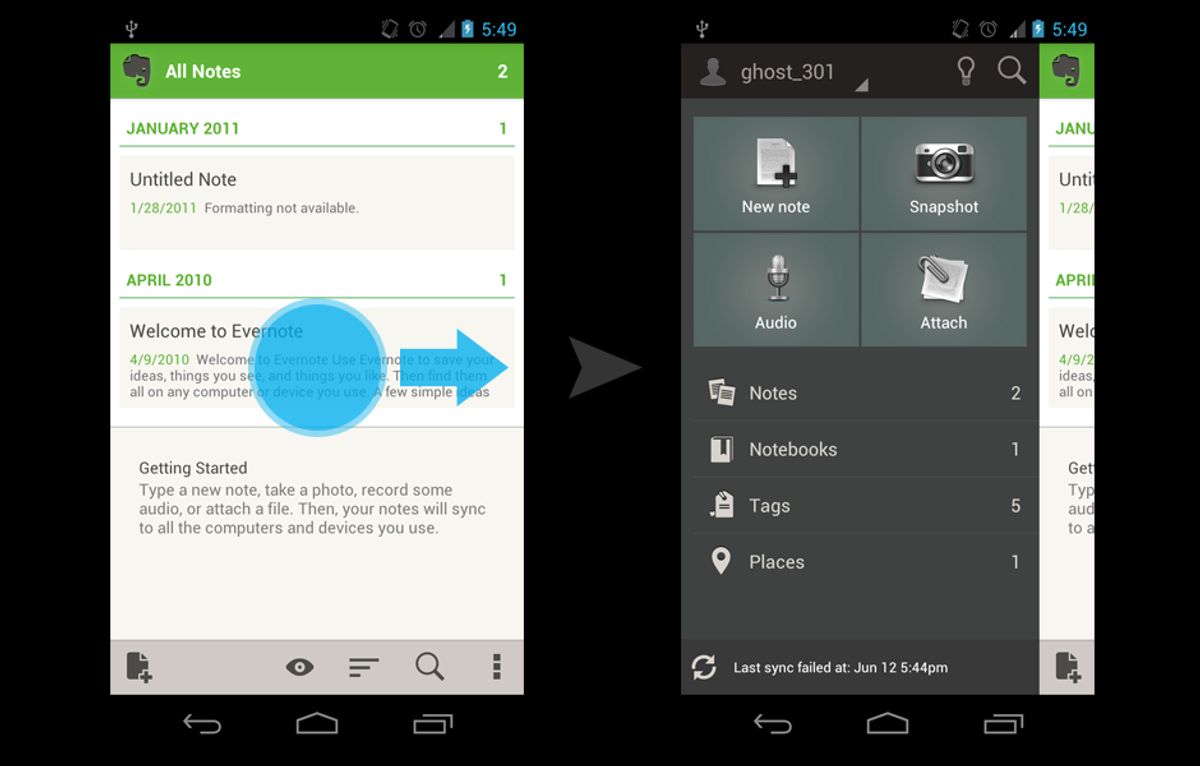
Breadcrumbs are a form of interactive elements that enhance website navigation. They provide a clear path for users to follow and allow for quick navigation to previous pages without the need to use the browser’s back button.
Incorporating these features requires careful planning and execution. Below is a list of best practices for implementing interactive elements and dynamic scrolling:
- Ensure that interactive elements are accessible and provide clear feedback.
- Use dynamic scrolling to progressively disclose content, keeping the user’s attention.
- Optimize interactive elements for mobile devices to ensure they work seamlessly across all platforms.
- Test interactive features thoroughly to prevent any negative impact on the user experience.
By integrating these components thoughtfully, websites can offer a more dynamic and responsive user journey, leading to increased user satisfaction and engagement.
Optimizing Technical Performance

Speed and Loading Times
In the digital age, website speed is a critical factor for user retention and satisfaction. Users typically expect pages to load swiftly—in 2.5 seconds or less. To meet these expectations, it’s imperative to employ strategies that enhance speed and efficiency. Image optimization, for instance, can significantly reduce load times while maintaining visual quality. Similarly, leveraging browser caching and minimizing HTTP requests can streamline the user experience by reducing unnecessary data transfer.
Efficiency in website performance is not just about speed; it’s about creating a seamless experience that keeps users engaged and reduces bounce rates.
Regular use of performance monitoring tools is essential to track loading speeds and identify bottlenecks. Techniques such as asynchronous or deferred loading of JavaScript can prevent blocking of page rendering, allowing for parallel processing and improved website speed. Incorporating responsive image sizes and lazy loading can also have a profound impact, particularly for mobile users who may be on slower connections.
To further optimize technical performance, consider the following actions:
- Compress and optimize images while retaining quality.
- Minimize the use of plugins to reduce server load and security risks.
- Implement caching to save resources and enhance customer experience.
- Minify CSS and JavaScript files to reduce the number of HTTP requests.
- Keep external script usage to a minimum to optimize performance.
Responsive Design for Mobile Users
In today’s digital landscape, responsive design is crucial for ensuring that websites provide an optimal experience across all devices. A responsive layout adapts fluidly to different screen sizes and orientations, which is essential as mobile users now represent a significant portion of web traffic.
To achieve this, developers must focus on key aspects such as:
- Adapting the layout to ensure content is easily readable and navigable on smaller screens.
- Resizing images and text to prevent distortion or loss of quality.
- Creating interactive elements that are easily clickable and touch-friendly.
Embracing responsive design not only enhances user satisfaction but also contributes to better SEO rankings and increased conversion rates.
By prioritizing mobile users through responsive design, businesses can cater to a wider audience and avoid alienating potential customers. Incorporating features like QR code registration can further streamline the user experience, marrying technical performance with the convenience users expect.
Minimizing HTTP Requests
To enhance user experience, minimizing HTTP requests is a critical step in optimizing a website’s performance. Each request that a browser makes to the server can add to the loading time of a page, which is why it’s essential to reduce their number. Here are some effective strategies:
- Combine files: Where possible, combine CSS and JavaScript files to reduce the total number of requests.
- Minify resources: Remove unnecessary characters from code by minifying CSS, JavaScript, and HTML.
- Use CSS sprites: Combine multiple images into one sprite sheet to reduce image requests.
- Leverage browser caching: Store frequently used resources locally in the user’s browser to avoid repeated downloads.
By implementing these techniques, you can significantly improve loading times and create a smoother browsing experience for your visitors.
It’s also important to consider the use of asynchronous or deferred loading for JavaScript, which prevents scripts from blocking the rendering of the page. Tools like WP Rocket and Autoptimize can help optimize the loading order of files, ensuring that your website remains efficient under high traffic and responds quickly to requests.
Enhancing User Interactions

Conversion Rate Optimization
Optimizing conversion rates is a pivotal aspect of enhancing user interactions on any website. A streamlined checkout process with clear instructions can significantly reduce cart abandonment rates. Personalized recommendations and data-driven upselling strategies are effective methods to increase conversions. Employing AI algorithms can further refine pricing strategies, stimulating upselling and cross-selling opportunities.
Ensuring that your visual content loads quickly and is optimized for all devices is crucial. Slow-loading visuals can negatively impact user experience and conversion rates.
In addition to these strategies, it’s important to track and measure user interactions. Tools that track conversions and performance provide valuable insights, allowing for continuous refinement of the user experience. Post-launch support is also essential, as it helps identify further opportunities for optimization to maximize the benefits of every website visit.
User Engagement Techniques
To truly captivate and maintain user interest, engagement must be a top priority for any website. Engagement techniques are not just about keeping users on the page; they’re about creating an interactive and rewarding experience that encourages them to explore further and connect with the content.
One effective method is to implement a loyalty program or gamification elements, which can lead to increased user time on site and repeat visits. For instance, offering rewards for certain actions or milestones can incentivize users to engage more deeply with the website.
By focusing on user engagement, websites can transform passive visitors into active participants, fostering a sense of community and belonging that can be incredibly powerful in building brand loyalty.
Another key aspect is personalization. Tailoring the user experience to individual preferences and behaviors can make a significant difference in how users perceive and interact with a website. Below is a list of personalization techniques:
- User-specific content recommendations
- Personalized email notifications
- Custom user dashboards
- Tailored promotions and offers
Lastly, it’s crucial to continuously gather and analyze user feedback. This iterative process ensures that the website evolves in line with user expectations and preferences, thereby maintaining a high level of engagement.
Feedback Mechanisms and Adjustments
Incorporating user feedback is essential for refining the user experience (UX) and ensuring that a website remains attuned to user needs. By actively seeking out and analyzing feedback, you can make informed adjustments that enhance the overall UX. This iterative process is crucial for maintaining a user-centric design approach.
Iterations and refinements based on user feedback and analytics are key to a never-ending cycle of UX improvement.
Effective feedback mechanisms include usability tests, surveys, and comment sections, which provide both quantitative and qualitative insights into user behavior. These tools help identify pain points and areas for enhancement, allowing for targeted improvements. Regularly implementing changes based on this feedback ensures that the website evolves with user expectations, thereby increasing satisfaction and engagement.
To systematically track and manage feedback, consider the following steps:
- Collect: Gather user feedback through various channels.
- Analyze: Assess the feedback to identify common themes and issues.
- Prioritize: Determine which feedback items should be addressed first based on impact.
- Implement: Make the necessary changes to the website.
- Review: Monitor the effects of the changes to ensure they meet user needs.
Post-Launch Monitoring and Maintenance

Regular Website Health Audits
Conducting regular website health audits is essential to ensure that your online presence remains robust and efficient. A comprehensive audit encompasses various aspects of your site, from performance and security to SEO and usability. It’s crucial to identify and rectify any issues that could impede user experience or lower search engine rankings.
Regular audits can highlight areas for improvement, helping to maintain a seamless user experience and keep your website running smoothly.
One key component of an audit is the evaluation of plugins and widgets. Minimizing these elements can significantly enhance site speed and reduce security risks. Here’s a simple checklist to guide you through a basic website health audit:
- Perform an SEO audit to assess technical strengths and weaknesses.
- Check for outdated plugins and themes, and update them.
- Ensure all links are functioning and redirect properly.
- Review website security measures and update where necessary.
- Analyze website loading times and optimize for speed.
By addressing these points, you can maintain a high-performing website that meets user expectations and supports your business goals.
Performance and Security Scans
Ensuring the integrity and performance of a website post-launch is critical for maintaining user trust and satisfaction. Regular performance and security scans are a cornerstone of this process. These scans help in identifying vulnerabilities that could be exploited by attackers and pinpoint performance bottlenecks that may hinder user experience.
By conducting thorough security audits, we can safeguard against potential threats and ensure that the website remains a secure platform for users. Performance scans, on the other hand, are instrumental in keeping the site running smoothly, thus retaining user engagement.
To effectively manage these scans, a structured approach is recommended. Here’s a simplified checklist:
- Daily automated security checks to detect malware or suspicious activities.
- Frequent updates of core systems and plugins to patch security flaws.
- Performance checks to ensure optimal loading times and responsiveness.
- Regular backups to secure data and facilitate quick recovery in case of incidents.
Incorporating these practices into the website’s maintenance routine will contribute significantly to its overall health and user experience.
Continuous Improvement Strategy
The journey of enhancing user experience is ongoing, with continuous improvement at its core. After the launch of a website, it’s crucial to not only monitor its performance but also to actively seek ways to refine and optimize the user experience. This iterative process is driven by user feedback, analytics, and performance metrics, which guide further refinements, making the design process a never-ending cycle of improvement.
A website must continuously improve to stay user-centric. Consumer preferences and dominant trends are dynamic, thus regular updates and adjustments are essential to maintain relevance and effectiveness.
To ensure a website remains at the forefront of user experience, consider the following steps:
- Usability Testing and Prototyping: Regularly test new features and designs with real users to gather actionable insights.
- Performance and Security Scans: Conduct frequent checks to identify and rectify any issues that could hinder user satisfaction.
- Data-Driven Adjustments: Utilize analytics to pinpoint areas for enhancement and to validate the success of implemented changes.
By embracing a culture of continuous improvement, businesses can adapt to changing user needs and maintain a competitive edge in the digital landscape.
Leveraging Analytics for UX Insights
Tracking User Journeys
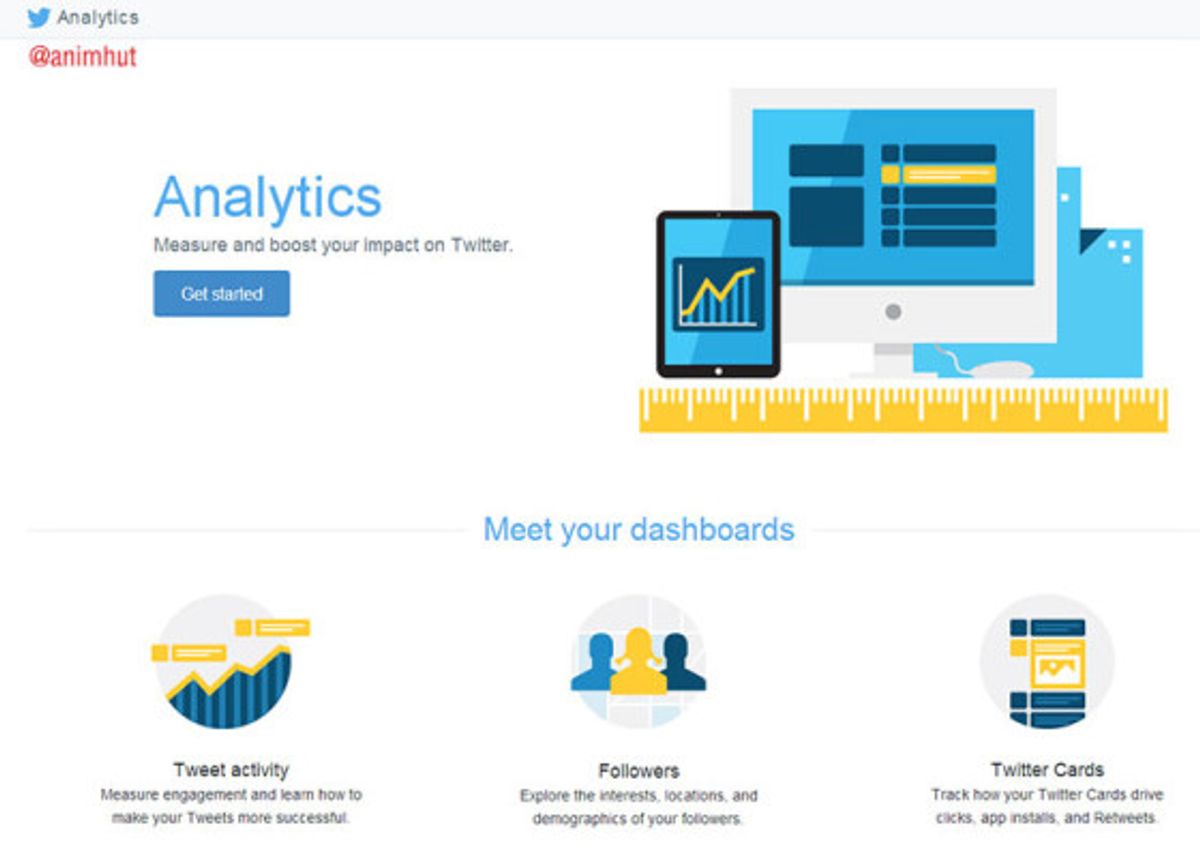
Understanding how users navigate through a website is crucial for enhancing the overall user experience. Tracking user journeys allows us to gain insights into the paths users take, the content they engage with, and where they may encounter friction. By analyzing these journeys, we can identify patterns and areas for improvement.
To begin visualizing your user journey, follow a structured approach. Define the map’s scope to focus on specific customer interactions or the entire end-to-end experience.
A user journey map can be broken down into several key components:
- Entry Points: Where users are coming from.
- Touchpoints: Interactions with the website.
- Exit Points: Where users leave the site.
- Pain Points: Obstacles or frustrations.
- Moments of Delight: Positive experiences that exceed expectations.
By meticulously tracking these elements, we can optimize the navigation design to be more intuitive and user-friendly, ultimately leading to better engagement and conversion rates.
Analyzing Drop-off Points
Identifying where users abandon their journey on a website is crucial for improving the overall user experience. Analyzing drop-off points allows us to pinpoint areas where the website fails to engage or meet user expectations. By leveraging analytics, we can observe patterns and trends that indicate problematic sections or processes.
A streamlined checkout process with clear instructions can significantly reduce cart abandonment rates.
For instance, a high drop-off rate during the checkout process might suggest that the process is too complicated or time-consuming. Here are some steps to consider:
- Simplify the checkout process.
- Provide clear and concise instructions.
- Offer personalized recommendations.
- Utilize data-driven strategies for upselling.
Optimizing navigation with analytics insights leads to enhanced user engagement. It’s a balance between aesthetics and usability that creates a user-centric website experience. Continuous improvement is essential, as it ensures that the website evolves with user needs and preferences.
A/B Testing for Navigation Improvements
A/B testing is a powerful tool for enhancing website navigation and overall user experience. By comparing different versions of a page or element, we can gather data on user preferences and behaviors. This method allows for precise adjustments to be made, ensuring that the final design resonates with users and encourages engagement.
When implementing A/B testing, it’s crucial to focus on key performance indicators (KPIs) that directly relate to navigation and user experience. Metrics such as click-through rates, time spent on page, and conversion rates offer valuable insights into the effectiveness of design changes.
To systematically approach A/B testing, consider the following steps:
- Identify the navigation elements to test, such as menu layouts or button styles.
- Define the success metrics for each variation.
- Run the tests simultaneously to avoid time-based biases.
- Analyze the results to determine which variation performs better.
- Implement the winning design and monitor for continuous improvement.
By leveraging analytics and user feedback, we can optimize website navigation to create a more intuitive and satisfying experience for visitors. A/B testing is not a one-time task but a continuous process that contributes to the site’s evolution and the company’s growth.
In today’s digital landscape, understanding user behavior is crucial for creating engaging experiences. By leveraging analytics, you can gain invaluable UX insights that drive strategic improvements and enhance user satisfaction. Don’t let guesswork dictate your design decisions. Visit our website to explore our comprehensive range of services, including WordPress Development, eCommerce solutions, and custom web design, all tailored to elevate your online presence. Take the first step towards a data-driven approach and transform your website into a user-centric platform. Connect with us today for a website health audit and unlock the full potential of your digital strategy.
Conclusion
In conclusion, seamless website navigation is a critical component of a superior user experience. By implementing clear, logical paths to essential sections, optimizing user interactions, and ensuring technical performance and responsiveness, businesses can significantly enhance user satisfaction and conversion rates. Investing in a well-structured information architecture and intuitive UX design is not just about aesthetics; it’s about creating a powerful tool that meets business objectives and fosters brand loyalty. As we’ve seen through various examples, a commitment to UX excellence can transform the user journey into a delightful and efficient experience, ultimately leading to a competitive advantage in the digital marketplace.
Frequently Asked Questions
How can I improve the user experience on my website?
Improving user experience involves optimizing the website design, ensuring intuitive navigation, enhancing loading speeds, and making sure your site is mobile-responsive. Regularly conducting website health audits and leveraging user feedback can also lead to significant improvements.
What is strategic navigation design?
Strategic navigation design is about understanding user behavior to create an information architecture that allows for easy and intuitive website interactions. It often includes the use of interactive elements and dynamic scrolling to guide users through the site.
Why is website performance optimization important?
Optimizing website performance is crucial for user retention, as slow loading times can lead to increased bounce rates. It also affects search engine rankings and overall user satisfaction. Techniques include minimizing HTTP requests, optimizing images, and implementing caching strategies.
What should I focus on for post-launch website monitoring?
Post-launch monitoring should include regular website health audits, performance and security scans, and a strategy for continuous improvement. This ensures that any issues are quickly identified and resolved, maintaining an optimal user experience.
How can analytics help enhance website navigation?
Analytics provide insights into user journeys and behavior, helping to identify drop-off points and areas for improvement. A/B testing can then be used to make data-driven adjustments to the navigation structure for better user engagement and conversion rates.
What are some effective user engagement techniques?
Effective user engagement techniques include clear calls-to-action, personalized content, interactive elements like chatbots, and providing value through informative and relevant content. Encouraging user feedback and making adjustments based on that feedback can also enhance engagement.