Enhancing User Experience with Seamless Website Navigation
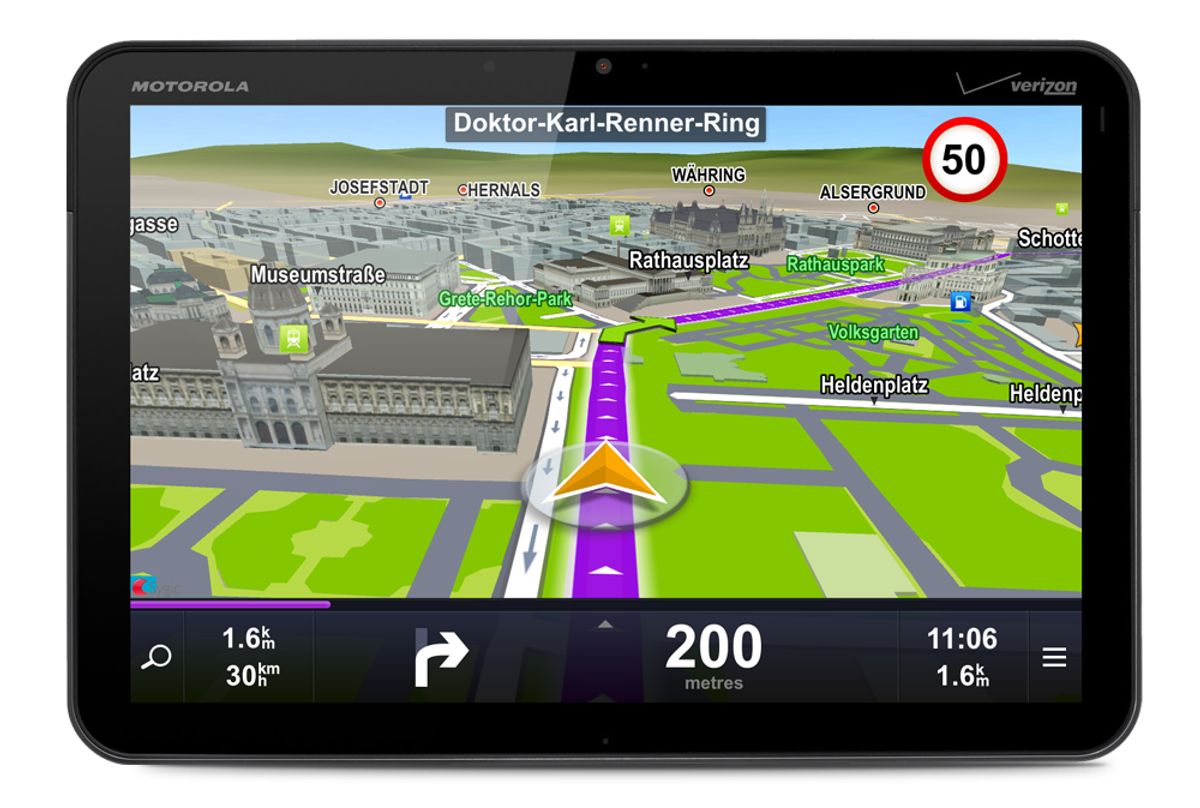
The digital landscape is ever-evolving, and with it, the importance of seamless website navigation becomes increasingly critical. An intuitive and responsive navigation structure is the cornerstone of a great user experience (UX), guiding visitors through a website’s content effortlessly and efficiently. In the article ‘Enhancing User Experience with Seamless Website Navigation,’ we explore the various strategies and design principles that can be employed to create a navigation system that is not only user-friendly but also adaptable to the diverse needs and preferences of users across different devices.
Key Takeaways
- Intuitive menu structures and breadcrumb trails are essential for user orientation and engagement.
- Responsive design is crucial for cross-device compatibility and consistency, optimizing the user experience on mobile devices.
- Clear pathways, micro-interactions, and effective CTAs simplify the user journey and reduce frustration.
- Visual design elements like illustrations, color, and contrast can direct user flow and highlight important navigation elements.
- Performance optimization, including faster load times and updated content, ensures smooth and responsive navigation.
Streamlining Navigation for Enhanced User Engagement

The Importance of Intuitive Menu Structures
Menus and links serve as the compass for website visitors, guiding them through the digital landscape of your site. An intuitive menu structure is paramount, ensuring that users can navigate with confidence and ease. This not only enhances the user experience but also encourages deeper engagement with your content.
- Clear labels and a logical hierarchy are essential for intuitive navigation.
- User-friendly placement of navigation elements prevents confusion.
- Consistency across different pages solidifies user understanding.
By simplifying the navigation menus and ensuring they are easy to understand and use, websites can significantly reduce user frustration and abandonment.
A methodical yet flexible approach to website development can lead to a navigation system that feels natural to the user. This is where services like design, development, and post-launch monitoring come into play, contributing to the overall success and performance of the site.
Implementing Breadcrumb Trails for Better Orientation
Breadcrumb trails are a strategic addition to web design that enhance user experience by providing a clear path back to previous pages. They act as a secondary navigation aid that helps users understand their location within a website’s hierarchy without cluttering the interface.
- Active state: Clickable links that display the user’s path.
- Slash (/): A visual separator between links.
- Current state: The page the user is currently viewing, typically not clickable.
Breadcrumbs should start with the home page and end with the current page, maintaining a small and subtle presence that does not dominate the user’s attention.
By guiding users through a website’s structure, breadcrumbs serve as visual cues or landmarks, which is particularly beneficial in complex websites with multiple levels of content. This visual guidance is crucial for users to access information efficiently, reducing the likelihood of feeling lost or overwhelmed.
Leveraging Icons and Labels for Clarity
In the quest for seamless website navigation, the strategic use of icons and labels cannot be overstated. Icons serve as visual shorthand, aiding in quick recognition and navigation, while labels provide necessary context, ensuring that users are never lost or confused. Together, they form a symbiotic relationship that enhances the user interface.
Effective iconography and labeling are about more than just aesthetics; they are essential tools for guiding users through a digital landscape. Consider the following points when integrating icons and labels into your navigation design:
- Use universally recognized icons to minimize learning time.
- Pair icons with labels to eliminate ambiguity.
- Ensure that the design and placement of icons are consistent throughout the site.
- Optimize icon and label clarity for various screen sizes and resolutions.
By prioritizing clarity and consistency in icons and labels, designers can significantly reduce the cognitive load on users, making for a more intuitive and satisfying experience.
Clear labeling and streamlined navigation enhance user experience by guiding users efficiently, reducing cognitive load, and aligning with business objectives. Consistent, intuitive menus and links play a crucial role in optimizing click paths and improving information retrieval.
Responsive Design: Adapting to User Preferences

Ensuring Cross-Device Compatibility
In the digital age, cross-device compatibility is not just a luxury, it’s a necessity. Users expect a seamless experience whether they’re browsing on a desktop, tablet, or smartphone. This means that a website must adapt its layout and functionality to accommodate various screen sizes and operating systems.
-
Consistency Across Platforms: It’s essential to maintain design elements and user interfaces consistent across different devices to prevent confusion and enhance user familiarity.
-
Responsive Design: Implementing responsive design ensures that content is easily accessible and functional, regardless of the device used.
-
Browser-Agnostic Brilliance: Achieving cross-browser compatibility is crucial. Your site should deliver the same quality experience on all browsers, from Chrome to Edge to Opera.
By focusing on usability and functionality, we can strike an optimal balance that caters to all users, enhancing their overall experience and engagement with the website.
Maintaining Consistency Across Platforms
In the digital age, where users often switch between devices, consistency across platforms is not just a convenience—it’s an expectation. Seamless transitions between a desktop website, mobile app, or any other platform are essential for user satisfaction and brand coherence. A consistent design language and user interface reduce cognitive load and foster a sense of familiarity, which is key to retaining users and building trust.
By leveraging design systems and adhering to established guidelines, businesses can ensure that their products maintain a uniform appearance and functionality, regardless of the platform. This approach simplifies the design process and guarantees that all touchpoints with the user reinforce the brand identity.
To achieve this, consider the following steps:
- Utilize a comprehensive design system that includes reusable components and style guides.
- Perform cross-browser and cross-device testing to ensure compatibility.
- Engage in continuous A/B testing and iterative improvements based on user feedback.
- Employ AI-powered tools to analyze and suggest design tweaks for optimal cohesion.
Optimizing Navigation for Mobile Users
In the realm of mobile user experience, navigation must be as effortless as possible. Mobile screens offer limited real estate, and thus, menus and buttons should be designed with space and touch interactions in mind. A common approach is to use a hamburger menu to house secondary navigation options, keeping the interface uncluttered.
Simplification is key. Reducing the number of steps to reach a destination improves user satisfaction and minimizes frustration. This can be achieved by prioritizing content and features that mobile users most frequently need.
Testing navigation on various devices is crucial to ensure that all users have a consistent experience. Utilize feedback from user testing and analytics, like heat maps, to refine touch targets and eliminate any elements that cause confusion or ‘rage-clicking’.
Finally, remember that mobile users often seek quick information. Calls-to-action should be prominent and easy to tap, guiding users swiftly to their desired actions without unnecessary detours.
Intuitive Navigation: Simplifying the User Journey
Reducing User Frustration with Clear Pathways
Clear pathways in website navigation are essential for a positive user experience. By anticipating user needs and providing straightforward navigation, we can significantly reduce user frustration. This approach not only enhances user satisfaction but also encourages deeper engagement with the website’s content.
- Intuitive Navigation: Ensuring users can easily find what they’re looking for.
- Consistency: Using familiar patterns to create a cohesive experience.
- Efficiency: Enabling users to complete tasks quickly and with minimal errors.
By streamlining the user journey, we create an environment where users feel in control and are more likely to return.
Understanding user behavior is key to designing navigation that feels natural and effortless. Incorporating feedback mechanisms and focusing on visual navigation can further refine the user experience. Regular performance optimization ensures that the navigation remains smooth and responsive, adapting to the evolving expectations of users.
Utilizing Micro-interactions for Guided Experiences
Micro-interactions are the subtle, yet powerful, details that enhance a user’s journey through a website. They provide immediate feedback to users, confirming their actions and guiding them with visual cues. For instance, a button changing color when hovered over can indicate the possibility of a click, while a small animation on a successful form submission reassures the user that their data has been received.
Incorporating these micro-interactions effectively requires a balance between functionality and aesthetics. They should be intuitive, helping to optimize website performance and user experience without overwhelming the user. A common set of micro-interactions can include:
- Hover effects that highlight clickable elements
- Visual responses to user inputs, such as form validations
- Animated loading sequences that entertain during wait times
- Confirmation messages that appear after a successful action
By thoughtfully integrating micro-interactions, designers can create a seamless flow that not only delights but also informs the user, making the navigation process feel more like a conversation than a series of commands.
It’s essential to leverage analytics to understand how these interactions perform and to make continuous improvements. This data-driven approach ensures that the micro-interactions remain relevant and effective, contributing to a logical hierarchy and minimal clutter. Ultimately, these small design elements play a significant role in simplifying the user journey and reducing frustration.
Creating Effective Calls-to-Action (CTAs)
Calls-to-action (CTAs) are pivotal in guiding users through the user journey and encouraging them to take the desired action. A well-crafted CTA aligns with the user’s intent and stands out on the page, making it clear what step should be taken next. For instance, YUPLAY uses urgent and high-intent CTAs like "Buy Now" and "Add to Cart" to drive conversions.
To create effective CTAs, consider the language and design. Use action-oriented verbs and persuasive text that resonates with the user’s needs. For example, "Sign up for our free productivity webinar" addresses a specific user problem and offers a solution.
Additionally, strategic placement of CTAs can significantly impact their effectiveness. Position them where users naturally look, such as the end of content sections or within eye-catching buttons. Remember to include target keywords in your CTAs to enhance SEO potential.
Lastly, testing and optimization are crucial. Regularly analyze your CTAs’ performance through A/B testing and adjust based on user feedback and analytics data. This iterative process ensures your CTAs remain compelling and relevant.
Leveraging Visual Design for Seamless Navigation

Incorporating Illustrations to Direct User Flow
Illustrations play a pivotal role in guiding users through a website, providing not only direction but also enhancing the overall aesthetic. Illustrations serve as visual cues, simplifying the navigation process and making it more intuitive. They can effectively point out important features, acting as landmarks within the digital landscape.
By integrating illustrations, designers can create a more engaging and memorable experience. This approach supports a seamless user journey, where functionality meets artistry, leading to a positive user experience. Customized icons and graphics, for example, can draw attention to navigation elements, reducing the reliance on text and aiding in accessibility.
The strategic use of illustrations can transform a website from functional to captivating, ensuring that each visual element enriches the user’s journey.
Illustrations also convey emotions and brand personality, making a website not only user-friendly but also emotionally resonant. It’s about striking the right balance between usability and visual appeal to enhance user engagement.
Using Color and Contrast to Highlight Navigation Elements
The strategic use of color and contrast is pivotal in creating a navigation experience that is both visually appealing and functionally effective. By differentiating interactive elements like buttons and links from the rest of the content, users can quickly identify where to click, leading to a more intuitive and satisfying interaction with the website.
When designing navigation elements, it’s essential to ensure that they stand out but also harmonize with the overall design. This balance can be achieved by using a color palette that complements the brand while providing sufficient contrast to draw attention to navigation features.
For example, a common practice is to use a contrasting color for call-to-action buttons or links. Here’s a simple guideline for selecting colors:
- Primary actions: Use bold, vibrant colors that pop against the background.
- Secondary actions: Choose more subdued hues that still provide contrast.
- Disabled actions: Opt for lighter shades or greyscale to indicate inactivity.
By adhering to these principles, you can guide users through their digital journey with ease and precision, enhancing the overall user experience.
Designing with Visual Hierarchy in Mind
When it comes to designing with visual hierarchy in mind, it’s crucial to structure the layout so that users can easily distinguish between elements of varying importance. The goal is to guide the user’s attention to where it’s most needed, often starting with the most significant information and then cascading down to less critical details.
By strategically using size, color, contrast, and typography, designers can create a visual hierarchy that intuitively leads users through the content. This not only enhances the aesthetic appeal but also improves the functionality of the website.
A consistent visual hierarchy across all pages ensures a cohesive user experience. It reduces cognitive load, making it easier for users to navigate and interact with the site. Here’s a simple list to check when evaluating visual hierarchy:
- Ensure the most important elements are the most prominent.
- Use contrast to differentiate and highlight key areas.
- Maintain a clear and consistent style throughout the interface.
- Employ whitespace effectively to avoid clutter and focus attention.
Remember, a well-designed visual hierarchy is not just about the look; it’s about creating a seamless flow of information that feels natural to the user.
Performance Optimization for Smooth Navigation
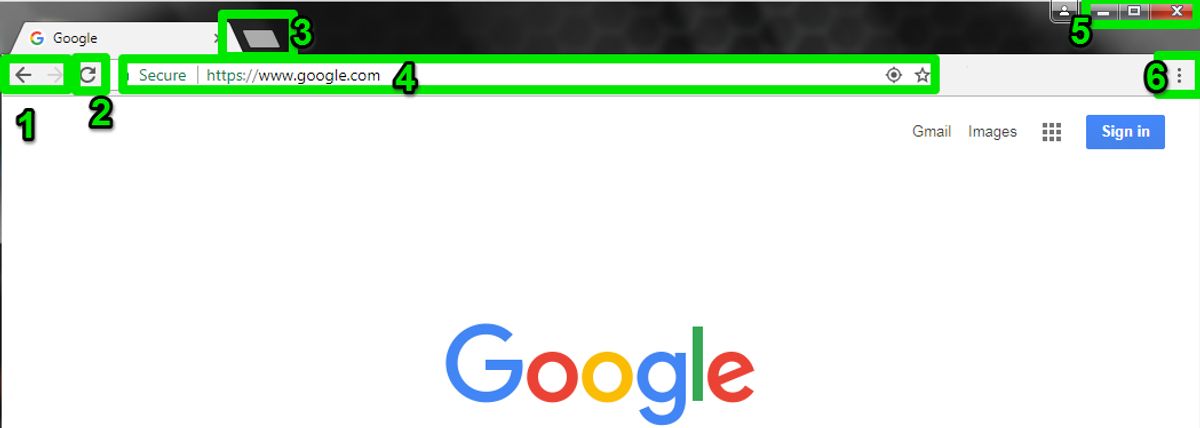
Improving Load Times for Better User Experience
A website’s load time is a critical aspect of the user experience. Speed is key to keeping users engaged and reducing bounce rates. To achieve this, several strategies can be implemented:
- Optimize images: Compressing images without sacrificing quality can significantly decrease load times.
- Implement caching: Caching stores frequently accessed data, reducing server load and speeding up access for returning visitors.
- Minify scripts: Shrinking the size of CSS and JavaScript files by removing unnecessary characters helps improve load times.
- Optimize the use of external scripts: Limiting the reliance on third-party scripts can reduce load times and improve performance.
By focusing on these areas, websites can ensure a smoother and more responsive experience for their users.
Regularly monitoring and updating these elements is essential for maintaining optimal performance. A proactive approach to performance optimization can lead to increased user satisfaction and higher conversion rates.
Minimizing Redirects and Broken Links
Ensuring a smooth navigation experience is crucial for retaining visitors and improving website performance. Minimizing redirects and broken links is a key strategy in achieving this goal. Redirect chains, for instance, can lead to prolonged page load times and potentially broken links, which frustrate users and harm your site’s credibility.
To address these issues effectively, consider the following steps:
- Regularly audit your website to identify and fix broken links.
- Simplify redirect paths by eliminating unnecessary redirect chains.
- Implement a 301 redirect strategy for permanently moved pages to preserve link equity.
- Use tools and plugins designed to detect and manage redirects efficiently.
By proactively managing redirects and broken links, you can enhance site usability and search engine ranking, ultimately leading to a better user experience and increased engagement.
Regularly Updating Content for Relevance and Speed
To maintain a competitive edge, websites must not only look good but also perform seamlessly. Regularly updating content is a pivotal strategy for keeping your site relevant and speedy. This practice involves revising text, refreshing images, and ensuring all links and functionalities are up to date. By doing so, you not only provide fresh material for your visitors but also encourage search engines to re-crawl your site, potentially boosting your SEO rankings.
A well-maintained website signals to users that your business is active and attentive to their needs, fostering a positive user experience.
Moreover, regular updates can prevent the accumulation of outdated plugins or scripts that may slow down your site. It’s essential to periodically review and optimize these elements to enhance site performance. Below is a list of key actions to consider in your maintenance routine:
- Review and update content to keep it current
- Optimize images and multimedia elements to reduce load times
- Minify CSS and JavaScript files to streamline code
- Implement caching to speed up page delivery
- Conduct regular security checks to protect user data
By integrating these practices into a regular maintenance schedule, you ensure that your website remains a fast and reliable resource for your audience.
Striving for a seamless user experience on your website? Look no further! Our expert team specializes in WordPress Performance Optimization, ensuring your site is swift and smooth, keeping visitors engaged. Don’t let slow load times hinder your success. Visit our website today for a comprehensive Website Health Audit and elevate your online presence to new heights. Your journey to a faster, more efficient website is just a click away!
Conclusion
In conclusion, seamless website navigation is not just about aesthetics; it’s a fundamental aspect that dictates the overall user experience. By focusing on intuitive navigation, consistent design, and responsive layouts, we can guide users through a digital journey that feels natural and effortless. The strategies discussed in this article, from streamlining menus to optimizing for various devices, aim to enhance user engagement and satisfaction. Remember, the goal is to create an environment where users can find what they’re looking for with ease, ultimately leading to increased conversions and customer loyalty. As we continue to evolve in the digital landscape, let’s commit to delivering top-quality, user-centric navigation that meets the demands of our fast-paced, connected world.
Frequently Asked Questions
How does intuitive navigation enhance user experience?
Intuitive navigation simplifies the user journey, reducing frustration and increasing satisfaction by making it easy for users to find what they’re looking for. This leads to increased engagement, efficiency in task completion, and a cohesive experience across different sections of a website.
What are the advantages of responsive design for websites?
Responsive design ensures that a website adapts seamlessly to different devices and screen sizes, providing a consistent and optimal viewing experience across desktops, tablets, and smartphones. This approach caters to user preferences and behaviors, leading to better engagement and satisfaction.
Why is website performance optimization important?
Website performance optimization is crucial as it directly impacts user experience, conversion rates, and search engine rankings. Faster load times and smooth navigation lead to higher user satisfaction, increased sales, and enhanced visibility for your website.
How can illustrations improve website navigation?
Illustrations can guide users through a website by highlighting key information and directing their journey in an intuitive manner. This storytelling approach makes the experience more engaging and improves usability by making information consumption more intuitive.
What role do micro-interactions play in website navigation?
Micro-interactions provide users with visual cues and feedback as they navigate a website, enhancing the intuitiveness of the interface. These small interactions guide users through their journey, making it easier to anticipate their next steps and complete tasks efficiently.
What is the significance of Calls-to-Action (CTAs) in user navigation?
CTAs are crucial for guiding users towards desired actions and aligning with their needs. They should be clear and strategically placed throughout the site to prompt users to take action, which can lead to increased conversions and fulfillment of business objectives.