Enhancing User Experience with Seamless Website Navigation

In the digital age, the importance of user-friendly website navigation cannot be overstated. It’s the roadmap that guides users to the information they seek, impacting their overall experience and satisfaction. A well-designed navigation structure not only makes a website more accessible and intuitive but also contributes to better search engine rankings and user retention. This article delves into the nuances of website navigation and provides insights into how seamless navigation can significantly enhance user experience across various devices.
Key Takeaways
- Effective navigation is essential for a positive user experience and can lead to increased engagement and higher conversion rates.
- Responsive design and mobile-friendly navigation strategies are critical for accommodating multi-device use and ensuring accessibility.
- A clear, logical hierarchy and intuitive labeling in navigation can prevent user confusion and facilitate easier content discovery.
- Regular testing and user feedback are invaluable for optimizing navigation elements and improving the navigational flow of a website.
- Seamless navigation not only benefits users but also enhances SEO performance by making websites more comprehensible to search engines.
The Essence of Website Navigation

Understanding the Role of Navigation in UX
At the heart of user experience (UX) in website design lies the navigation system. Navigation is the cornerstone of usability, guiding users through a website’s content and ensuring they find what they’re looking for with ease. A well-designed navigation structure can significantly enhance user efficiency and satisfaction, offering quick access to information and reducing the cognitive load on visitors.
Effective navigation is not just about how it looks, but how well it works. It should be intuitive, aligning with users’ expectations and helping them to navigate the digital space as seamlessly as possible.
For instance, consider the common patterns users are accustomed to, such as horizontal menus at the top or vertical menus on the side. Deviating from these conventions can lead to confusion and a steeper learning curve, which detracts from the overall user experience. Moreover, hidden or complex navigation can frustrate users, prompting them to leave in favor of more intuitive interfaces.
In summary, navigation UX is a critical aspect of web design that requires a methodical yet flexible approach. It’s not just about following trends but about creating a user-centric navigation strategy that enhances engagement, boosts conversions, and supports SEO efforts.
Key Principles of Effective Navigation Design
To foster user engagement, effective website navigation must be a priority. It should be intuitive, guiding visitors through the site with ease and efficiency. Performance optimization is also key, ensuring that pages load quickly and without error. Here are some fundamental principles to consider:
- Simplicity: Keep navigation straightforward and avoid unnecessary complexity.
- Consistency: Use consistent navigation patterns across the website.
- Visibility: Ensure that navigation options are clearly visible and accessible.
- Feedback: Provide immediate feedback when users interact with navigation elements.
Adaptive strategies are essential for catering to various devices and screen sizes, while post-launch maintenance guarantees that navigation remains effective over time. Remember, the goal is to minimize the effort required by users to find what they’re looking for, thereby enhancing the overall user experience.
By focusing on these key principles, designers can create a navigation system that feels familiar and reliable, encouraging users to explore the site further.
Understanding the preferences of your audience and the content of your website is crucial. An e-commerce site with a vast product range will differ in navigational needs from a local business site. The emphasis should always be on relevance and ease of access, making sure that the most important content is just a few clicks away.
Leveraging Navigation for SEO and User Retention
Effective navigation is not just about guiding users through a website; it’s a powerful tool for improving search engine optimization (SEO) and ensuring user retention. A well-structured navigation system can significantly enhance the discoverability of content, encouraging users to stay longer and interact more with the site. This increased engagement signals to search engines that the website is valuable, potentially boosting its rankings.
By focusing on user-centric navigation, websites can create a positive feedback loop where improved usability leads to better SEO outcomes, which in turn attracts more users.
To achieve this, consider the following strategies:
- Utilize clear and descriptive labels for navigation elements.
- Implement a logical hierarchy that reflects the importance and relationship of pages.
- Incorporate breadcrumbs to help users understand their location within the site.
- Ensure that navigation is consistent across all pages to prevent user confusion.
Remember, the goal is to create a navigation experience that feels intuitive and effortless for the user. When users can find what they need without frustration, they are more likely to return, reducing bounce rates and fostering loyalty.
Different Flavors of Navigation
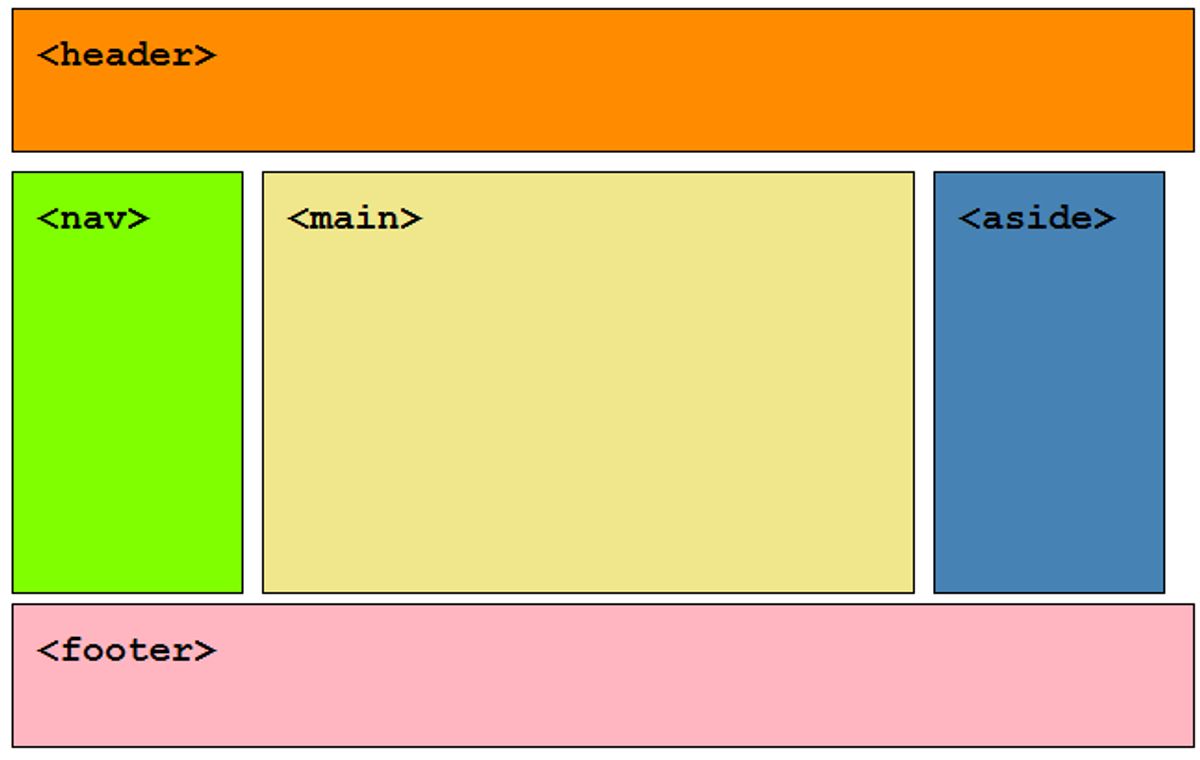
Comparing Horizontal vs. Vertical Menus
When it comes to website navigation, the choice between horizontal and vertical menus can significantly impact user experience. Horizontal menus are a staple of web design, typically located at the top of a page, providing a clear and accessible navigation path. They work well for sites with a limited number of categories and are favored for their familiarity and ease of use.
In contrast, vertical menus are often used in responsive or mobile designs, where screen real estate is at a premium. They are also suitable for websites with extensive navigation links, as they can accommodate more items without overwhelming the user. However, it’s important to design with simplicity in mind to avoid cognitive overload.
Strategic placement of menu items is essential. Position important pages at the beginning and end to catch the user’s eye, and ensure clear spacing to enhance usability.
Ultimately, the choice between horizontal and vertical menus should be guided by the site’s content structure, design, and user needs. Here’s a quick comparison:
- Horizontal Menus: Familiar, ideal for limited categories, easy to scan.
- Vertical Menus: Space-efficient, suitable for complex sites, mobile-friendly.
Remember, the goal is to create a navigation experience that feels intuitive and effortless for the user.
The Rise of Hamburger Menus in Responsive Design
The hamburger menu has become a staple in responsive design, offering a compact and familiar way to present navigation options on various devices. Its iconic three-line symbol is easily recognizable and has been widely adopted for its ability to conserve space while maintaining accessibility.
The hamburger menu provides a standardized and consistent way to handle navigation, especially in responsive design.
However, the Nielsen Norman Group’s research suggests that hidden menus, like the hamburger menu, are less likely to be used at the start of a task. This indicates the importance of balancing visibility with the need for uncluttered design. Users should be able to commence their journey on your site with ease, which may require a more visible navigation aid initially.
- Implementation of sticky navigation menu
- Clear and concise menu labels
- Easy access to important pages
These strategies can help mitigate the potential drawbacks of hamburger menus by ensuring that users have immediate access to important sections of your site, even as they enjoy the benefits of a clean and unobstructed interface.
Incorporating Mega Menus for Complex Sites
Mega Menus have become a staple for complex websites with extensive content categories. They offer a comprehensive overview of a site’s offerings at a glance, enhancing the user experience by reducing the time spent searching for information. When designing a mega menu, it’s crucial to begin with a clean, organized structure that logically categorizes content, ensuring seamless navigation.
To create an effective mega menu, consider the following steps:
- Analyze the site’s content structure to determine the main categories.
- Design a layout that is visually appealing and easy to scan.
- Ensure that the menu is responsive and functions well on all devices.
- Test the menu with real users to gather feedback and make necessary adjustments.
By prioritizing user needs and simplifying access to information, mega menus can significantly improve site navigation. However, it’s important to avoid overwhelming users with too much information at once. Striking the right balance between comprehensiveness and usability is key.
Remember to check out the best mega menu examples for inspiration and guidance on how to create them using specialized tools like the Mega Menu Builder by The Plus Addons for Elementor. With the right approach, mega menus can be a powerful tool for enhancing user engagement and retention.
Enhancing User Experience: Streamlining Navigation for Multi-Device Use

The Importance of Responsive Design
In the digital age, responsive design is not a luxury but a necessity. It’s the method that ensures your website adapts to the screen size and orientation of the device it’s being viewed on. This adaptability is crucial for maintaining a consistent and seamless user experience across different devices, which can significantly affect conversion rates and brand loyalty.
- Optimizing user experience across devices is essential for user satisfaction and engagement.
- Simple and intuitive navigation coupled with quick content access is key to retaining users.
- Streamlined forms and content layouts are vital for mobile responsiveness.
By prioritizing mobile responsiveness, you not only cater to the growing mobile user base but also enhance the overall accessibility of your website.
Responsive design goes beyond aesthetics; it’s about creating an environment where users can navigate effortlessly, regardless of the device they use. The goal is to remove any friction that might deter a user from completing their desired action, be it reading an article, signing up for a newsletter, or making a purchase.
Mobile-Friendly Navigation Strategies
In the realm of mobile web browsing, optimizing usability for a seamless user experience is paramount. Simplifying navigation and information architecture becomes a necessity rather than a luxury. A mobile-friendly website should employ intuitive navigation with streamlined menus that are responsive to user interactions.
To ensure the best mobile experience, focus on a navigation design that is both intuitive and accessible. This includes clear labels and a search bar for ease of use.
Here are some strategies to consider for mobile-friendly navigation:
- Implement a hamburger menu for space efficiency and accessibility.
- Use clear, concise labels for menu options to facilitate quick understanding.
- Ensure that navigation elements like dropdowns and call-to-action buttons are touch-friendly.
- Optimize content layout to minimize loading times and enhance readability on small screens.
Remember, a mobile-first approach is not just about scaling down a website; it’s about rethinking how content is presented to deliver a clear and engaging user experience. By adhering to these strategies, you can improve not only the user experience but also the SEO performance of your site.
Optimizing Content for Quick Access
In the pursuit of optimizing content for quick access, it’s crucial to streamline the user’s journey on your website. Content should be easily digestible and accessible, especially on mobile devices where screen real estate is limited. Employing techniques such as concise text, responsive fonts, and minimal pop-ups can significantly enhance the mobile user experience.
- Keep text concise and to the point
- Use images sparingly
- Ensure content is easy to read on smaller screens
- Utilize responsive fonts
- Avoid disruptive pop-ups
By focusing on these elements, you can improve not only the speed at which users can navigate your site but also their overall satisfaction and likelihood to return.
Optimizing images is another key factor; it involves compressing images without sacrificing quality to improve loading times. Implementing caching and minifying scripts are additional strategies that contribute to a faster and more efficient website. Remember, a website that loads quickly is more likely to retain users and improve SEO performance.
Intuitive Navigation: Best Practices and Common Pitfalls

Creating Logical Hierarchies and Clear Categories
A clear and logical hierarchy is the cornerstone of intuitive website navigation. It’s about organizing content into main topics and subtopics, allowing users to find what they’re looking for with ease. For instance, an online store might have categories like ‘Men’s Clothing’ and ‘Women’s Clothing,’ with further divisions such as ‘Shirts,’ ‘Pants,’ and ‘Shoes.’
Simplifying navigation and site structure not only benefits the user but also enhances SEO. Descriptive labels and logical categories are essential. They guide users through your site, creating a user-centric environment that supports their goals.
By crafting a clear sitemap and simplifying your top menu, you create a seamless path for users and search engines alike. This approach ensures that your website’s structure aligns with user expectations and search engine requirements.
Ultimately, a well-structured website with intuitive navigation is a key driver for user satisfaction and retention. It’s a strategic asset that can lead to increased engagement and better search engine rankings.
Avoiding Overly Complex or Ambiguous Labels
When it comes to website navigation, simplicity is key. Users should not be burdened with deciphering complex labels or icons that could lead to confusion. It’s crucial to use clear, descriptive labels that immediately convey the purpose of the link or function. This approach reduces the cognitive load on users, allowing them to navigate your website more efficiently.
- Pair icons with labels to enhance recognition.
- Keep the navigation path short; aim for two to three clicks to reach a destination.
- Avoid using unfamiliar icons that may confuse users.
- Ensure labels provide a good ‘information scent’ so users can predict what they’ll find.
By streamlining navigation and avoiding ambiguity, you create a more intuitive experience that can significantly improve user engagement and satisfaction.
Usability testing plays a vital role in identifying areas where navigation may be too complex or labels too vague. Gathering user feedback is an essential step in refining the navigation to meet the needs of all users, from first-time visitors to seasoned experts.
Utilizing Breadcrumbs for Enhanced Usability
Breadcrumbs are a critical navigational aid in web design, providing users with a clear path of their journey through a website. They allow users to keep track of their locations within programs or documents and navigate back to previous levels efficiently. Breadcrumbs typically appear as a row of clickable links at the top of a page and represent the hierarchy of the site, starting from the home page to the current page.
The use of breadcrumbs can significantly enhance user experience by simplifying navigation and reducing the number of actions a user must take to return to a higher-level page. Here are some best practices for implementing breadcrumbs:
- Ensure they reflect the structure of your website.
- Keep the breadcrumb trail consistent across all pages.
- Use ‘>’ to separate levels clearly.
- Make the current page non-clickable and visually distinct.
- Provide a link back to the home page at the beginning of the breadcrumb trail.
Breadcrumbs serve as a visual aid, not just a functional element. They should show the main routes through the website hierarchy, akin to a map, rather than detailing every single step taken.
By adhering to these guidelines, you can create a breadcrumb navigation that is both intuitive and helpful, guiding users through your site with ease and contributing to a more satisfying overall experience.
Testing and Optimizing Website Navigation

Using Analytics to Understand User Behavior
To truly enhance user experience, it’s essential to understand how visitors interact with your site. Analytics tools like Google Analytics offer a wealth of data that can be leveraged to improve navigation. The User Flow report, for example, can highlight the most common paths visitors take, pinpointing where they encounter navigational challenges. By identifying these hurdles, you can streamline the user journey and reduce friction.
Regular monitoring of user behavior through analytics is crucial. It allows for the identification of pain points and the optimization of the website to better meet user needs.
Analytics can also reveal pages with high exit rates, suggesting where users may be getting lost or frustrated. Here’s a simplified view of key metrics to track:
- Bounce rate: Indicates whether users find what they’re looking for
- Time on page: Reflects engagement and content relevance
- Conversion rates: Measure the effectiveness of navigation in achieving business goals
By analyzing these metrics, you can make data-driven decisions to enhance the user experience. Remember, the goal is to tailor navigation to your audience, ensuring a seamless experience that encourages retention and conversion.
A/B Testing for Navigation Elements
A/B testing is a powerful strategy for enhancing website navigation by directly comparing two versions of a page or element. By analyzing user interactions, we can determine which design leads to better user engagement and conversion rates. For example, testing variations of menu layouts, color schemes, or call-to-action buttons can reveal user preferences that are crucial for optimizing the user experience.
Before diving into A/B testing, it’s essential to establish clear objectives and decide which elements to test. Here’s a list of common navigation elements to consider:
- Menu structure and placement
- Label clarity and wording
- Button design and calls to action
- Visual hierarchy and content layout
Conducting A/B tests without a clear hypothesis or goal can lead to inconclusive results. Ensure each test is designed with a specific question in mind, such as "Does a sticky navigation menu increase time on page?"
Utilizing tools like Google Analytics can help track the performance of each variant, providing insights into user behavior. Continuous iteration and testing are key to refining navigation and achieving a seamless user experience across all devices.
Gathering User Feedback for Continuous Improvement
In the realm of website navigation, user feedback is the compass that guides enhancements. It’s not just about collecting feedback, but also about analyzing and acting upon it. Here are some effective strategies:
- Analyzing User Feedback: Start by listening to your users. Their feedback can reveal what’s working and what’s not, allowing you to pinpoint areas for improvement. For example, consistent comments on slow loading times can prompt you to optimize website speed.
- Conducting User Surveys: Surveys can elicit specific insights into user preferences and pain points. Tailored questions can uncover users’ favorite features or areas of confusion, informing your UX strategy.
- A/B Testing: This method helps you compare different navigation elements to determine which performs better, based on user interaction data.
By integrating user feedback into the development cycle, you can create a more intuitive and user-friendly navigation experience.
Remember, the goal is to create a navigation system that feels familiar and intuitive to the user. Regularly updating and refining your website’s navigation based on user feedback ensures that your site remains easy to use and relevant to your audience’s needs.
Ensuring your website’s navigation is intuitive and efficient is crucial for keeping visitors engaged and converting them into customers. Our team specializes in WordPress Development, including performance optimization and website health audits, to make sure your site’s navigation is top-notch. Ready to enhance your website’s user experience? Visit our [Services] page to learn more and get started on optimizing your website’s navigation today!
Conclusion
In conclusion, seamless website navigation is a pivotal element in enhancing user experience and fostering positive engagement. By implementing intuitive menus, responsive design, and mobile-friendly features, we create an inviting digital environment that encourages exploration and interaction. This not only satisfies users but also boosts SEO performance, leading to better visibility and higher conversion rates. As we’ve seen through various examples and best practices, investing in streamlined navigation is not just about aesthetics—it’s about providing a clear path for users to achieve their goals efficiently. Remember, a navigable website is a gateway to a successful online venture, and it’s essential to prioritize this aspect to stay competitive in the digital landscape.
Frequently Asked Questions
What are the key principles of effective navigation design?
Effective navigation design should be intuitive, consistent, and accessible. It should provide clear pathways for users to find information, feature logical hierarchies, use clear and descriptive labels, and be responsive to different devices.
How does website navigation impact SEO?
Good navigation helps search engines understand the structure of a website, making it easier to crawl and index pages. It can also influence user behavior, such as time on site and bounce rate, which are factors in search engine rankings.
What is the difference between horizontal and vertical menus?
Horizontal menus are typically found at the top of a page and are suited for websites with a narrower scope of content. Vertical menus are often used in sidebars for sites with more extensive content, allowing for a more hierarchical structure.
Why are mobile-friendly navigation strategies important?
Mobile-friendly navigation ensures that a website is easily usable on smaller screens, improving user experience and retaining mobile users. This is crucial as mobile traffic continues to grow and Google prioritizes mobile-first indexing.
What are breadcrumbs and how do they enhance usability?
Breadcrumbs are a secondary navigation scheme that reveal the user’s location within a website’s hierarchy. They enhance usability by allowing users to keep track of their paths, easily navigate to previous sections, and understand the structure of the site.
How can A/B testing improve website navigation?
A/B testing allows website owners to compare different navigation elements to see which performs better in terms of user engagement and conversion rates. This data-driven approach helps in making informed decisions to optimize the navigation experience.