Enhancing User Experience with Seamless Website Navigation

In today’s digital landscape, a website’s navigation system is more than just a way to move from one page to another; it’s a critical component of the user experience (UX). A well-designed navigation structure can enhance user satisfaction, increase engagement, and ultimately lead to better conversion rates. This article explores the significance of seamless website navigation and provides strategies to optimize it for both users and search engine crawlers. By understanding the user’s journey, balancing aesthetics with functionality, and leveraging analytics, we can create intuitive and accessible websites that not only meet users’ needs but also perform well in search rankings.
Key Takeaways
- Intuitive navigation is key to a positive user experience, encouraging longer site visits and potentially improving SEO rankings.
- A clear and well-structured site navigation helps search engine crawlers index content more effectively, enhancing SEO performance.
- Responsive design and user feedback are essential for a website’s usability, ensuring compatibility across devices and continuous improvement.
- Incorporating UX/UI design principles can lead to deeper user engagement and guide visitors towards desired actions on the site.
- Analytics and optimization tools like heatmaps and A/B testing are invaluable for making informed UX decisions and fostering an inclusive design.
The Role of Intuitive Navigation in User Experience
Understanding the User’s Journey
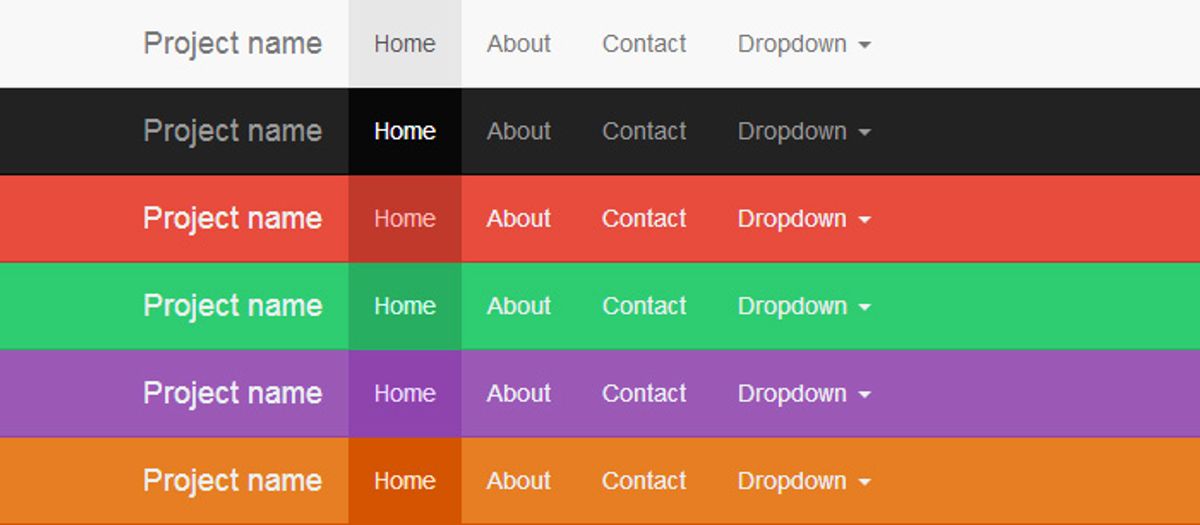
To create a website that truly resonates with users, it’s essential to comprehend their journey from the moment they land on the site to the point where they complete their intended action. Intuitive website navigation is key for user engagement, as it guides visitors through this journey with minimal friction. Simplifying content accessibility and ensuring a responsive design are pivotal in achieving this goal.
By analyzing user behavior, we can identify patterns and preferences that inform the structure and hierarchy of the website. This understanding allows us to create a navigation system that feels natural to the user, enhancing their overall experience.
Leveraging analytics plays a crucial role in this continuous improvement process. It helps in tracking user interactions and identifying areas where the navigation can be optimized for better performance. Below is a list of methods commonly used to understand the user’s journey:
- User interviews
- Shadowing
- Surveys
Each method provides unique insights that contribute to a comprehensive view of the user’s needs and expectations.
Designing for Clarity and Ease of Use
When it comes to designing for clarity and ease of use, the goal is to create a user interface that is both aesthetically pleasing and functionally intuitive. This involves a deep understanding of user behavior to create a well-structured information architecture that guides users through their journey without confusion or frustration.
By prioritizing simplicity and functionality, we can achieve an intuitive user experience that balances system capabilities with user needs.
Effective navigation design is not just about the visual layout; it’s about how easily users can find what they’re looking for and accomplish their tasks. Here are some key considerations:
- Use consistent and predictable navigation patterns.
- Ensure that clickable elements are easily identifiable.
- Provide clear labels for all navigation options.
- Organize content in a logical manner that reflects user expectations.
These principles are essential for enhancing user engagement and retention, as they contribute to a seamless experience that encourages users to return.
Impact of Navigation on User Engagement and Retention
Effective website navigation is a cornerstone of user retention. Clear, intuitive design and consistent patterns are not just about aesthetics; they directly influence how long and how deeply users engage with a website. A well-structured navigation system acts as a roadmap, guiding users through content while minimizing confusion and frustration.
Navigation is not just a feature; it’s an essential component of the user experience that can significantly affect the success of a website.
To illustrate the importance of navigation on user engagement and retention, consider the following points:
- Navigation Ease: Quick and logical access to information bolsters user satisfaction and encourages longer visits.
- Page Load Time: Speedy page loads are critical. Optimizing technical elements like images and code can keep users from leaving.
- User Engagement Metrics: Metrics such as time on site, pages per session, and conversion rates are directly impacted by how easily users can find and interact with content.
Optimizing Site Navigation for Search Engine Crawlers

Structuring Content for Better Indexing
To ensure that search engines can easily crawl and index your website, structuring your content is paramount. This involves organizing information in a logical hierarchy, using headings and subheadings effectively, and optimizing meta tags and descriptions.
Effective content organization not only aids search engine crawlers but also enhances the user experience. A well-structured site allows users to find information quickly, leading to increased engagement and retention. Here are some key points to consider:
- Keyword Optimization: Incorporate relevant keywords to improve search visibility.
- Content Quality: Produce relevant and valuable content to engage users.
- Meta Tags and Descriptions: Use these to accurately summarize page content.
By optimizing these elements, you can create a website that is both user-friendly and search engine friendly, ultimately improving your site’s performance in search rankings.
Additionally, it’s important to consider the technical aspects of your website that can impact performance. Image optimization, script minification, and caching can significantly improve loading times, which is crucial for both user satisfaction and SEO. AM2 Studio’s approach to performance optimization includes a comprehensive review and suggestions for improvement, ensuring that your website runs efficiently.
Utilizing Sitemaps and Breadcrumbs
Sitemaps and breadcrumbs play a pivotal role in both user experience and search engine optimization. A sitemap is a blueprint of your website that helps search engines find, crawl, and index all of your content. Breadcrumbs, on the other hand, enhance user navigation by providing a clear path back to previous pages, often reflecting the site’s hierarchy.
Breadcrumbs not only guide users through your website, but they also contribute to a more structured and hierarchically clear layout that search engines favor.
Implementing these elements is straightforward, even for those with minimal technical expertise. For instance, WordPress users can add breadcrumb navigation with ease, as comprehensive tutorials are available that require no coding knowledge. This accessibility ensures that improving your site’s navigability is within reach for website owners of all skill levels.
Lastly, it’s important to regularly submit your sitemap to search engines. This ensures that new and updated pages are discovered and indexed promptly, which is crucial for maintaining current SEO rankings and visibility.
The Relationship Between Navigation and SEO Rankings
The interplay between website navigation and SEO rankings is pivotal for online success. Clear and intuitive navigation not only aids users in finding the desired content but also allows search engine crawlers to index the site more effectively. This dual benefit enhances the site’s visibility and, by extension, its potential to climb the SERPs.
Effective navigation structures guide both users and search engines through a website’s content hierarchy, signaling the importance of pages and improving the overall discoverability of the site.
Businesses can leverage various strategies to strengthen this relationship:
- Ensuring a logical and hierarchical structure in menu design
- Utilizing clear and descriptive anchor text for internal links
- Implementing sitemaps to aid search engines in understanding site structure
- Incorporating breadcrumbs to provide context and a clear path back to higher-level pages
By focusing on these areas, businesses can create a navigation experience that serves both their users’ needs and their SEO goals, leading to increased user engagement and trust.
Strategies for Enhancing Website Usability
Balancing Aesthetics with Functionality
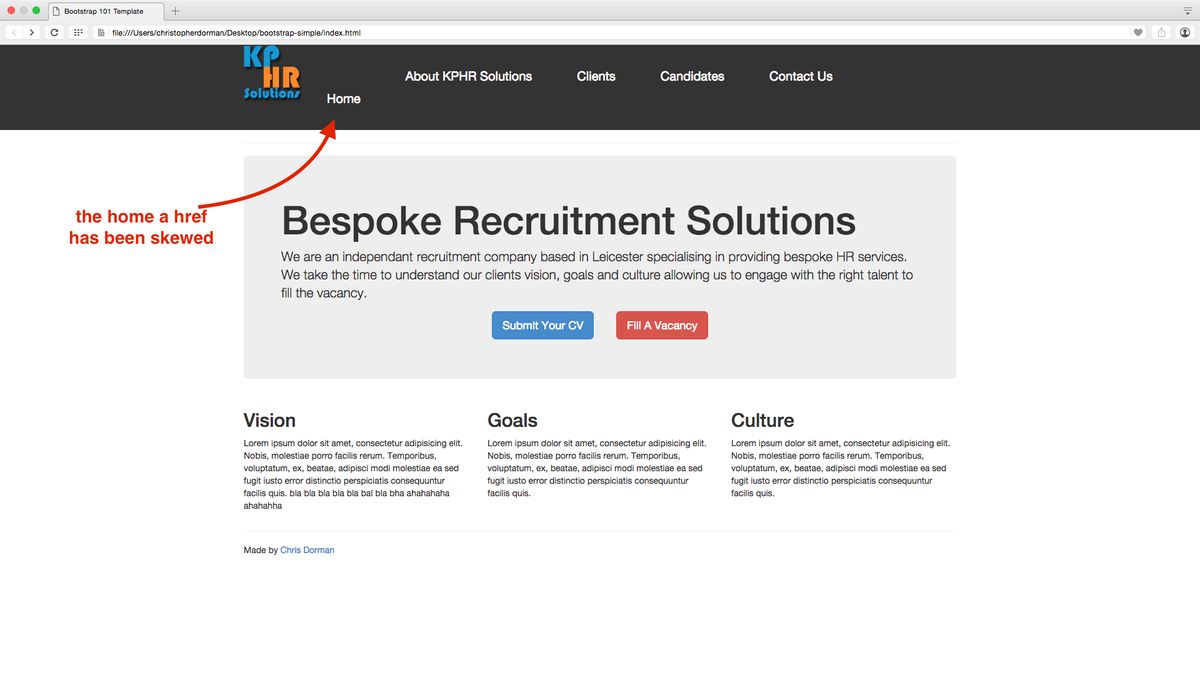
In the realm of web design, striking the right balance between aesthetics and functionality is paramount. A visually stunning site may capture immediate attention, but if users struggle to navigate or find information, their overall experience suffers. Conversely, a site that prioritizes functionality may lack the engaging elements that make a user’s journey memorable.
The key is to integrate these two aspects without compromising on either. This ensures that the design not only looks appealing but also meets the functional needs of users.
To achieve this equilibrium, designers must empathize with user needs, meticulously attending to details that enhance usability without overshadowing the visual appeal. For instance, button responsiveness and accessibility features are just as important as the color scheme and typography. Below is a list of considerations that can help maintain this balance:
- Ensuring clear and intuitive navigation
- Optimizing button sizes and touch targets for interaction
- Using consistent and readable fonts
- Implementing color contrasts for better readability
- Streamlining content to avoid overwhelming users
Ultimately, the goal is to provide a seamless user experience that aligns with the brand’s image and values, making every interaction on the site both enjoyable and efficient.
Implementing Responsive Design for Cross-Device Compatibility
In the era of ubiquitous computing, ensuring mobile responsiveness is not just a feature but a necessity. A website that adapts seamlessly to various devices, from smartphones to desktops, provides a consistent user experience that is crucial for engagement and conversion.
To achieve this, developers must consider a range of factors:
- The navigation menu must be functional on all devices, with special attention to touch screens and mouse clicks.
- Load times should be swift across devices, as a responsive website must adjust and load quickly, irrespective of the device.
- Media queries in CSS are essential for applying different styles based on the device, catering to various resolutions and orientations.
By focusing on these responsive design elements, businesses can optimize usability for a seamless user experience, leading to higher conversion rates and brand loyalty.
Responsive design testing is a critical step in this process. It ensures that every user, regardless of their device, screen size, or operating system, can experience your website optimally. This is not only vital for user satisfaction but also impacts SEO, making it a key component in a user-centric approach for intuitive journeys and cross-platform compatibility.
Leveraging User Feedback for Continuous Improvement
Actively collecting and implementing user feedback is crucial for enhancing the user experience. Offering multiple channels for feedback, such as custom pop-ups, targeted surveys, and embedded tools, allows for a diverse range of insights. These insights can then be analyzed to prioritize website improvements, ensuring that changes reflect actual user needs and preferences.
By integrating user feedback into the design process, websites can evolve in a way that is both user-centric and data-driven. This approach not only addresses user concerns but also uncovers opportunities for innovation.
The cycle of feedback and improvement is an ongoing process. Start by gathering feedback, formulating hypotheses, and then optimizing the site. Validate changes through A/B testing, solicit more feedback, and make final enhancements. This structured approach ensures that the website remains aligned with user expectations and business goals.
- Analyze user feedback to identify common issues
- Prioritize improvements based on user impact
- Implement changes and validate through A/B testing
- Monitor and iterate to refine user experience
Incorporating UX/UI Design Principles for Deeper Engagement

Creating a Cohesive Visual Language
A cohesive visual language is fundamental to a seamless user experience. It encompasses the use of consistent color schemes, typography, and imagery that align with your brand’s identity. This visual consistency ensures that users can navigate your site with ease, recognizing patterns and interfaces that guide them intuitively through their journey.
- Design new visuals that resonate with your brand and appeal to your audience. This may include graphics, photo imagery, infographics, and icons. Use consistent styling to strengthen your brand identity across the site.
- Revise or create new videos, animations, and interactive elements. Ensure these elements are accessible and mobile-responsive.
By using elements purposefully, you can emotionally engage with your targeted audience. For example, vibrant colors might evoke excitement and adventure, while muted colors could instill a sense of trust and stability.
UI focuses on visually appealing interfaces with proper use of color, shape, and typography. These elements are not just for aesthetic pleasure but serve as functional components that enhance user interaction and engagement. When users find a website visually appealing, they are more likely to spend time exploring its content, which can lead to increased engagement and conversion rates.
Guiding Users to Desired Actions
To create a seamless and meaningful experience, it’s crucial to guide users towards the actions we want them to take. This involves strategically placing elements and visual cues that lead to increased user engagement. For instance, Call to Action (CTA) buttons should be clear, compelling, and placed in locations that naturally draw the user’s eye.
By simplifying the user journey and providing intuitive pathways, we can significantly enhance conversions. This is not just about the design but also about understanding the psychology behind user behavior.
Effective navigation should also incorporate feedback mechanisms, such as changing the color or style of visited links, to provide users with a sense of orientation. Regular A/B testing allows for the comparison of different site elements to determine which variations yield the best results, thus continuously refining the user experience.
- Utilize visual cues: arrows, icons, or images
- Simplify user pathways
- Implement regular A/B testing
- Provide clear guidance and error messages
By adhering to these practices, we ensure that users not only find what they are looking for but are also steered towards the actions that align with the site’s objectives.
Employing Gamification to Boost Interaction
Gamification transforms the user experience by incorporating game-like elements into non-gaming environments. Personalized rewards or recognition not only elevate the user experience but also reinforce positive behavior, creating a more engaging and emotionally connected journey for the user.
By strategically integrating challenges, achievements, and progress tracking, websites can foster a sense of accomplishment and motivation among users.
This approach can lead to increased user engagement and retention, as individuals are more likely to return to a platform that acknowledges their efforts and makes the interaction enjoyable. Below is a list of common gamification techniques and their potential impact on user interaction:
- Progress bars to visualize achievement
- Badges for completing tasks or reaching milestones
- Leaderboards to encourage competition
- Points systems to reward continued engagement
- Challenges to stimulate user interest and participation
Employing these techniques thoughtfully can result in a seamless and meaningful experience that resonates with users and encourages them to stay longer and interact more deeply with the website.
Leveraging Analytics and Tools for UX Optimization

Utilizing Heatmaps and User Behavior Data
Heatmaps are a powerful tool for visualizing user interaction on your website. By highlighting areas of high and low engagement, they provide insights into user behavior that can inform design improvements. For instance, you can spot which parts of a page are being ignored and which are attracting unexpected attention.
To effectively use heatmaps, follow a structured approach:
- Track user behaviors such as clicks, moves, and scrolls.
- Identify patterns and anomalies, like elements receiving clicks despite being at the bottom of the page.
- Cross-reference heatmap data with session recordings to understand the context behind user actions.
- Make data-driven decisions to optimize the placement of links and calls to action.
By analyzing user behavior and adapting your website design accordingly, you can create a more intuitive and engaging user experience. This proactive approach can lead to strategic changes that enhance usability and ultimately improve conversion rates.
Remember, the goal is not just to collect data but to translate these insights into actionable improvements. Regularly reviewing heatmap data and user behavior can help you stay ahead of UX trends and maintain a website that resonates with your audience.
A/B Testing for Informed Design Decisions
A/B testing serves as a critical tool in the iterative design process, allowing for data-driven enhancements to user experience. By comparing different versions of site elements, from headlines to CTAs, designers can pinpoint which variations resonate most with users. This methodical approach not only refines the user journey but also bolsters conversion rates.
The key to successful A/B testing lies in a cycle of continuous improvement. Start with user feedback to form hypotheses, then test these through A/B comparisons. Implement the winning elements and gather further feedback for the next iteration.
Efficiency in testing is paramount; excessive scripts from concurrent A/B and multivariate tests can hinder page speed and overall user experience. Monitoring these factors ensures that testing contributes positively to site performance, rather than detracting from it.
Accessibility Considerations for Inclusive Design
Ensuring that a website is accessible to all users, including those with disabilities, is not just a legal imperative but also a moral and commercial one. Incorporating accessibility features enhances the overall user experience and can significantly increase a website’s reach and user satisfaction. Key accessibility considerations include providing text alternatives for non-text content, ensuring that all functionality is available from a keyboard, and designing for various assistive technologies.
By prioritizing accessibility, designers and developers can create a more inclusive web environment that accommodates a diverse range of users and usage contexts.
To achieve this, a systematic approach to accessibility is essential. Below is a list of actionable items that can be integrated into the web design process:
- Use semantic HTML to convey meaning and structure.
- Ensure sufficient color contrast for text and background.
- Implement ARIA (Accessible Rich Internet Applications) landmarks to define regions of the page.
- Provide clear and consistent navigation options.
- Test the website with assistive technologies and users with disabilities to identify and address potential barriers.
In today’s digital landscape, optimizing user experience (UX) is paramount for business success. By leveraging advanced analytics and state-of-the-art tools, you can gain invaluable insights into user behavior and preferences, enabling you to tailor your website for maximum engagement and conversion. Don’t let your online presence stagnate; visit our website to explore our comprehensive range of services, including WordPress Development, eCommerce solutions, and custom web design. Take the first step towards a superior UX—partner with us today for a seamless, optimized digital experience that drives growth.
Conclusion
In conclusion, seamless website navigation is not just a component of good design; it’s a vital element that enhances user experience and contributes to the success of any online platform. By prioritizing intuitive navigation, businesses can ensure that visitors find the information they need with ease, leading to increased engagement, satisfaction, and conversions. Moreover, well-structured navigation aids search engines in understanding and ranking a website, further amplifying its reach. Whether it’s through meticulous planning, strategic design, or ongoing optimization, investing in seamless navigation is a step towards creating a digital environment where users feel empowered and businesses thrive.
Frequently Asked Questions
How does intuitive navigation enhance user experience?
Intuitive navigation streamlines the user’s journey, making it easier to find information and reducing frustration. This leads to increased satisfaction, longer site visits, and better user retention.
Why is site navigation important for SEO?
Well-structured site navigation helps search engine crawlers index content more effectively, which can improve a website’s SEO rankings. It also enhances user engagement, which is a positive ranking signal.
What are some strategies for improving website usability?
Strategies include balancing aesthetics with functionality, implementing responsive design for cross-device compatibility, and leveraging user feedback for continuous improvement.
How can UX/UI design principles deepen user engagement?
Incorporating UX/UI design principles involves creating a cohesive visual language, guiding users to desired actions, and employing gamification to boost interaction and engagement.
What role do analytics play in optimizing user experience?
Analytics provide insights into user behavior, allowing for data-driven decisions. Tools like heatmaps and A/B testing help identify areas for improvement and measure the impact of changes.
How can performance optimization affect user experience and SEO?
Performance optimization, such as improving load times and image compression, can significantly enhance user experience by reducing wait times and increasing satisfaction, which can also improve SEO rankings.