Enhancing User Experience with Seamless Website Navigation
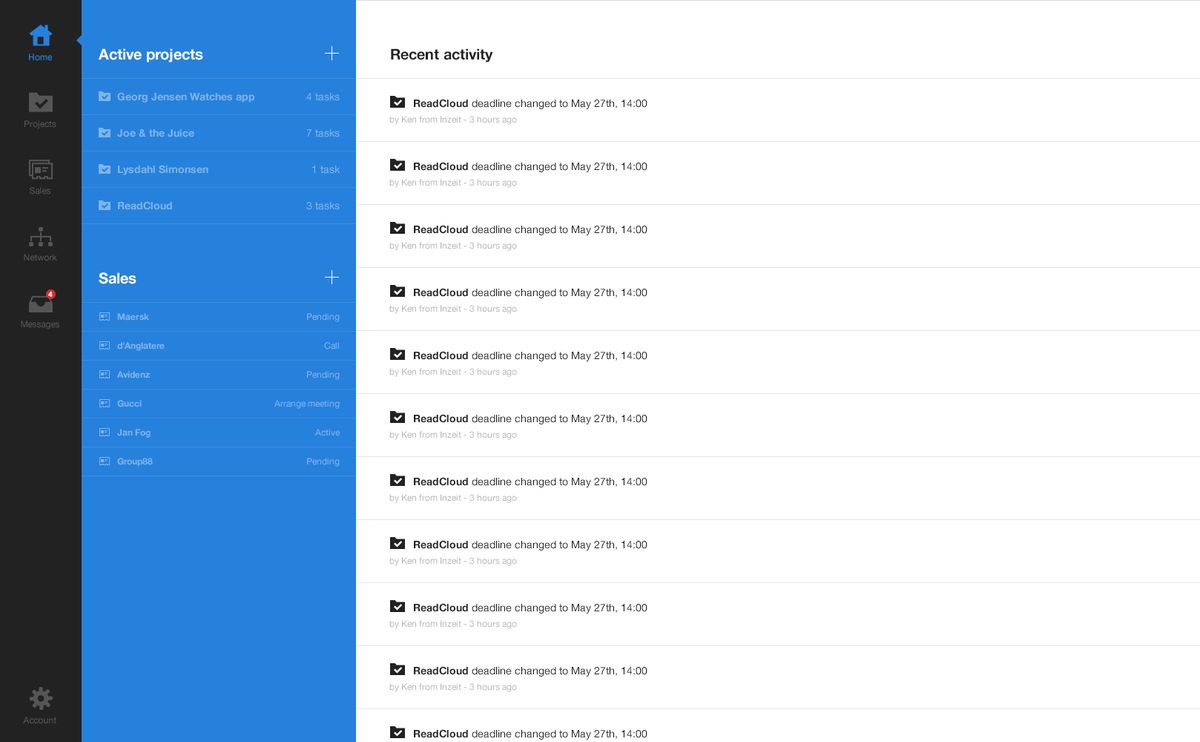
In the digital age, a website’s navigation system is a critical component that can make or break the user experience. Effective navigation ensures that visitors find the information they need without frustration, leading to higher engagement and conversion rates. This article delves into the best practices for creating seamless website navigation, focusing on strategies for effective navigation, optimizing website performance, designing intuitive user interfaces, enhancing usability with quality content, and monitoring website health.
Key Takeaways
- Understanding user behavior is essential for creating a navigation structure that aligns with user expectations and enhances findability.
- Clarity and consistency in design, along with responsive navigation, are key to providing a seamless experience across all devices.
- Website performance, including page load speed and optimized media, directly impacts navigation efficiency and user satisfaction.
- Quality content and intuitive user interfaces, supported by user testing, contribute significantly to the navigability of a website.
- Regular website audits, security practices, and post-launch monitoring are crucial for maintaining the health and usability of a website.
Strategies for Effective Website Navigation
Understanding User Behavior
To enhance website navigation and user experience, it is crucial to understand user behavior. This involves analyzing how users interact with a website, what they expect, and where they encounter difficulties. By leveraging insights from user behavior, designers can create more intuitive navigation paths that align with users’ natural tendencies and preferences.
Key aspects of user behavior to consider include the typical journey a user takes through a website, the common entry and exit points, and the actions that lead to conversions. A bulleted list can help clarify these points:
- Analyzing user journey flow
- Identifying common entry and exit points
- Understanding actions leading to conversions
Incorporating these findings into the design process can significantly improve the navigational structure, making it more user-friendly and efficient. A well-structured navigation system not only guides users to their desired content with ease but also enhances their overall engagement with the website.
Designing for Clarity and Consistency
In the realm of website navigation, clarity and consistency are paramount. Users should effortlessly understand the layout and be able to predict where to find information. This requires a standardized approach to design elements and terminology across all pages. For instance, icons and buttons should maintain the same meaning throughout the website to prevent confusion.
A minimalist design philosophy can significantly enhance user experience by reducing cognitive load. By stripping away non-essential elements, designers can focus on the essentials, ensuring that users are not overwhelmed with information. This approach aligns with the principles of aesthetic and minimalist design, which advocate for simplicity and clear navigation paths.
Effective navigation design is not just about aesthetics; it’s about creating a seamless flow that guides users to their desired content with minimal effort.
To illustrate the importance of these principles, consider the following points:
- Consistent use of graphic elements and terminology.
- Minimization of unnecessary information to focus user attention.
- Clear and unambiguous navigation options.
- Regular analysis and refinement based on user interface guidelines.
By adhering to these guidelines, websites can achieve a balance between visual appeal and functional simplicity, leading to a more intuitive and satisfying user experience.
Implementing Responsive Navigation
In the realm of web design, responsive navigation is a cornerstone of a seamless user experience. It ensures that users can easily interact with a website regardless of the device they are using. A responsive mega menu, for example, should adapt to different screen sizes and be easily navigable with touch controls.
To achieve this, consider a collapsible or accordion-style menu that expands when tapped, which helps to keep the interface uncluttered. This approach allows users to explore deeper menu levels one at a time, preventing information overload. Moreover, it’s essential to prioritize simplicity and usability, enabling users to quickly find specific items without navigating through multiple levels.
By focusing on a user-friendly layout and streamlined navigation, you can create a responsive mega menu that enhances the mobile browsing experience.
Remember to implement accessibility standards, such as keyboard navigability and ARIA roles, to make mega menus usable for everyone, including people with disabilities. Proper design and testing across different devices and user abilities are crucial to ensure that mega menus enhance rather than hinder navigation and accessibility.
Incorporating Accessibility Principles
Incorporating accessibility principles into website navigation is not just a matter of compliance; it’s a commitment to inclusivity that benefits all users. Ensuring that navigation is keyboard-navigable and compatible with screen readers is a fundamental step towards this goal. This includes the use of ARIA roles and properties to communicate the structure and purpose of navigation elements to assistive technologies.
By integrating accessibility features, such as text size and contrast adjustment options, we cater to users with diverse needs, enhancing the overall user experience.
To further support a wide range of users, including those with motor impairments, consider the following adjustments:
- Provide ample clickable areas for links and buttons.
- Avoid time-based interactions that require quick responses.
- Implement clear focus indicators for keyboard navigation.
Accessibility is not an afterthought; it’s an integral part of the design process that ensures your website is welcoming to everyone. As we optimize images for SEO and improve load times, we must also remember that being mobile-friendly and monitoring performance are crucial for an accessible website.
Optimizing Website Performance for Seamless Navigation

Improving Page Load Speed
In the digital age, page load speed is a critical factor for user satisfaction and SEO ranking. A slow website can lead to increased bounce rates and lost conversions. To address this, consider the following steps:
- Optimize Images: Compress and resize images to reduce their file size without compromising quality.
- Minify Scripts: Reduce the size of CSS, JavaScript, and HTML files by removing unnecessary characters.
- Implement Caching: Store frequently accessed data in a cache to speed up load times for returning visitors.
- Reduce HTTP Requests: Combine files where possible and use CSS sprites to lower the number of server requests.
By focusing on these areas, you can significantly improve your website’s performance, providing a smoother experience for your users.
Remember, the goal is to enhance the user journey by making every interaction as efficient as possible. Regularly monitoring and optimizing your website’s load speed is not just a one-time task but an ongoing commitment to your audience.
Utilizing Caching Techniques
Caching is a powerful technique that can dramatically improve website performance by storing frequently accessed data in a temporary storage area. This allows for quicker retrieval on subsequent visits, reducing server load and speeding up page response times.
- Browser caching stores webpage resource files on a local computer when a user visits a webpage, making subsequent visits to the same site faster.
- Minification removes unnecessary characters from code without changing its functionality, which reduces file sizes and load times.
- Personalization uses stored data to tailor the user experience, enhancing engagement and potentially improving SEO rankings due to increased user satisfaction.
By implementing caching strategies, websites can ensure that users enjoy a smoother and more responsive experience. This not only enhances user satisfaction but also contributes to lower bounce rates and better search engine visibility.
It’s essential to regularly review and update caching techniques to align with the evolving web standards and user expectations. Continuous optimization of caching strategies is key to maintaining an edge in website performance and user experience.
Minimizing HTTP Requests
One of the most effective ways to speed up your website is by minimizing the number of HTTP requests. Each element on a page, such as images, stylesheets, and scripts, requires a separate request to the server, which can significantly slow down page load times. By reducing these requests, you can enhance the user experience with faster loading pages.
To streamline the process, consider combining files where possible, such as using CSS sprites for images, and combining multiple scripts into a single file. This not only reduces the number of requests but also helps with maintaining a cleaner codebase.
Another approach is to utilize techniques like lazy loading for images and asynchronous loading for JavaScript. These methods ensure that only the necessary content is loaded when it’s needed, rather than all at once. Here’s a simple list of steps to minimize HTTP requests:
- Use CSS sprites to combine multiple images into one
- Combine multiple CSS and JavaScript files
- Implement lazy loading for below-the-fold images
- Use asynchronous loading for non-critical JavaScript files
- Minimize the use of external scripts and frameworks
By following these steps, you can create a more responsive and efficient website that caters to the needs of today’s fast-paced online environment.
Optimizing Images and Media
Optimizing images and media is crucial for enhancing website performance and user experience. Image compression and optimization while retaining the quality is a key activity that speeds up your website. Unnecessary files from unwanted plugins can overload server resources and pose security risks.
The benefits of caching are exponential, saving local resources and improving customer experience. Minifying scripts by reducing CSS and JavaScript HTTP requests and file sizes leads to faster loading times. Limiting the use of external scripts minimizes third-party requests, optimizing performance further.
By focusing on these optimization techniques, you can ensure that your website not only loads quickly but also provides a seamless experience for users, which is essential for maintaining engagement and reducing bounce rates.
Here’s a simple checklist to help you optimize your website’s images and media:
- Compress images without losing quality.
- Remove unnecessary plugins to reduce server load.
- Implement caching to save resources and speed up the site.
- Minify CSS and JavaScript files to reduce request counts.
- Keep external script usage to a minimum to avoid extra requests.
Designing Intuitive User Interfaces

Leveraging Visual Hierarchy
Effective website navigation hinges on a well-executed visual hierarchy. Typography, color, and spacing are the cornerstones of this approach, guiding users to the most pertinent content effortlessly. A clear visual hierarchy not only enhances the user experience but also streamlines the navigation process, leading to better engagement and conversion rates.
When designing navigation elements, it’s crucial to balance aesthetic and minimalist design. This means reducing clutter and focusing on the essentials to prevent overwhelming the user. For instance, mega menus can be a powerful tool for displaying extensive options, but they must be used judiciously to maintain simplicity and avoid cognitive overload.
By organizing content logically and hierarchically, users can scan and identify areas of interest quickly, minimizing the time spent searching and maximizing the efficiency of their visit.
Incorporating imagery or icons can aid in quick content identification, but they should complement, not dominate, the navigation. Regular user testing and iterative improvements based on feedback are essential for ensuring that the navigation remains intuitive and responsive to user needs.
Utilizing Clear Call-to-Action Buttons
Clear call-to-action (CTA) buttons are pivotal in guiding users through the desired actions on a website. The design and wording of these buttons can significantly influence user engagement and conversion rates. For instance, using verbs that encourage action, such as ‘Sign Up’, ‘Learn More’, or ‘Get Started’, can make a noticeable difference. It’s crucial to make sure the button is obvious and stands out from the rest of the page, without going overboard.
When designing CTAs, create a sense of urgency with phrases like ‘Limited Offer’ or ‘Join Now’. This can prompt users to act promptly, boosting the likelihood of completing a transaction or signing up.
Additionally, the choice of colors for CTA buttons should be made wisely, as they can affect visibility and click-through rates. Here’s a simple list of best practices for CTA buttons:
- Ensure the button is easily identifiable
- Avoid using too many CTAs that can overwhelm users
- Use contrasting colors to make the button pop
- Keep the button size large enough for easy interaction
- Place CTAs at strategic locations to catch user attention
Remember, the goal is to make the path to conversion as seamless as possible for the user.
Balancing Aesthetics with Usability
In the realm of web design, balancing aesthetics with usability is a critical aspect that can significantly impact user engagement and satisfaction. A visually appealing interface can attract users, but it’s the intuitive navigation and ease of use that keep them returning. To achieve this balance, designers must ensure that every visual element serves a purpose and enhances the overall user experience.
A minimalist approach often leads to a more focused and user-friendly website. By reducing clutter and prioritizing essential elements, users can navigate more efficiently, leading to a better interaction with the site.
It’s important to consider the user’s journey from the initial interaction to the final goal. This involves a careful selection of color schemes, typography, and imagery that align with usability goals. Below is a list of considerations that can help maintain the delicate equilibrium between form and function:
- Ensure that the visual design complements the site’s objectives.
- Use color and contrast to guide user attention to important features.
- Select typography that is not only on-brand but also readable across devices.
- Optimize the layout for various screen sizes to maintain a consistent experience.
By adhering to these principles, designers can create websites that are not only aesthetically pleasing but also functionally effective.
Conducting User Testing for Feedback
User testing is a critical phase in the design process, providing invaluable insights into user behavior and preferences. By integrating user feedback, designers can iterate on their creations, ensuring that the final product resonates with its intended audience. Companies like AM2 Studio and Volpis have recognized the importance of this feedback loop, making it a cornerstone of their design philosophy.
The success of a website’s navigation can be measured by its ability to facilitate an intuitive journey for the user. Seamless navigation is not just about aesthetics; it’s about creating a path that users can follow with ease, leading to increased engagement and conversion rates.
To effectively gather and utilize feedback, consider the following steps:
- Conduct usability tests to observe how users interact with the website.
- Collect quantitative data through analytics to understand user flows.
- Implement surveys and questionnaires for direct user opinions.
- Analyze feedback to identify common issues and areas for improvement.
- Iterate on the design based on the insights gained, and repeat the process as necessary.
Enhancing Website Usability with Quality Content

Organizing Content for Easy Access
Effective organization of website content is crucial for enhancing user experience. Grouping similar items together under clear headings can significantly improve navigation and user satisfaction. For instance, a mega menu should logically and hierarchically arrange related items, facilitating quick scanning and decision-making.
Content categorization is not a one-size-fits-all solution; it must reflect the user’s expectations and the site’s information architecture. Tagging and clear categorization are essential tools that enable users to quickly access the content they need, thus minimizing cognitive load and improving the efficiency of navigation.
By organizing content into clearly defined sections, users can easily identify areas of interest at a glance, which is crucial for both usability and search engine optimization.
Remember, well-organized content not only aids users but also helps search engines understand the website’s structure, leading to better page indexing and enhanced SEO.
Writing for Web Readability
Web readability is crucial for engaging users and ensuring they can easily digest content. To achieve this, text should be concise and broken into manageable chunks. Use short paragraphs and bullet points to make information scannable.
- Keep sentences short and to the point.
- Utilize subheadings to guide readers through the text.
- Employ bullet points or numbered lists to outline key points.
- Ensure links are descriptive to aid navigation.
By designing with readability in mind, we create a more accessible and user-friendly experience. This approach not only retains visitors but also improves overall website usability.
Remember, the goal is to convey your message as simply and directly as possible. Avoid industry jargon and opt for plain language that can be understood by a broad audience. This is especially important for key information and calls to action.
Using Descriptive Link Text
The use of descriptive link text is crucial for enhancing website usability and guiding users effectively through your content. Instead of generic phrases like ‘click here’ or ‘read more’, links should convey the value and relevance of the content they lead to. This practice not only improves user experience but also benefits SEO by providing clear context to search engines.
Descriptive link text should be informative and anticipate the needs of users, ensuring they know what to expect before they click. It is a simple yet powerful tool to increase the predictability of navigation and reduce user frustration.
For instance, a website that offers WordPress and eCommerce development services might structure its navigation menu with clear and descriptive links:
- Services
- WordPress Development
- Website design & development
- Design to WordPress
- WordPress Performance optimization
- eCommerce development
- WordPress Development
- Our work
- Career
- Contact us
By prioritizing descriptive link text, websites can significantly enhance user engagement and the overall navigational experience.
Maintaining Updated and Relevant Information
In the digital age, the freshness of content on your website is a critical factor for both user engagement and search engine rankings. Regularly updating your website with relevant information ensures that your audience always has something new to discover, which can lead to increased repeat visits and longer session durations. This practice also signals to search engines that your site is a current and authoritative source, potentially boosting your visibility in search results.
To maintain an up-to-date website, consider implementing a content calendar that schedules regular reviews and updates. This can include revising outdated information, adding new sections, or highlighting recent industry developments. Below is a suggested content update schedule:
- Weekly: Blog posts, news updates, or industry insights
- Monthly: Comprehensive reviews of service or product pages
- Quarterly: Overhauls of key sections based on user feedback or analytics
By proactively managing your website’s content, you not only enhance its usability but also foster a sense of community and trust with your audience. It’s not just about keeping information current; it’s about showing your users that you are invested in their experience and value their time.
Monitoring and Maintaining Website Health

Conducting Regular Website Audits
Regular website audits are crucial for maintaining the health and performance of your site. Conducting a thorough audit ensures that you identify and rectify any issues that could impact user experience or search engine rankings. An initial review of your website’s structure, content, and functionality lays the groundwork for a successful audit.
A comprehensive website audit covers various aspects, including performance, security, SEO, and usability. It’s a systematic process that helps uncover areas for improvement and aligns your website’s performance with your business goals.
Following a structured approach to auditing can significantly enhance your website’s effectiveness. Here are some practical steps to follow:
- Review the website’s overall structure and navigation
- Analyze the quality and relevance of content
- Assess the website’s mobile responsiveness and loading speed
- Check for security vulnerabilities and update protocols
- Evaluate on-site SEO elements and keyword optimization
- Monitor user engagement metrics and conversion rates
By addressing these areas, you can ensure that your website remains secure, efficient, and user-friendly, thereby fostering a positive user experience and supporting your business objectives.
Implementing Security Best Practices
In the digital age, website security is paramount to maintaining user trust and ensuring a safe browsing experience. Implementing security best practices is not just about protecting data; it’s about safeguarding the user’s journey from start to finish. A secure website is the cornerstone of a reliable online presence, and there are several key steps to achieve this.
Firstly, regular updates to the website’s core and plugins are essential. These updates often contain security patches that address vulnerabilities. Automated security checks should be conducted daily to ensure the site remains malware-free. Additionally, performance checks and SEO monitoring contribute to a secure and optimized website environment.
It’s crucial to have a robust system in place for automated backups. This ensures that, in the event of a security breach or data loss, a recent version of the website can be restored quickly and efficiently.
Lastly, consider the following list of security measures to enhance your website’s defense mechanisms:
- Uptime monitoring with automated alerts
- Frequent security scans and malware checks
- Regular updates and testing of WP core and plugins
- Implementation of SSL certificates
- Strong password policies and user authentication protocols
By adhering to these practices, you can create a fortified digital space that users can trust.
Setting Up Automated Backups
Automated backups are a critical component of website maintenance, ensuring that your data is preserved and can be restored in the event of data loss or corruption. Frequent incremental backups are the backbone of a robust security strategy, safeguarding your website files and database. By automating this process, you minimize the risk of human error and ensure that backups are performed consistently and on schedule.
To set up automated backups effectively, follow these steps:
- Choose a reliable backup solution that fits your website’s needs.
- Configure the backup frequency to match the criticality of your data.
- Select a secure off-site storage location to prevent data loss in case of physical damage to your servers.
- Test your backup system regularly to ensure data integrity and successful restoration.
Automated backups not only provide peace of mind but also form a critical part of your website’s defense mechanism against data breaches and technical failures. Regular updates and security scans complement this strategy, contributing to a secure online presence.
Remember to review and update your backup procedures as your website evolves. This proactive approach to website health, combined with performance scans and threat detection, is essential for maintaining efficiency and security.
Post-Launch Monitoring and Bug Fixes
After a website goes live, the journey towards maintaining its integrity and performance begins. Post-launch strategies for maintaining website integrity include monitoring for bugs and providing ongoing support through structured maintenance activities. This phase is crucial for ensuring that the user experience remains positive and that any issues are addressed promptly.
To maintain a healthy website, regular check-ups and updates are as necessary as they are for any sophisticated machinery. Just as a car needs oil changes and tire rotations, a website requires frequent core and plugin updates, security scans, and performance optimizations.
A comprehensive post-launch plan should include:
- Uptime monitoring with automated alerts
- Daily security checks to keep the site malware-free
- Regular updates to WordPress core and plugins
- Performance checks to ensure fast loading times
- SEO monitoring to track ranking changes and identify SEO issues
- Automated backups for quick recovery in case of emergencies
By adhering to these practices, website owners can minimize downtime, maintain high security standards, and provide a consistently smooth user experience.
Ensuring your website remains healthy and performs optimally is crucial for your online presence. Our comprehensive suite of services, including WordPress Development, eCommerce solutions, and website health audits, are designed to keep your site running smoothly. Don’t let technical issues hinder your success. Visit our website to schedule a health audit and take the first step towards a more robust and efficient website.
Conclusion
In conclusion, seamless website navigation is a cornerstone of exceptional user experience. By implementing strategies such as responsive mega menus, consistent design aesthetics, and clear content organization, websites can cater to the diverse needs of users across devices. Performance optimization, including quick loading times and streamlined navigation, further enhances usability. Whether it’s for an e-commerce platform or a content-rich site, the goal remains the same: to provide users with an intuitive, efficient, and satisfying browsing experience. As we’ve explored throughout this article, when navigation is thoughtfully designed, it not only meets but exceeds user expectations, leading to increased engagement, satisfaction, and ultimately, conversions.
Frequently Asked Questions
What are the key principles of effective website navigation design?
Effective website navigation design should focus on understanding user behavior, ensuring clarity and consistency, implementing responsive navigation for various devices, and incorporating accessibility principles to cater to all users.
How can website performance optimization enhance user navigation?
Optimizing website performance through faster page load speeds, caching techniques, minimizing HTTP requests, and optimizing images and media can provide a smoother and more seamless navigation experience for users.
What role does intuitive user interface design play in user experience?
An intuitive user interface leverages visual hierarchy, clear call-to-action buttons, and a balance between aesthetics and usability to guide users effortlessly through the website, enhancing the overall user experience.
Why is content organization important for website usability?
Organizing content for easy access, writing for web readability, using descriptive link text, and maintaining updated information helps users find what they need quickly and efficiently, improving the usability of the website.
What are some best practices for maintaining website health post-launch?
Regular website audits, implementing security best practices, setting up automated backups, and post-launch monitoring for bugs are essential to maintain the health and performance of a website after it goes live.
How does a mega menu improve the navigation experience on e-commerce sites?
A mega menu allows e-commerce sites to display extensive product categories and subcategories in an organized manner, providing users with a clear overview and quick access to products, thus enhancing the navigation experience and user satisfaction.