Leveraging Advanced Technology for Optimized Website Functionality

In today’s digital age, an optimized website is crucial for maintaining a competitive edge. Advanced technology offers a plethora of tools and techniques to enhance website functionality, improve user experience, and bolster security. This article explores various strategies to leverage these technologies effectively, ensuring your website is not only functional but also fast, secure, and optimized for performance.
Key Takeaways
- Implementing advanced caching techniques can significantly reduce load times and enhance user experience by efficiently storing and retrieving website data.
- Image optimization, through compression and automation, is essential for website speed without compromising on visual quality, balancing performance with aesthetics.
- Minification of scripts and style files reduces unnecessary code, leading to faster website loading times and improved performance.
- Securing WordPress websites is paramount, involving regular audits, updates, and the use of advanced security plugins to mitigate risks and develop a robust security strategy.
- Optimizing the use of external scripts can drastically improve site speed by minimizing third-party dependencies and optimizing script loading sequences.
Enhancing Website Performance through Advanced Caching Techniques

Understanding the Fundamentals of Caching
Caching is a cornerstone of website performance optimization. By storing copies of files or data in a ‘cache’, websites can reduce the amount of work required to generate a page view. This results in faster load times and a smoother user experience. Effective caching can significantly enhance a website’s responsiveness, making it more appealing to users and search engines alike.
Caching mechanisms work by intercepting requests and serving stored content instead of processing each request in real-time. This not only speeds up access for users but also reduces server load, leading to more efficient resource utilization.
To truly leverage caching, one must understand the different types of caches available:
- Browser cache: Stores website resources on the user’s device.
- Server cache: Retains frequently requested content on the server.
- CDN cache: Distributed networks that cache content closer to the user’s location.
Each type plays a crucial role in the overall caching strategy, and their combined use can lead to optimal website performance. Regularly monitoring and updating cached content ensures that users receive the most current information without compromising on speed.
Implementing Effective Caching Strategies
To achieve optimal performance, it’s crucial to implement effective caching strategies that cater to the specific needs of your website. Caching reduces server load and decreases page load times, which in turn enhances the user experience. Here are key steps to consider:
- Identify the most frequently accessed data and ensure it is cached.
- Choose the right caching tools and platforms that align with your website’s technology stack.
- Set appropriate cache expiration times to balance freshness with performance.
- Utilize browser caching to store static resources on the user’s device.
By strategically caching content, you can minimize the need for repetitive data processing and server requests, leading to a more efficient and responsive website.
Regularly review and adapt your caching strategies to respond to changes in website traffic and content updates. This proactive approach ensures that your caching mechanisms remain effective over time, providing a consistently fast experience for all users.
Monitoring and Maintaining Cache Efficiency
To ensure that your website remains fast and responsive, monitoring and maintaining cache efficiency is essential. Regular reviews of caching performance can highlight areas for improvement and ensure that the caching strategy aligns with the evolving content and traffic patterns. Tools like cache analytics can provide insights into hit rates, object expiration, and cache size, enabling data-driven decisions for optimization.
Effective cache maintenance involves periodic validation of cached objects and purging outdated or less frequently accessed data. This practice not only frees up valuable cache space but also prevents the serving of stale content to users. Additionally, automating cache invalidation processes can significantly reduce the manual overhead and minimize human error.
By adopting a proactive approach to cache management, you can enhance user experience and maintain optimal website performance.
Continuous learning and adapting to new technologies are also part of maintaining cache efficiency. Implementing advanced caching techniques can future-proof your website, ensuring optimal performance and user experience. It’s important to stay informed about the latest developments in caching technology and to integrate them into your website’s architecture as appropriate.
Optimizing Image Use for Speed and Efficiency

The Importance of Image Compression
In the digital age, where speed is king, image compression is a critical factor in website performance. Large, unoptimized images can drastically slow down page loading times, leading to increased bounce rates and a poor user experience. By compressing images, we reduce their file size without significantly compromising quality, ensuring that pages load quickly and efficiently.
Compressing images not only enhances the user experience but also conserves bandwidth and improves server performance.
Moreover, image compression is beneficial for SEO as search engines favor faster-loading websites. This can lead to better search rankings and increased visibility for your site. To illustrate the impact of image optimization, consider the following points:
- Reduces server load and hosting costs
- Improves page load times, crucial for retaining visitors
- Enhances SEO by contributing to faster site speed
By prioritizing image compression in your website optimization strategy, you can achieve a balance between visual quality and performance, which is essential for maintaining a competitive edge online.
Automating Image Optimization
In the digital age, where speed is paramount, automating image optimization is a critical step in enhancing website performance. Tools designed for this purpose can significantly reduce the manual effort involved in resizing, compressing, and formatting images for the web. By automating these tasks, webmasters can ensure that images load quickly without sacrificing quality, which is essential for maintaining user engagement and improving SEO rankings.
Automation in image optimization not only saves time but also ensures consistency across all images on a website. It doesn’t matter which directory you save your images in; automated systems can be configured to optimize images across the entire site.
Here’s a simple list of benefits that come with automating image optimization:
- Consistent application of lossless compression techniques
- Reduced file sizes leading to faster page load times
- Improved website performance and user experience
- Enhanced SEO due to quicker loading images
Embracing automation in image optimization is a smart move for any website looking to improve its performance metrics and provide a better user experience.
Balancing Quality and Performance
When optimizing images for a website, the goal is to strike a delicate balance between visual quality and performance. Optimizing images for website performance is crucial. High-resolution images can significantly enhance the aesthetic appeal of a site, but they can also slow down page load times, which may deter users. Conversely, overly compressed images may load quickly but can degrade the user experience with poor visual quality. To maintain this balance, consider the following points:
- Use modern image formats like WebP that provide superior compression and quality characteristics compared to traditional formats like JPEG or PNG.
- Implement responsive images that serve different image sizes based on the user’s device, ensuring that mobile users aren’t unnecessarily downloading large files.
- Employ lazy loading to defer the loading of images until they are needed, which can improve initial page load times and save bandwidth.
By carefully considering the trade-offs between image quality and load speed, you can enhance user engagement and site speed without sacrificing the visual impact of your website.
Remember, user engagement is key for a successful online presence, and balancing quality with performance is a pivotal aspect of that engagement. Regularly review your image optimization strategies to ensure they align with current best practices and technological advancements.
Streamlining Website Operations with Minified Scripts
The Impact of Script Minification on Load Times
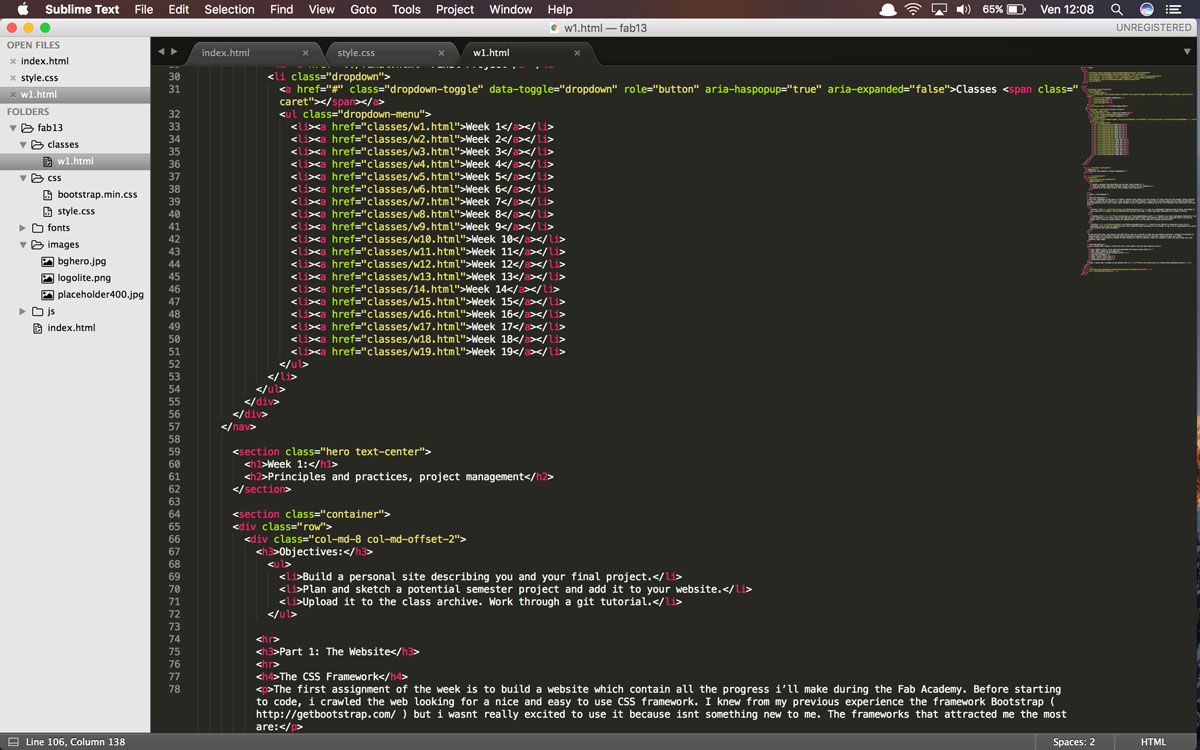
Minifying scripts is a crucial step in optimizing a website’s load time. By removing unnecessary characters from code, such as whitespace, comments, and block delimiters, we can reduce the size of CSS, JavaScript, and HTML files. This not only decreases bandwidth usage but also minimizes the number of HTTP requests, leading to faster page rendering and an improved user experience.
Minification is a simple yet effective way to enhance site speed and performance. It’s a process that should be part of every website’s optimization checklist.
Here’s how minification can impact load times:
- Reduces file size: Smaller files are quicker to download and process.
- Decreases server load: Less data to transfer means a lighter load on the server.
- Improves caching efficiency: Minified files remain cached longer, reducing server requests.
By implementing script minification, website owners can optimize website performance and ensure that content is delivered to users without unnecessary delays. Regular monitoring and updates are essential to maintain these benefits over time.
Tools and Techniques for Script Optimization
Optimizing script execution is crucial for enhancing website performance. Minification is a popular technique that involves removing unnecessary characters from code without changing its functionality. This can include whitespace, comments, and block delimiters, which helps in reducing the size of the files and thus the load times.
Several tools can assist in this process, such as:
- UglifyJS for JavaScript
- CSSNano for CSS
- HTMLMinifier for HTML
Each tool is designed to tackle specific types of files, ensuring that your website’s scripts are as lean as possible. Additionally, employing automated build tools like Webpack or Gulp can streamline the minification process, integrating it into the development workflow for consistent and efficient optimization.
By strategically combining multiple scripts into a single file, the number of HTTP requests can be reduced, further improving load times.
It’s also important to regularly audit script performance to identify bottlenecks. Tools like Google’s Lighthouse provide valuable insights into how scripts affect your website’s load time and offer suggestions for improvement. Remember, scripts are one of the main parts of a website that slow down the loading of a page, but with the right optimization techniques, their impact can be minimized.
Best Practices for Script Management
Efficient script management is a cornerstone of high-performing websites. Adopting a systematic approach to script handling can significantly improve website performance. It’s essential to use lazy loading techniques for scripts that are not immediately necessary, which can reduce initial load times and save bandwidth. Minifying files is another critical step; it reduces the size of your script files, making them faster to download and execute.
Combining CSS and JavaScript files can further reduce the number of HTTP requests, which streamlines the loading process. Regularly reviewing and removing unused scripts will declutter your codebase and enhance site speed. Lastly, utilizing Content Delivery Networks (CDNs) for static resources ensures that your content is delivered from the closest server to the user, minimizing delays.
By integrating these practices into your workflow, you can maintain an optimized and efficient website that meets the demands of today’s fast-paced digital environment.
Securing WordPress Websites in the Modern Digital Landscape

Regular Security Audits and Updates
In the ever-evolving digital landscape, WordPress websites must undergo regular security audits and updates to safeguard against vulnerabilities. These audits are critical in identifying potential security threats and ensuring that all aspects of the website are up to date and secure.
A robust security audit encompasses several key areas, including plugin and theme reviews, user permissions, and database security. It’s not just about finding weaknesses but also about reinforcing the site’s defenses.
To maintain a high level of security, it is essential to perform frequent core and plugin updates. This proactive approach minimizes the risk of security breaches and keeps the website running smoothly. Below is a list of steps to ensure your WordPress site remains secure:
- Conduct regular load testing to anticipate traffic spikes and potential security threats.
- Implement daily automated security checks to keep the site malware-free.
- Keep WordPress core and plugins updated to the latest versions after thorough testing.
- Utilize intelligent threat detection tools to block malicious attacks.
- Schedule regular backups to secure website data and facilitate quick recovery in case of an incident.
Mitigating Risks with Advanced Security Plugins
In the ever-evolving digital landscape, securing your WordPress site against potential threats is paramount. Advanced security plugins serve as a critical line of defense, automating the protection process and providing peace of mind. When selecting a security plugin, consider the following criteria to ensure you’re making an informed decision:
- The plugin’s reputation and user feedback
- Number of active installations
- Frequency of updates and support
- Compatibility with your current tech stack
- Cost and additional features
By prioritizing these factors, you can effectively lock out malicious threats and safeguard your website.
Furthermore, it’s essential to stay vigilant and proactive. Regularly review your security setup to adapt to new threats. With 56% of WordPress vulnerabilities stemming from plugins, it’s clear that maintaining a secure site is an ongoing commitment, not a one-time setup.
Developing a Comprehensive Security Strategy
A comprehensive security strategy for WordPress websites is not just about installing the right plugins; it’s about understanding the ecosystem and continuously adapting to new threats. Regular security audits and updates are fundamental to this strategy, ensuring that vulnerabilities are promptly addressed. Strategic management of external scripts and performance optimization are also crucial for website agility and growth.
A robust security strategy should encompass multiple layers of protection, including but not limited to, real-time monitoring, firewalls, and secure authentication processes.
To maintain a high level of security, consider the following steps:
- Conduct regular security audits to identify potential vulnerabilities.
- Keep WordPress core, themes, and plugins up to date.
- Implement strong password policies and two-factor authentication.
- Utilize advanced security plugins to monitor and mitigate risks.
- Backup your website regularly and ensure you can quickly restore if needed.
By taking these proactive measures, you can significantly reduce the risk of security breaches and maintain the trust of your users.
Maximizing Performance with External Script Optimization

Assessing the Impact of External Scripts
External scripts, such as analytics, social media widgets, and advertising networks, can significantly affect website performance. Assessing their impact is a critical step in optimizing site speed. A recommended workflow involves using the Network panel to measure page load times, identifying scripts that contribute to slowdowns.
Optimizing external script usage is not only about reducing their number but also about prioritizing critical scripts and minimizing requests. Regular reviews ensure ongoing efficiency and performance gains.
By strategically managing external scripts, websites can achieve a balance between functionality and speed, enhancing user experience without compromising on essential features.
Here’s a simple checklist to help maintain optimal performance with external scripts:
- Use testing tools to measure impact
- Prioritize loading of critical scripts
- Minimize the number of script requests
- Regularly review script efficiency and necessity
Reducing Third-Party Script Dependencies
The over-reliance on third-party scripts can significantly slow down a website, leading to a poor user experience and decreased conversion rates. Reducing these dependencies is crucial for optimizing site performance. One approach is to evaluate the necessity of each script, considering whether the functionality it provides is essential or if it can be replaced with a more efficient alternative.
- Prioritize scripts based on their impact on user experience and page load times.
- Replace heavy third-party scripts with lighter, custom-built solutions when possible.
- Employ lazy loading techniques to defer the loading of non-critical scripts until they are needed.
By methodically assessing and streamlining the scripts used on a website, developers can achieve a balance between functionality and performance. This process not only improves page load times but also enhances overall site stability and security.
Enhancing Site Speed with Optimized Script Loading
Optimizing the loading of external scripts is crucial for maintaining a swift website. By minimizing the reliance on third-party scripts, we can reduce the number of external requests, which in turn speeds up page load times. This is not just about improving user experience; it’s also about enhancing your site’s SEO performance, as search engines favor faster-loading sites.
When it comes to script optimization, it’s essential to assess the impact of each script on your site’s performance. Prioritize critical scripts and defer or asynchronously load non-essential ones to improve page rendering times.
Here are some steps to optimize script loading:
- Use a Content Delivery Network (CDN) to distribute your scripts globally and reduce latency.
- Implement lazy loading for scripts that are not immediately necessary.
- Minify and combine scripts to reduce file size and the number of HTTP requests.
- Regularly audit your scripts to remove any that are outdated or no longer needed.
Remember, every millisecond counts when it comes to website performance. By diligently managing and optimizing your scripts, you can ensure a faster, more efficient site that keeps users engaged and satisfied.
To achieve the pinnacle of efficiency in your online presence, consider leveraging our expertise in WordPress Performance optimization. Our dedicated team at AM2 is committed to enhancing your website’s speed and user experience, ensuring that your digital platform operates at its best. Don’t let slow loading times hinder your success. Visit our website now to explore our comprehensive range of services, including custom web design, eCommerce solutions, and much more. Partner with us and take the first step towards a faster, more reliable website!
Conclusion
In the fast-paced digital world, optimizing website functionality is not just a luxury, it’s a necessity. Throughout this article, we’ve explored various advanced technologies that can significantly enhance website performance, from image optimization and caching to script minification and the judicious use of external scripts. Implementing these strategies can lead to faster loading times, improved user experience, and higher search engine rankings, ultimately contributing to increased customer satisfaction and conversion rates. As we continue to witness the evolution of web technologies, staying abreast of the latest optimization techniques and tools will be paramount for businesses looking to thrive online. Remember, a well-optimized website is more than just an online presence; it’s a powerful tool for business growth and customer engagement.
Frequently Asked Questions
How does image optimization enhance website performance?
Image optimization involves compressing and resizing images to reduce file sizes without compromising quality. This leads to faster page load times, improved user experience, and better SEO rankings.
What are the benefits of implementing advanced caching techniques?
Advanced caching techniques save server resources and reduce load times by storing copies of files and web pages. This results in a more efficient website and a smoother experience for visitors.
Why is script minification important for website speed?
Script minification removes unnecessary characters from code, reducing file size and the number of HTTP requests. This streamlines the loading process, enhancing overall website speed.
How can I secure my WordPress website effectively?
Securing a WordPress website involves regular security audits, keeping themes and plugins updated, using advanced security plugins, and developing a comprehensive security strategy to mitigate risks.
What impact do external scripts have on website performance?
External scripts can slow down websites by adding extra HTTP requests and processing time. Optimizing or minimizing the use of these scripts can significantly improve site speed and performance.
How does performance optimization affect my website’s success?
Performance optimization leads to faster load times, better user engagement, and higher conversion rates. It also contributes to improved SEO rankings, enhancing online visibility and success.