User-Centric Website Design Approach for Engaging User Experience

In today’s digital landscape, creating a website that not only attracts users but also provides an engaging and satisfying experience is paramount. A user-centric website design approach places the needs and behaviors of users at the forefront, ensuring that every aspect of the website—from navigation to content—is tailored to provide the best possible experience. This article delves into the strategies and practices that can help designers and developers craft websites that resonate with users, drive engagement, and foster loyalty.
Key Takeaways
- A user-centric design approach involves in-depth research and analysis to understand user needs, behaviors, and feedback, which informs the creation of targeted personas and design strategies.
- Optimal user experience is achieved through adherence to user-centric design principles, effective navigation and layout, and a commitment to accessibility and inclusivity.
- Website performance and usability enhancements, such as optimizing load times and simplifying the user journey, are critical for maintaining user engagement and satisfaction.
- Personalized content and interactive elements, driven by user data, play a significant role in creating a dynamic and engaging user experience that resonates with the target audience.
- Post-launch, it is essential to monitor user feedback and behavior, engage in iterative design for continuous improvement, and provide ongoing support and maintenance.
Understanding User Needs and Behavior

Conducting In-Depth User Research
In-depth user research is the cornerstone of a user-centric website design. It involves a variety of methods to gather insights about the users’ needs, preferences, and behaviors. Surveys and interviews are commonly used to ask broad or specific questions, while usability testing allows observation of users interacting with the product. This research is crucial for understanding the pain points and tasks that users need to accomplish.
By mapping out user journeys, designers can visualize the experience from the user’s perspective, ensuring that the strategy is aligned with real user needs.
The following list outlines key steps in conducting user research:
- Define research goals and questions
- Choose appropriate research methods
- Recruit participants
- Collect and analyze data
- Synthesize findings into actionable insights
Ultimately, the goal is to inform design decisions that lead to a seamless and engaging user experience.
Analyzing User Feedback and Data
Once user feedback and data are collected, the next critical step is to analyze this information to uncover insights. This involves identifying common themes, pinpointing areas for improvement, and recognizing patterns in user behavior. For instance, usability tests can reveal pain points or confusion, helping to refine the user experience.
By methodically examining user feedback and data, we can make informed decisions that enhance the website’s design and functionality.
To effectively analyze user feedback, consider the following steps:
- Review usability test results to identify common issues.
- Track key metrics such as sign-up rates and daily usage to spot trends.
- Map out user journeys to understand the user’s perspective.
- Conduct user interviews to gain qualitative insights.
These activities help ensure that strategic choices, such as feature design and problem-solving priorities, are aligned with actual user needs, leading to a more user-centric website.
Creating Personas for Target Audiences
Personas are fictional characters created based on user research to represent the different user types that might use a site, brand, or product in a similar way. Developing personas is a key step in a user-centric design process as it helps to focus decisions by adding a layer of real-world consideration to the conversation.
When creating personas, it’s essential to include a variety of demographic and psychographic details to make them as realistic and useful as possible. This might include:
- Age and gender
- Occupation and education level
- Interests and hobbies
- Technical proficiency
- Goals and motivations
- Frustrations and pain points
By understanding these aspects of your target audience, you can design experiences that cater to their specific needs and preferences. Moreover, personas can guide feature prioritization, align stakeholders, and ensure that the user remains at the center of the design process.
Designing for Optimal User Experience
Principles of User-Centric Design
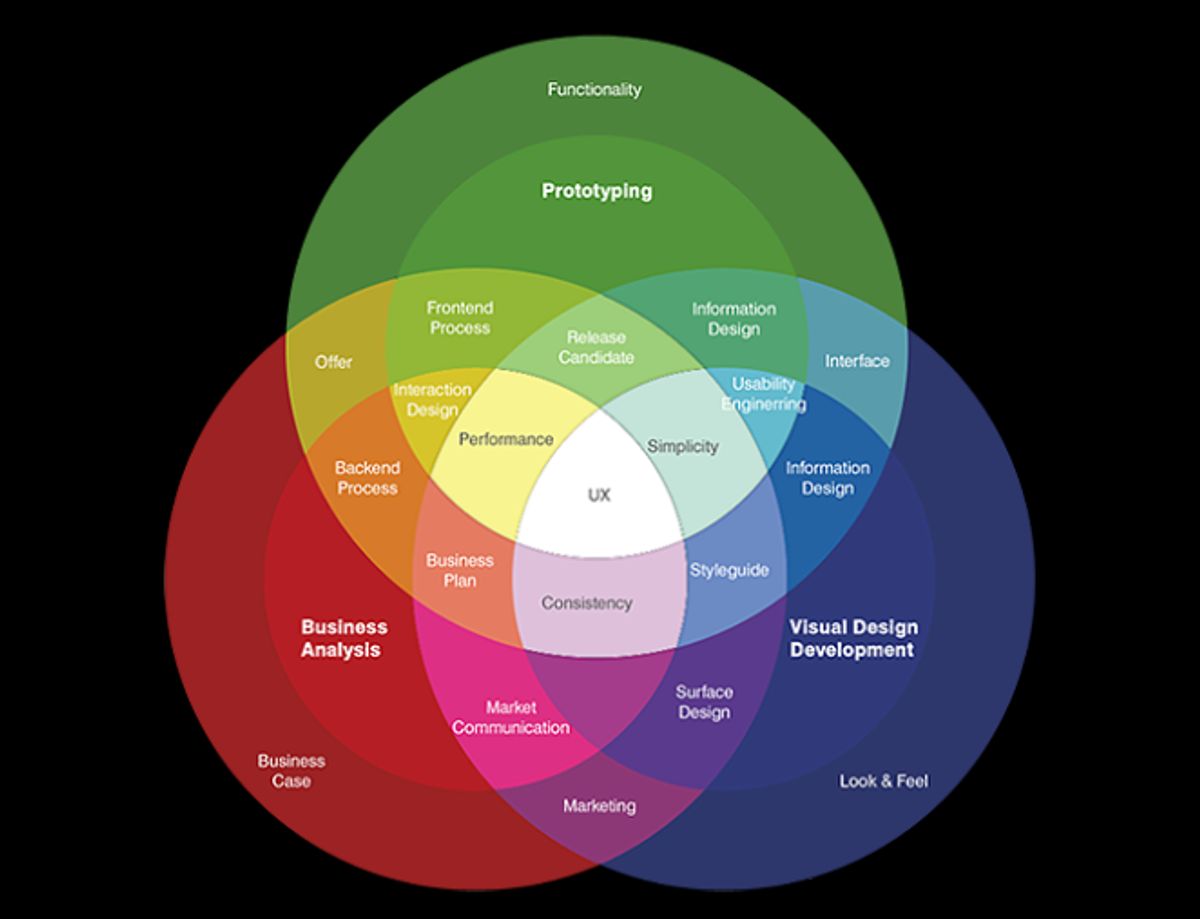
At the heart of user-centric design lies the commitment to deeply understand and prioritize the needs and behaviors of users. User-centric design principles focus on aligning websites with user needs, behaviors, and satisfaction. Key components include empathy, inclusivity, and personalized interactions for a seamless user experience. By adopting these principles, designers can create more engaging and effective websites.
A user-centric approach ensures that every aspect of the website, from layout to content, is crafted with the end-user in mind. This approach not only enhances user satisfaction but also drives better engagement and conversions.
To effectively implement user-centric design, consider the following steps:
- Conduct thorough user research to gather insights into user needs and preferences.
- Develop empathy with users by understanding their challenges and pain points.
- Ensure accessibility and inclusivity so that the website is usable by as wide an audience as possible.
- Create personalized experiences that resonate with users and encourage interaction.
By integrating these steps into the design process, websites can become more intuitive and user-friendly, leading to a more satisfying user experience.
Implementing Effective Navigation and Layout
Effective navigation and layout are the cornerstones of a user-centric website design. They guide users through the site’s content seamlessly and intuitively. Mapping the entire process of user interaction with the site can reveal opportunities to improve and streamline the user journey, reducing confusion and frustration.
Prototyping and wireframing are essential steps in visualizing the layout. Wireframes, which are simple sketches of the interface, focus on the placement of elements rather than the design details, allowing for early detection and correction of navigational issues.
In-page links, when used correctly, can greatly enhance navigation. They should be paired with descriptive headings and be clearly distinguishable from other types of links. Here are three usability tips for in-page links:
- Use descriptive headings that match the destination.
- Clearly distinguish in-page links from other links.
- Ensure that in-page links are easily accessible and visible.
By prioritizing user experience in navigation and layout, we can significantly improve website performance and user satisfaction. This approach aligns with key principles such as mobile-friendly interfaces and interaction design, which are fundamental to effective web design.
Accessibility and Inclusivity in Design
Designing a website that is accessible and inclusive is not just a matter of compliance; it’s a commitment to ensuring that all users, regardless of their abilities, can interact with your content effectively. By prioritizing web accessibility, you can create a seamless experience for every visitor. This involves adhering to standards such as the Web Content Accessibility Guidelines (WCAG) and ensuring that your website is navigable and understandable for people with disabilities.
Accessibility should be integrated into the design process from the very beginning, rather than being an afterthought. This proactive approach can prevent the need for costly redesigns and demonstrates a genuine respect for user diversity.
To achieve this, consider the following steps:
- Utilize assistive technologies for testing your website’s accessibility.
- Provide alternative text for images and media.
- Ensure that all interactive elements are keyboard navigable.
- Use sufficient contrast ratios for text and background colors.
- Design forms with clear and descriptive labels.
Remember, an inclusive design not only benefits users with disabilities but also provides a better user experience for everyone. It’s about creating a web environment that accommodates a wide range of users, fostering a sense of belonging and community.
Enhancing Website Performance and Usability
Optimizing Website Speed and Load Times
In the digital age, website speed is a pivotal factor in creating a positive user experience. A slow-loading website can lead to increased bounce rates and lost opportunities for engagement and conversion. To address this, a multi-faceted approach to optimization is essential.
Optimizing website performance is crucial for user satisfaction. Speed, smooth performance, and accessibility are key. Incorporate best practices for improved user experience and engagement.
Here are some practical steps to enhance website speed:
- Optimize Images: Compress and adjust the quality of images to reduce load times without compromising visual integrity.
- Implement Caching: Utilize browser and server caching to store frequently accessed resources, speeding up subsequent visits.
- Minify Scripts: Reduce the size of CSS, JavaScript, and HTML files by minifying code and combining files where possible.
- Reduce External Scripts: Limit the use of external scripts to minimize DNS lookups and reduce load times.
By systematically applying these strategies, websites can achieve faster load times, which in turn can lead to better user engagement, higher search engine rankings, and improved overall performance.
Simplifying the User Journey
To create a seamless and engaging user experience, it’s crucial to simplify the user journey. This involves mapping out the steps a user takes to complete a task and identifying any pain points or areas of confusion. By understanding the user’s path, we can streamline processes and remove unnecessary steps, making the journey as intuitive as possible.
A user journey map is a powerful tool for visualizing the user experience from start to finish. It highlights key interactions and touchpoints, providing insights into where simplifications can be made.
For instance, if users frequently abandon their shopping carts, a closer look at the checkout process may reveal complex forms or unclear instructions. Simplifying these elements can significantly reduce friction and improve conversion rates. Additionally, regular reviews of user feedback and analytics data can pinpoint where users encounter difficulties, allowing for targeted improvements.
Here’s a brief outline of steps to simplify the user journey:
- Map your customers’ purchase journey.
- Identify common scenarios and user goals.
- Analyze each step for actions, decisions, and emotions.
- Create prototypes and wireframes for visual representation.
- Test and refine based on user feedback.
Regular Website Health Audits
Conducting regular website health audits is essential to ensure the longevity and effectiveness of your website. These audits encompass a variety of checks and balances that aim to improve SEO, security, and usability—key factors that contribute to a more engaging user experience and a stronger online brand presence.
A comprehensive website health audit will typically include an evaluation of site performance, security protocols, search engine optimization, and overall usability. Addressing issues in these areas can lead to significant improvements in site engagement and conversion rates.
The audit process often involves the following steps:
- Reviewing site architecture for any structural issues
- Checking for broken links and page errors
- Analyzing site speed and identifying bottlenecks
- Assessing mobile responsiveness and cross-browser compatibility
- Evaluating on-page SEO elements and metadata
- Ensuring compliance with web accessibility standards
By systematically addressing each of these components, businesses can maximize user experience with website health audits and performance optimization.
Engaging Users with Personalized Content

Leveraging User Data for Customization
In the realm of user-centric website design, personalization is key to creating a memorable user experience. By harnessing user data, designers can tailor the website to meet individual preferences and behaviors, leading to increased engagement and satisfaction.
For instance, utilizing data such as browsing history, location, and user interactions allows for dynamic content delivery that resonates with the user. This approach not only enhances the user experience but also supports the strategic business goals by fostering user loyalty and growth.
By prioritizing visual hierarchy and intuitive design, websites can deliver personalized experiences that are both engaging and effective.
Here are some ways to leverage user data for customization:
- Analyzing browsing patterns to suggest relevant content
- Using location data to provide localized offers or information
- Tracking user interactions to optimize website features and functionalities
Ultimately, the goal is to create a website that feels uniquely tailored to each visitor, making their journey not just a transaction, but a personalized experience that encourages return visits.
Creating Dynamic and Interactive Elements
Incorporating dynamic and interactive elements into a website can significantly enhance user engagement. Tools like calculators and quizzes cater to user expectations by providing personalized information and fostering an exploratory mindset. These elements encourage users to interact with the content, making decisions based on the feedback they receive.
By leveraging Generative UI (GenUI), designers can create highly personalized interfaces that adapt to individual user needs, leading to a more tailored user experience.
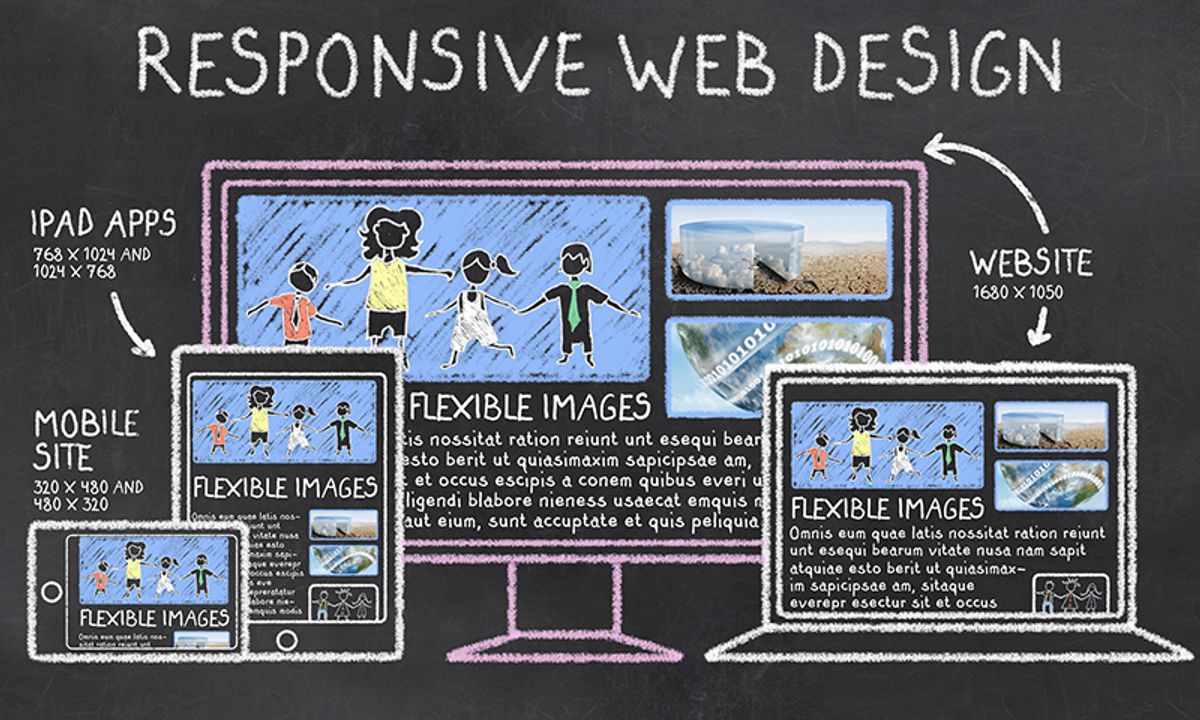
Responsive design is also crucial in ensuring that interactive elements work seamlessly across various devices. Breakpoints in responsive design allow for layout adjustments that maintain consistency, regardless of screen size or orientation. Here’s a list of interactive elements that can be integrated into a website to boost engagement:
- Personalized calculators
- Interactive quizzes
- Customizable forms
- Real-time feedback mechanisms
- Gamified experiences
Building a Content Strategy that Resonates
A content strategy that resonates with your audience is the cornerstone of user engagement. It begins with setting clear goals and objectives for what you want to achieve with your content. Whether it’s increasing brand awareness, generating leads, or educating users, your content must be aligned with these goals.
Crafting a content strategy involves understanding the journey your users take from discovery to conversion. It’s about creating content that not only attracts but also retains users by providing value at every touchpoint.
To ensure your content strategy is on target, consider these steps:
- Define your content goals and align them with user needs.
- Segment your audience and create detailed personas.
- Map out the user journey and identify key content touchpoints.
- Develop a content calendar that covers a variety of formats and channels.
- Measure the impact of your content and adjust your strategy accordingly.
By following these steps, you can build a content strategy that not only meets business objectives but also deeply engages your users.
Maintaining and Improving Post-Launch

Monitoring User Feedback and Behavior
After launching a website, the journey towards enhancing user experience doesn’t end. Monitoring user feedback and behavior is a continuous process that provides invaluable insights into how users interact with your site. This data is essential for identifying areas that need improvement and for validating design decisions.
- Gathering Feedback: Collect feedback through surveys, feedback forms, and social media.
- Analyzing Behavior: Use analytics tools to track user behavior and engagement.
- Prioritizing Changes: Based on feedback and behavior, prioritize updates that will have the most impact.
- Continuous Improvement: Implement changes and monitor their effect on user experience.
By integrating user feedback into the design process, you can ensure that your website evolves to meet the changing needs and expectations of your users. This proactive approach can lead to increased user satisfaction and business success.
Iterative Design and Continuous Improvement
The journey of a website’s evolution doesn’t end at launch. Iterative design is a method that focuses on continuous improvements based on user feedback and data. This approach ensures that the website remains relevant and user-friendly over time. Effective user testing involves developing test plans, recruiting participants, conducting tests, analyzing results, and implementing changes based on feedback. Incorporating user feedback is crucial for continuous improvement and iteration.
Iterative design is not a one-time event but an ongoing process of refinement. By regularly revisiting and revising the website, designers can address issues that arise and adapt to changing user needs and technological advancements.
The process of iterative design can be broken down into several key steps:
- Reviewing the current design and identifying areas for enhancement
- Developing hypotheses for improvement
- Designing and implementing changes
- Conducting user testing and gathering feedback
- Analyzing feedback and making further adjustments
This cycle repeats, ensuring that the website is always moving towards an optimal user experience.
Post-Launch Support and Maintenance
After the excitement of launching a new website, it’s crucial to shift focus to ongoing support and maintenance to ensure the site remains secure, functional, and up-to-date. Regular maintenance is not just about fixing bugs; it’s about proactive improvement and adaptation to user feedback and technological advancements.
A robust post-launch strategy includes monitoring for issues, analyzing user behavior, and making iterative enhancements. This continuous cycle not only maintains but also elevates the user experience over time.
To effectively manage post-launch activities, consider the following checklist:
- Weekly updates of core systems and plugins
- Daily security and performance scans
- Automated backups and recovery plans
- Regular analysis of user feedback and behavior
- Scheduled website health audits to identify improvement opportunities
By adhering to these practices, businesses can ensure their website aligns with their evolving goals and user expectations, ultimately supporting long-term success.
Launching your website is just the beginning of your digital journey. To ensure your online presence remains strong and continues to grow, consider our comprehensive range of post-launch services. From WordPress Development to eCommerce solutions, we provide the support and maintenance necessary to keep your site running smoothly and efficiently. Don’t let your website’s potential fade away; visit our website to learn more about our services and how we can help you maintain and improve your digital footprint. Let’s work together to make your website a lasting success.
Conclusion
In conclusion, adopting a user-centric website design approach is paramount for creating an engaging and satisfying user experience. By prioritizing usability, conducting thorough user research, and aligning design strategies with user needs, we can develop websites that not only impress visually but also function seamlessly. The real-world examples and projects discussed throughout this article underscore the effectiveness of this approach in various contexts, from e-commerce to non-profit websites. As we continue to navigate the digital landscape, let us remember that at the heart of every successful website is a design that resonates with its users, facilitating a connection that goes beyond the screen.
Frequently Asked Questions
What is user-centric website design?
User-centric website design is an approach that focuses on the needs, preferences, and behaviors of the website’s users. It involves creating a website that offers a seamless and engaging experience by prioritizing usability, accessibility, and personalization.
Why is understanding user behavior important in website design?
Understanding user behavior helps designers create websites that are intuitive and easy to use. By analyzing how users interact with a site, designers can identify pain points and optimize the website to meet users’ expectations and improve overall satisfaction.
How can website performance be optimized for a better user experience?
Website performance can be optimized by improving load times, ensuring the site is responsive across different devices, and minimizing technical issues. Regular health audits and performance monitoring can help maintain an optimal user experience.
What role does personalized content play in engaging users?
Personalized content increases user engagement by delivering relevant and tailored information to individual users. This can lead to a more meaningful experience, encouraging users to spend more time on the site and potentially increasing conversion rates.
How often should a website undergo a health audit?
The frequency of website health audits can vary, but it’s generally recommended to perform them regularly, such as quarterly or bi-annually, to ensure the site remains up-to-date, secure, and user-friendly.
What is the importance of post-launch monitoring and maintenance?
Post-launch monitoring and maintenance are crucial for catching and fixing any issues that arise after a website goes live. It helps maintain a high-quality user experience, keeps the site secure, and ensures that it continues to meet user needs over time.