Enhancing User Experience with Seamless Website Navigation

In today’s digital age, a website’s navigation can make or break the user experience. A seamless and intuitive navigation structure not only ensures users find what they’re looking for with ease but also enhances their overall engagement with the website. This article delves into various strategies and practices that can significantly improve website navigation, thereby elevating the user experience to new heights.
Key Takeaways
- Intuitive site architecture with clear hierarchies and breadcrumbs can significantly improve user pathways and navigation.
- Optimal user flow is achieved by creating a cohesive visual language and balancing aesthetics with functionality, while streamlining content for easy consumption.
- Performance optimization, including faster page load speeds and efficient caching, is crucial for seamless browsing and user satisfaction.
- Post-launch practices such as regular website health audits and monitoring user feedback are essential for maintaining high UX quality.
- Leveraging analytics tools like heatmaps and navigation pattern analysis helps gain insights for continuous UX improvements.
Strategies for Intuitive Site Architecture
Understanding User Pathways
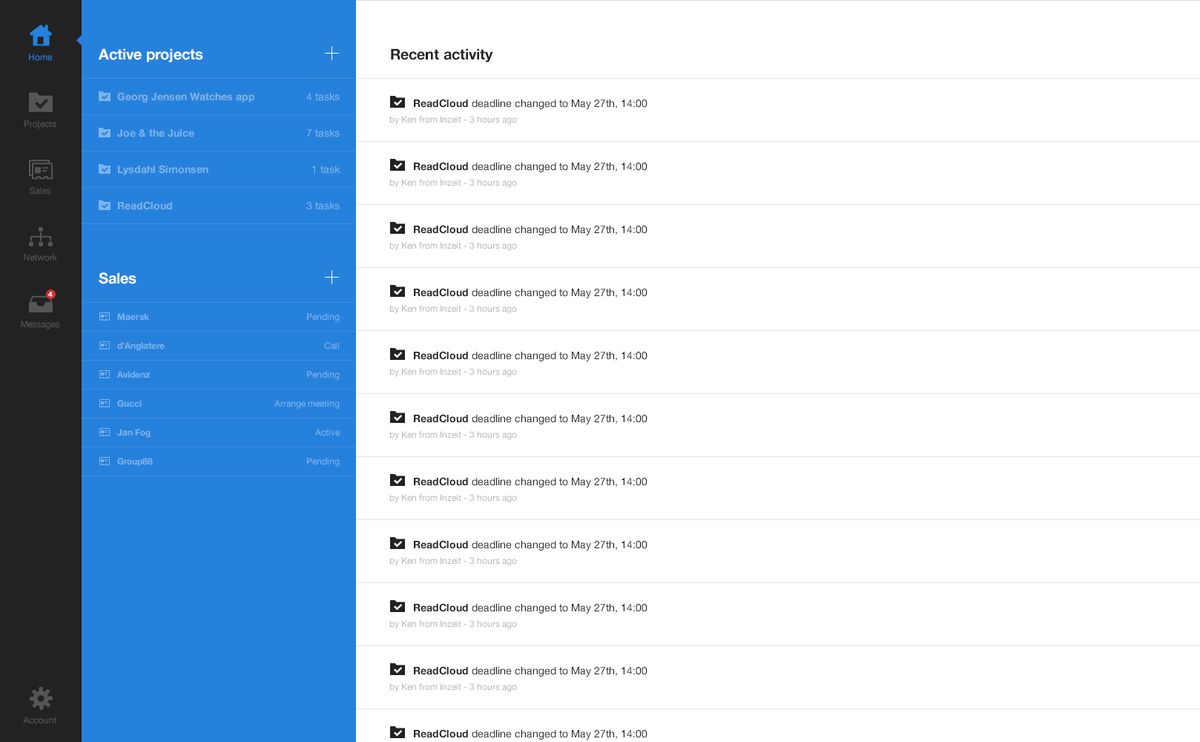
To enhance user experience, it’s crucial to grasp the journey a user takes through a website. Effective website navigation is not just about the aesthetic appeal; it involves understanding user behavior, visual navigation, and performance optimization. By analyzing how users interact with a site, designers can create a more intuitive navigation structure that guides visitors to their desired content with ease.
A user-centric approach to site architecture ensures that visitors can navigate a website without confusion, leading to a more satisfying experience.
Implementing user-centric features like breadcrumbs and search functions can significantly improve the navigability of a website. Additionally, creating intuitive menu structures is essential for a seamless user experience. Monitoring user feedback and behavior is also key to refining navigation over time, ensuring that the website evolves with its users’ needs.
Implementing Clear Hierarchies
Creating a clear hierarchy within a website is essential for guiding users through the content in a logical and intuitive manner. A well-defined structure allows for easier navigation, ensuring that users can find the information they need without confusion or frustration. This involves organizing content into main categories, subcategories, and individual pages that reflect the importance and relationship of the information.
- Main Categories
- Subcategories
- Individual Pages
- Subcategories
By adhering to a consistent and predictable layout, users can develop a mental model of the website, which facilitates quicker and more efficient interaction. For instance, a user looking for support services might expect to find them under a ‘Help’ or ‘Customer Service’ main category.
It is crucial to maintain a balance between depth and breadth in the site’s architecture to prevent overwhelming users with too many options or frustrating them with too many layers to navigate through.
Incorporating internal linking strategies further enhances the hierarchy by connecting related content, thereby improving the user’s journey and the site’s SEO. AM2 Studio’s strategic approach to web development focuses on user-centric design, cutting-edge technology, and post-launch monitoring for excellence and success in the digital space.
Leveraging Breadcrumbs for Navigation
Breadcrumbs are a navigational feature that can significantly enhance user experience by providing a clear path back to previous pages. They allow users to keep track of their locations within a website without having to rely on the back button or search functionality. This is particularly useful for e-commerce sites, where users often delve deep into categories and product listings.
Breadcrumbs typically appear horizontally at the top of a page, offering links back to each previous page the user navigated through to get to the current page.
Incorporating breadcrumbs into your site design can improve navigation and reduce bounce rates. Here’s a simple guide on how to implement them effectively:
- Start by ensuring that your site’s hierarchy is logical and straightforward.
- Add breadcrumbs at the top of each webpage to reflect the structure of your site.
- Keep the design consistent and easily recognizable across all pages.
- Make sure that the breadcrumb links are clickable and lead to the correct pages.
By following these steps, you can create a more intuitive and user-friendly website that encourages visitors to explore your content further.
Designing for Optimal User Flow

Creating a Cohesive Visual Language
A cohesive visual language is essential for guiding users through a website with ease and clarity. Visual hierarchy enhances content readability and engagement, ensuring that users can quickly identify the most important elements on a page. This can be achieved through consistent use of color, typography, and layout patterns.
Prioritizing responsive design and intuitive navigation improves user experience, engagement, and conversion rates. A well-structured visual language supports the user’s journey by providing clear signposts and reducing cognitive load. Here are some key components to consider:
- Consistent color schemes that align with brand identity
- Typography that ensures legibility and conveys the right tone
- Imagery that complements the content and brand message
- Layouts that facilitate a logical flow of information
By focusing on these elements, designers can create an environment that feels familiar and intuitive to users, regardless of the page they land on. This consistency is crucial for building trust and keeping users engaged with the content.
Balancing Aesthetics with Functionality
In the quest for a visually appealing website, it’s essential not to overlook the importance of functionality. A harmonious balance between aesthetics and functionality is the cornerstone of a user-centric design that leads to a satisfying user experience. This balance ensures that while the site is attractive and engaging, it remains intuitive and easy to navigate.
- Visual Design: Incorporates color schemes, typography, and layout that align with brand identity.
- Intuitive Navigation: Users should find what they need with minimal effort.
- Responsive Layouts: Ensure the site is accessible across various devices.
- Clear Calls-to-Action: Direct users effectively to desired actions.
- Accessibility Features: Make the site usable for all, including those with disabilities.
By focusing on both the look and usability of a site, designers can create interfaces that are not only beautiful but also highly functional. This dual focus helps in achieving a seamless interface that resonates with users and meets their needs efficiently.
It’s important to remember that every design element on a website should serve a purpose. Decorative features are welcome as long as they don’t impede the user’s ability to interact with the site. The ultimate goal is to deliver a website where users can enjoy the aesthetic aspects without sacrificing their ability to find information or complete tasks swiftly.
Streamlining Content for Easy Consumption
In the digital age, content is king, but the way it’s presented can make or break the user experience. Streamlining content involves more than just clear writing; it’s about structuring information so that users can easily digest and act upon it. To achieve this, consider the following steps:
- Simplify language: Use plain language to ensure that your content is understandable by a wide audience.
- Break up text: Large blocks of text can be daunting. Use headings, lists, and short paragraphs to make content more approachable.
- Use visuals wisely: Images, infographics, and videos can convey information more efficiently than text alone.
- Prioritize information: Place the most important content at the top, so users see it first.
By focusing on these aspects, you can enhance the user’s journey through your website, making it more likely that they will engage with your content and take the desired actions.
Remember, the goal is to create a seamless flow of information that guides the user naturally from one piece of content to the next. This not only improves the user experience but also supports your website’s search engine optimization efforts by encouraging longer visits and reducing bounce rates.
Performance Optimization for Seamless Browsing

Improving Page Load Speeds
In the pursuit of enhancing user experience, one of the most critical factors is the website’s load time. Users expect quick access to information, and delays can lead to frustration and increased bounce rates. To address this, several techniques can be employed to improve page load speeds.
Optimizing images is a key step; by compressing them without sacrificing quality, we reduce the data that needs to be loaded. Similarly, minifying scripts by removing unnecessary characters from HTML, CSS, and JavaScript enhances performance. Implementing caching can also have a significant impact, as it allows frequently accessed resources to be stored locally, speeding up subsequent visits.
Employing these strategies not only improves the speed of a website but also contributes to a seamless user experience. It’s a continuous process that requires regular monitoring and updates to maintain optimal performance.
Lastly, it’s important to minimize the use of external scripts, which can introduce additional load times. By keeping these to a minimum, we ensure that the website remains as efficient as possible. Here’s a quick checklist to help you get started:
- Optimize images for web use
- Minify HTML, CSS, and JavaScript files
- Implement caching techniques
- Reduce the number of external scripts
By focusing on these areas, we can significantly improve website efficiency and user satisfaction.
Optimizing Image and Media Files
Optimizing images and media files is crucial for enhancing website performance and user experience. Image compression and optimization are key activities that can significantly reduce file sizes while maintaining visual quality. This not only helps your website run faster but also improves page load speeds, which is vital for keeping users engaged.
Another effective way to optimize images for web performance is to resize them. Typically, the larger the dimensions, the larger the file size. Therefore, you should ensure that images are appropriately sized for their intended use on the site. Additionally, choosing the right file format can make a substantial difference. For example, formats like JPEG are suitable for photographs, while PNGs are better for graphics with transparent backgrounds.
By implementing these optimization techniques, you can create a smoother browsing experience for your visitors, making it more likely that they will stay on your site longer and explore more content.
It’s also important to consider the use of responsive images, which adapt to different screen sizes and resolutions. This ensures that images look sharp on all devices, from desktops to smartphones. Lastly, utilizing lazy loading can defer the loading of images until they are needed, which can further improve page performance.
Utilizing Efficient Caching Techniques
After implementing efficient caching techniques, it’s crucial to focus on post-launch practices to maintain the high quality of user experience (UX). Regular website health audits are essential to identify any issues that may arise over time. These audits should cover various aspects such as performance, security, and usability, ensuring that the site remains secure, fast, and user-friendly.
By conducting thorough website health audits, you can pinpoint areas for improvement and keep your site running smoothly, thus preserving the seamless navigation experience for users.
Monitoring user feedback and behavior is another key practice. It allows you to understand how users interact with your site and what changes could enhance their experience. Implementing continuous improvement cycles based on this data ensures that the website evolves with user needs and preferences.
Lastly, leveraging analytics can provide deep insights into user experience. Tools like heatmaps and user recordings help in analyzing navigation patterns and setting up goals for conversion tracking. This data-driven approach to UX can lead to informed decisions that boost user satisfaction and website performance.
Post-Launch Practices to Maintain UX Quality
Conducting Regular Website Health Audits
To maintain a high-quality user experience, it’s essential to conduct regular website health audits. These audits encompass a range of checks and balances that ensure your website remains in top condition post-launch. A comprehensive audit will typically review site performance, security measures, on-site SEO, and overall usability to identify any issues that could impede user satisfaction.
By proactively addressing these areas, you can prevent potential problems from escalating and keep your website running smoothly.
A well-structured website health audit might include the following steps:
- Regularly conduct A/B testing to understand what works best for your users.
- Optimize for mobile to ensure accessibility across all devices.
- Ensure accessibility for all users, including those with disabilities.
- Maintain security standards to protect user data and build trust.
- Monitor performance to keep page load times minimal.
These practices are not just about fixing problems; they’re about continuous improvement and adaptation to user needs and technological advancements.
Monitoring User Feedback and Behavior
To maintain a high-quality user experience, it’s crucial to monitor user feedback and behavior on your website. This involves analyzing various metrics and feedback channels to understand how users interact with your site and what improvements can be made.
One effective method is to track exit pages, which can highlight potential issues causing users to leave. For instance, using tools like Hotjar, you can navigate to Behavior > Site Content > Exit Pages to get a list of the top pages users view before exiting your website. This data can be instrumental in pinpointing areas for optimization.
By regularly reviewing user feedback and behavior, you can identify trends and make informed decisions to enhance the user experience. This proactive approach ensures that your website remains user-centric and continuously improves over time.
Additionally, it’s beneficial to set up a structured system for collecting and analyzing user feedback. This can include surveys, feedback forms, and direct user testing sessions. The insights gained from these efforts can lead to impactful changes that resonate with your audience and improve overall satisfaction.
Implementing Continuous Improvement Cycles
The continuous improvement cycle is a cornerstone of maintaining and enhancing user experience post-launch. It involves regular evaluation and iterative enhancements to ensure the website remains relevant, efficient, and user-friendly. This cycle can be broken down into several key steps:
- Assessment: Regularly review website analytics and user feedback to identify areas for improvement.
- Planning: Set clear, achievable goals based on the assessment findings.
- Implementation: Execute the planned changes, whether they involve design tweaks, content updates, or technical optimizations.
- Review: After implementation, analyze the impact of changes and gather new user feedback.
By adopting a mindset of continuous improvement, you can keep your website at the forefront of UX innovation, adapting swiftly to user needs and technological advancements.
It’s crucial to document each cycle, noting what was changed, why, and the results achieved. This documentation serves as a valuable reference for future cycles and helps build a knowledge base for best practices in UX design.
Leveraging Analytics for User Experience Insights

Utilizing Heatmaps and User Recordings
Heatmaps and user recordings are invaluable tools for understanding how visitors interact with your website. By analyzing user clicks and interactions, you can gain insights into which areas of your site attract the most attention and engagement. This data allows you to make informed decisions about design and content placement, ensuring that your website is tailored to user needs.
Heatmaps visually represent where users click, move, and scroll on your site, highlighting hotspots of activity. User recordings, on the other hand, offer a playback of user sessions, providing a detailed view of the user journey.
To effectively utilize these tools, consider the following steps:
- Review heatmaps regularly to spot trends and areas for improvement.
- Watch user recordings to understand the context behind user actions.
- Identify common points of confusion or frustration.
- Make data-driven changes to enhance the user experience.
By continuously monitoring and analyzing this data, you can refine your website’s design and functionality, leading to a more intuitive and satisfying user experience.
Analyzing Navigation Patterns
To ensure a website meets the needs of its users, analyzing navigation patterns is crucial. This process involves examining how visitors move through a site, which pages they frequent, and where they may encounter roadblocks. By leveraging analytics tools, we can gain insights into user behavior and identify areas for improvement.
- Review the most visited pages and the paths taken to reach them.
- Identify common exit points that may indicate user frustration or confusion.
- Analyze the time spent on each page to understand user engagement levels.
By optimizing navigation through analytics insights, we enhance user engagement. Balancing aesthetics and usability is key for a seamless user journey.
Understanding these patterns allows us to streamline the user journey, making it more intuitive and efficient. This not only improves the user experience but also supports the website’s business goals by reducing bounce rates and increasing conversions.
Setting Up Goals and Conversion Tracking
To truly understand the impact of your website’s user experience, setting up goals and conversion tracking is essential. This process involves defining key actions you want users to take and using analytics tools to measure how often these actions occur. For instance, goals can include making a purchase, signing up for a newsletter, or downloading a resource.
By analyzing the data from conversion tracking, you can gain insights into user behavior and identify areas for improvement. A simple table can illustrate the types of goals and their respective conversion rates:
| Goal Type | Conversion Rate |
|---|---|
| Purchase | 2.5% |
| Newsletter Sign-Up | 3.8% |
| Resource Download | 4.1% |
It’s not just about the numbers; it’s about understanding the journey that leads to those numbers. Regularly reviewing and adjusting your goals based on performance data ensures that your website evolves with your users’ needs.
Remember, the ultimate aim is to enhance user experience and engagement on websites. Strategies for web accessibility, user behavior insights through analytics, and streamlined navigation are pivotal to achieving this.
In today’s digital landscape, understanding your users is key to success. By leveraging analytics, you can gain invaluable insights into user behavior and preferences, allowing you to tailor your website for the best possible user experience. Don’t miss out on the opportunity to enhance your online presence. Visit our website to explore our comprehensive range of services, including WordPress Development, eCommerce solutions, and much more. Let’s work together to make your digital platform stand out. Click on ‘Our Services‘ to learn more and start your journey towards a more insightful and user-centric website today!
Conclusion
In conclusion, seamless website navigation is not just a component of good design; it’s a pivotal factor in enhancing user experience and ensuring the success of a website. By implementing strategic internal linking, optimizing performance, and ensuring quality assurance, we can guide users effortlessly through a site, increasing engagement, satisfaction, and conversion rates. It’s essential to remember that the user’s journey through a website should be intuitive and stress-free, which in turn reflects positively on the brand’s image and goals. With the right approach to navigation, businesses can create a digital environment where users feel understood and valued, leading to long-term loyalty and success.
Frequently Asked Questions
How does intuitive site architecture enhance user experience?
Intuitive site architecture makes it easier for users to find the information they need without confusion or frustration. It involves understanding user pathways, implementing clear hierarchies, and using navigation aids like breadcrumbs, which contribute to a seamless browsing experience and increased user satisfaction.
What role does visual language play in website navigation?
A cohesive visual language ensures that navigation elements are easily recognizable and consistent throughout the website. It combines aesthetics with functionality to guide users effortlessly from one section to another, enhancing the overall user flow and making the experience intuitive.
Why is page load speed critical for user experience?
Page load speed is critical because users expect quick access to information. Slow-loading pages can lead to frustration and high bounce rates. Optimizing page speed improves user satisfaction, engagement, and can also contribute to better search engine rankings.
How can regular website health audits improve user experience?
Regular website health audits help identify issues related to performance, security, and usability. By addressing these issues proactively, you can ensure that your website remains efficient, safe, and user-friendly, thereby maintaining a high-quality user experience over time.
In what ways can analytics provide insights into user experience?
Analytics tools like heatmaps and user recordings offer valuable data on how users interact with your website. By analyzing navigation patterns and setting up goals for conversion tracking, you can gain insights into user behavior and preferences, which can inform decisions to enhance the user experience.
What are some effective post-launch practices for maintaining UX quality?
Effective post-launch practices include monitoring user feedback and behavior, responding quickly to any new bugs or issues, and implementing continuous improvement cycles. This ensures that the website stays up-to-date with user needs and technological advancements, maintaining a high standard of UX quality.