Crafting Memorable User Experiences with Intuitive Design

In the digital age, the user experience (UX) has become a pivotal aspect of product design. Crafting memorable user experiences requires a deep understanding of intuitive design principles that resonate with users on a psychological level. This article delves into the essential components of creating intuitive designs that not only engage users but also foster a sense of personal connection and ease of use. Through personalization, seamless interactivity, and a commitment to privacy and transparency, designers can build digital products that stand out in a crowded marketplace and keep users coming back.
Key Takeaways
- Intuitive design is grounded in understanding user psychology and simplifying the user interface for clarity and ease of use.
- Personalization enhances user engagement by leveraging data to deliver custom experiences and content that resonates on an individual level.
- Seamless interactivity is achieved through intuitive navigation structures, gesture-based controls, and clear feedback mechanisms.
- Building trust with users involves a careful balance between personalization and privacy, with transparent communication about data usage and consent management.
- Implementing intuitive design is a collaborative, iterative process that involves prototyping, user testing, and continuous refinement based on user feedback.
The Pillars of Intuitive Design

Understanding User Psychology
At the heart of intuitive design lies a profound understanding of user psychology. This encompasses not just the practical aspects of how users interact with interfaces, but also their emotional responses and cognitive processes. By creating user personas, designers can simulate the journey of various user types, tailoring experiences that are both meaningful and accessible.
Intuitive design emphasizes user psychology, simplified navigation, and emotional responses to create engaging experiences.
Understanding and optimizing the user journey is essential. It involves user research, feedback, and iterative design refinements. This ensures that the interface meets users’ needs in a way that feels natural and seamless. A well-designed user interface feels like an extension of the user’s instincts, leading to a more satisfying and engaging experience.
- Creating user personas
- Conducting user research
- Gathering feedback
- Iterative design refinements
By aligning design choices with user expectations, we foster a deeper connection, enhancing engagement and the likelihood of users returning. This is the essence of crafting memorable user experiences through intuitive design.
Simplicity and Clarity in UI
In the realm of user interface design, simplicity and clarity are paramount. These principles are not just about aesthetic minimalism; they are about reducing cognitive load, making interactions more intuitive, and enhancing the overall user experience. A minimalist approach ensures that every element serves a purpose and supports the user’s journey.
- Eliminate unnecessary elements that do not contribute to user goals.
- Use clear, concise language to communicate effectively.
- Leverage familiar icons and visuals to improve recognition.
- Focus on core functionalities to streamline user tasks.
By stripping away the non-essential and honing in on what’s truly important, designers can craft interfaces that are not only visually appealing but also functionally superior.
Adherence to these principles is evident in successful UI designs. For instance, a navigation menu should be easily discoverable, and actions like sharing or deleting should be instantly recognizable through common icons. This clarity in design minimizes user errors and enhances satisfaction. Balancing simplicity with creativity is crucial; the interface should be straightforward yet capable of providing delightful user interactions.
Consistency Across Platforms
Achieving cross-platform consistency is a cornerstone of intuitive design. Users expect a seamless experience, whether they’re interacting with a brand on a mobile app, website, or any other digital platform. This consistency extends beyond visual elements to include functional aspects, ensuring that users can effortlessly transition between devices without relearning how to navigate or use the service.
- Use consistent design elements across platforms.
- Ensure functional parity to aid user transition.
- Regularly update all platforms to maintain uniformity.
By prioritizing consistency, businesses can foster a sense of reliability and professionalism, which in turn strengthens user trust and engagement.
It’s not just about aesthetics; it’s about creating a predictable and comfortable environment for the user. When every touchpoint reflects a unified design language, users are more likely to engage deeply and convert from casual browsers to loyal customers.
Enhancing User Engagement through Personalization
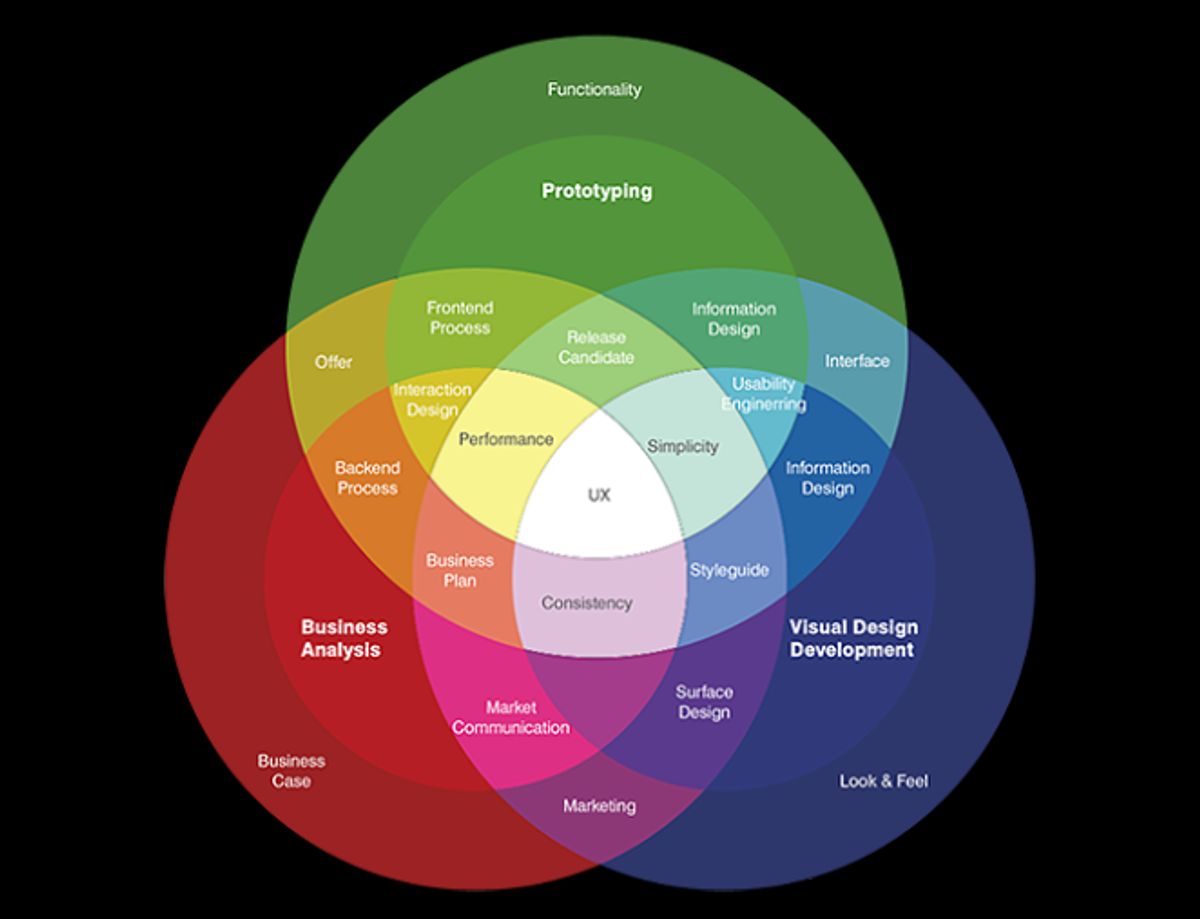
Leveraging User Data for Custom Experiences
In the realm of intuitive design, personalization is key to forging a deep connection with users. By harnessing user data effectively, designers can create experiences that are not only relevant but also deeply engaging. This process begins with the creation of detailed user personas, which encapsulate the demographics, behaviors, and preferences of the target audience.
Personalization goes beyond mere aesthetics; it’s about creating an interface that aligns with user instincts, leading to a frictionless experience.
To ensure that personalization is both effective and respectful of user privacy, a balance must be struck. Here’s a simple list of steps to consider when leveraging user data:
- Collect user data with clear consent and transparency.
- Analyze the data to identify key user behaviors and pain points.
- Use insights to tailor the user journey, enhancing satisfaction and engagement.
- Continuously refine the personalization based on user feedback and interaction data.
Ultimately, the goal is to deliver a user experience that feels intuitive and tailor-made, encouraging users to return and engage with the content repeatedly.
Dynamic Content Delivery
In the digital realm, dynamic content delivery is essential for creating a personalized user experience. It involves the use of algorithms and user data to present content that is tailored to individual preferences and behaviors. This approach not only enhances user engagement but also fosters a sense of connection between the user and the digital platform.
Dynamic content can transform a static user experience into an interactive journey. It allows for real-time updates and personalized recommendations, which are crucial for keeping the content relevant and engaging.
To effectively implement dynamic content delivery, consider the following steps:
- Collect and analyze user data to understand preferences.
- Utilize algorithms to curate content based on user behavior.
- Ensure real-time content updates to maintain relevance.
- Incorporate interactive elements that invite user participation.
By focusing on these aspects, designers and developers can ensure that the content delivered is not only engaging but also resonates with the user on a personal level.
Interactive Elements that Resonate
To create a user experience that truly resonates, interactive elements must be more than just functional; they should evoke emotion and connection. These elements, ranging from buttons to gestures, become memorable when they align with the user’s expectations and enhance the narrative of the brand.
- Visual Appeal: Striking visuals and engaging graphics capture attention and contribute to a memorable experience.
- Micro-Interactions: Subtle animations and micro-interactions add a layer of delight, encouraging continued engagement.
- Seamless Interactivity: The design should facilitate effortless interaction, making the user’s journey intuitive and enjoyable.
By focusing on these aspects, designers can craft interactive elements that not only serve their purpose but also significantly improve user satisfaction and engagement.
Ultimately, the goal is to design interactive elements that feel like an extension of the user, creating an interface that is instinctive and frictionless. This approach not only enhances the user experience but also fosters a deeper connection between the user and the product.
Navigating the User Journey with Seamless Interactivity
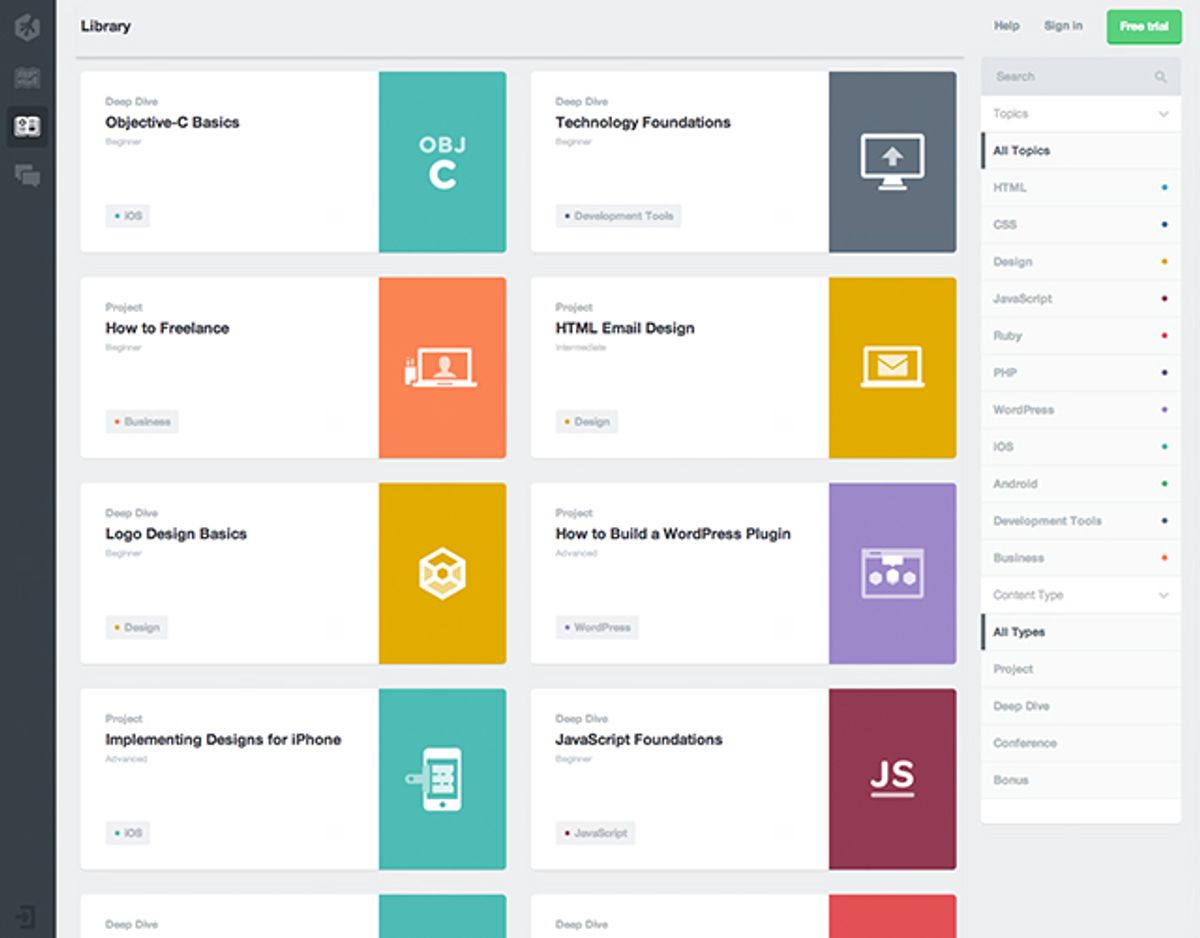
Intuitive Navigation Structures
An intuitive navigation structure is fundamental to crafting memorable user experiences. It’s the backbone that supports users as they explore and interact with a digital environment. By prioritizing a natural navigation flow, we can eliminate user confusion and ensure that users find what they need without frustration or confusion. This approach not only enhances user satisfaction but also bolsters overall engagement with the platform.
To achieve this, consider the following best practices:
- Prioritize simplicity: Keep the navigation menu simple and concise.
- Use descriptive labels: Ensure that each menu item clearly communicates its destination.
- Implement hierarchical organization: Structure menu items logically with main categories and subcategories.
By thoughtfully structuring interfaces, we create a fluid experience that feels intuitive from the first use.
Remember, the goal is to balance functionality with aesthetics to reflect the brand identity and enhance the user experience. A seamless journey through the website or app should feel like second nature, aided by microinteractions and a user-centric design approach.
Designing for Gesture-Based Controls
In the realm of mobile interfaces, optimizing for touch and gestures is not just about usability; it’s about forming a deeper connection with users. By humanizing digital interactions, we create experiences that are not only engaging but also feel relatable and intuitive.
Incorporating interactive elements like progress bars and gestures can significantly enhance the user experience. Descriptive labels and feedback are crucial as they improve communication and streamline user activities through fewer steps and clear navigation. Here are some practical steps to consider:
- Optimize Touch Targets: Ensure buttons and links are large enough for easy interaction.
- Employ Visual Cues: Utilize colors and animations to guide users.
- Simplify Gestures: Implement common gestures that are easy to remember and use.
By thoughtfully structuring interfaces, we can create a fluid experience that feels intuitive from the first use.
These techniques, when applied thoughtfully, can lead to a layout that users will find natural and easy to navigate, enhancing the overall design for ease of use.
Feedback Loops and User Guidance
Effective feedback loops are integral to intuitive design, ensuring that users feel heard and that their interactions with the platform lead to continuous improvement. Feedback loops play a crucial role in shaping user behavior, providing timely and relevant responses that can encourage positive behavior change and enhance the overall user experience.
To implement effective feedback loops, consider the following steps:
- Actively solicit user feedback through surveys, user testing, and analytics.
- Analyze the data to gain insights into user preferences and pain points.
- Use these insights to make iterative improvements to the design.
- Continuously refine the user experience based on real-world usage and evolving user needs.
By integrating user feedback into the design process, we create a dynamic and user-centric approach that fosters trust and loyalty. This not only benefits the users but also drives innovation within the platform.
Remember, continuous user feedback and simplified navigation are key for creating excellent user experiences. Feedback fosters trust, loyalty, and innovation, while clear navigation enhances user satisfaction and efficiency. It’s about creating an interface that feels like an extension of the user’s instincts, leading to an engaging and frictionless experience.
Building Trust with Privacy and Transparency

Balancing Personalization with Privacy Concerns
In the quest to create engaging user experiences, the use of personalization has become a cornerstone of modern design. However, this approach must be carefully balanced with user privacy concerns. Personalization can lead to improved user satisfaction and retention, but it also brings to light the sensitive issue of how personal data is collected, used, and stored.
The key challenge lies in designing systems that respect user privacy while still delivering personalized content.
To address this, designers and developers must establish clear guidelines and practices for data handling. Here are some steps to consider:
- Ensure transparency in data collection methods.
- Provide users with options to control their data.
- Implement robust security measures to protect user information.
- Regularly update privacy policies to reflect current practices.
By taking these steps, businesses can foster trust and build a loyal user base that feels secure in the knowledge that their personal information is being handled responsibly.
Clear Communication of Data Usage
In the digital age, transparency is paramount when it comes to user data. Users should be able to understand, at a glance, how their information is being utilized. This means providing clear, jargon-free explanations within the user interface itself, not buried in lengthy terms of service documents.
To achieve this, consider the following steps:
- Communicate Clearly: Be explicit and straightforward in explaining to users how their data will be collected, processed, and used. Clearly state the purpose behind the data collection.
- Simplify Consent: Make consent forms easy to understand and ensure that opting in or out is a hassle-free process.
- Provide Access and Control: Allow users to easily access their data and control how it is used. This includes options to update, delete, or export their information.
By fostering an environment of trust through clear communication, businesses not only comply with regulations but also build stronger relationships with their customers.
User Control and Consent Management
In the realm of intuitive design, user control and consent management are critical for building trust and ensuring compliance with privacy regulations. Users should be empowered with clear choices and control over their personal data. This includes straightforward mechanisms to grant, manage, or withdraw consent.
By prioritizing user privacy and control, designers can create interfaces that foster transparency and user empowerment.
Designing consent requests is a delicate process that requires clarity and precision. Users must be informed explicitly about why their data is being collected and how it will be used. Below is a list of best practices for consent management:
- Develop clear and straightforward requests for consent.
- Provide options for users to easily manage their preferences.
- Implement regular updates to privacy practices to reflect changes in data use.
- Minimize data collection to what is strictly necessary for the service provided.
From Concept to Reality: Implementing Intuitive Design

Collaborative Design Processes
The journey from concept to reality in design is a collaborative effort that hinges on clear and effective communication. Choosing a partner who communicates clearly is crucial, as it ensures that every step of the project aligns with the intended user experience. The process typically unfolds through a series of steps:
- Briefing: Articulate your design needs and expectations.
- Conceptualization: Engage in a creative exchange of ideas.
- Design Development: Create initial designs and iterate based on feedback.
- Refinement: Collaborate to align the designs with your brand identity.
- Finalization: Implement the design across all brand touchpoints.
By involving various stakeholders, including professionals from diverse regions such as North and South America, Europe, and Asia, the design process becomes a melting pot of insights and creativity. This diversity ensures that the design not only meets but exceeds user expectations, fostering an intuitive and memorable user experience.
Throughout the design and development process, ideas are rigorously tested and validated against user psychology and usability. This iterative approach, inspired by strategy and analytics, ensures that the final product is not only aesthetically pleasing but also highly functional and user-centric.
Prototyping and User Testing
Prototyping serves as a bridge between initial design and the final product, offering a tangible representation for stakeholders to interact with. Prototyping is creating a preliminary product model or sample design for idea testing and validation. It helps visualize the final product, allowing developers and designers to identify potential issues early on.
User testing is an integral part of this process, providing invaluable feedback directly from the target audience. It can take various forms, such as moderated, unmoderated, and remote testing, each with its own set of advantages.
By iterating on prototypes and incorporating user feedback, designers can refine the user experience to better meet the needs and expectations of the end-user.
Ultimately, the goal is to create a user experience that feels intuitive and seamless. This is achieved through a cycle of prototyping, testing, and refining, which helps to ensure that the final product not only looks good but also functions well in real-world scenarios.
Iterative Design for Continuous Improvement
The journey from a concept to a fully realized intuitive design is marked by continuous refinement and improvement. Iteration in UX refers to the cyclical process of refining design solutions based on feedback, testing, and evaluation. This approach ensures that the final product not only meets but exceeds user expectations, providing an experience that is both memorable and effective.
By incorporating iterative design, we embrace the philosophy that a product is never truly finished but is always evolving to better serve its users.
To enhance iterative development, it’s crucial to integrate user feedback loops at various stages. This can be done through surveys, user testing, and analytics, which provide insights into user preferences and pain points. The table below outlines key stages in the iterative design process and the methods used to gather user feedback:
| Stage | Method |
|---|---|
| Concept Testing | Surveys |
| Prototyping | User Testing |
| Launch | Analytics |
Emphasizing simplicity and guided interactions not only improves user experience but also reduces development costs. The iterative design, with its feedback loops, enhances usability and ensures that the product remains relevant and user-centric over time.
Embarking on the journey from concept to reality requires a partner who understands the essence of intuitive design. Our team at AM2 specializes in bringing your vision to life with custom web design and development solutions that resonate with your audience. Whether you’re looking to create a stunning WordPress site, optimize for performance, or develop a robust eCommerce platform, we’re here to help. Visit our website to explore our services and let’s make digital excellence your reality. Your project deserves the best – let’s build something great together.
Conclusion
In the realm of digital design, the creation of intuitive, user-friendly experiences is not just a goal—it’s a necessity for success. Throughout this article, we’ve explored the multifaceted approach to crafting memorable user experiences, emphasizing the importance of intuitive design. From the principles of clarity and simplicity to the strategies for engaging storytelling and personalization, we’ve seen how these elements converge to form a seamless and enjoyable user journey. As we continue to push the boundaries of what’s possible in UI/UX design, let us remember that at the heart of every great digital product is an experience that resonates with users, feels natural, and leaves a lasting impression. The future of design is not just about aesthetics; it’s about creating connections that enrich the user’s interaction with technology, making every moment count in the ever-evolving digital landscape.
Frequently Asked Questions
What are the key principles of intuitive design?
The key principles of intuitive design include understanding user psychology, ensuring simplicity and clarity in the user interface (UI), and maintaining consistency across different platforms to provide a seamless user experience.
How can personalization enhance user engagement?
Personalization can enhance user engagement by leveraging user data to create custom experiences tailored to individual preferences, delivering dynamic content that is relevant and engaging, and including interactive elements that resonate with users on a personal level.
What are the best practices for intuitive navigation in apps?
Best practices for intuitive navigation in apps include creating clear and logical navigation structures, designing for gesture-based controls that align with how users naturally interact with devices, and implementing feedback loops and guidance to assist users throughout their journey.
How can designers balance personalization with privacy concerns?
Designers can balance personalization with privacy concerns by being transparent about how user data is used, providing clear communication regarding data usage policies, and implementing robust user control and consent management systems to ensure user trust and compliance with privacy regulations.
What is the role of prototyping and user testing in intuitive design?
Prototyping and user testing play a critical role in intuitive design by allowing designers to collaborate, test, and validate design concepts with real users. This iterative process helps identify usability issues and gather user feedback to continuously improve the design for a better user experience.
Why is post-launch monitoring important for website performance?
Post-launch monitoring is important for website performance because it helps identify any new bugs or issues that may arise after the website goes live. It ensures that the site continues to perform optimally and provides opportunities for further improvements based on user interactions and feedback.