Crafting Memorable User Experiences with Intuitive Design

In the digital age, where user expectations are ever-evolving, crafting memorable user experiences is vital for any product or service. Intuitive design is not just about aesthetics; it’s about creating an environment where users can navigate effortlessly. This article delves into the essential strategies and practices that can elevate the usability and appeal of digital interfaces, ensuring a seamless user journey from the first click to the final interaction.
Key Takeaways
- Intuitive design is crucial for understanding and meeting user needs, simplifying interactions, and ensuring accessibility.
- Enhancing usability involves analyzing the user interface, implementing feedback, and optimizing performance to improve conversion rates.
- Emotional design helps create connections with users, promotes well-being, and balances functionality with aesthetics for more engaging experiences.
- Respecting user privacy and offering personalized experiences build trust and transparency, leading to better user retention.
- The transition from design to development requires collaborative strategies, thorough quality assurance, and ongoing post-launch support to maintain high-quality user experiences.
The Pillars of Intuitive Design
Understanding User Needs
At the heart of intuitive design lies a profound understanding of user needs. This understanding is the cornerstone of creating experiences that are not only functional but also deeply resonate with the user. User research is the systematic exploration of users’ objectives, requirements, motivations, and actions. It employs various methods such as user interviews, surveys, contextual inquiries, and usability testing to gain insights into user behavior.
By prioritizing user needs, designers can craft solutions that are both effective and emotionally engaging. This approach not only meets but often exceeds user expectations.
The process of user research is indispensable and has led companies to establish dedicated departments focused on this area. Before jumping into solutions, it’s crucial to pave the way with a solid understanding of the people we call users. Here’s a brief overview of the steps involved in user research:
- Identifying the target user demographic
- Conducting interviews and surveys to gather data
- Analyzing the data to uncover patterns and pain points
- Creating user personas to represent the typical user
- Utilizing findings to inform design decisions
AM2 Studio’s strategic approach to web development emphasizes a user-centric design, ensuring that the final product not only aligns with technical specifications but also with the user’s way of life.
Simplifying User Interactions
To create seamless experiences, designers must focus on simplifying user interactions. This involves reducing the number of steps a user must take to complete a task, streamlining processes, and removing unnecessary complexity. By doing so, we cater to the user’s desire for efficiency and ease of use.
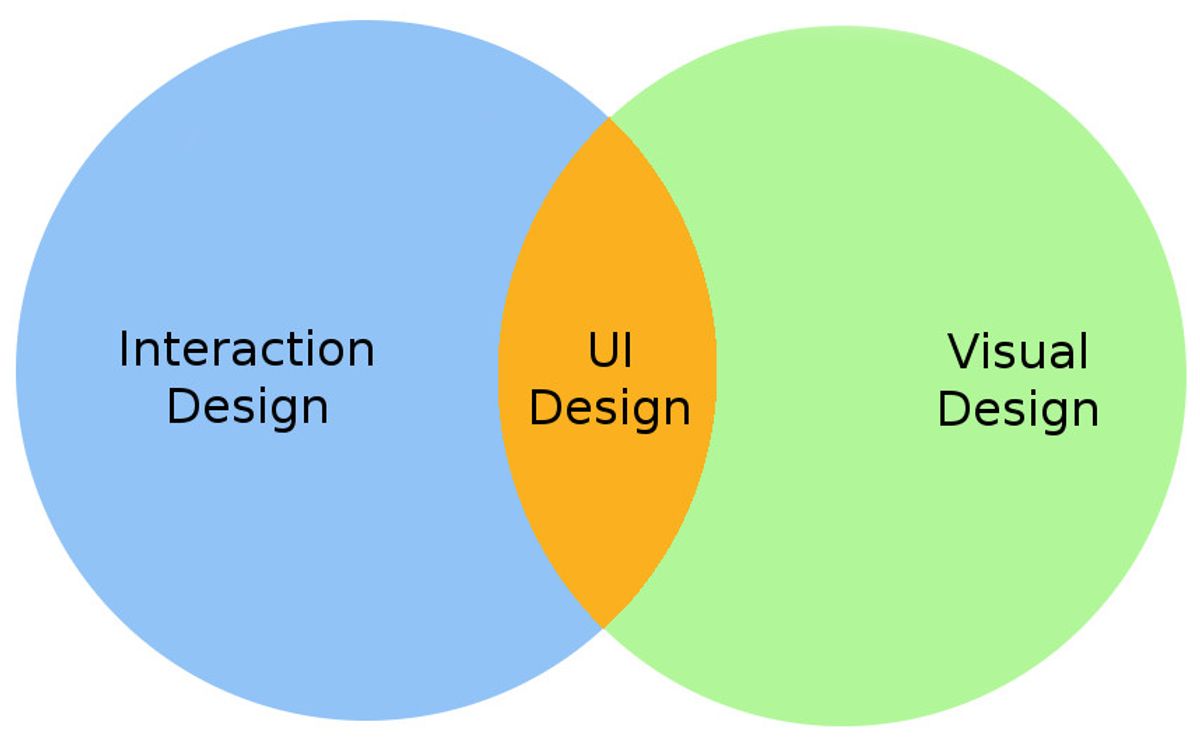
Intuitive design focuses on understanding user psychology and simplifying the user interface.
A key aspect of this simplification is the thoughtful design of the user interface (UI). Elements should be intuitive, with actions that are predictable and easy to understand. Here’s a list of strategies to simplify user interactions:
- Minimize the number of user inputs required
- Use common UI patterns
- Provide clear and concise instructions
- Implement progressive disclosure techniques
- Utilize gestural interfaces where appropriate
Humanizing digital interactions not only enhances usability but also fosters brand loyalty. It’s essential to continuously refine these interactions through usability testing and user feedback to ensure they remain as straightforward as possible.
Designing for Accessibility
Empathy is the cornerstone of designing for accessibility. It’s about understanding that accessibility is not a feature, but a fundamental aspect of a good user experience. By incorporating accessibility into the design process, we ensure that our products are usable by everyone, including people with disabilities. This includes considering visual, auditory, motor, and cognitive impairments when creating user interfaces.
Accessibility should be seen as an opportunity to innovate and improve the overall user experience, not just as a compliance requirement.
To achieve this, we must adhere to established accessibility guidelines and best practices. This involves structuring content so it’s navigable by screen readers, ensuring sufficient contrast for text and visual elements, and designing interactive elements to be usable with various assistive technologies. Below is a list of key considerations for accessible design:
- Research and cover accessibility and inclusive design issues during user research.
- Prioritize clear contrast and readability for all users.
- Structure content for compatibility with screen readers.
- Design interactive elements for use with assistive technologies.
- Continuously refine the design based on user feedback to address accessibility challenges.
By integrating these principles into our design process, we create more inclusive products that resonate with a wider audience and reflect the diverse needs of the users we serve.
Enhancing Usability for Better Conversion

Analyzing User Interface
In the realm of user experience (UX), the user interface (UI) serves as the point of contact where users interact with your digital product. It’s not just about aesthetics; it’s about how easily and efficiently users can complete their tasks. Analyzing the UI involves a deep dive into the visual elements, such as typography and color schemes, as well as the overall layout and navigational structure.
A well-designed UI should not only look appealing but also facilitate a seamless and intuitive user journey.
To ensure the UI meets user expectations, it’s essential to conduct usability testing and gather data on user interactions. This feedback loop helps identify pain points and areas for improvement. For instance, tracking metrics like error rates, task completion times, and user satisfaction scores can provide valuable insights.
- Evaluate visual design elements
- Assess navigational flow and layout
- Conduct usability testing
- Analyze interaction patterns
- Gather and implement user feedback
By meticulously analyzing these aspects, designers can refine the UI to enhance the overall user experience, ultimately leading to better engagement and conversion rates.
Implementing User Feedback
Incorporating user feedback into the design process is not just beneficial; it’s essential for creating products that resonate with users and meet their needs. Feedback is a valuable tool for refinement, allowing designers to fine-tune interfaces and enhance the overall user experience. By engaging in an iterative process, designers can ensure that the product evolves in alignment with user expectations, thereby increasing satisfaction and conversion rates.
The key to successful implementation of user feedback lies in its systematic collection, analysis, and integration into the design. This requires a structured approach that can be broken down into actionable steps.
Here’s a simple framework to guide the integration of user feedback:
- Collect feedback through various channels such as surveys, user testing, and social media.
- Analyze the feedback to identify common patterns and critical issues.
- Prioritize the feedback based on its impact on user experience and business goals.
- Develop solutions to address the feedback and design revisions.
- Test the revised design with users to validate the changes.
- Iterate on the design based on new feedback and insights.
By following these steps, designers and developers can create a more intuitive and user-centered product. It’s a collaborative effort that requires openness and flexibility, as well as a commitment to continuous improvement.
Optimizing for Performance
In the realm of user experience, performance optimization is not just a technicality; it’s a fundamental aspect that directly influences user satisfaction and conversion rates. A swift and responsive interface is a cornerstone of intuitive design, ensuring that users can navigate and interact without facing frustrating delays.
To achieve optimal performance, consider the following steps:
- Analyze the current performance metrics to establish a baseline.
- Identify bottlenecks and areas for improvement.
- Implement changes such as code minification, image optimization, and server-side enhancements.
- Monitor the impact of these changes through user engagement and conversion metrics.
By streamlining the user journey and reducing load times, we create a more engaging and efficient experience that encourages users to convert, aligning with the goal of enhancing website performance.
Remember, the balance between aesthetics and usability is crucial. It’s not just about making a website faster; it’s about crafting an engaging user journey that resonates with the user psychology and leads to strategic calls to action (CTAs). Performance optimization is an ongoing process that requires regular reviews and updates to stay ahead of user expectations and technological advancements.
Leveraging Emotional Design
Creating Emotional Connections
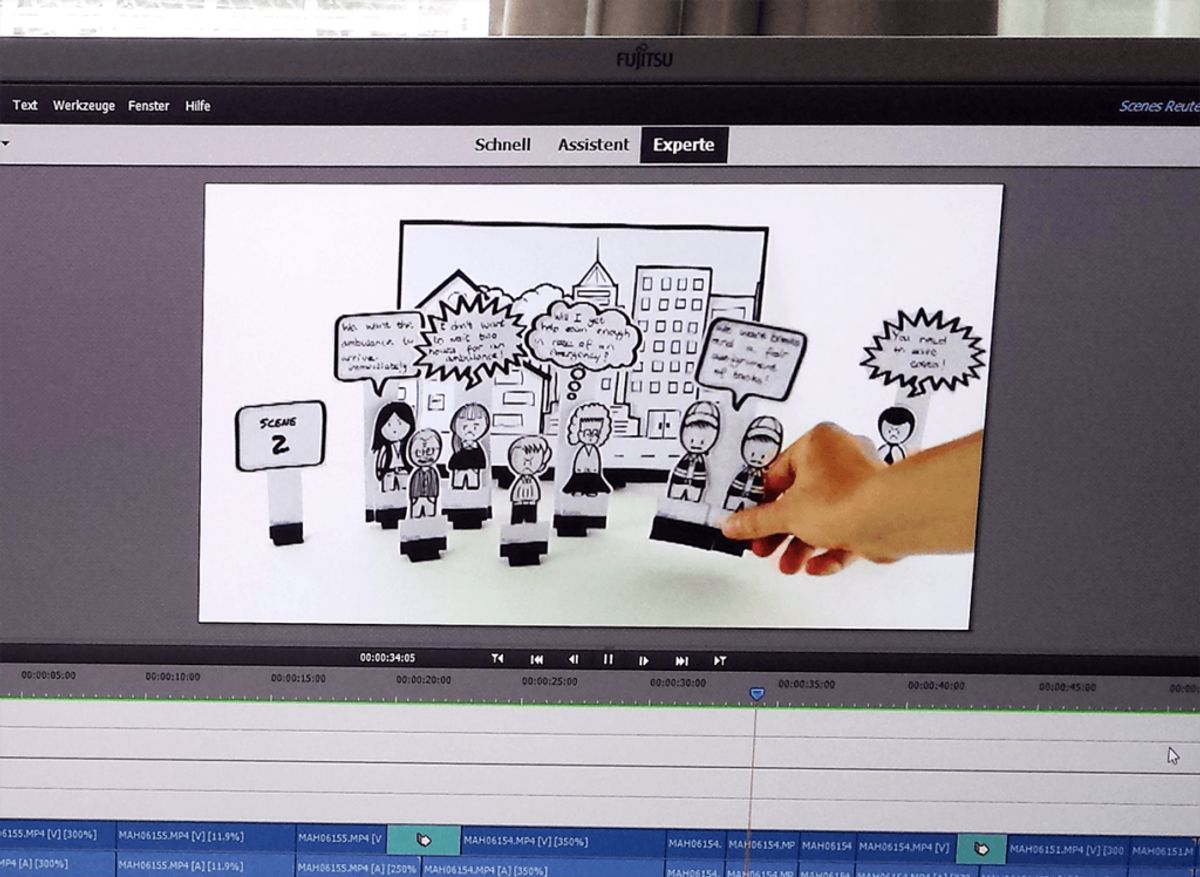
In the realm of user experience, creating emotional connections is paramount. By weaving storytelling into the fabric of design, we can evoke a sense of belonging and familiarity. Multimedia elements, when used judiciously, serve as powerful conduits for emotion, transforming a static interface into a dynamic narrative space. This approach not only enhances the user experience but also fosters loyalty and increases brand engagement.
Emotional design is not just about the right colors or the perfect layout; it’s about making users feel understood and valued. It’s about creating a journey that resonates with them on a personal level.
To achieve this, designers must be adept at interpreting user needs and translating them into design elements that speak directly to the heart. This requires a deep understanding of psychological principles and a commitment to integrating these insights into every aspect of the design process. The table below outlines key aspects of emotional design and their impact on user experience:
| Aspect | Impact on User Experience |
|---|---|
| Storytelling | Builds a narrative that users can connect with |
| Aesthetics | Evokes positive emotions and associations |
| Interactivity | Engages users, making the experience more memorable |
| Personalization | Makes users feel unique and catered to |
By prioritizing these aspects, designers can craft experiences that not only meet the functional needs of users but also touch their emotions, leading to a more profound and lasting connection with the product or service.
Designing for Well-being
In the realm of user experience, designing for well-being is a commitment to the user’s emotional and psychological health. It’s about creating environments that are not only functional but also nurturing. Good design transcends the visual; it considers the user’s state of mind, offering a sanctuary from the chaos of daily life. For instance, the use of a dominant blue color scheme in an app can evoke feelings of peace and serenity, contributing to visual tranquility.
Empathetic design principles are at the core of well-being-focused UX. By considering the diverse needs and challenges of users, designers can craft experiences that improve quality of life and foster happiness.
A harmonious balance between functionality, emotional resonance, and societal impact is essential. Projects that integrate psychological principles, such as therapeutic board games or journaling apps for pet loss, exemplify this approach. They not only aid in personal growth and stress relief but also promote inclusiveness and community building.
- Visual Tranquility: Soft gradients and rounded shapes contribute to a calming user interface.
- Empathetic Principles: Addressing the emotional and practical challenges of diverse social groups.
- Harmonious Balance: Achieving equilibrium between functionality, emotional engagement, and societal benefits.
- Psychological Integration: Incorporating mental health improvement into the user experience.
Balancing Functionality and Aesthetics
In the realm of user experience, the equilibrium between functionality and aesthetics is pivotal. A design that is visually appealing yet fails to perform can frustrate users, just as a highly functional but unattractive interface can deter them. To achieve this balance, one must consider the user’s journey from the outset, ensuring that each visual element serves a purpose and enhances usability.
The key is to create a design that feels like an extension of the user, one that they can navigate intuitively and with pleasure.
For instance, when considering the scale of furniture and decor in interior design, the same principles apply to digital spaces. Elements should be appropriately scaled to the user’s viewport, avoiding overcrowding or sparse arrangements. A well-proportioned interface can significantly improve the user experience.
Below is a list of considerations to keep in mind when striving for balance:
- Prioritize key actions with visual hierarchy
- Use color and contrast to guide user attention
- Integrate whitespace to reduce cognitive load
- Employ typography that ensures readability and brand consistency
- Optimize for various screen sizes and devices
By meticulously crafting each aspect of the design, we can create experiences that are not only beautiful but also profoundly functional and intuitive.
Privacy and Personalization in UX

Respecting User Privacy
In the digital age, user privacy has become a cornerstone of trust and integrity in design. Respecting user privacy involves transparent data practices, secure handling of personal information, and empowering users with control over their data. This ethical approach is not just a legal obligation but a moral one, ensuring that users feel safe and respected.
Designing with privacy in mind requires a proactive stance, anticipating user concerns and addressing them before they become issues. It’s about creating an environment where privacy is not an afterthought but a foundational element of the user experience.
To achieve this, designers must consider a variety of strategies:
- Conducting thorough user research to understand privacy expectations
- Implementing clear and concise privacy policies
- Providing easy-to-use privacy controls
- Regularly updating security measures to protect user data
By integrating these practices, designers can create products that not only meet legal standards but also foster a sense of security and trust with their users.
Customizing User Experiences
In the digital landscape, customizing user experiences is not just a trend; it’s a fundamental aspect that can significantly enhance the value a user derives from a product. Tailoring the user experience to individual preferences and behaviors ensures that each interaction feels personal and relevant. This approach can lead to increased user satisfaction and loyalty.
To achieve a high level of personalization, it’s essential to gather and analyze user data responsibly. Here are some steps to consider:
- Collect user data through various touchpoints.
- Utilize analytics to understand user behavior.
- Implement machine learning algorithms for predictive personalization.
- Continuously test and refine personalization strategies.
Personalization should not be an afterthought but an integral part of the design process, ensuring that users feel seen and understood.
By integrating personalization into the core design principles, we can create user-friendly websites that not only meet user needs but also foster a deeper connection. It’s about finding the right balance between functionality and aesthetics to deliver remarkable user experiences.
Building Trust through Transparency
In the realm of user experience, trust is a cornerstone that can significantly influence a user’s decision to engage with a product or service. To foster this trust, transparency must be woven into every aspect of the user journey. Clear privacy policies and data security are not just legal requirements; they are fundamental to reassuring users that their personal information is handled with care.
Transparency extends beyond privacy policies to the very way we communicate with users. It involves providing honest updates about changes, acknowledging and addressing user concerns, and ensuring that users feel heard and valued. This open dialogue is a testament to a company’s commitment to its users.
By embedding transparency into the design process, we create an environment where users feel safe and respected, paving the way for a lasting relationship.
Here are some steps to achieve transparency in UX design:
- Clearly display privacy policies and terms of service.
- Make it easy for users to control their privacy settings.
- Communicate openly about how user data is used.
- Provide clear channels for user feedback and support.
Building trust through transparency is not a one-time effort but an ongoing commitment to ethical design and communication practices that resonate with users’ needs and emotions.
The Journey from Design to Development
Collaborative Design Strategies
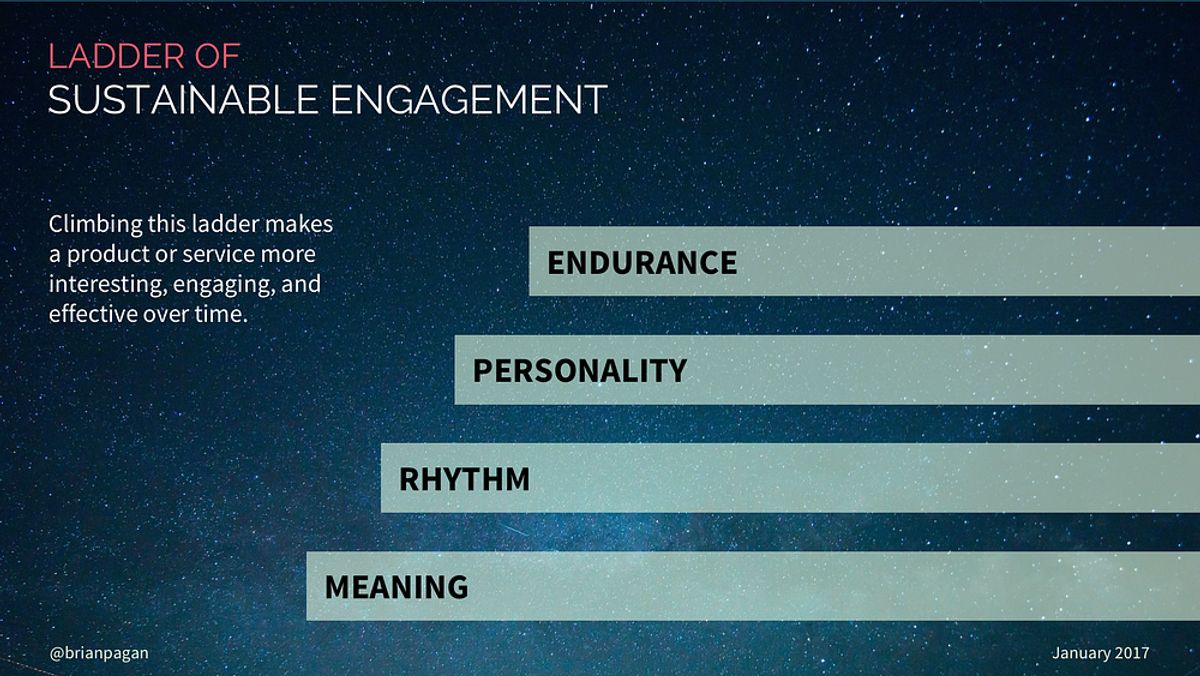
The success of a design project hinges on the collaboration between designers, developers, and stakeholders. This synergy ensures that the final product resonates deeply with user needs and emotions, leading to a more engaging and effective user experience.
Effective collaboration begins with a clear understanding of roles and responsibilities. Below is a list of key roles and their contributions to the design process:
- Designers: Focus on user interface and experience, creating visually appealing and intuitive designs.
- Developers: Bring designs to life with code, ensuring functionality and performance optimization.
- Project Managers: Oversee the project timeline and deliverables, maintaining clear communication across teams.
- Stakeholders: Provide strategic direction and feedback, ensuring the product aligns with business goals.
By fostering an environment of open communication and empathy, teams can iterate rapidly, incorporating feedback loops at every stage to refine concepts into impactful solutions.
Collaborative design not only streamlines the workflow but also allows for the integration of microinteractions that enhance usability and user engagement. AM2 Studio, for instance, leverages these subtle yet powerful elements for seamless web development and user-centric strategies, optimizing conversions and crafting emotionally fulfilling experiences.
Quality Assurance and Testing
Quality Assurance (QA) is a critical phase in the web development lifecycle, ensuring that the final product aligns with both design specifications and user expectations. QA practices ensure high standards in web development, focusing on user experience, responsiveness, and product consistency. Collaboration with the design team is crucial for optimal performance and conversions.
During QA, various tests are conducted to identify any issues that could impact the user experience. This includes functionality testing, usability testing, and performance testing. A typical QA process might look like this:
- Reviewing design specifications
- Conducting functionality tests
- Performing usability assessments
- Evaluating performance metrics
- Identifying and documenting defects
- Verifying fixes and updates
By meticulously testing each aspect of the product, QA teams can pinpoint areas for improvement, ensuring a seamless and enjoyable user experience upon launch.
Post-launch, the focus shifts to monitoring and addressing any emerging issues. This proactive approach to QA and testing helps to maintain a high-quality user experience, fostering user satisfaction and loyalty.
Post-Launch Monitoring and Support
After the excitement of a launch, the real work begins with post-launch monitoring and support. This phase is critical to ensure that the product continues to meet user expectations and adapts to their evolving needs. It involves tracking key performance indicators, user engagement metrics, and system stability to identify any areas that require attention.
The devil is in the details! Rigorous post-launch support can uncover opportunities for enhancements that might otherwise be missed. It’s about fine-tuning the user experience and maintaining the trust users have in the product.
A structured approach to post-launch support might include the following steps:
- Continuous monitoring of system performance and user feedback.
- Rapid response to any technical issues or bugs that arise.
- Iterative improvements based on data-driven insights.
- Regular updates and feature enhancements to keep the product fresh and relevant.
By staying vigilant and responsive after launch, we can ensure that the product not only retains its user base but also attracts new users through positive word-of-mouth and improved performance.
Embarking on the journey from design to development can be a seamless experience with the right partner. Our team at AM2 specializes in transforming your vision into a digital reality, offering services like WordPress Development, eCommerce solutions, and custom web design. We ensure your project is handled with the utmost care and professionalism, from strategy to quality assurance. Ready to elevate your online presence? Visit our website and let’s create something extraordinary together!
Conclusion
In the journey of crafting memorable user experiences, intuitive design stands as the cornerstone of success. It is the harmonious blend of functionality, emotional resonance, and societal impact that elevates a good design to a great one. By prioritizing usability, empathetic principles, and innovative technology, designers can create impactful designs that not only meet the immediate needs of users but also contribute to their overall well-being and happiness. The projects and strategies discussed throughout this article serve as a testament to the transformative power of design when executed with user-centric mindfulness. As we continue to explore new avenues of creative expression and impact, let us remember that the ultimate goal of design is to improve lives, foster community connection, and make a positive difference in society.
Frequently Asked Questions
What are the pillars of intuitive design?
The pillars of intuitive design include understanding user needs, simplifying user interactions, and designing for accessibility. These elements work together to create a seamless and natural user experience.
How does enhancing usability improve conversion rates?
Enhancing usability involves analyzing the user interface, implementing user feedback, and optimizing for performance. By making the user experience more intuitive and efficient, users are more likely to complete desired actions, leading to better conversion rates.
What is emotional design in UX?
Emotional design in UX focuses on creating emotional connections with users, designing for their well-being, and balancing functionality with aesthetics. It aims to elicit positive feelings and build engagement through a thoughtful design approach.
How do privacy and personalization affect user experience?
Privacy and personalization are critical in UX as they help build trust and cater to individual user needs. Respecting user privacy while providing customized experiences ensures users feel secure and valued, enhancing overall satisfaction.
What is the role of development in the design process?
Development transforms design concepts into functional products. It involves collaborative design strategies, quality assurance, testing, and post-launch monitoring to ensure the product meets design intentions and user expectations.
Why is post-launch monitoring important in UX design?
Post-launch monitoring is crucial to identify and fix any unforeseen issues that may arise after a product goes live. It ensures the product continues to perform well and provides an opportunity to make ongoing improvements based on user feedback.