Crafting Memorable User Experiences with Intuitive Design
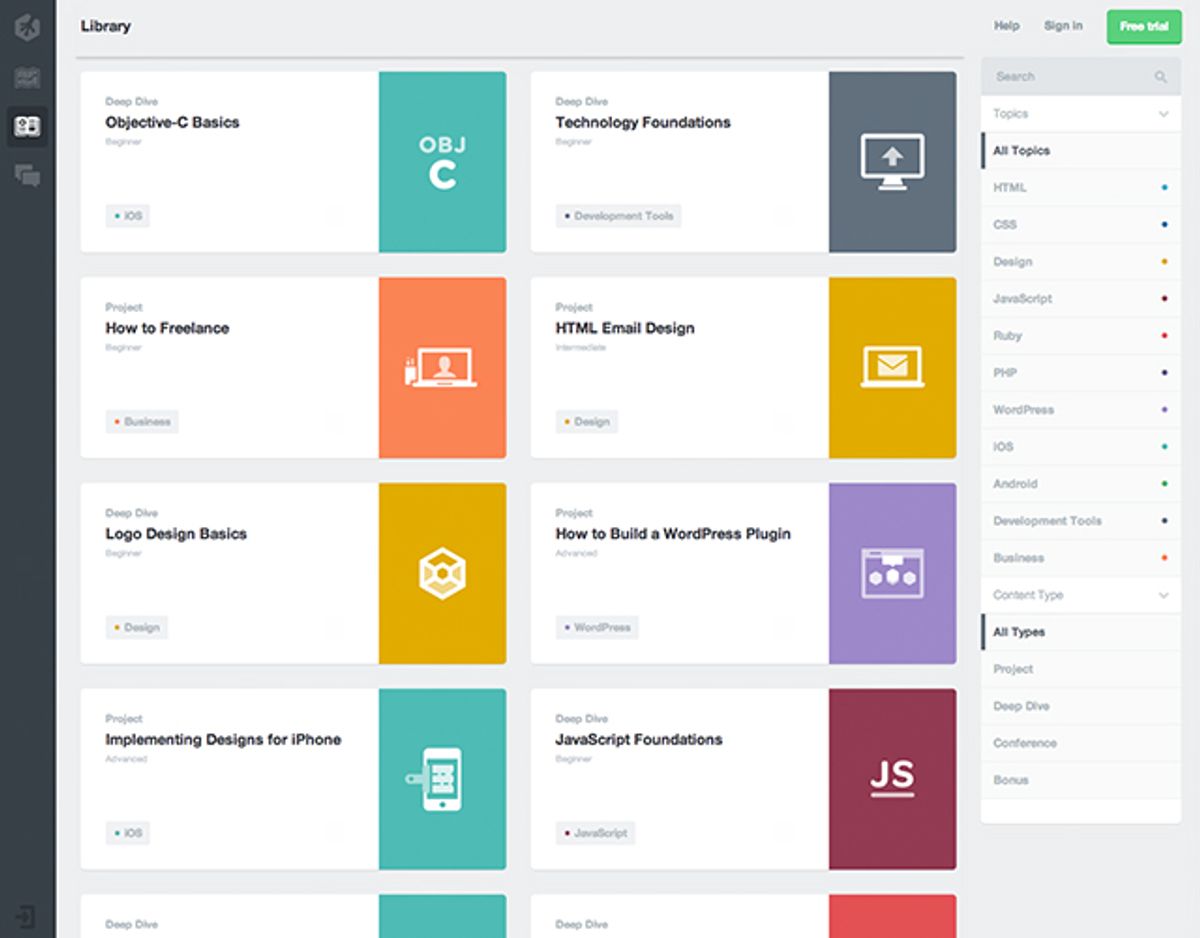
In the digital age, intuitive design is not just about aesthetics; it’s about creating user experiences that are seamless, engaging, and memorable. The article ‘Crafting Memorable User Experiences with Intuitive Design’ delves into the strategies and principles that make for effective user-centric design. It outlines the importance of understanding user psychology, simplifying navigation, and ensuring that form and function are in harmony. Enhancing user engagement through visual hierarchy, interactive elements, and personalization is also crucial. Additionally, optimizing usability across devices and ensuring accessibility for all users are fundamental. Building trust through design involves incorporating privacy and security features, maintaining transparent communication, and ensuring design credibility. Lastly, measuring the success of user experiences through analytics, feedback, and conversion rates is essential for continuous improvement.
Key Takeaways
- Intuitive design is essential for crafting user experiences that are not only visually appealing but also functionally seamless and user-friendly.
- Understanding user psychology and simplifying navigation are foundational to creating intuitive interfaces that users can navigate with ease.
- A balance of form and function, coupled with visual hierarchy and interactive elements, enhances user engagement and retention.
- Accessibility and responsive design are non-negotiable aspects of intuitive design, ensuring that all users have a positive experience, regardless of device or ability.
- Building trust through design and measuring the impact of design choices on user behavior and conversion rates are critical for long-term success.
The Pillars of Intuitive Design

Understanding User Psychology
At the heart of intuitive design lies a deep understanding of user psychology. Recognizing the emotional responses and behaviors of users allows designers to create experiences that are not only efficient but also emotionally resonant. This connection fosters a satisfying user experience that users are likely to return to.
To build a strong UX foundation, it’s essential to develop user personas and map out their journeys. User personas represent the diverse audience segments, detailing demographics, goals, behaviors, and pain points. User journey mapping then outlines the steps these personas take to achieve their goals, highlighting opportunities to enhance the experience at each stage.
By proactively preventing user errors and evoking positive emotions through design, we can significantly reduce friction and enhance overall engagement.
Embracing a data-driven approach ensures that design decisions are informed by user insights and validated through testing. This empirical method leads to more successful outcomes, as it roots design choices in the realities of user interaction.
Simplifying Navigation
To create an intuitive design, navigation must be straightforward and predictable. Simplified menus and clear, consistent navigation paths are essential for users of all ages, enhancing usability and reducing complexity. For example, older generations may prefer more direct interfaces, while younger users value efficiency.
Effortless exploration is key. Users should always understand their location within the website and navigate to desired sections with minimal effort. Breadcrumb navigation can be particularly effective in indicating the user’s current position within the site hierarchy.
By focusing on empathy, clear labels, logical organization, and user testing, designers can bridge the generational divide, ensuring that the navigation system serves a diverse user base.
Streamlining user flows is not just about aesthetics; it’s about crafting a seamless journey through digital platforms, eliminating friction points, and ensuring a smooth transition from one section to another. This meticulous attention to detail is what makes the user experience truly memorable.
Balancing Form and Function
In the realm of user experience, the harmony between form and function is paramount. Users often judge the usability of a product based on its aesthetic appeal, a phenomenon known as the Aesthetic-Usability Effect. This principle asserts that aesthetically pleasing designs are perceived as more usable, fostering a positive relationship with the product.
Functionality should never be sacrificed for the sake of visual design. Instead, an intuitive user experience emerges from the seamless integration of both elements, ensuring that every interaction feels natural and effortless.
To achieve this balance, consider the following points:
- Visual Appeal and Brand Alignment: Ensure that the design is not only engaging but also reflects the brand’s ethos.
- User-Friendly Forms: Design forms that are clear and minimize user friction.
- Efficiency and Reliability: Users value platforms that offer seamless integration and intuitive navigation.
- Data-Driven Decision-Making: Leverage user insights to inform design choices that enhance usability.
By prioritizing user needs and leveraging insights, designers can create experiences that are both beautiful and functional, ultimately leading to higher user satisfaction and engagement.
Enhancing User Engagement

Leveraging Visual Hierarchy
In the realm of intuitive design, visual hierarchy plays a pivotal role in crafting user experiences that are both engaging and easy to navigate. By strategically employing size, color, contrast, and spacing, designers can direct users’ attention to the most vital information and controls on a page. This not only enhances the aesthetic appeal but also streamlines the user journey.
Visual hierarchy is instrumental in making user experiences as easy to learn and use as people expect them to be.
Effective visual hierarchy requires a thoughtful approach to content layout. Here’s a simple guide to get started:
- Prioritize content by importance, ensuring that key messages and calls to action stand out.
- Use clear iconography with tooltips to aid comprehension across diverse user groups.
- Maintain brand consistency throughout the design to build trust and recognition.
- Implement clear information architecture to support intuitive navigation and discovery.
Remember, the goal is to create a seamless experience that feels almost second nature to the user, allowing them to interact with your digital product without friction or confusion.
Interactive Elements for Better Retention
Interactive elements are not just embellishments; they are essential for creating engaging digital experiences that keep users coming back. Incorporating interactive features can significantly improve user retention by making the experience more memorable and enjoyable. For instance, intuitive gestures with tutorial popups can guide users through their journey, especially when combined with clear iconography and tooltips.
- Think about interactivity first – aesthetics second.
- Rethink the usual way of doing things to surprise and delight users.
- Employ microinteractions to provide subtle feedback and enhance engagement.
By focusing on steady achievements and rewarding small wins, we can develop habits and support learning, which is particularly important for apps targeting younger audiences with shorter attention spans.
Design principles like white space, visual consistency, and interactive elements not only enhance user engagement but also contribute to overall satisfaction. It’s about creating a seamless flow that users can navigate effortlessly, which in turn, fosters a sense of loyalty and increases the likelihood of repeated use.
Personalization and User Preferences
In the realm of user experience, personalization is a cornerstone that can significantly enhance user engagement. Users are drawn to platforms that allow them to tailor their experiences to their individual preferences and needs. This can range from customizable settings to personalized recommendations and content organization based on interests.
To effectively implement personalization, consider the following strategies:
- Progressive Disclosure: Avoid overwhelming users by revealing content progressively, such as through accordions or tabs.
- User Onboarding: Interactive tutorials or walkthroughs can guide new users, making complex applications more approachable.
- Data-Driven Personalization: Tailor experiences by leveraging user data and past interactions to provide relevant content and recommendations.
By bridging the generational divide with intuitive navigation and customizable settings, designers can ensure inclusivity and ease of use for all users. Simplifying complex features and providing clear instructions can alleviate confusion, particularly for those less familiar with technology.
Remember, while aesthetics are important, functionality should not be compromised. Prioritizing user needs ensures that the design adds genuine value to the user experience. This approach leads to confident users who appreciate the usability and aesthetics of an engaging, intuitive experience.
Optimizing for Usability
Mobile Responsiveness and Cross-Platform Consistency
In the quest to deliver Seamless Experiences Everywhere, mastering mobile responsiveness and cross-platform consistency is crucial. Users expect a fluid experience, whether they’re on a desktop at work, a tablet on their couch, or a smartphone on the go. This ensures consistency in design elements such as typography, color palette, and iconography, and it’s essential for maintaining usability across different devices.
Practical Tips for Cross-Platform UX Design
To achieve this, consider the following steps:
- Employ responsive design principles to ensure that your digital experiences adapt seamlessly to various screen sizes and devices.
- Conduct extensive usability testing on various devices and screen sizes to identify and address any layout or usability issues.
- Implement iterative prototyping and testing phases to maintain a consistent, intuitive, and accessible user interface.
By prioritizing mobile responsiveness and cross-platform consistency, businesses can cater to a wider audience and enhance user satisfaction, leading to increased engagement and conversion rates.
Accessibility: Designing for All
In the realm of user experience, accessibility should never be an afterthought. It’s a fundamental aspect that ensures all users, regardless of their abilities, can interact with digital products effectively. To achieve this, designers must adhere to standards such as the Web Content Accessibility Guidelines (WCAG), which provide a framework for creating more accessible and user-friendly interfaces.
Embracing accessibility leads to a wider audience reach and reflects a commitment to diversity and inclusion. It’s not just about compliance; it’s about valuing every user’s experience.
Here are some practical steps to enhance accessibility:
- Follow web accessibility guidelines to accommodate users with visual, auditory, or motor impairments.
- Ensure that all interactive elements are keyboard-navigable and that alternative text is provided for images.
- Consider the use of ARIA (Accessible Rich Internet Applications) roles to improve the accessibility of dynamic content and advanced user interface controls.
- Perform regular accessibility audits to identify and rectify any barriers that might prevent users from fully engaging with your product.
Speed and Performance Tuning
In the realm of web development, speed is a pivotal factor that can significantly influence user satisfaction and conversion rates. A swift and responsive website not only retains users but also contributes to a positive user experience. To achieve this, several optimization techniques can be employed:
- Optimize images: Compress and resize images to reduce load times without compromising quality.
- Implement caching: Utilize browser and server caching to serve content faster on subsequent visits.
- Minify scripts: Reduce the size of CSS and JavaScript files to decrease load times.
- Reduce HTTP requests: Combine files where possible and use CSS sprites to minimize the number of server requests.
Performance tuning is not a one-time task but an ongoing process of analysis and improvement. Regularly monitoring and tweaking your website’s performance is crucial to stay ahead of the competition and meet user expectations.
By adhering to these practices, businesses can see an increase in sales, conversions, and customer satisfaction, while also improving their search engine rankings. It’s essential to remember that user patience is limited, and a delay of just a few seconds can lead to lost opportunities.
Building Trust Through Design
Privacy and Security Features
In the digital age, privacy and security are not just features but fundamental rights of users. A study by Burst Media revealed a significant increase in user comfort with privacy when presented with clear privacy policies. This underscores the importance of transparent design in building trust and fostering an emotional connection with users.
To ensure robust privacy controls, consider the following steps:
- Clearly state privacy policies and security measures.
- Provide customizable privacy settings to empower users.
- Regularly update and communicate any changes in privacy practices.
By prioritizing user privacy and security, platforms can create a safe environment that respects user data and builds lasting loyalty.
Efficiency and reliability also play a crucial role in user trust. Seamless integration and intuitive navigation are valued over complex systems that may compromise security. Personalization, while important, should never come at the expense of user privacy.
Transparent User Communication
Transparent user communication is essential in building trust with your audience. It involves clear messaging and the avoidance of misleading information. Users appreciate when brands are upfront about their practices, especially in terms of data handling and privacy policies.
To achieve transparency, consider the following steps:
- Clearly state the purpose of data collection and how it will be used.
- Provide easy access to privacy policies and terms of service.
- Offer straightforward options for users to opt-in or opt-out of services.
- Implement clear, user-friendly language free of jargon.
By prioritizing transparent communication, you not only comply with legal standards but also foster a positive relationship with your users, encouraging long-term engagement.
Remember, transparency is not just about sharing information; it’s about making it accessible and understandable. This approach not only meets the expectations of users who read and analyze every word but also caters to those who favor communication channels that respect their time and attention.
Design Credibility and Brand Consistency
In the realm of user experience, design credibility and brand consistency are pivotal in cultivating trust with users. A consistent brand experience and predictable interactions reassure users, fostering a sense of reliability. To achieve this, businesses must ensure that their employees are aligned with the brand’s vision, and that design guidelines are clear and adhered to. Collecting and acting on user feedback is also crucial in maintaining this trust and ensuring that the user experience remains top-notch.
A harmonious user experience is achieved when every design element resonates with the brand’s identity, while also being functional and intuitive.
For instance, Millennials show a preference for simplicity and intuitiveness in design, opting for clean, minimalist interfaces that are both visually appealing and functional. Brands that are able to deliver such experiences, like Apple, are often held in high regard by this demographic. Similarly, Boomers value reliability and consistency across devices and platforms, preferring user interfaces that are predictable and easy to navigate. This highlights the importance of a design strategy that is not only aesthetically aligned with the brand but also meets the functional needs of the user.
Measuring Success in User Experience

Analytics and User Feedback
In the realm of user experience, data-driven decision-making is paramount. Analytics integration allows for the tracking of user behavior, engagement metrics, and identification of areas for improvement. This quantitative approach is complemented by qualitative insights from user feedback, creating a comprehensive view of the user journey.
Continuous iteration and improvement are the cornerstones of a successful UX strategy. By analyzing user feedback and behavior, we can refine and enhance the design to better meet user needs.
A well-structured approach to measuring UX success involves key performance indicators (KPIs) and metrics that align with business goals. These may include usability testing results, bounce rates, click-through rates, and time on page. Post-launch analytics play a crucial role in this process, providing actionable insights for iterative design enhancements.
- Integrate website analytics tools
- Measure engagement metrics
- Conduct usability testing
- Track conversion rates
- Analyze post-launch user behavior
By leveraging both analytics and user feedback, we ensure that design decisions are not only aesthetically pleasing but also empirically validated, leading to more successful outcomes.
A/B Testing and Iterative Design
The journey to perfecting user experience is never-ending. A/B testing and continuous improvement are at the heart of this process, providing invaluable insights into user behavior and preferences. By comparing different versions of a design, we can make data-driven decisions that incrementally enhance the user experience.
Iterative design is a cyclical process of prototyping, testing, analyzing, and refining a product. It’s about making small, manageable changes rather than overhauling the entire design at once.
This approach allows for a responsive design strategy that adapts to user feedback and evolving trends. Below is a list of steps typically involved in A/B testing and iterative design:
- Identify key metrics for success
- Develop A/B testing plan
- Implement variations in design
- Collect and analyze user data
- Make informed design decisions
- Apply changes and repeat the process
By embracing this methodology, designers and developers can create more effective, user-centric websites that resonate with their audience and drive engagement.
Conversion Rate Optimization
The ultimate goal of any user experience strategy is to convert visitors into customers or users. Conversion rate optimization (CRO) is the linchpin that turns passive website visitors into active users or buyers. By analyzing user behavior and feedback, businesses can pinpoint areas for improvement and implement changes that lead to better performance and higher conversion rates.
To achieve optimal CRO, it’s essential to understand the multifaceted nature of user interactions and the psychological triggers that lead to conversions.
A successful CRO strategy involves a combination of tactics, including:
- Fast Loading Speeds: Ensuring your website loads quickly to reduce bounce rates and retain user attention.
- User-Friendly Forms: Designing forms that are easy to fill out, with clear instructions and minimal required fields.
- High-Quality Content: Providing content that is engaging, informative, and optimized for search engines.
- Continuous Iteration: Utilizing user feedback and analytics to make data-driven improvements to the user experience.
By focusing on these areas, businesses can create a more intuitive and satisfying user experience that encourages visitors to take the desired action, whether it’s making a purchase, signing up for a newsletter, or downloading an app.
Understanding and enhancing user experience is pivotal to the success of any digital platform. At our core, we specialize in crafting seamless and engaging user interfaces that resonate with your audience. To ensure your website or application is not just functional but delightful, visit our [Services] page and discover how our expertise in WordPress Development, eCommerce solutions, and custom web design can elevate your project. Let’s work together to make your digital presence truly exceptional.
Conclusion
In the journey of crafting memorable user experiences, we’ve explored the significance of intuitive design as a cornerstone of user satisfaction and engagement. The real-world examples and insights shared throughout this article underscore the importance of a user-centric approach that prioritizes ease of use, emotional resonance, and brand alignment. By embracing these principles, designers and developers can create digital experiences that not only meet but exceed user expectations, fostering loyalty and driving success. As technology and user behaviors evolve, the commitment to intuitive design will remain a key differentiator in a crowded digital landscape. Remember, the ultimate goal is to design not just for aesthetics, but for a seamless and impactful user experience that leaves a lasting impression.
Frequently Asked Questions
What is intuitive design in the context of user experience?
Intuitive design refers to creating user interfaces that are easy to understand and use without requiring extensive instruction or learning. It’s about leveraging familiar patterns and user expectations to craft experiences that feel natural and seamless.
How does understanding user psychology improve design?
Understanding user psychology helps designers anticipate user needs and behaviors, allowing them to create more effective and satisfying user experiences. It involves researching and considering the emotional, cognitive, and social factors that influence how users interact with a product.
Why is balancing form and function important in design?
Balancing form and function ensures that while a product is aesthetically pleasing, it also serves its intended purpose efficiently. Good design should not sacrifice usability for visual appeal, nor should it compromise aesthetics for functionality.
What role does visual hierarchy play in user engagement?
Visual hierarchy guides users’ attention to the most important elements on the page, improving the ease of use and effectiveness of the design. It’s achieved by using size, color, contrast, and placement to establish a clear order of importance among visual elements.
How does responsive design contribute to usability?
Responsive design ensures that a website or application provides a consistent and optimal experience across different devices and screen sizes. It contributes to usability by adapting the layout and functionality to match the user’s device, improving accessibility and satisfaction.
What methods are used to measure success in user experience?
Success in user experience can be measured using various methods, including analytics to track user behavior, A/B testing to compare different design implementations, user feedback to gather direct insights, and conversion rate optimization to evaluate the effectiveness of design changes.